



1 min read
|
03-30-2026
Magento 2 Checkout Not Loading or Not Working? How to debug & fix
Vinh Jacker
|
03-20-2026

Many Magento store owners run into a frustrating issue: the Magento 2 checkout page not loading or not working properly. Sometimes the checkout keeps spinning, fails to load payment methods, or simply shows a blank page.
Even a small technical error during checkout can immediately stop customers from completing their purchase. According to data from Statista, cart abandonment rates can reach nearly 70%, and checkout issues are one of the most common causes.
In this article, let’s join Mageplaza in exploring the most common Magento 2 checkout errors and how to fix them to optimize the conversion rate for your store.
Why Magento 2 Checkout Fails: How to Start Debugging
When your Magento 2 checkout page encounters issues, identifying the root cause requires a systematic debugging process. Here are the essential steps you need to take immediately:
Enable Developer Mode
Switch your store to developer mode to display detailed error messages instead of generic notifications. Run the command:
php bin/magento deploy:mode:set developer
Check Magento Log Files
Access the var/log directory and examine the two most important files:
- exception.log: Records exceptions during processing.
- system.log: Logs system errors and warnings.
Any anomalies here often point directly to the root cause.
Use Browser Developer Tools
Open the checkout page, press F12 to open DevTools:
- Console tab: Check for JavaScript errors (in red) – if present, these are frontend issues.
- Network tab: Monitor AJAX requests – identify which requests are failing (status 4xx/5xx) or timing out.
Distinguish Frontend vs Backend Errors
- If errors appear in the Console, they’re typically JS issues from your theme or extensions.
- If AJAX requests return server errors (5xx) or don’t respond, the problem lies in the backend: PHP, server configuration, conflicting extensions, or database issues.
After completing these four steps, you’ll have sufficient information to narrow down and dive into fixing the specific errors listed in the following section.
Common Errors That Cause Magento 2 Checkout Not Loading or Not Working
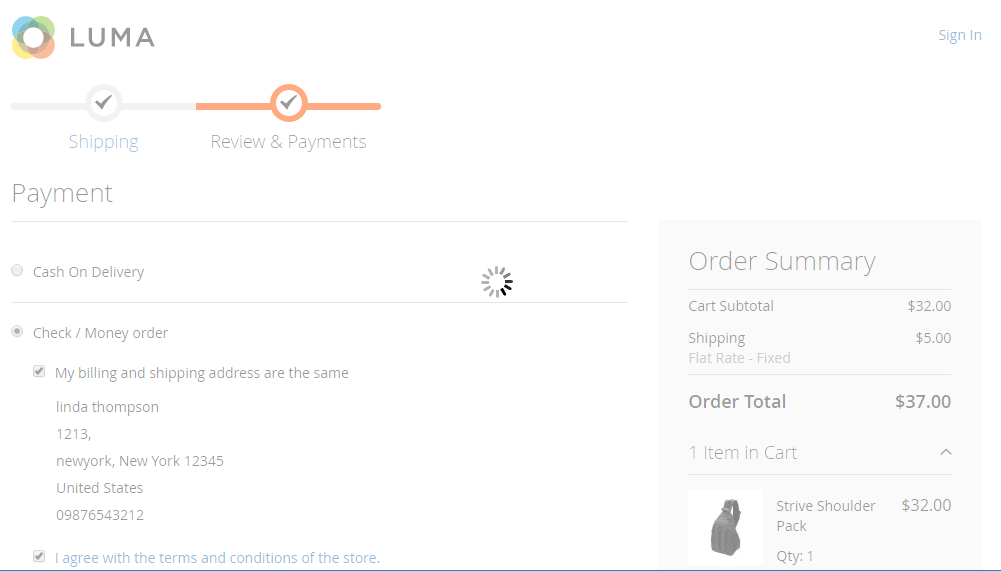
Checkout page stuck on loading spinner
Error:
When customers click “Proceed to Checkout”, the checkout page only shows a loading spinner and does not continue loading.
Possible causes:
- JavaScript errors on the checkout page
- AJAX requests not responding from the server
- Conflicts between components using KnockoutJS
Magento uses multiple AJAX requests to update information such as shipping address, shipping methods, and payment methods. If one request fails, the entire checkout process may stop.
How to fix:
- Open the browser console (F12) to check for JavaScript errors.
- Check failed requests in the Network tab.
- Redeploy static content:
bin/magento setup:static-content:deploy -f
bin/magento cache:flush
💡 Tip: You can optimize your checkout page structure to reduce the number of requests and improve performance. Learn more about Mageplaza One Step Checkout to streamline the process.
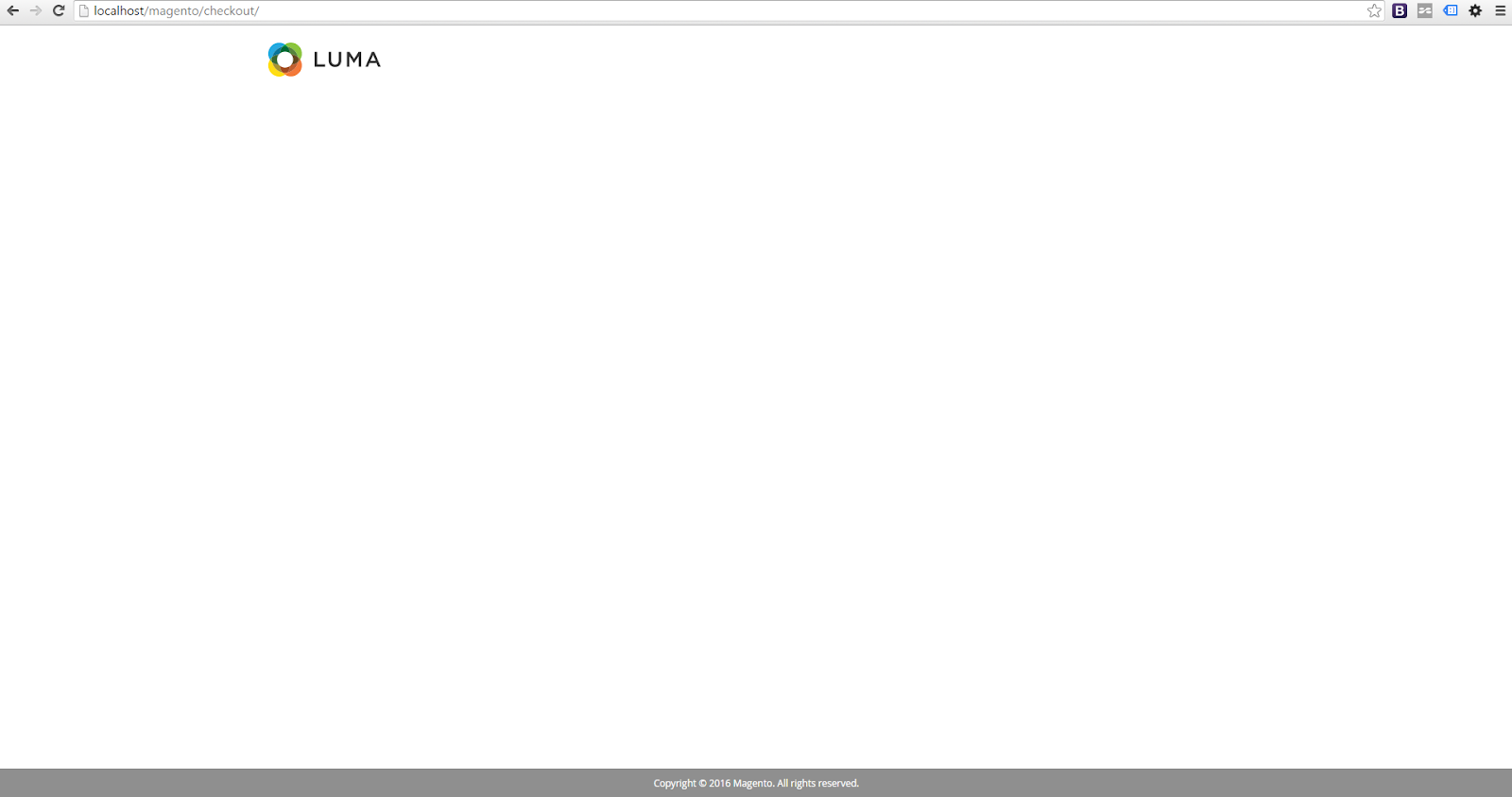
Magento 2 Checkout page shows a blank screen
Error:
The checkout page finishes loading but only displays a blank screen or no content appears.
Possible causes:
- Static files are corrupted or broken
- Incorrect theme override for the checkout template
- JavaScript not loading properly
How to fix:
- Remove old static files
- Redeploy static content:
bin/magento setup:static-content:deploy -f
- Check override files in the theme.
If the store has heavily customized the checkout, you should review the entire customization structure.
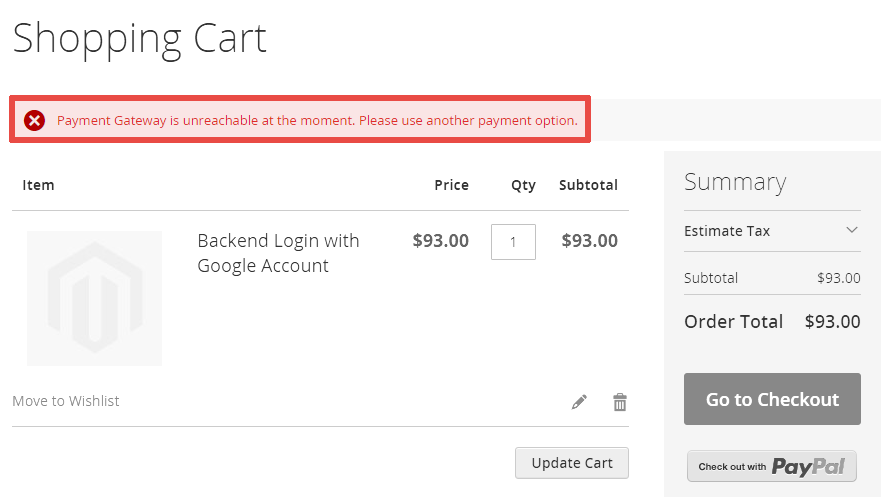
Payment methods not displaying
Error:
The checkout page does not display any payment methods, preventing customers from completing their orders.
Possible causes:
- Payment gateway is disabled
- Incorrect payment configuration
- Country or website restrictions
How to fix:
Check the configuration at:
Stores → Configuration → Sales → Payment Methods
Make sure the payment method is enabled and applied to the correct website or country.
Read more: Explore Mageplaza Payment Restriction Extensions to add more payment options and improve checkout flexibility.
Cannot place an order after clicking “Place Order”
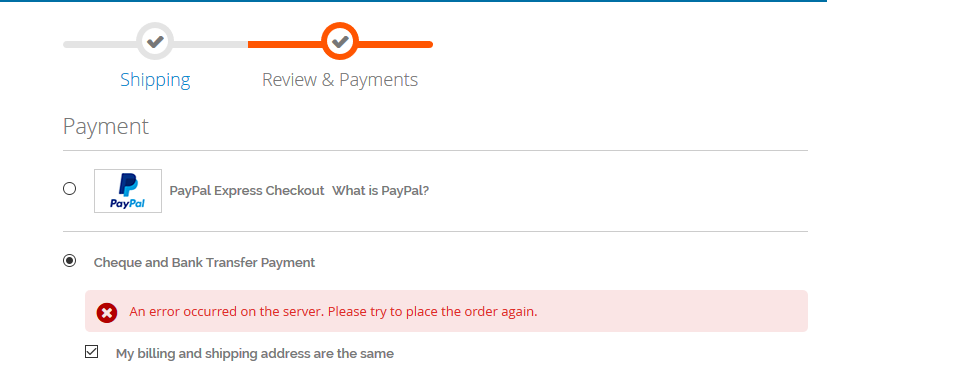
Error:
Customers click “Place Order”, but the order is not created.
Possible causes:
- Payment authorization failed
- Transaction declined
- Connection issues with the payment gateway
How to fix:
- Check payment logs in the system.
- Verify payment gateway configuration.
- Check responses from the payment gateway.
Shipping methods not displaying
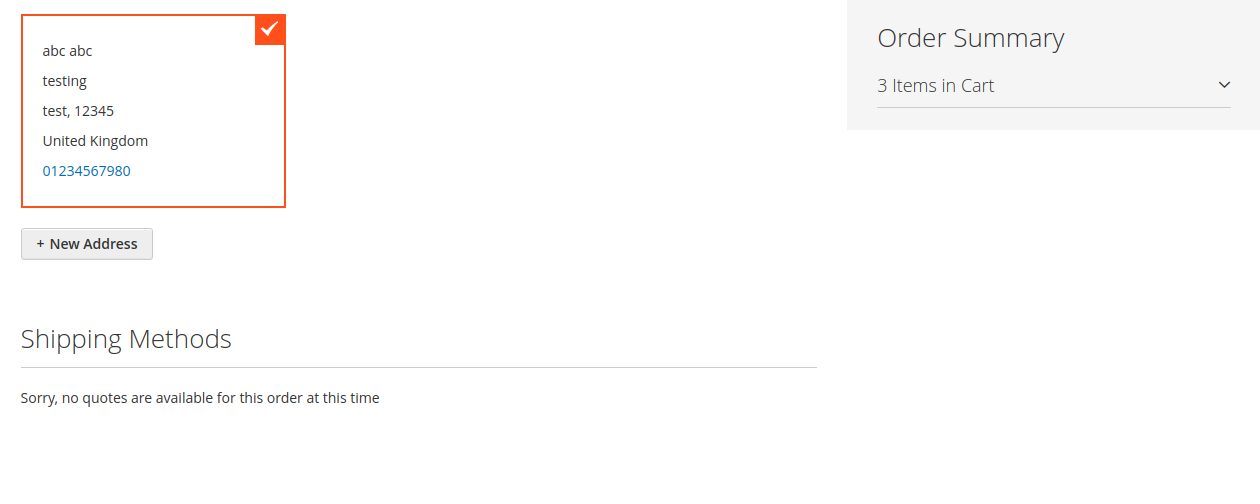
Error:
The Shipping Method section keeps loading continuously or no shipping options are displayed.
Possible causes:
- Incorrect carrier configuration
- Table rate shipping errors
- Carrier API not responding
How to fix:
Check the configuration at:
Stores → Configuration → Sales → Shipping Methods
Make sure the shipping API and configuration are working properly.
Related: Refer to the detailed guide to clearly understand how to configure each shipping method, from basic to advanced Magento 2 Shipping Methods Configuration: A-Z Guide
Checkout Errors After Updates or New Extensions
After upgrading Magento or installing new extensions, the checkout page is often the first to break. Below are the most common issues and step-by-step solutions.
Checkout stopped working after Magento update
Possible causes:
- Extensions not yet compatible with the new Magento version.
- Outdated theme files (phtml, XML) overridden incorrectly.
- Dependency conflicts between modules after upgrade.
How to fix:
Run the following commands to synchronize database and static content:
php bin/magento setup:upgrade
php bin/magento setup:di:compile
php bin/magento indexer:reindex
php bin/magento cache:flush
- Check error logs:
var/log/exception.logandvar/log/system.log. - Go to Admin > System > Tools > Web Setup Wizard > Component Manager to see which extensions need updates.
- Temporarily disable a suspected extension:
php bin/magento module:disable Vendor_ModuleName --clear-static-content
💡 Tip: For Magento 2.4.7 and above, if checkout fails to load, check CSP (Content Security Policy). Try setting it to report-only or temporarily allow unsafe-inline for debugging.
Reference: CSP issues after upgrade – Magento StackExchange
Extension conflicts breaking the checkout page
Possible causes:
- Multiple extensions modifying the same
checkout_index_index.xmllayout file. - JavaScript conflicts (global variables, overridden functions) between modules.
- Duplicate or incorrectly declared KnockoutJS components.
How to fix:
- Elimination method: Disable recently installed extensions one by one and retest.
- Switch to the default Luma/Blank theme to see if the issue is theme-related.
- Inspect
checkout_index_index.xmlfiles in each module for layout conflicts. - Open browser console (F12) to spot JavaScript errors.
Custom checkout modifications causing errors
Possible causes:
- Layout override files in the theme pointing to wrong classes/blocks after update.
- Manually edited checkout templates (.phtml) no longer compatible.
- Custom JavaScript missing dependencies or using deprecated APIs.
How to fix:
- Review all custom modules inside
app/code. - Compare overridden theme files (
app/design/frontend/[Vendor]/[Theme]/Magento_Checkout) with the original ones invendor/magento/module-checkout. - Test checkout with the Luma theme to isolate theme-related issues.
- Switch to developer mode for detailed error messages:
php bin/magento deploy:mode:set developer
When the Checkout Works But Customers Still Drop Off
In addition to technical issues, a complex checkout process can also cause customers to abandon their carts.
Multi-Step checkout process
The default Magento checkout includes multiple steps:
- Shipping address
- Shipping method
- Payment method
- Order review
A long checkout process can reduce the checkout experience.
Checkout page loads too many scripts
Many extensions may add their own scripts to the checkout page, increasing the number of requests and slowing down page loading.
Checkout not optimized for mobile
A good checkout should:
- Have a simple form
- Be easy to use on mobile devices
- Reduce the number of input steps
Simplifying Checkout to Reduce Both Errors and Abandonment
A practical way to reduce checkout errors and cart abandonment is by using Mageplaza Magento 2 One Step Checkout. By consolidating all checkout information onto a single page, it simplifies the process, minimizes form mistakes, and helps customers complete their purchases faster with fewer interruptions.
Key Benefits
- Combine all checkout steps into a single page: Minimize transitions and keep customers focused.
- Update information using AJAX: Changes in shipping or payment methods are updated instantly without reloading.
- Integrate Google Address Suggestion: Speed up address entry and reduce typing errors.
- Allow customers to edit the cart directly in checkout: Enhance convenience without leaving the page.
- Optimize the checkout experience for mobile: Ensure a seamless flow across all devices.
Looking for the best solution for your checkout page? Don’t miss out on these:
- Speed vs. Sales: Comparing Hyvä Checkout and Mageplaza One Step Checkout
- Magento 2 Checkout Customization: 10 Tips to Optimize Your Checkout
Conclusion
A broken or complicated checkout process directly impacts your revenue. By systematically debugging errors - whether they stem from updates, extensions, custom code, or server configuration - you can restore a smooth purchasing experience.
Moreover, simplifying the checkout flow with a solution like Mageplaza One Step Checkout not only reduces the chance of errors but also lowers cart abandonment rates.
Invest time in optimizing your checkout, and you’ll see happier customers and higher conversion rates.
Table of content

Jacker is the Chief Technology Officer (CTO) at Mageplaza, bringing over 10 years of experience in Magento, Shopify, and other eCommerce platforms. With deep technical expertise, he has led numerous successful projects, optimizing and scaling online stores for global brands. Beyond his work in eCommerce development, he is passionate about running and swimming.
Related Post

Magento 2.4.9 Beta Release: What's New?
Magento 2.4.9 beta is here. Stay up to date with every release milestone with this regularly updated guide.
11 mins read
|
03-17-2026

Google Analytics Website Traffic: The A–Z Guide for Magento 2 Store Owners
Learn how to analyze website traffic in Google Analytics 4, identify high-quality traffic sources, and grow your Magento 2 store with data-driven insights.
18 mins read
|
03-17-2026
The Complete Guide to UTM Parameters & Google Analytics for Magento website
Master UTM parameters and Google Analytics for Magento. Track traffic sources, measure campaign performance, and practical tips to use it for better business decisions.
9 mins read
|
10-05-2025
How to implement Cookie Consent for GTM & Google Analytics in Magento Under GDPR?
Implement cookie consent for GTM & GA4 in Magento under GDPR. Step-by-step guide using Google Consent Mode v2 to avoid fines and maintain analytics.
15 mins read
|
02-27-2026

Speed vs. Sales: Comparing Hyvä Checkout and Mageplaza One Step Checkout
Learn how Hyvä Checkout and Mageplaza One Step Checkout impact order completion rates and revenue growth.
8 mins read
|
02-25-2026
1 min read
|
03-30-2026
Magento 2.4.9 Beta Release: What's New?
Magento 2.4.9 beta is here. Stay up to date with every release milestone with this regularly updated guide.
11 mins read
|
03-17-2026
Google Analytics Website Traffic: The A–Z Guide for Magento 2 Store Owners
Learn how to analyze website traffic in Google Analytics 4, identify high-quality traffic sources, and grow your Magento 2 store with data-driven insights.
18 mins read
|
03-17-2026
The Complete Guide to UTM Parameters & Google Analytics for Magento website
Master UTM parameters and Google Analytics for Magento. Track traffic sources, measure campaign performance, and practical tips to use it for better business decisions.
9 mins read
|
10-05-2025
How to implement Cookie Consent for GTM & Google Analytics in Magento Under GDPR?
Implement cookie consent for GTM & GA4 in Magento under GDPR. Step-by-step guide using Google Consent Mode v2 to avoid fines and maintain analytics.
15 mins read
|
02-27-2026
Speed vs. Sales: Comparing Hyvä Checkout and Mageplaza One Step Checkout
Learn how Hyvä Checkout and Mageplaza One Step Checkout impact order completion rates and revenue growth.
8 mins read
|
02-25-2026