



1 min read
|
03-30-2026
Magento Self-Hosted vs Managed Hosting: What’s the Different
Vinh Jacker
|
11-04-2024

Magento self-hosting means hosting and managing your Magento store independently. You are responsible for taking care of your servers and choosing the provider you like. It sounds like a complete control option. However, there are some limitations that you should carefully consider before actually start using this method.
In today’s blog, we’ll compare Magento self-hosting pros and cons and review other alternatives to give you the big picture before making the final decision.
What is Magento Self-Hosted?
First of all, let’s learn what Magento self-hosting is. It’s simply taking all responsibility for hosting your own Magento store. The task includes setting up the server, implementing maintenance, and guaranteeing security. This means that although you can freely set up everything as you want, you have to do everything without the support services from providers.
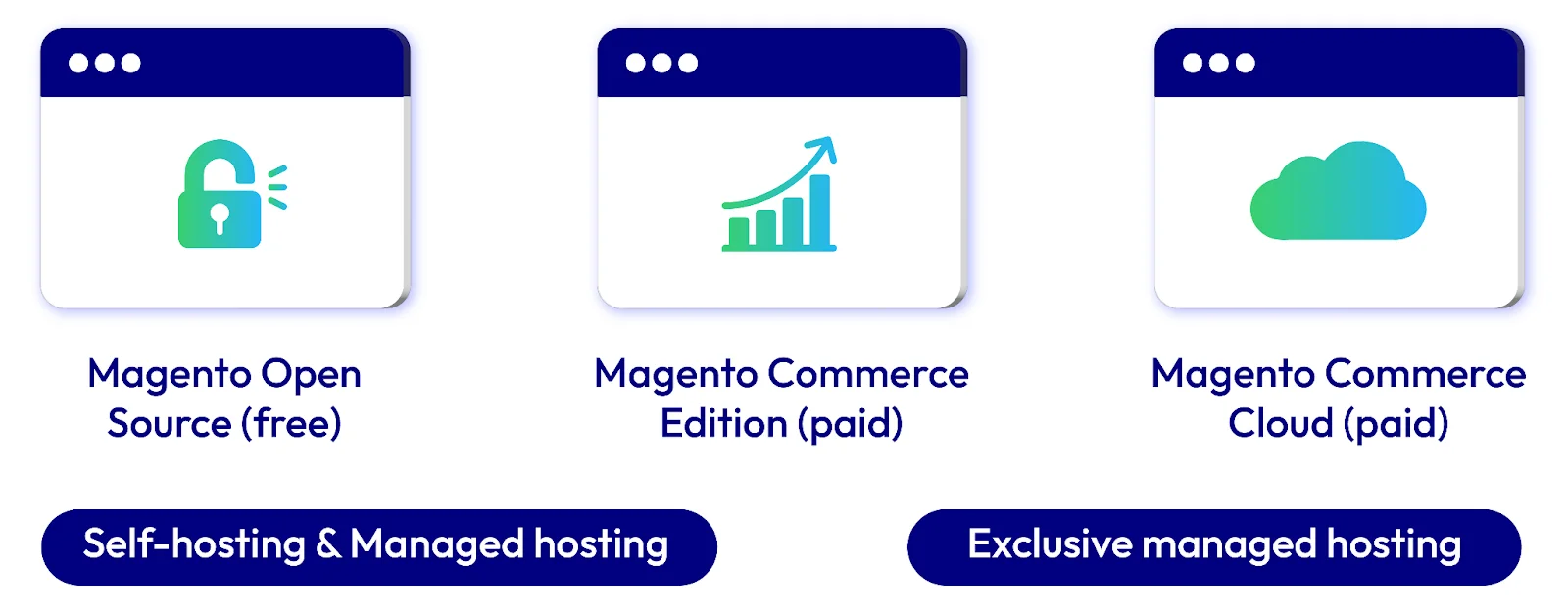
If you want to go with self-hosted, there are 2 Magento versions capable: Magento Open Source & Adobe Commerce. These editions allow both self-hosting and managed hosting.
Benefits
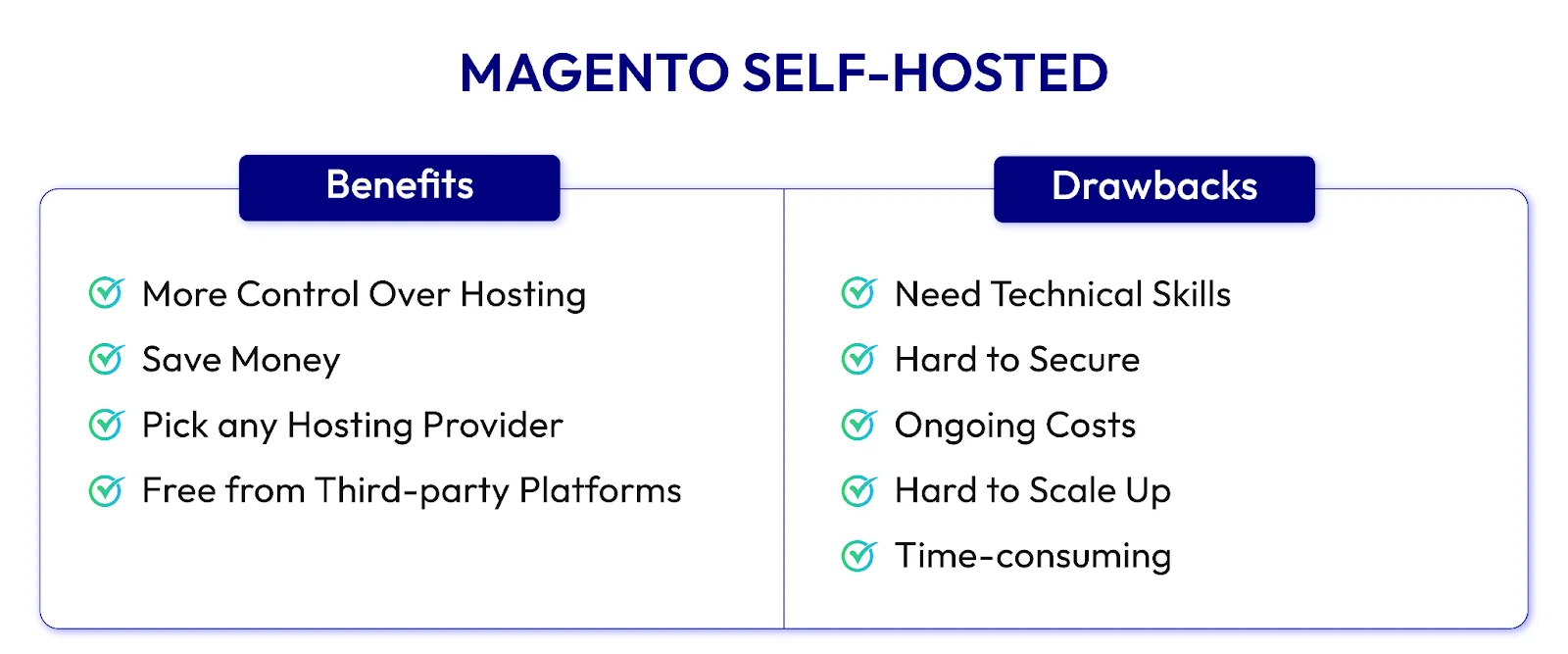
- Give You Control Over Hosting: You can pick the hosting service you want, which provides you with more freedom in growing your Magento store. Self-hosting is suitable for basic online stores, but you’ll need more support for better features, design, and connecting different systems.
- Save Money: It’s a cost-effective option for small to medium businesses, as long as you’re ready to handle tasks like setting up, maintaining, and securing the server.
- Free to Choose Your Hosting Provider: You can select a Magento hosting provider that meets your needs, such as location, price, and server requirements.
- Less Dependent on Third-Party Platforms: Hosting your server frees you from the high costs and limitations of other platforms, which can save you money but may reduce flexibility for your business.
Drawbacks
- Need In-depth Technical Skills: Running a self-hosted Magento store means knowing how to manage servers, handle security, and customize Magento. If you have these skills, keeping the store running smoothly can be easy.
- No Help with Security: With self-hosting, you’re responsible for keeping the store safe. You must regularly update security features and ensure your store follows data protection rules. Moreover, when there’s an attack, you also need to handle it yourself.
- Ongoing Costs: Even though Magento Open Source is free, you still need to pay for hosting and maintenance. Costs for fast servers, backups, and expert help can add up.
- Hard for Growing Your Store: As your business grows, making your Magento store bigger can take time and effort. You should upgrade your server or move to a different setup to handle more customers.
- Time-consuming: Setting up and customizing your Magento store takes a lot of time, which might distract you from other important business tasks.
Magento Hosting Alternatives
Magento Self-Hosted vs. Magento Managed Hosting: What’s the difference?
What is Magento managed hosting anyway? In contrast to self-hosting, managed hosting means a hosting provider will deal with all technical tasks needed to run your website. They will handle server setup, maintenance, security, and support. With this option, you will receive the benefits of an optimized Magento server without needing to prepare and manage independently.
This is especially effective for stores that want to grow fast. While experts are handling all technical issues, you’ll have more time to focus on marketing strategies and making more sales.
| Feature | Magento Self-Hosted | Magento Managed Hosting |
|---|---|---|
| Control |
Absolute control over your hosting aspects Free to meet your specific needs |
Less control because experts will handle all technical issues |
| Cost | Although the initial costs are lower, extra expenses may arise during maintenance and security | Require specific fees, but most are fixed or predictable |
| Security | You need to update security features regularly by yourself | There is no need to worry about security because the provider is the one who handles it |
| Technical Expertise | To be able to run the site, you need solid technical skills | There is no need to have in-depth technical skills because the provider will do all the tech tasks for you |
| Scaling | Scaling means more manual work, which could cause delays during upgrades | It’s much easier cause experts already manage seamless scaling |
| Time Investment | It requires a lot of time to build, maintain, update, and manage | Give you more free time to focus on other essential aspects like implementing marketing |
| Support | No support from experts unless you hire an outsource | Troubleshooting and problem-solving are much faster with dedicated support |
Magento Open Source vs. Adobe Commerce vs. Adobe Commerce Cloud
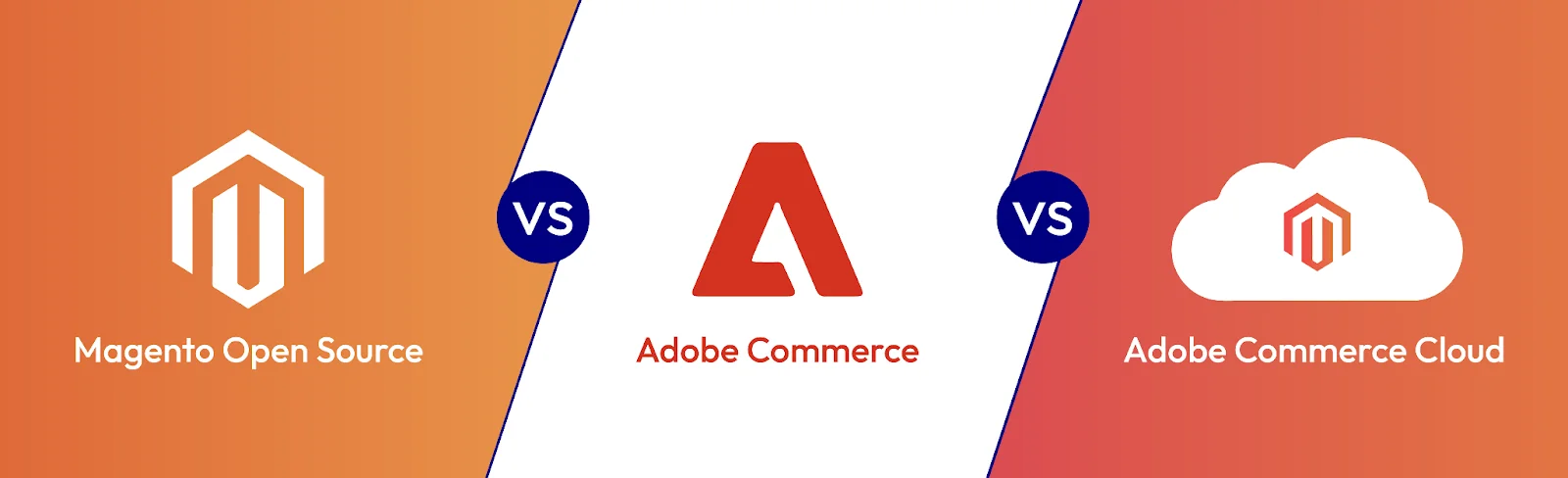
As mentioned above, Magento Open Source (Free) and Commerce (Paid) are available for self-hosting and managed hosting. Only Adobe Commerce Cloud is not. It’s an exclusively managed cloud platform for Magento hosting.
Though it might seem that Open Source is a good start cause it’s free, you should know the difference between them and consider the benefits of their price. Of course, you’ll have more advanced features if you pay more. However, not everything is needed in your store. Some may not be necessary, right? So, consider our comparison between Magento Open Source, Adobe Commerce, and Adobe Commerce Cloud before deciding.
| Feature Category | Magento Open Source | Adobe Commerce | Adobe Commerce Cloud |
|---|---|---|---|
| Store Management | Users can manage multi-stores, languages, currencies, and taxes. | Include all Open Source features, plus some minor functions. | Include all Commerce features, plus cloud hosting benefits. |
| Sales | Give you standard sales tools for related products, upsells, and cross-sells. | Get enhanced options for promoting products. | Have advanced tools suitable for cloud capabilities. |
| Price Management | Only basic price management tools. | Offer advanced pricing tools to help you manage costs more effectively. | Get advanced pricing tools that are optimized for cloud efficiency. |
| Category Management | Can handle categories with some standard options. | Allow you to set advanced permissions for your categories. | Access the full suite of category management features, which is cloud-optimized. |
| Inventory Management | Use basic tools to manage inventory. | Your inventory management improves with access to high-quality extensions and plugins. | Get cutting-edge, cloud-based inventory solutions. |
| Order Management | You can keep track of orders, invoices, shipments, dispatches, and so on but need help to archive. | Manage every aspect of orders and able to archive. | Offer full features for order management with added cloud functionality |
| Product Types | Support simple, grouped, configurable, virtual, and downloadable products. | Support products are included in Open Source, plus bundle and gift card. | Support products are included in Commerce, but they are optimized for cloud performance. |
How to Choose the Most Suitable Managed Hosting Provider?
If you have made up your mind and are willing to try Magento managed hosting, then the most critical part is to select a suitable provider, as they are the ones who take care of all technical issues. Below are the tips for choosing a good provider.
-
Evaluate Hosting Capability: You should select a hosting provider with a strong history in handling Magento eCommerce. It’s important that they can meet Magento’s specific hosting needs and optimize performance effectively.
-
Check for Mobile Responsiveness: Make sure their hosting solutions support responsive design and cross-functional development. Your store needs to be mobile-friendly so that customers can shop on different devices. A solid infrastructure helps handle various integrations and designs.
-
Uptime Reliability: Choose to host servers with high uptime guarantees, ensuring your online store stays accessible and reliable for customers.
-
Backup and Recovery: Find a provider with regular backups and a well-defined disaster recovery plan. This helps restore your site quickly in case of any problems.
-
Confirm Service Compatibility: Ensure the hosting provider is technically skilled and aligns with your eCommerce objectives. A good provider understands your region’s eCommerce laws and customer needs.
Wrap up
While self-hosting gives you more freedom in developing your Magento store, managed hosting reduces time and effort. To make a good decision, you must have a list of what you need and which aspects you want to prioritize. Scroll over our comparison above to see which meets your needs.
Table of content

Jacker is the Chief Technology Officer (CTO) at Mageplaza, bringing over 10 years of experience in Magento, Shopify, and other eCommerce platforms. With deep technical expertise, he has led numerous successful projects, optimizing and scaling online stores for global brands. Beyond his work in eCommerce development, he is passionate about running and swimming.
Related Post

Magento 2.4.9 Beta Release: What's New?
Magento 2.4.9 beta is here. Stay up to date with every release milestone with this regularly updated guide.
11 mins read
|
03-17-2026

Google Analytics Website Traffic: The A–Z Guide for Magento 2 Store Owners
Learn how to analyze website traffic in Google Analytics 4, identify high-quality traffic sources, and grow your Magento 2 store with data-driven insights.
18 mins read
|
03-17-2026

The Complete Guide to UTM Parameters & Google Analytics for Magento website
Master UTM parameters and Google Analytics for Magento. Track traffic sources, measure campaign performance, and practical tips to use it for better business decisions.
9 mins read
|
10-05-2025
How to implement Cookie Consent for GTM & Google Analytics in Magento Under GDPR?
Implement cookie consent for GTM & GA4 in Magento under GDPR. Step-by-step guide using Google Consent Mode v2 to avoid fines and maintain analytics.
15 mins read
|
02-27-2026

Speed vs. Sales: Comparing Hyvä Checkout and Mageplaza One Step Checkout
Learn how Hyvä Checkout and Mageplaza One Step Checkout impact order completion rates and revenue growth.
8 mins read
|
02-25-2026
1 min read
|
03-30-2026
Magento 2.4.9 Beta Release: What's New?
Magento 2.4.9 beta is here. Stay up to date with every release milestone with this regularly updated guide.
11 mins read
|
03-17-2026
Google Analytics Website Traffic: The A–Z Guide for Magento 2 Store Owners
Learn how to analyze website traffic in Google Analytics 4, identify high-quality traffic sources, and grow your Magento 2 store with data-driven insights.
18 mins read
|
03-17-2026
The Complete Guide to UTM Parameters & Google Analytics for Magento website
Master UTM parameters and Google Analytics for Magento. Track traffic sources, measure campaign performance, and practical tips to use it for better business decisions.
9 mins read
|
10-05-2025
How to implement Cookie Consent for GTM & Google Analytics in Magento Under GDPR?
Implement cookie consent for GTM & GA4 in Magento under GDPR. Step-by-step guide using Google Consent Mode v2 to avoid fines and maintain analytics.
15 mins read
|
02-27-2026
Speed vs. Sales: Comparing Hyvä Checkout and Mageplaza One Step Checkout
Learn how Hyvä Checkout and Mageplaza One Step Checkout impact order completion rates and revenue growth.
8 mins read
|
02-25-2026