
Free installation badge Product image of Magento 2 Multiple Wishlists | Built-in Save Carts
Magento Edition *
Version *
FREE installation Tooltip
Ends in:
03 : 00 : 00 : 00
Get 10% OFF
$129
icon logo magento 2.4.4 - 2.4.8
Tooltip
Hyva logo Theme
Tooltip

Magento 2 Multiple Wishlists | Built-in Save Carts

v4.1.0
5.0
(10 reviews)
Read all >
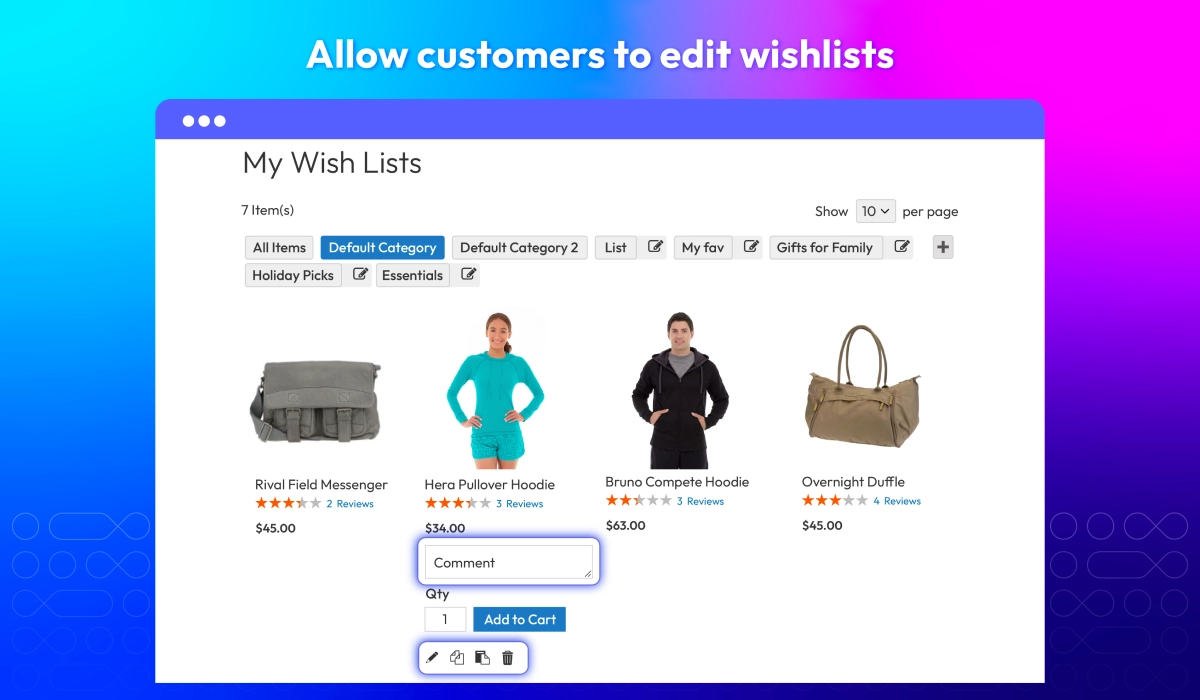
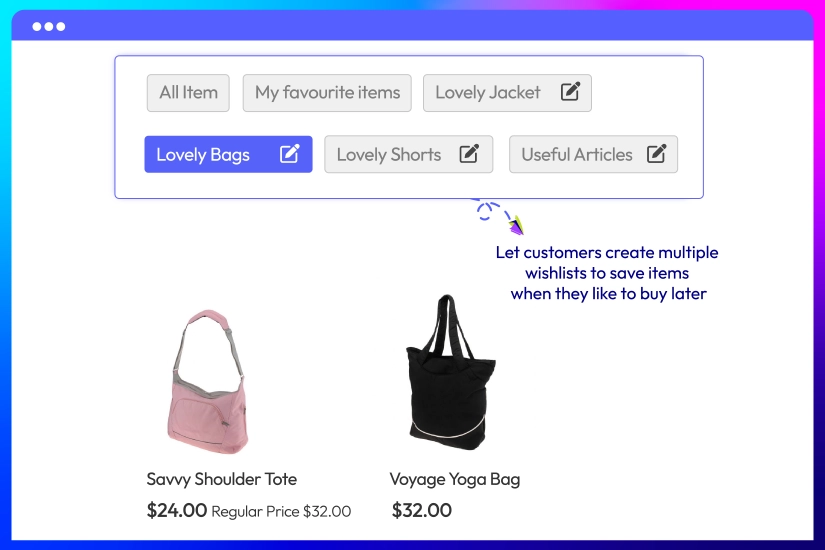
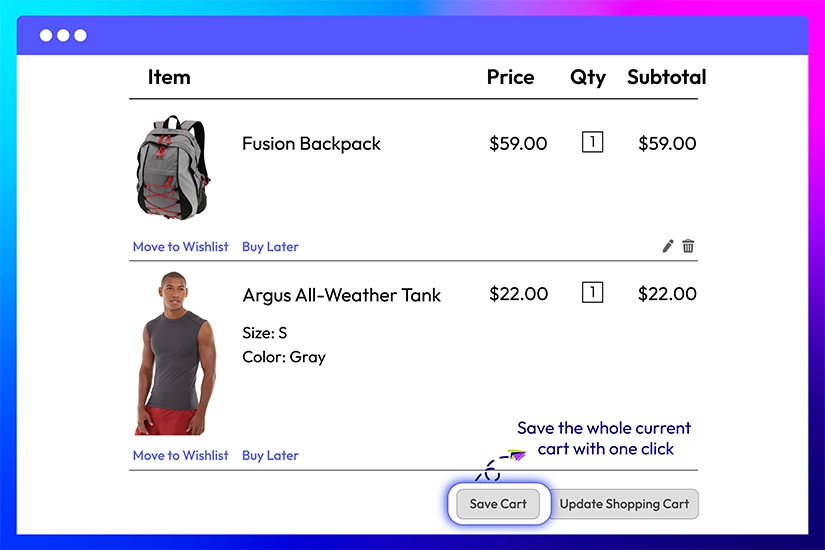
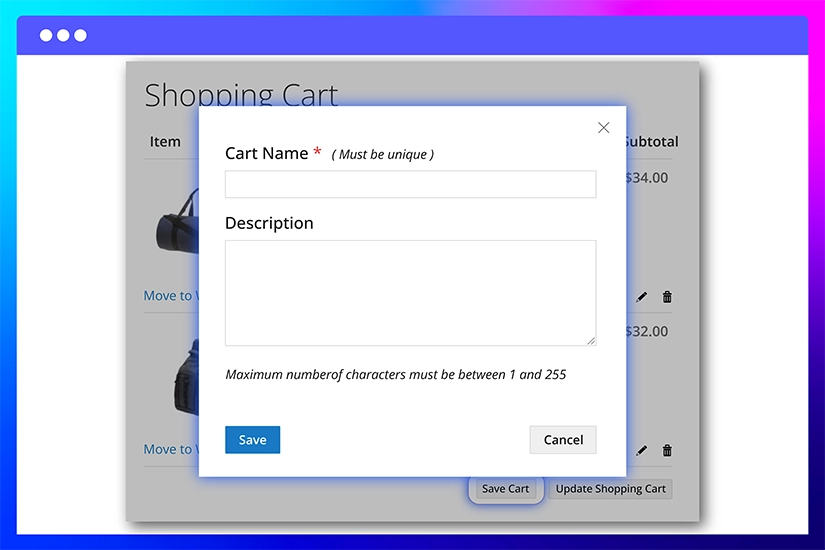
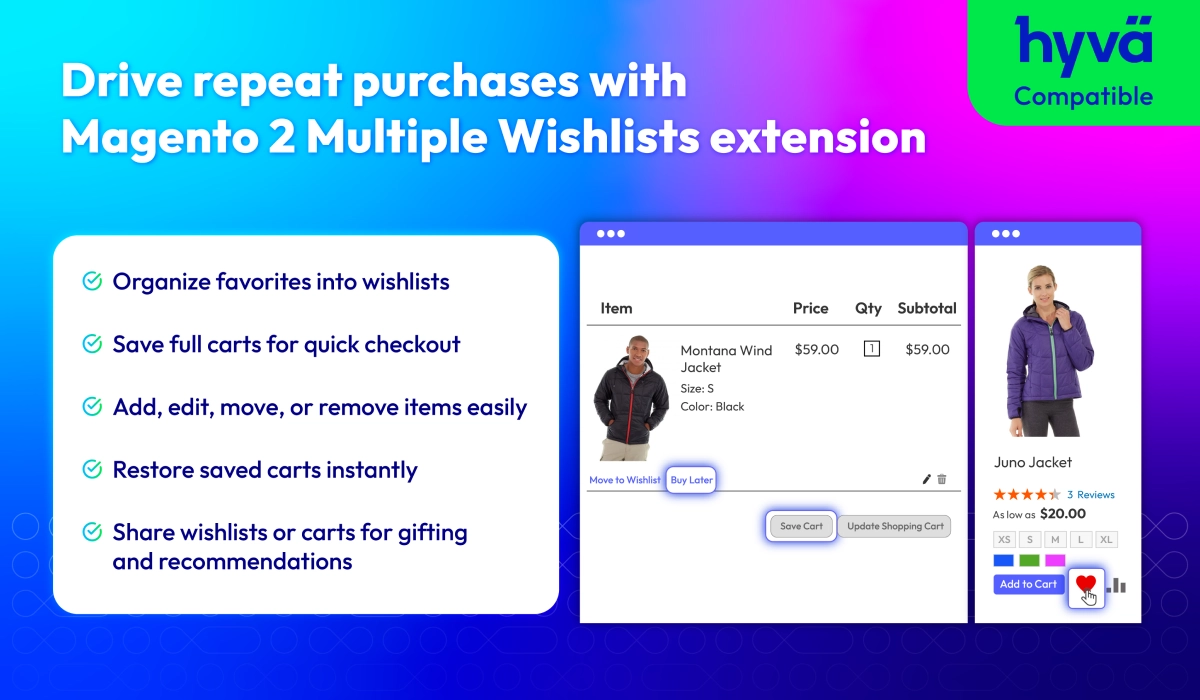
Magento 2 Multiple Wishlist extension supports customers to create multiple wishlists, allowing them to organize and save their preferred items effortlessly. Shoppers can manage, access, and share their wishlist items quickly, while also enjoying seamless integration with save cart features. This means customers can not only track items they desire but also save entire carts with selected products, quantities, and options ready for checkout. For merchants, it means higher conversion opportunities and better insight into customer intent.
tick icon
Compatible with Hyva theme
tick icon
Compatible with Magento 2.4.8
FREE On-demand Hyva Checkout Compatibility
Free Installation
60 days money back guarantee

Benefits of better wishlist

Increase repeat purchases icon
Increase repeat purchases
by offering wishlists
Reduce abandoned carts icon
Reduce abandoned carts
with saved carts
Drive more revenue icon
Drive more revenue
by helping customers organize their favorite products

All features

Default wishlists

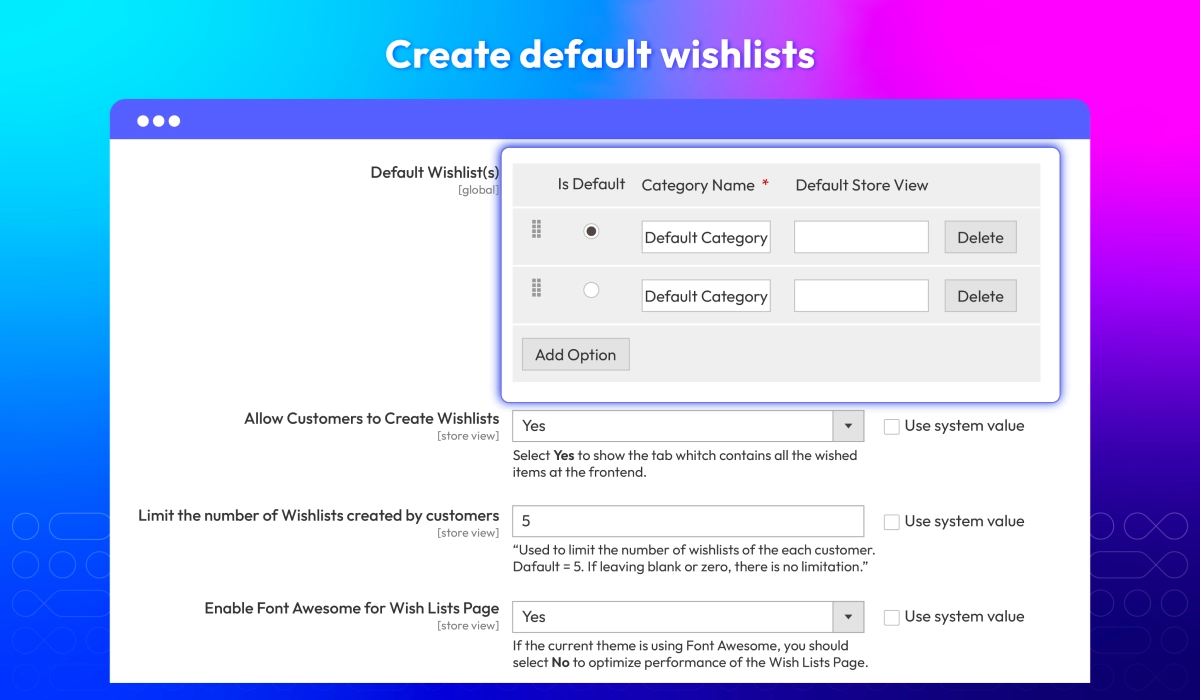
Store owners can set up ready-made Magento 2 wishlist categories that appear automatically for every customer. Thanks to it, shoppers can organize saved items from the start and keeps your store layout consistent. Since customers cannot rename these default lists, you maintain full control over how products are grouped and displayed.

Show All Items tab

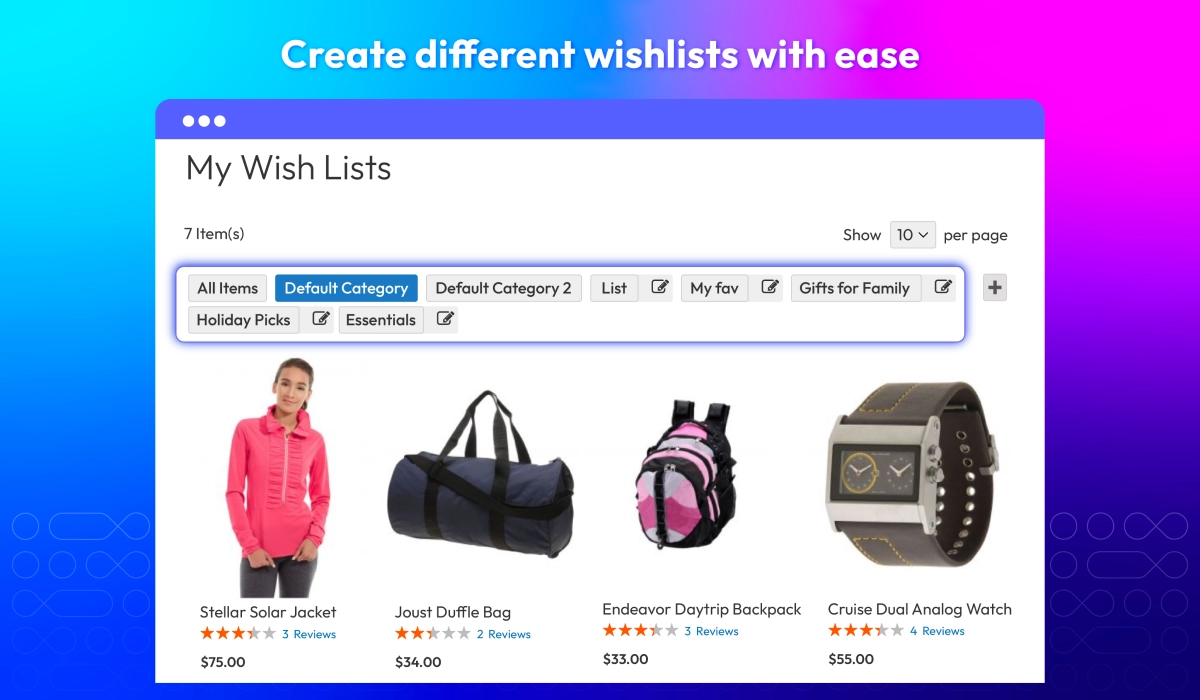
Mageplaza Multiple Wishlists extension provides a single tab that displays every product a customer has added across all their wishlists. This helps shoppers review everything at a glance, making it easier for them to compare items and move faster toward checkout.

Limit quantity of wishlists

Set a limit on how many wishlists customers can create to prevent unnecessary data clutter, keep your database clean, and ensure faster performance for both users and the admin panel.

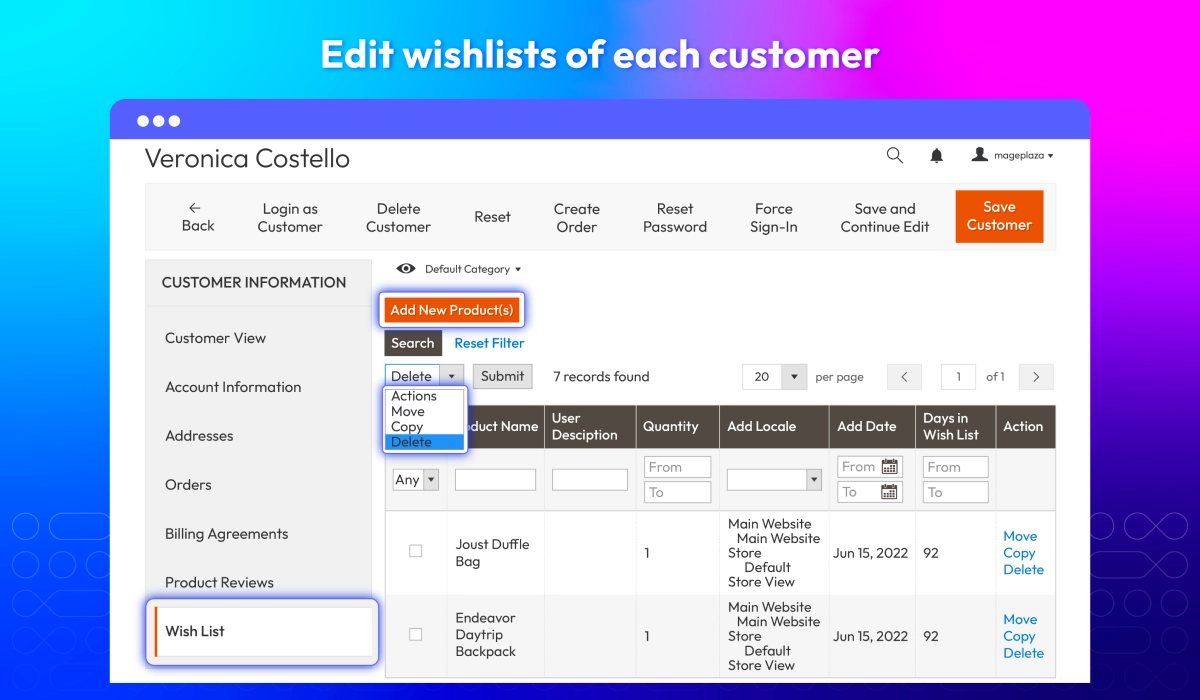
Edit customer's wishlists

Admins can manage and personalize each customer's multiple wishlists directly from the backend:
check
Create or rename wishlist categories
check
Add products to any wishlist
check
Move or duplicate items between categories
check
Remove products
check
Adjust attributes like size or color for configurable items
Magento 2 Better Wishlists by Mageplaza gives admins opportunities to support customers better and improve product management during promotions.

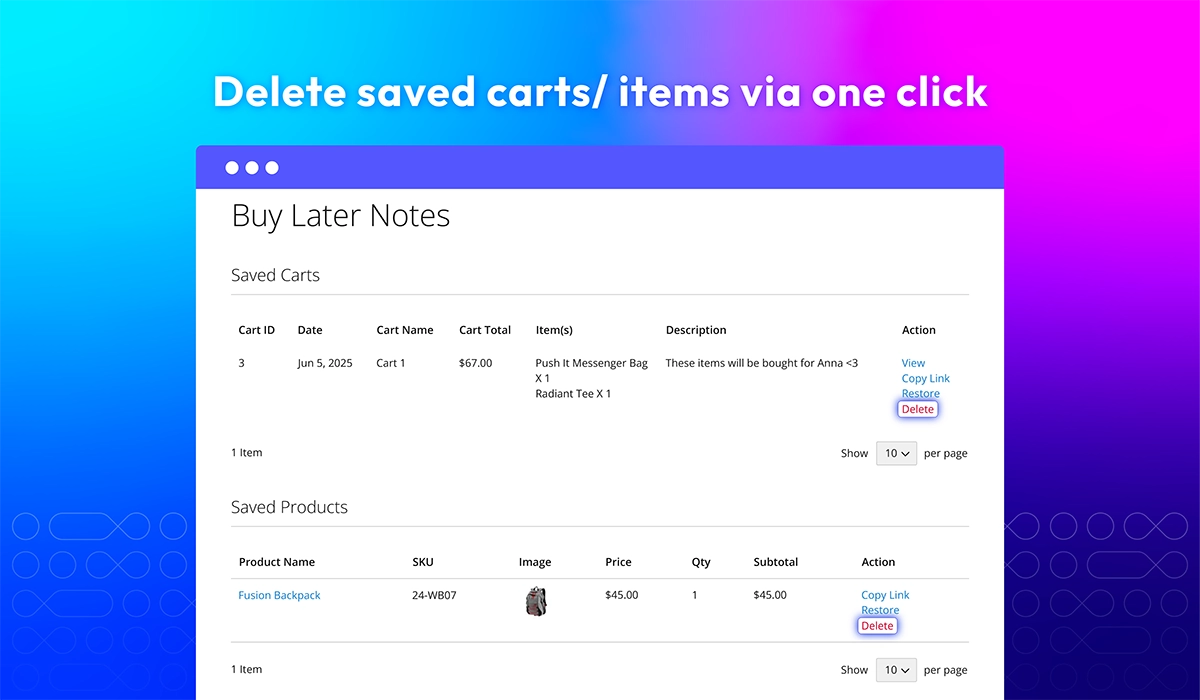
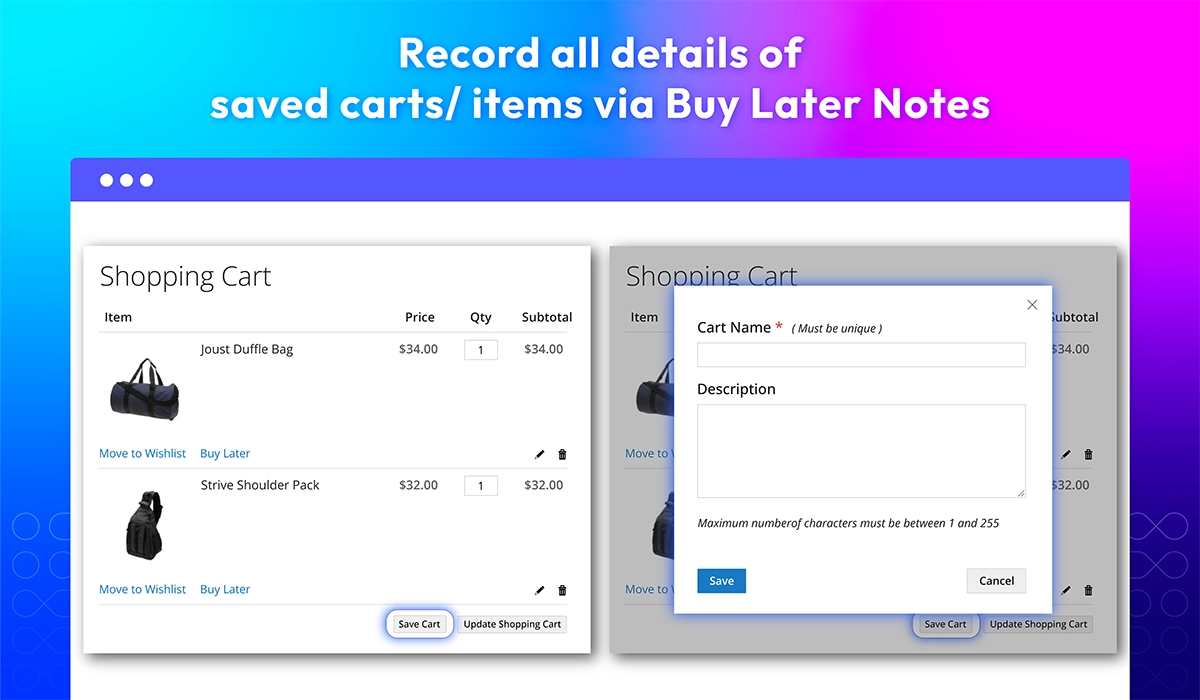
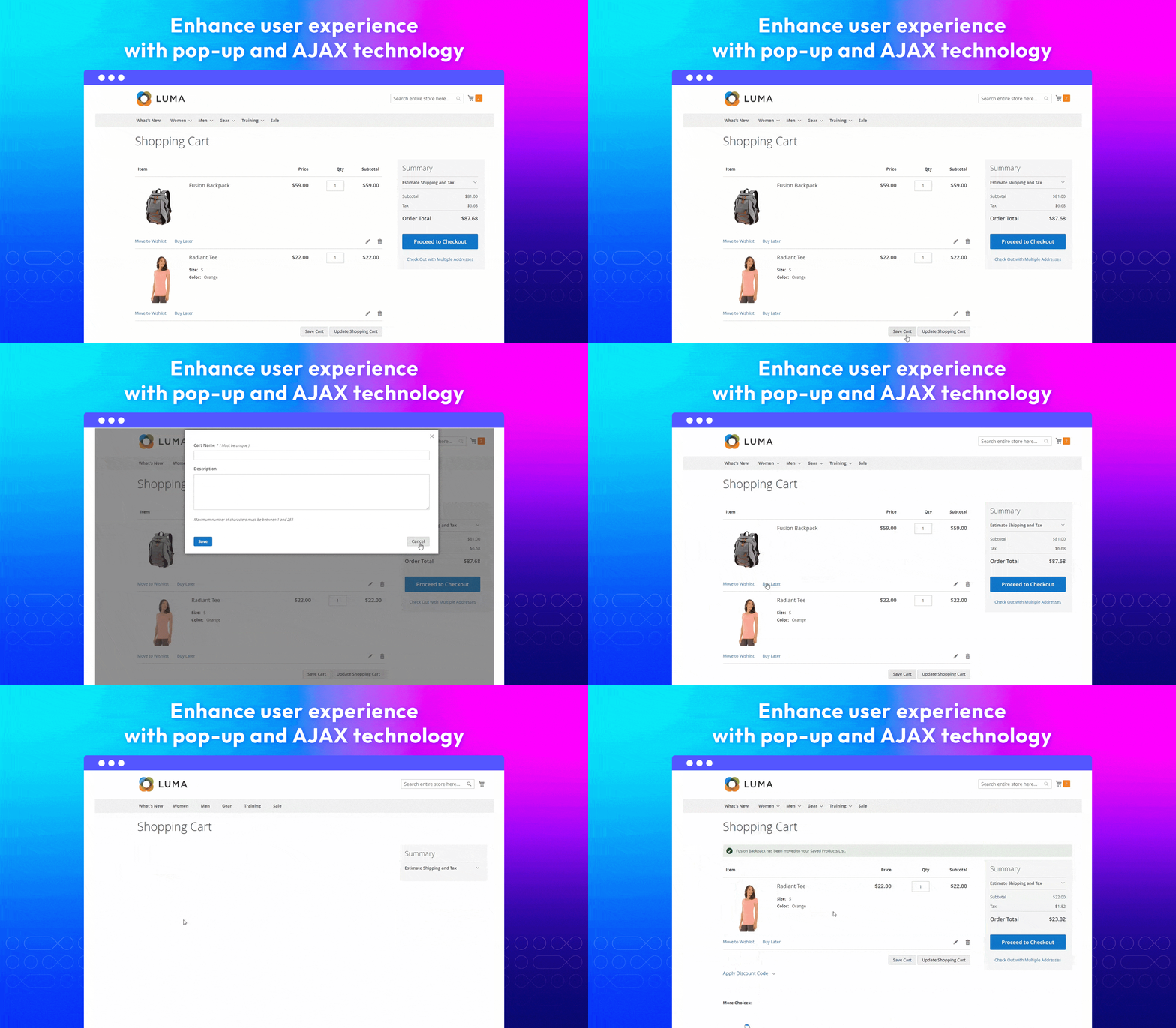
Delete saved carts/ items in one click

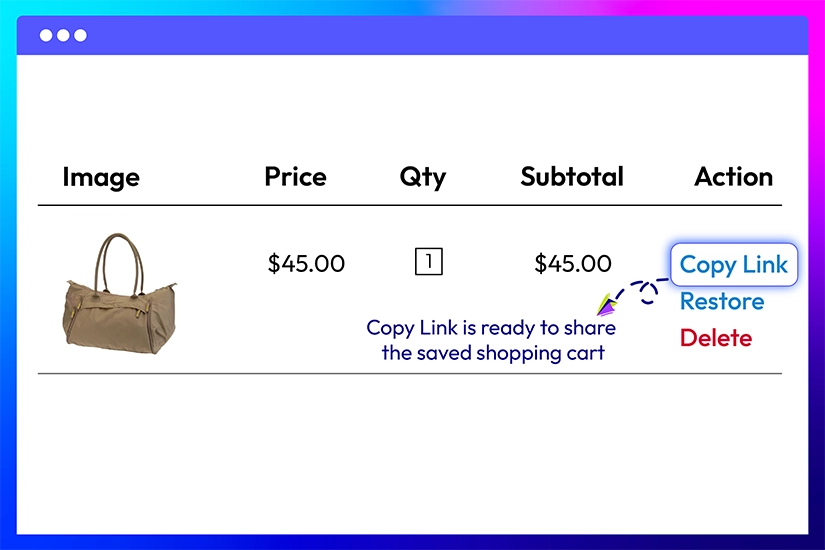
Customers can easily manage their saved carts or items by deleting them with a single click. It means full control over their saved selections, allowing them to keep their shopping experience organized and streamlined.

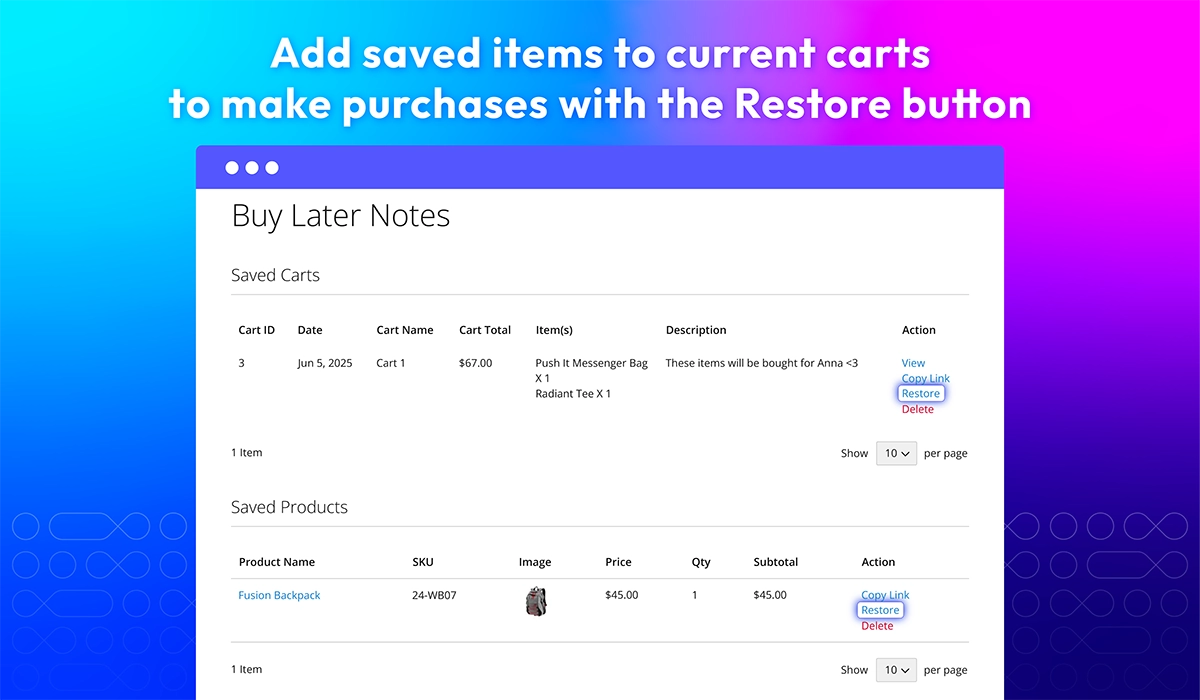
Restore saved carts for easy checkout

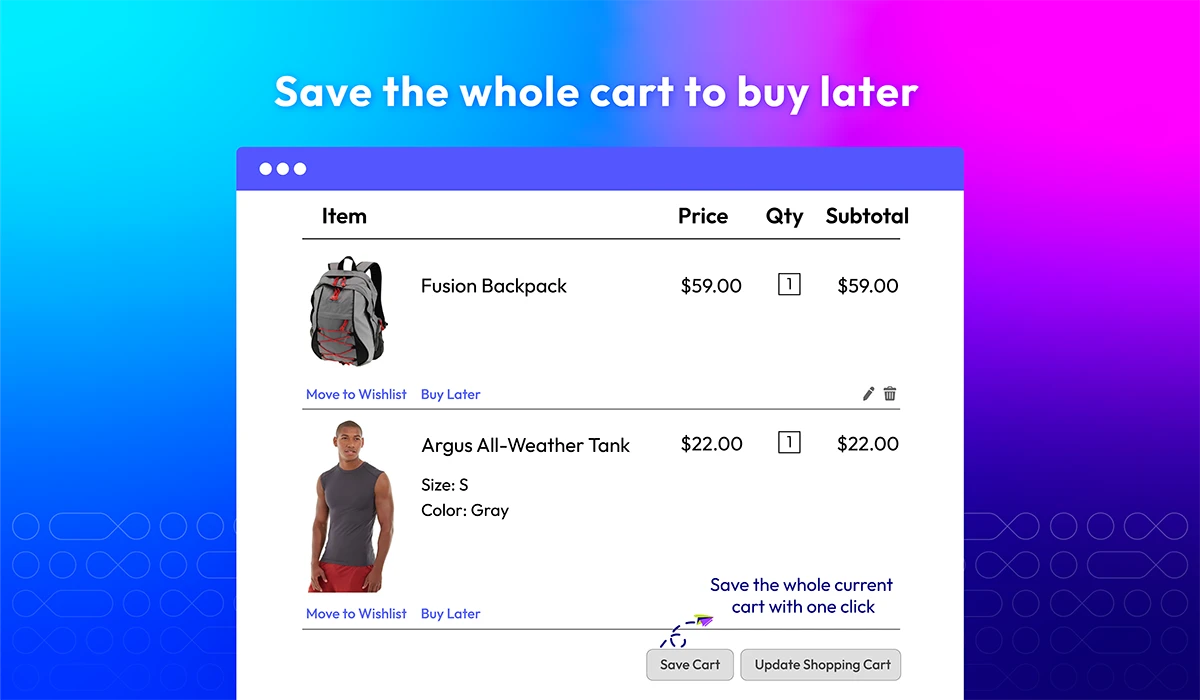
Once customers are ready to complete their purchase, they can quickly restore their saved carts to their current cart with the "Restore" button. By quickly adding items, they will not lose any saved items, making the checkout process faster and more efficient.

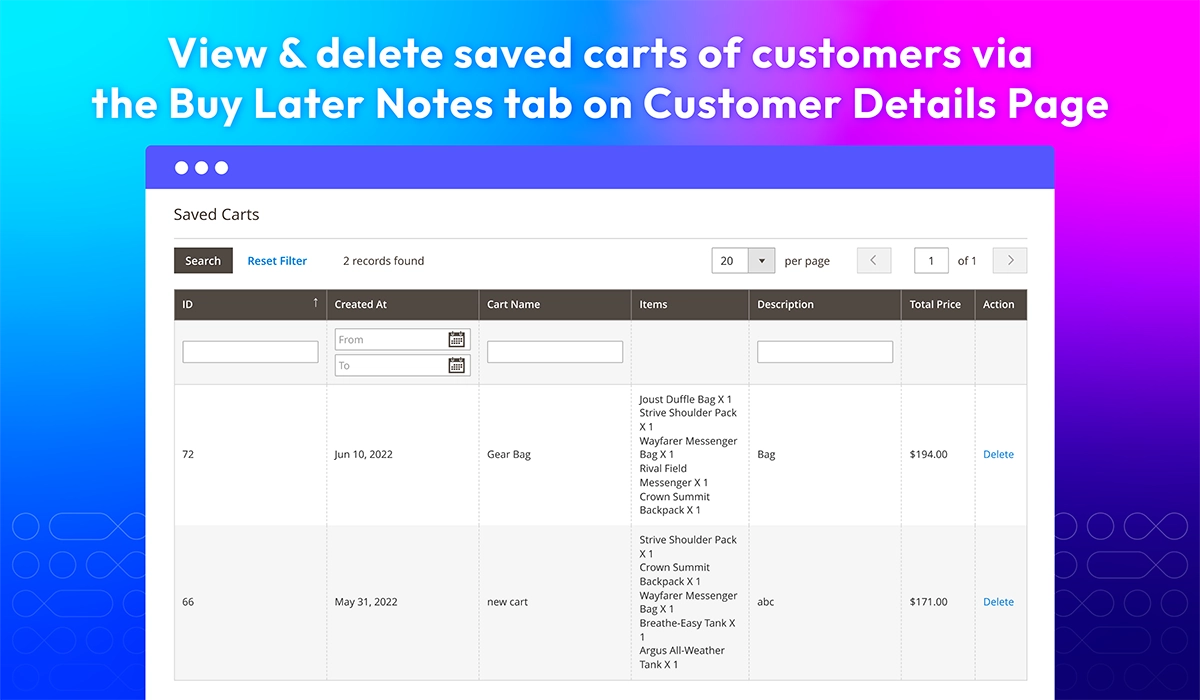
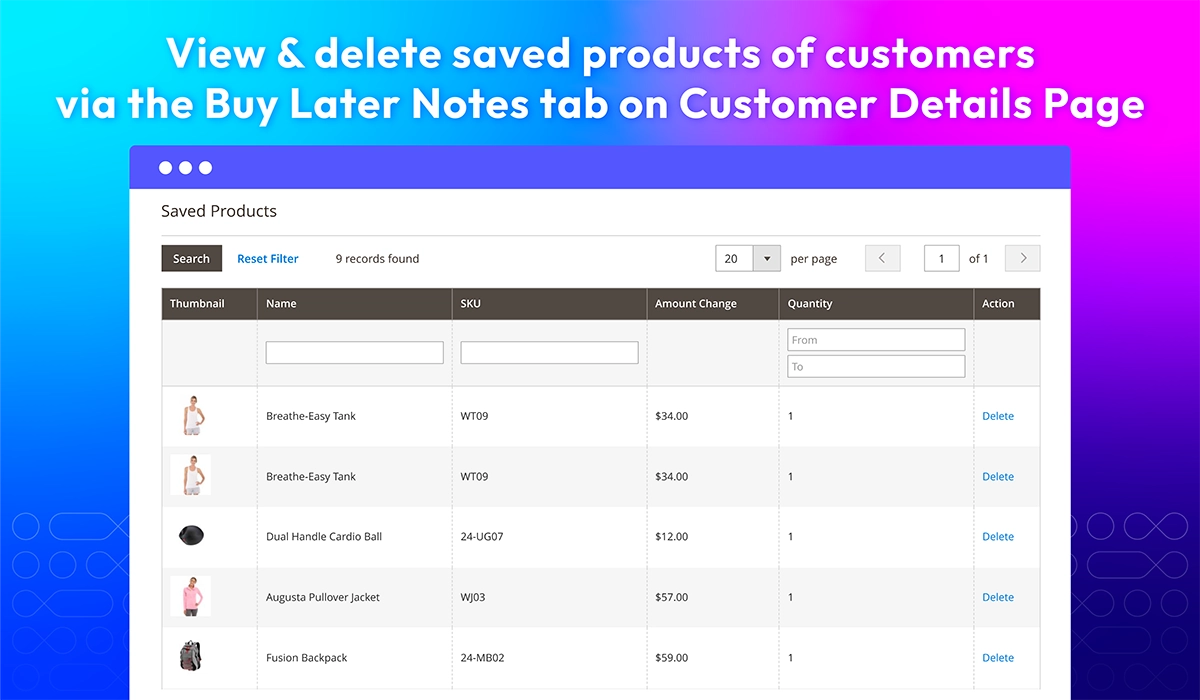
Manage saved carts/ products

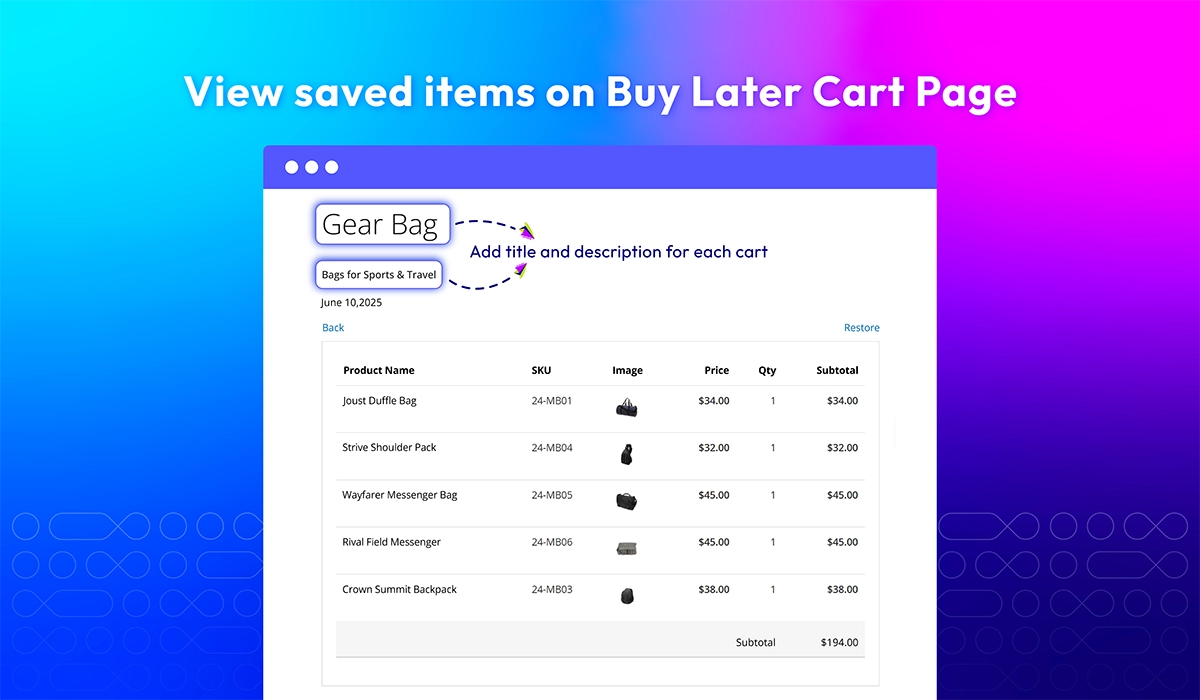
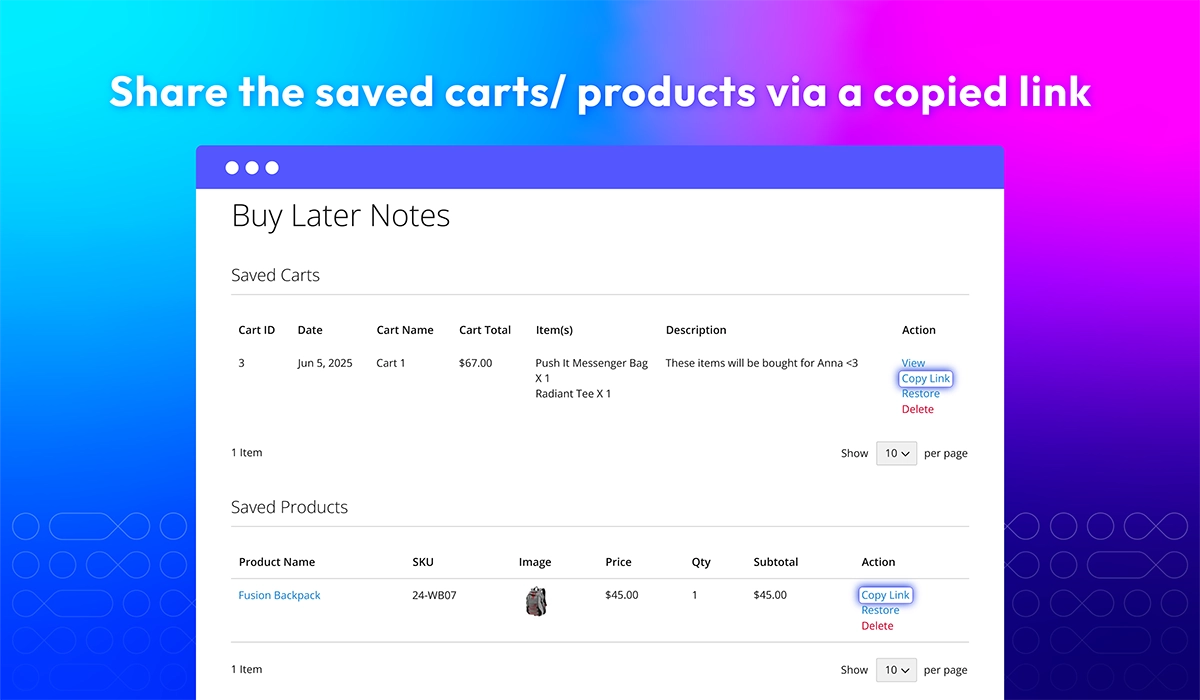
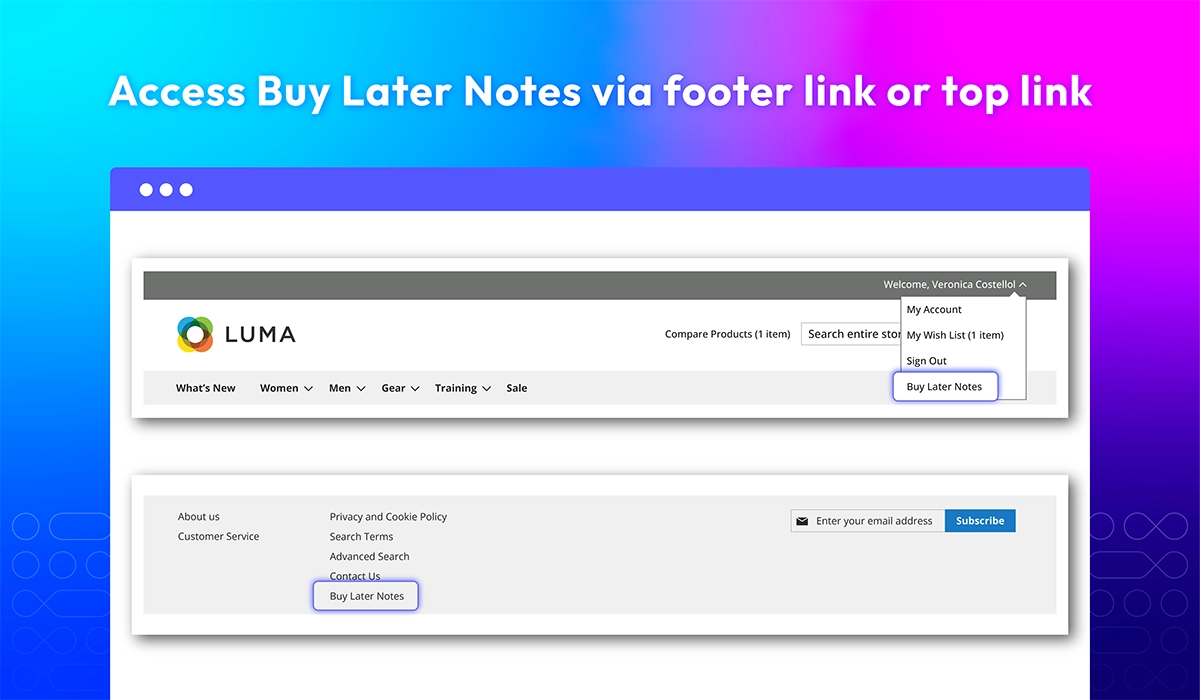
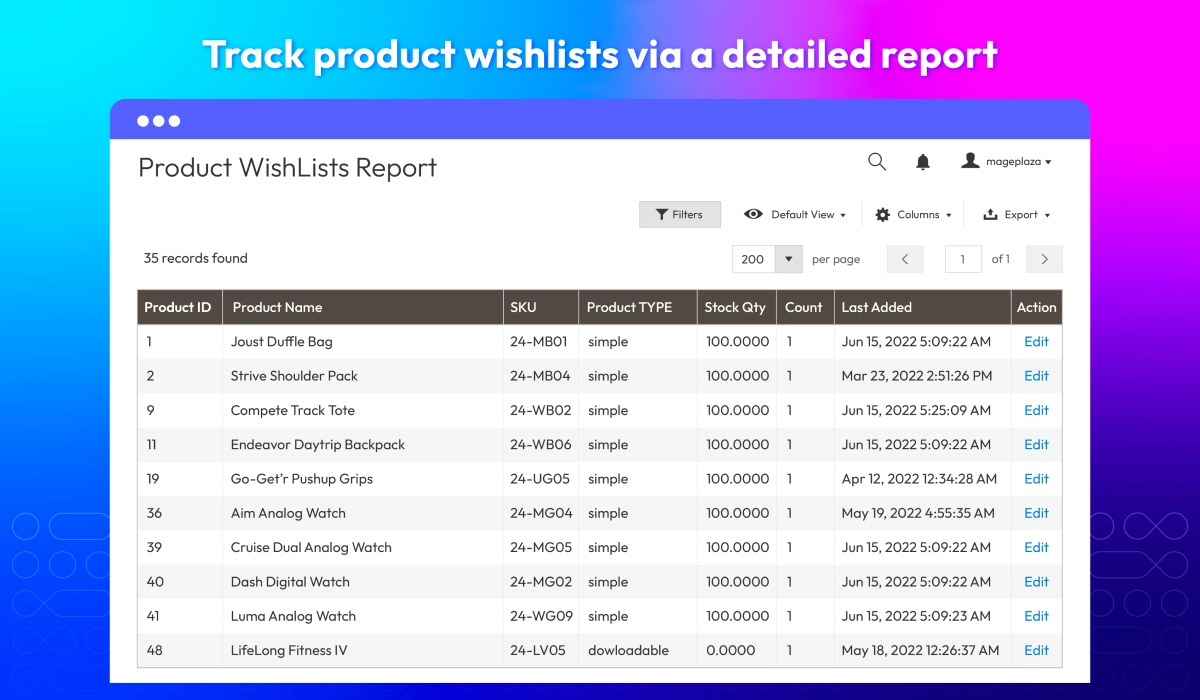
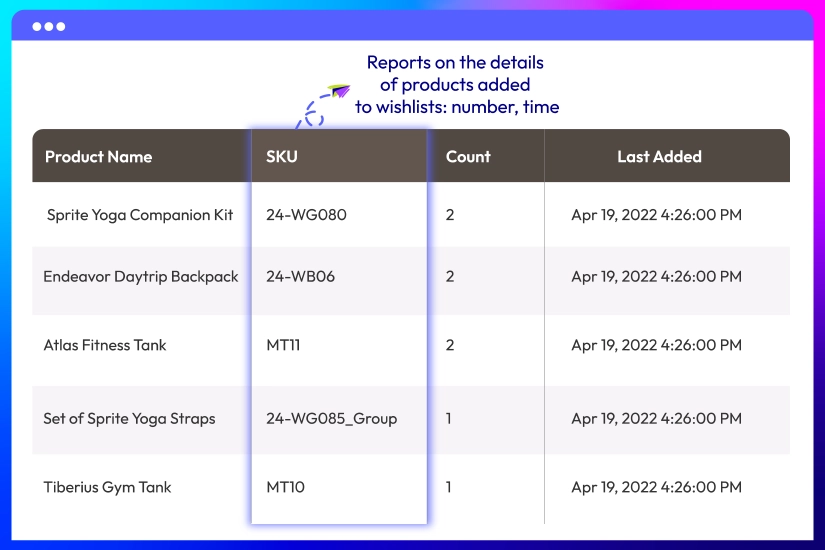
Store admins can view and manage saved carts and products via the Buy Later Notes tab in the backend Customer Details Page. This gives store owners better insight into customer activity and saved items, enabling them to act on opportunities for engagement and sales. Admins can also delete saved carts or products from the backend, keeping the system clean and organized.

What customers say about us

Product reviews: 10
Overall rating: 5.0
5
4
3
2
1
How much do you like this product?
Leave your email to get reward points for reviews
Submit a relevant review of 30+ words to earn 5 reward points (one-time per extension)
Malik
04 May 2022
Verified purchase
The wishlist is quite necessary for stores like us as there're many options and customers tend to come back to try more after a while. Thanks for a great extension Mageplaza.
Ashley
19 April 2022
Verified purchase
My customers love it when they can create multiple wishlists to save any their preferred items. Thank you!
Adrian Chung
14 December 2021
Verified purchase
This better wishlist works great and adds the feature that I wanted. Customer Support was also kind enough to add in a small feature for me. Definitely Recommend!
Yunus
22 April 2020
Verified purchase
Simply put it works like magic.
Moisa Claudiu
22 October 2019
Verified purchase
Fast and great quality support. My issue is solved right away. Shin understands my question and requirements so fast. Thank you!
Emil Shamloo
01 October 2019
Verified purchase
I had some difficulties with installation and I reported. They helped me with the installation process. Great and thanks for your support :-)
Harry J. Stowell
08 April 2019
Verified purchase
This extension was really easy to install and configure. It does exactly what we required. No issues until now. Thanks, guys
Benjamin A. Richter
08 April 2019
Verified purchase
I must say that this is a must-have extension. It makes great customers experience. Thank you Mageplaza!
Matthew S. McNeal
08 April 2019
Verified purchase
This amazing extension allows my customers to pick their preferred items to an unlimited number of wishlists. Highly recommended!
Ethan C. McGee
08 April 2019
Verified purchase
The two things that I concerned most before buying an extension are quality and support. I'm glad that Mageplaza has both. Thank you guys

Release notes

  • v4.1.0 (Magento v2.4.x)

    08 December 2025

    • New Feature: Added new feature Save Cart and Buy Later
  • v4.0.5 (Magento v2.4.x)

    26 April 2025

    • Compatibility: Now compatible with Hyva theme
    • Compatibility: Now compatible with Magento 2.4.7
    • Compatibility: Now compatible with Magento 2.4.8
  • v4.0.4 (Magento v2.4.x)

    21 May 2023

    • Compatible with Magento 246
  • v4.0.3 (Magento v2.4.x)

    16 November 2021

    • Fix minor bugs
  • v4.0.2 (Magento v2.4.x)

    10 August 2021

    • Fixed minor bugs
  • v1.1.2 (Magento v2.3.x)

    10 August 2021

    • Compatible with Magento v2.3.7
    • Fixed minor bugs
  • v4.0.1 (Magento v2.4.x)

    12 May 2021

    • Compatible with Magento v2.4.2
    • Fixed minor bugs
  • v1.1.1 (Magento v2.3.x)

    12 May 2021

    • Fixed minor bugs
  • v1.1.0 (Magento v2.3.x)

    29 March 2021

    • Supported RestAPI & GraphQL
    • Improved compatible with Magento v2.3.6
    • Compatible with Mageplaza Quick View & Ajax Cart
  • v4.0.0 (Magento v2.4.x)

    23 March 2021

    Supported Magento v2.4

  • v1.0.5 (Magento v2.3.x)

    15 October 2020

    • Fixed minor bugs
  • v1.0.4 (Magento v2.3.x)

    17 August 2020

    • Fixed backend wishlist cache error
  • v1.0.3 (Magento v2.3.x)

    29 June 2020

    • Fixed minor bugs
  • v1.0.2 (Magento v2.3.x)

    17 October 2019

    • Fixed error add to wishlist
    • Fixed XSS & minor bugs
  • v1.0.1 (Magento v2.3.x)

    30 August 2019

    Compatible with Magento 2.3

  • v1.0.0 (Magento v2.3.x)

    05 March 2019

    Initial Release

Load More

Frequently Asked Questions

The number of wishlists will depend on the setting of admins from the backend. From the backend, please go to Limit Number of Wishlists

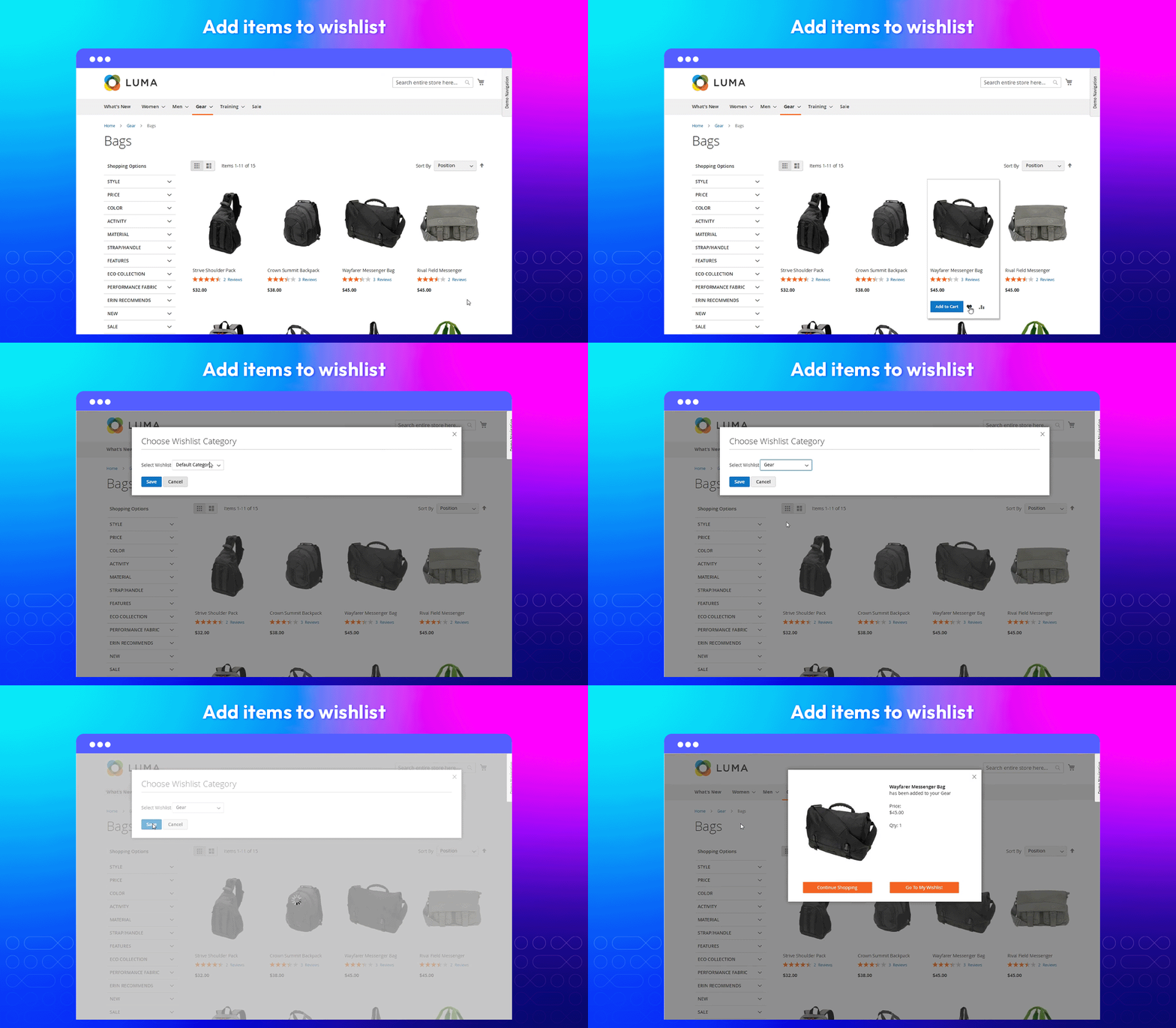
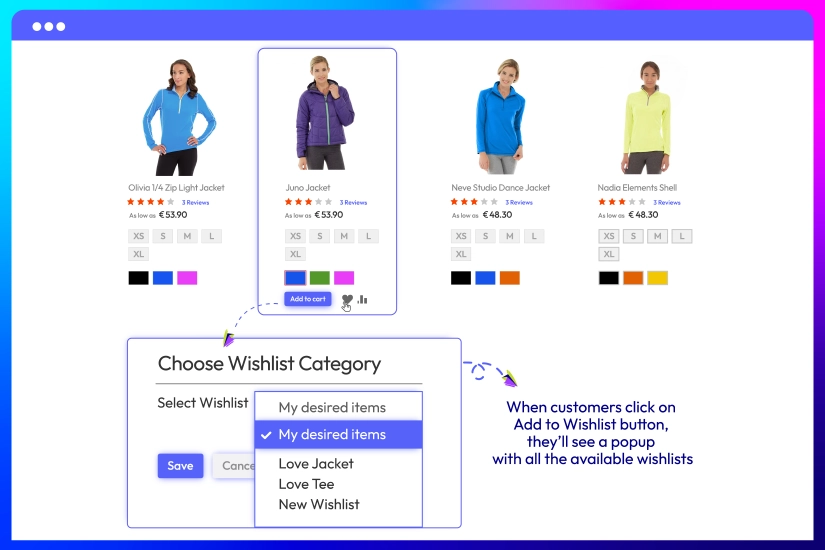
A pop-up will appear and the customers can select a wishlist via the drop-down box.

Yes. Please add default wishlists from the admin backends. They are undeletable wishlists.

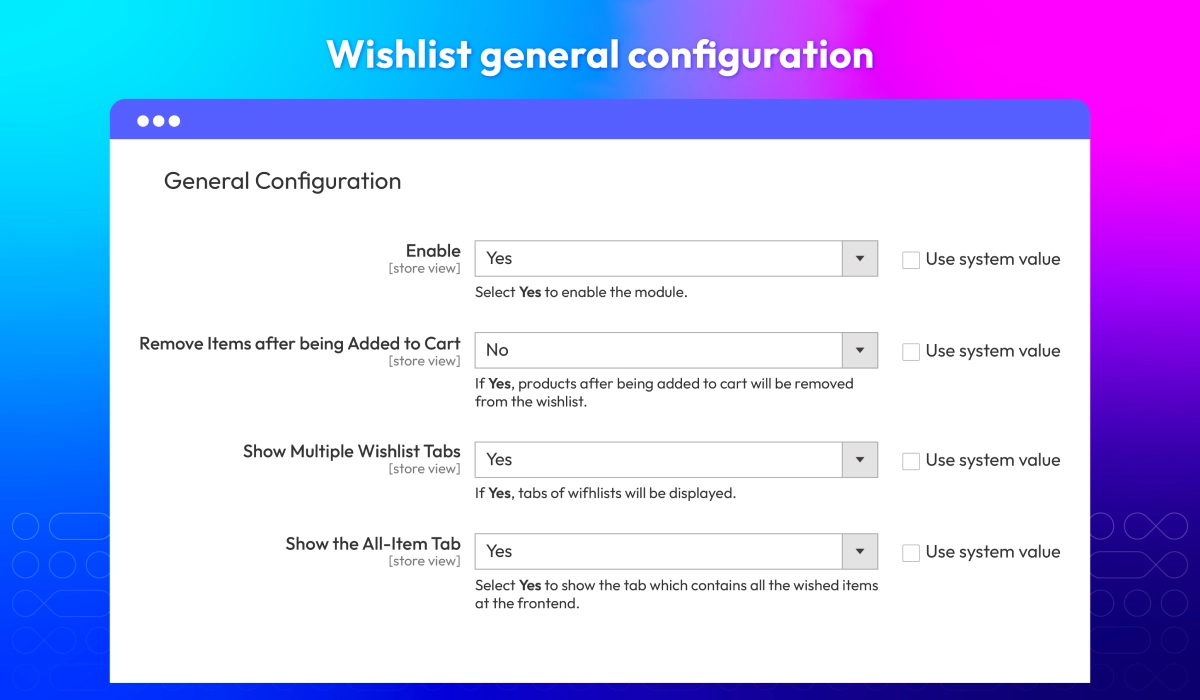
It depends on your setting. You can enable/ disable removing a product after being added to cart from the admin backend.

Yes, there is. This tab will contain all your desired item and admins can allow showing/ hiding it from the admin backend.

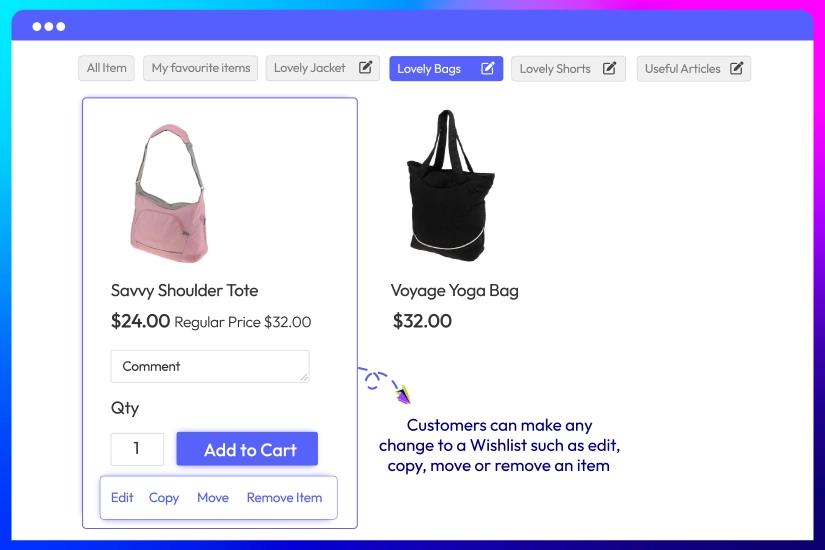
Yes. They can do it easily by clicking on function buttons.

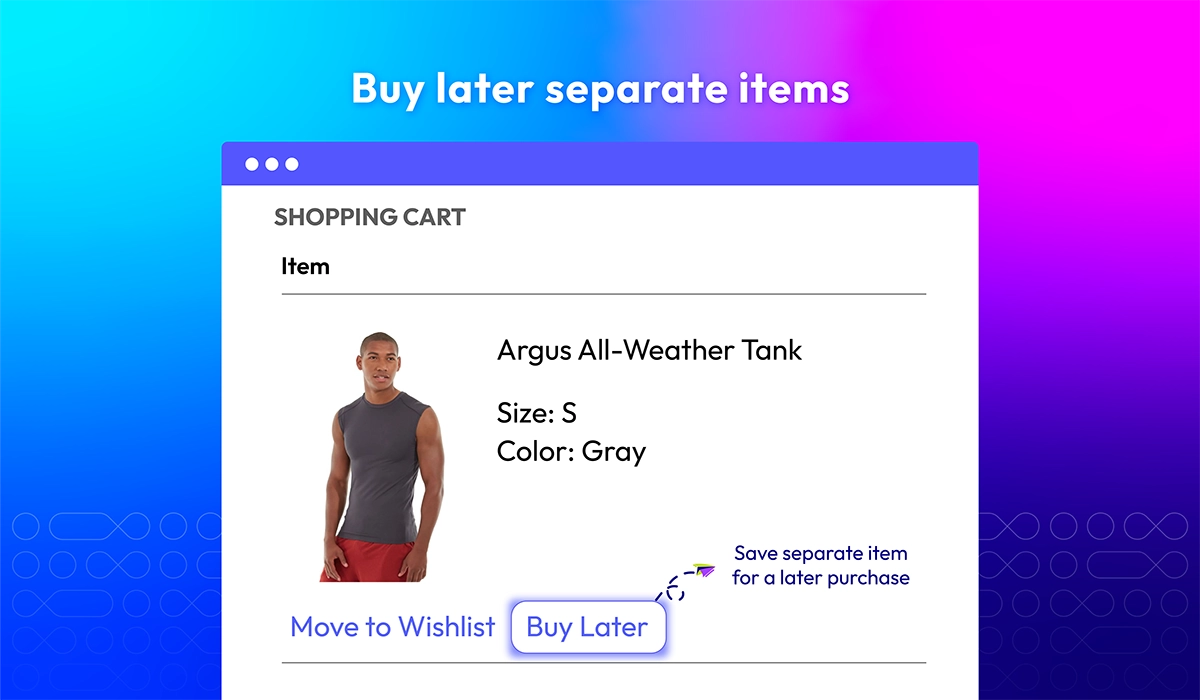
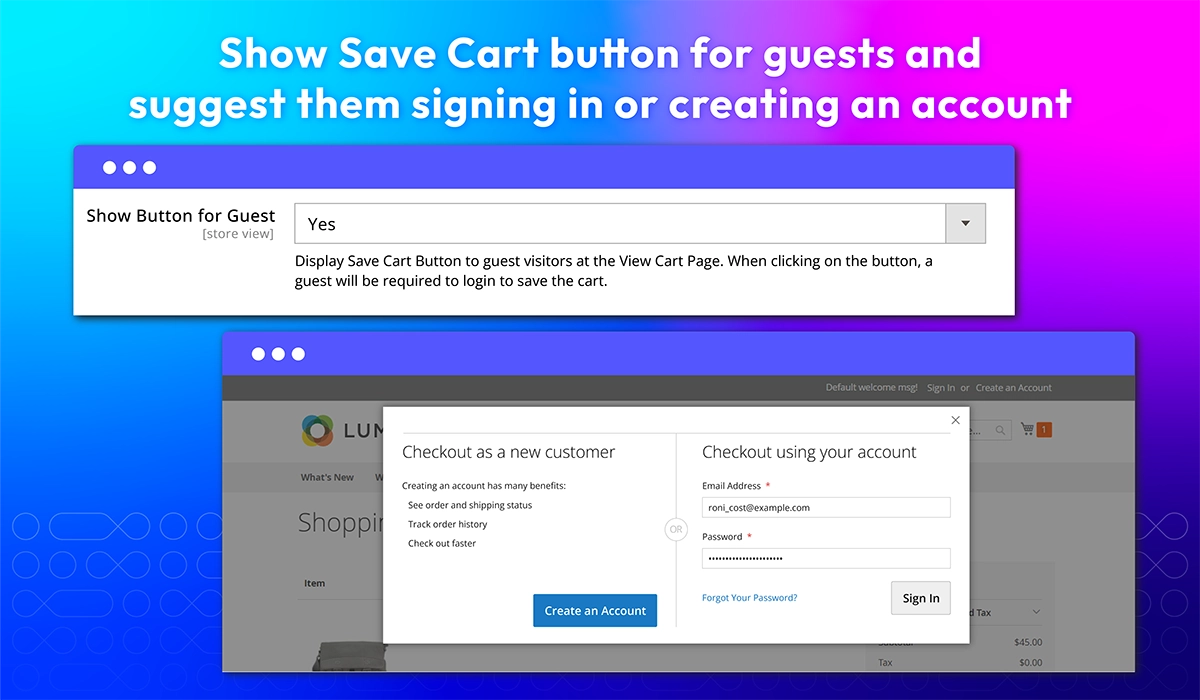
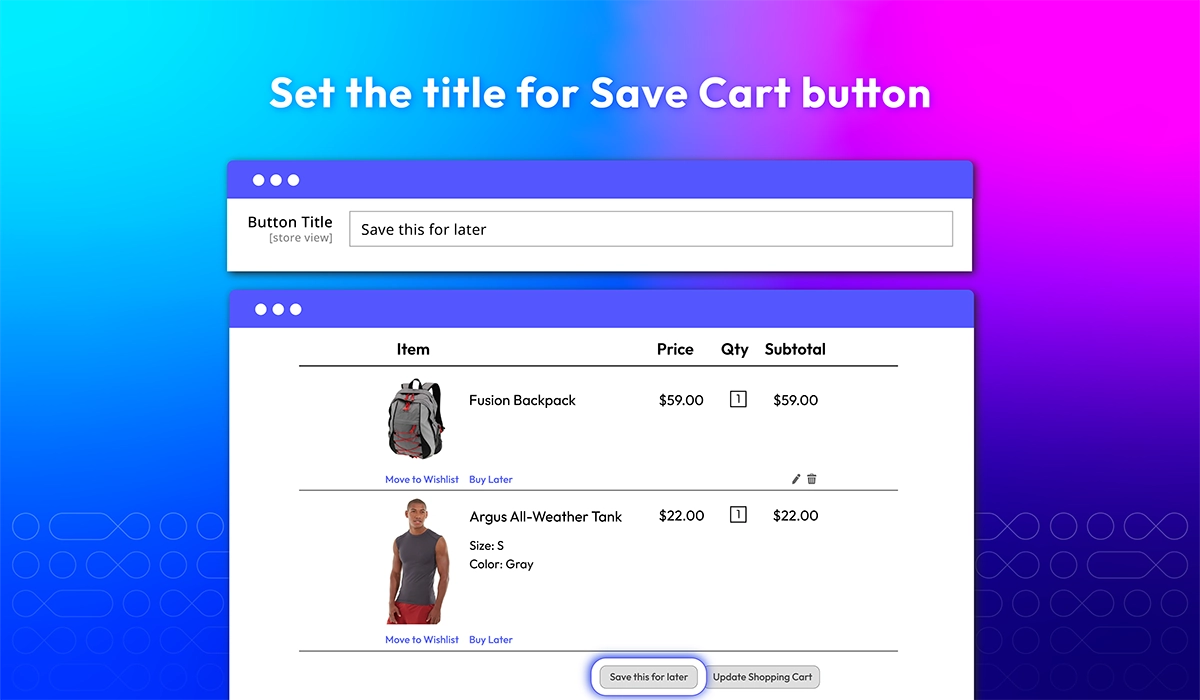
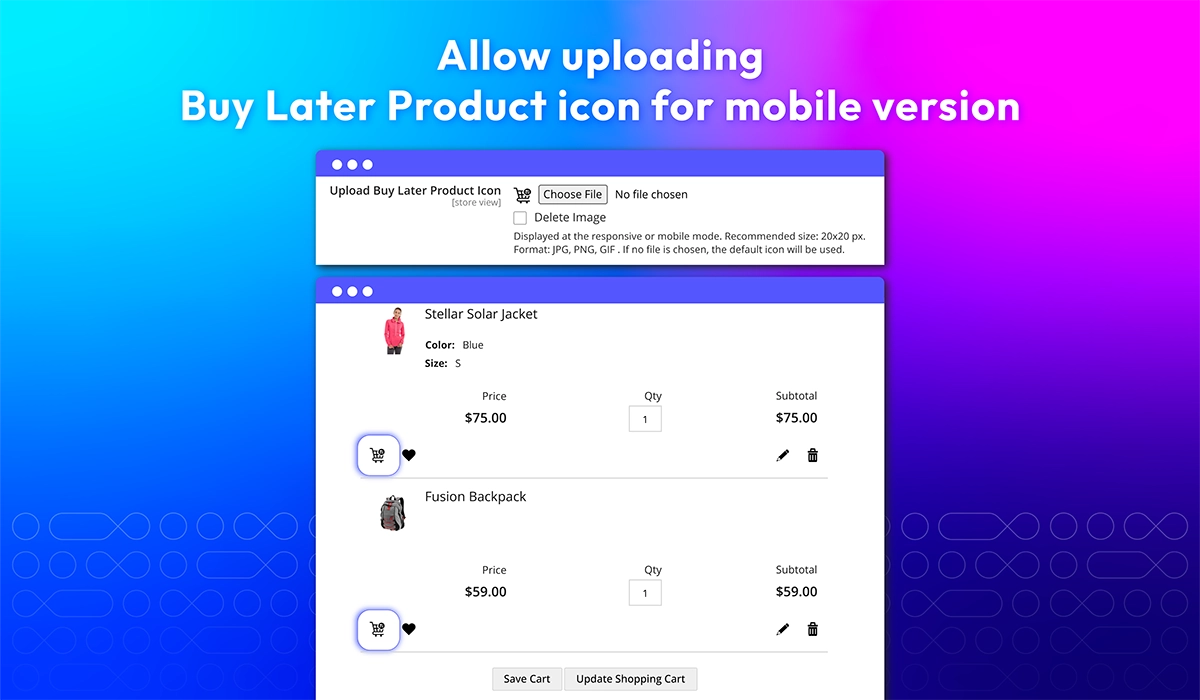
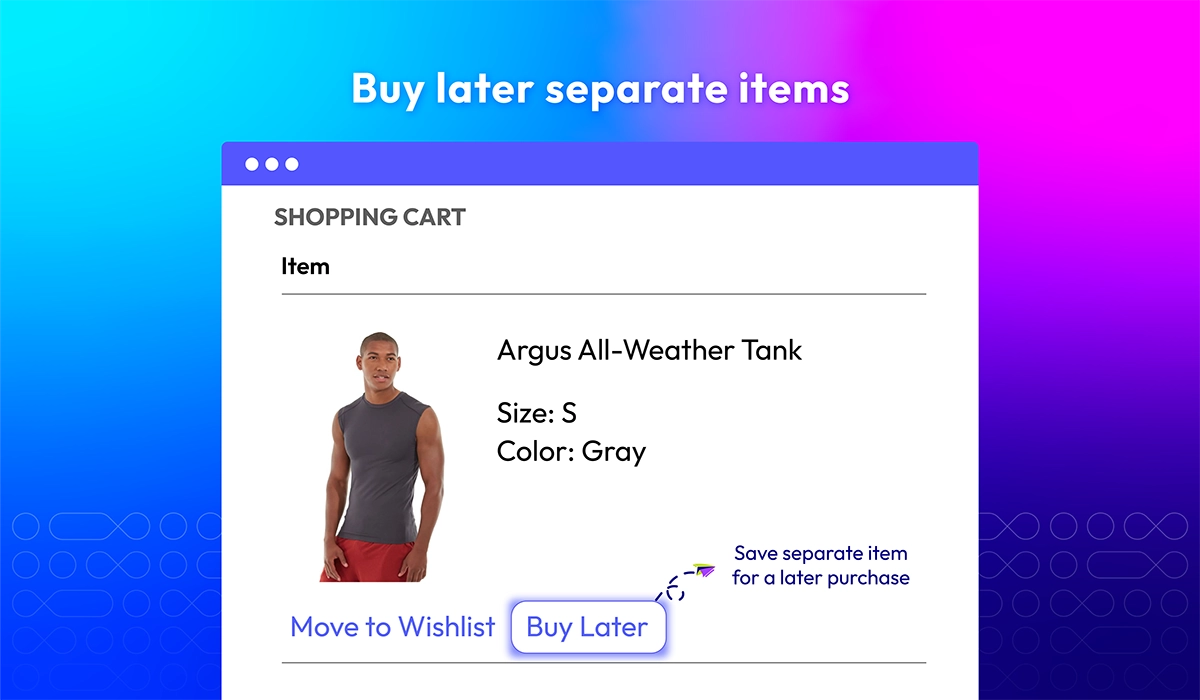
Yes, Save Cart and Buy Later can save the items separately by clicking on "Buy Later" button below each item.

When you click Restore of a product or a cart. The saved cart or saved product will be removed from Buy Later Notes and moved to current shopping cart and you can process checkout.

Yes, Magento 2 Multiple Wishlists | Built-in Save Carts is compatible with Hyva theme. However, the checkout only supports hyva-themes/magento2-theme-fallback. To learn how to enable checkout on Hyva, please follow this guide.

Mageplaza provides FREE Hyva Checkout Compatibility for all of our extensions upon requests. You can request by contacting us via email, live chat, or support ticket. Our team will respond within 24 hours and ask for details such as Order ID, extension name, Magento & Hyva versions, and any special requirements. To qualify, your module subscription must be active. If your subscription has expired, renewal is required as some older modules do not support Hyva. Additional customization requests may incur extra costs, and our team will inform you before proceeding. For assistance, feel free to reach out - we're here to help!

Magento Edition *
Version *
FREE installation Tooltip
Ends in:
03 : 00 : 00 : 00
Get 10% OFF
$129
icon logo magento 2.4.4 - 2.4.8
Tooltip
Hyva logo Theme
Tooltip

Pricing

Choose your suitable edition.

Community

$ 129 first year
Includes support & updates for 1 year Tooltip
60 days money back guarantee
Read our policies
check
Free On-demand Hyva Checkout Compatibility

Enterprise/ Magento Cloud

$ 329 first year
Includes support & updates for 1 year Tooltip
60 days money back guarantee
Read our policies
check
Free On-demand Hyva Checkout Compatibility
Can't see the feature you're looking for?
Describe it and we will customize this extension to suit your needs!
Request customization
feature looking icon