Product image of Better Sorting
Magento Edition *
Version *
icon This extension is included in Layered Navigation Ult
Learn More
icon logo magento 2.4.4 - 2.4.8
Tooltip

Improved Product Sorting for Magento 2

v4.1.7
4.9
(8 reviews)
Read all >
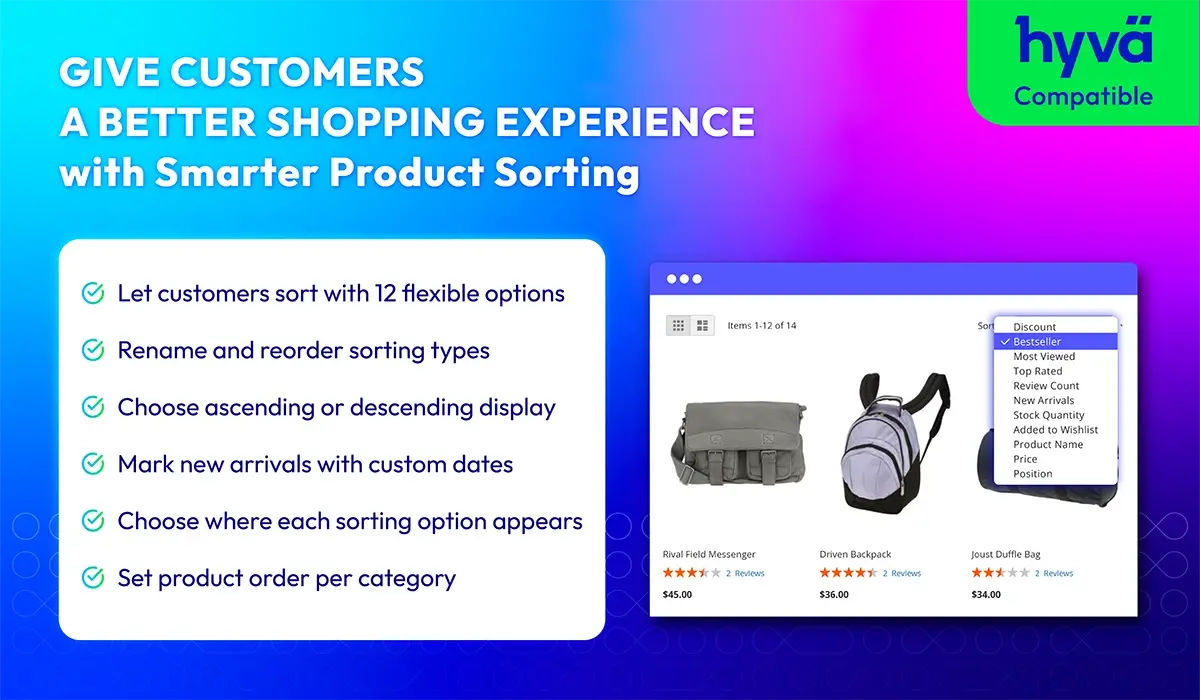
Magento 2 Improved Sorting helps you create a better shopping experience by giving customers smarter ways to sort products. With attributes like bestsellers, ratings, discounts, and stock status, this module makes it easier for shoppers to find what they want. You can also customize labels, order, and rules—bringing more flexibility and control to how products are shown. It’s a simple way to improve product discovery and boost sales through better sorting for Magento 2.
tick icon
Compatible with Magento 2.4.8
60 days money back guarantee

Why Better Product Sorting matters for Magento 2 stores?
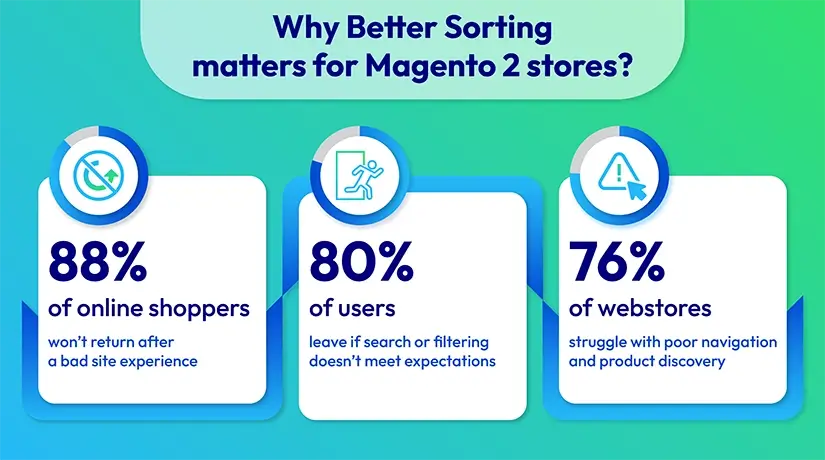
Why Smarter Product Sorting matters for your Magento 2 stores?

Key features of Magento 2 Better Sorting

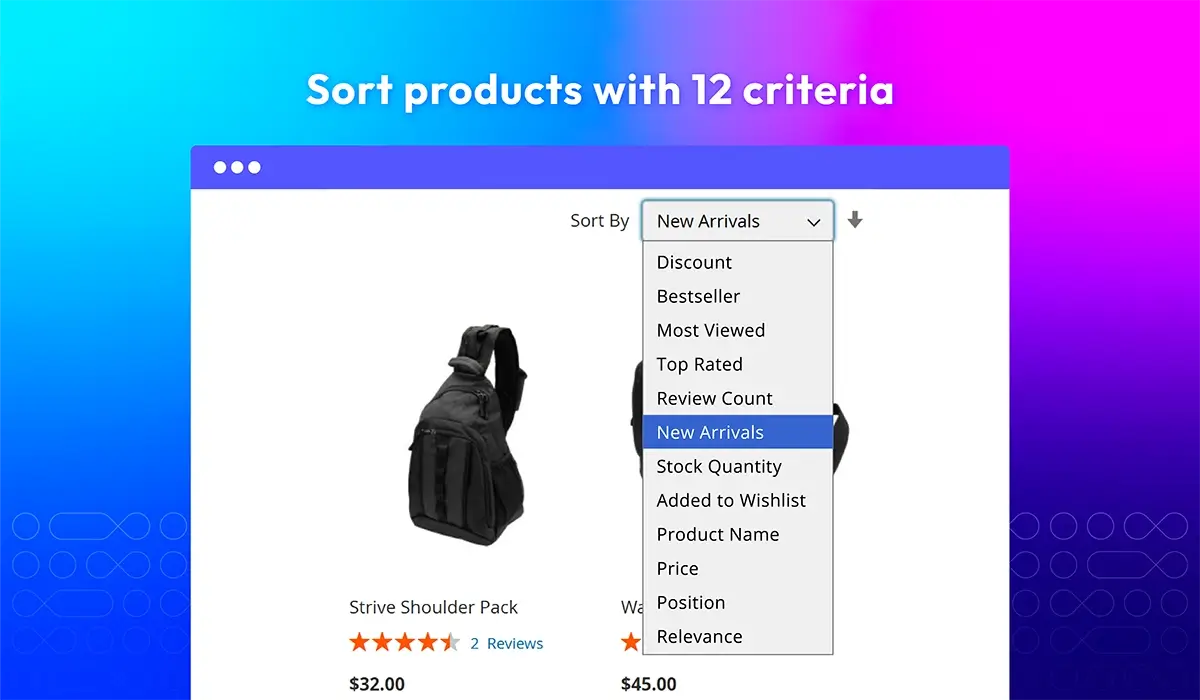
12 product sorting options
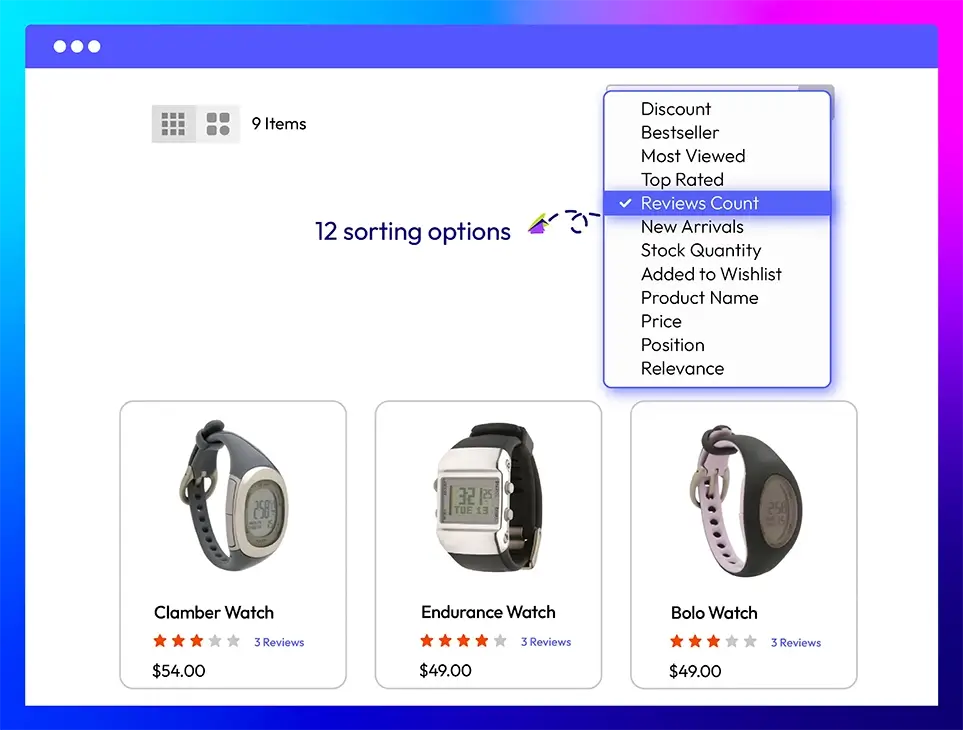
Magento 2 Improved Sorting extension allows customers to sort products easily with 12 criteria—by bestseller, discount, rating, review count, stock quantity, wishlist count, and more. This gives customers multiple ways to browse, improving product discoverability and enhancing the default Magento product sorting order.

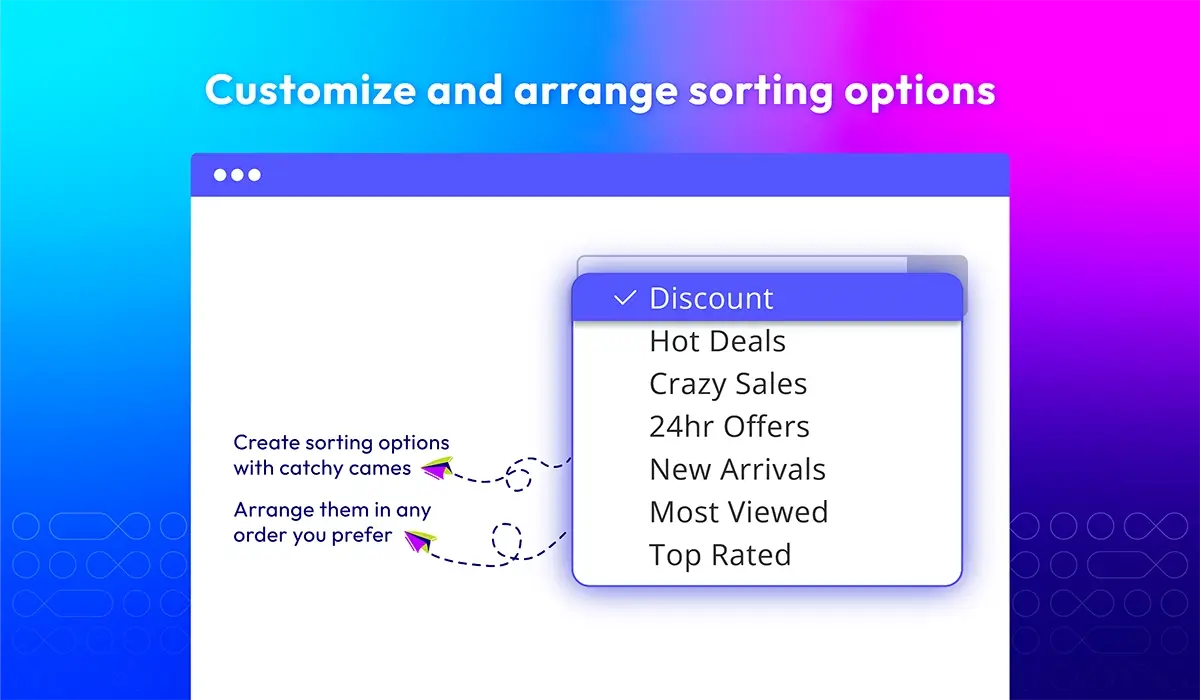
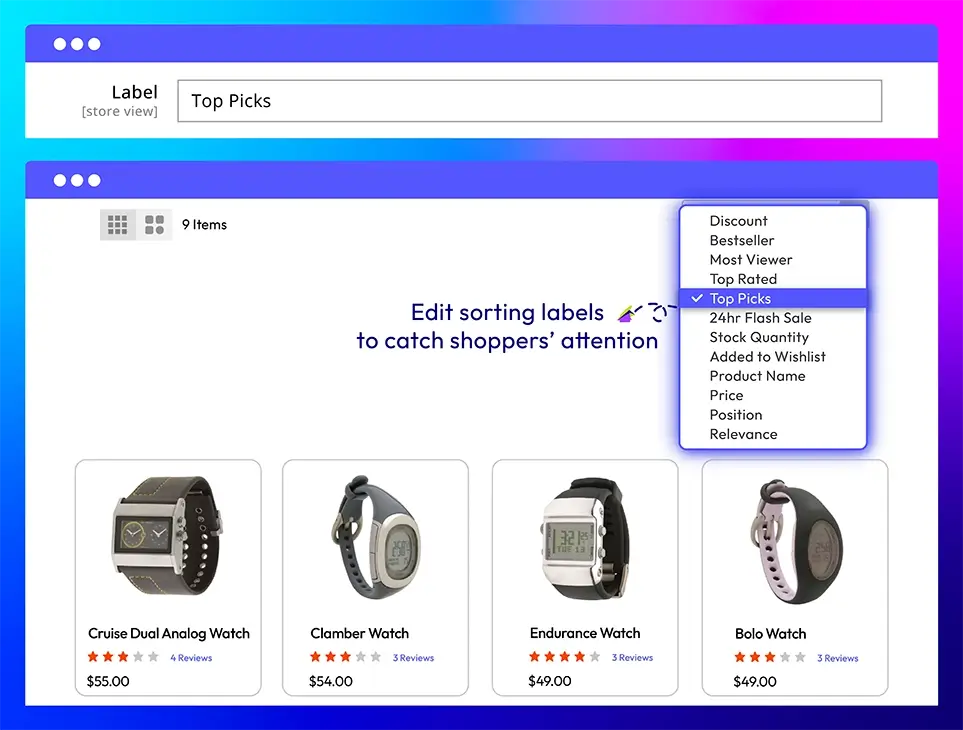
Custom labels for each sorting type

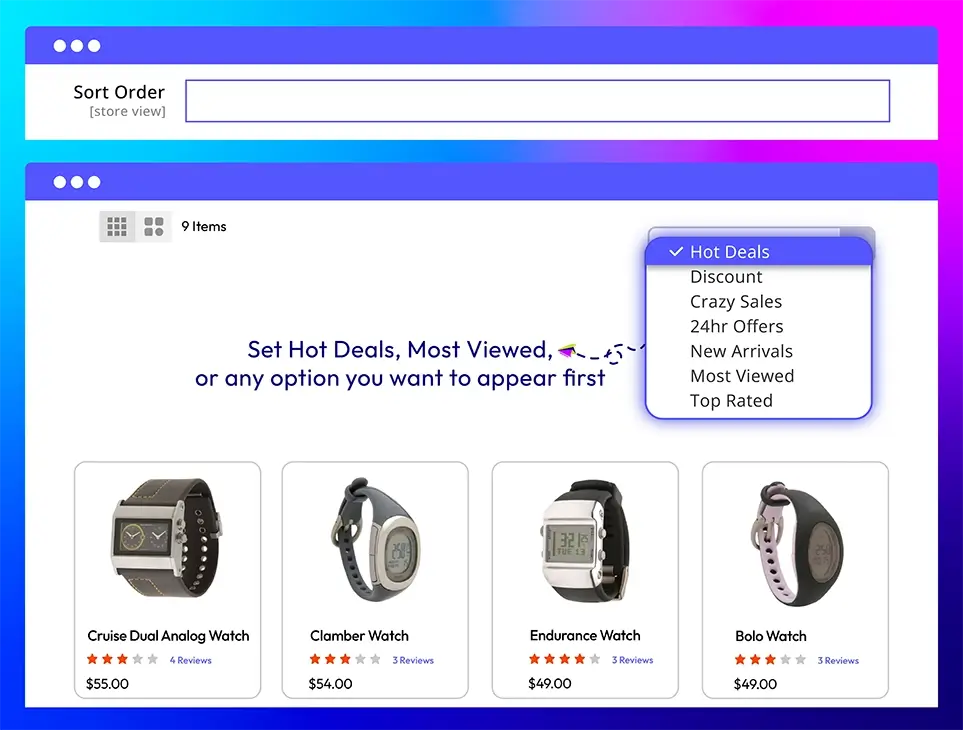
With Mageplaza Better Sorting, you can rename sorting options to better match your brand’s tone and style. Instead of generic labels, use catchy names like Hot Deals, Top Picks, or 24h Flash Sale. Small changes like this can makes sorting products in Magento feel more engaging and on-brand, helping boost clicks and conversions through a better user experience.

Arrange sorting options

Easily choose which sorting options appear first in the dropdown—whether it's Hot Deals, New Arrivals, or Top Rated. By setting the sort order priority in your Magento backend, you can guide shoppers to the most relevant or profitable product lists, improving both visibility and conversions.

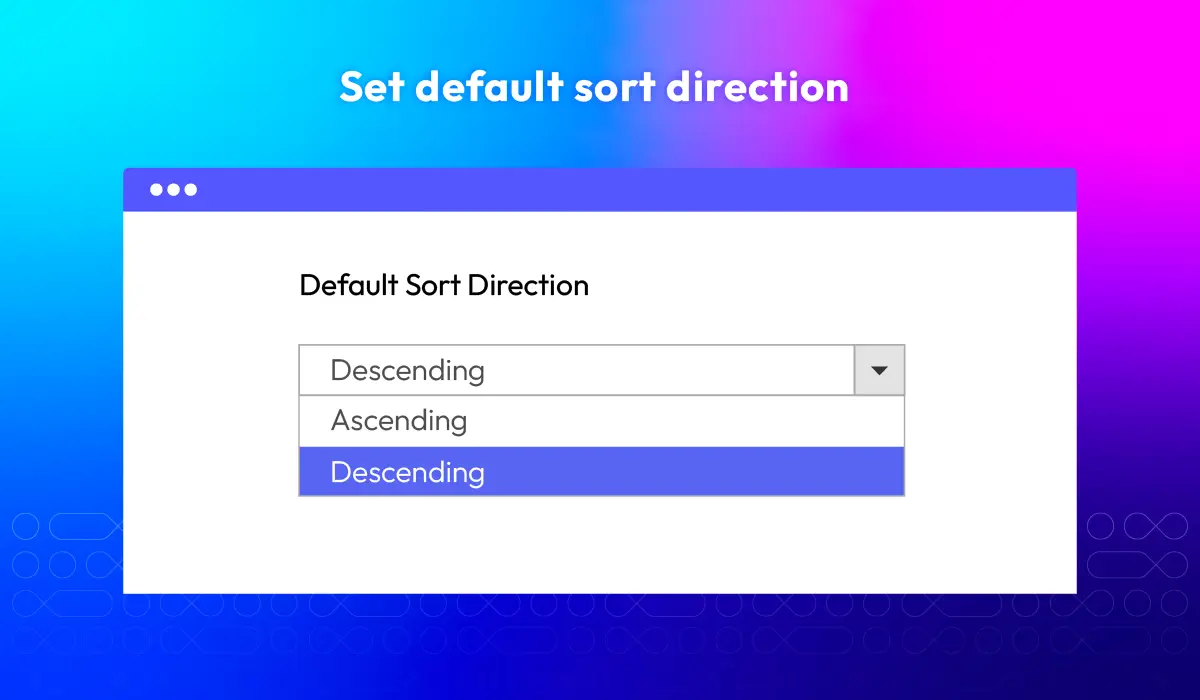
Set default sort direction

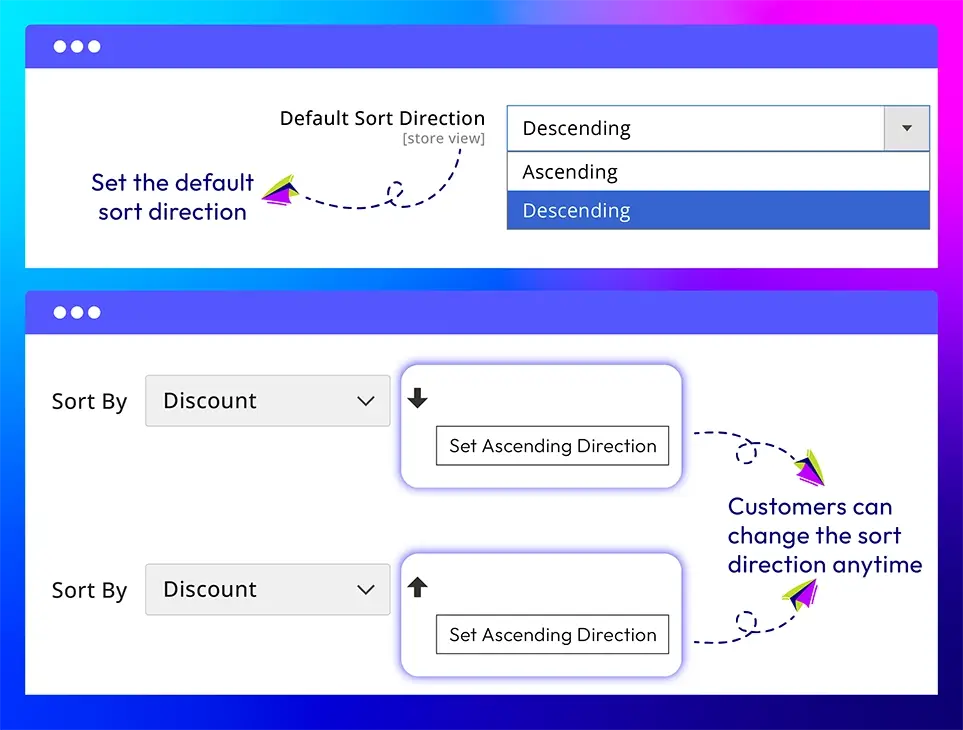
Each sorting type in the Magento 2 Better Sorting extension can start with either ascending or descending order—like showing the highest-rated or lowest-priced items first. While shoppers is still able to change the sort order, this feature helps you control the initial product sorting experience and guide customers toward key items.

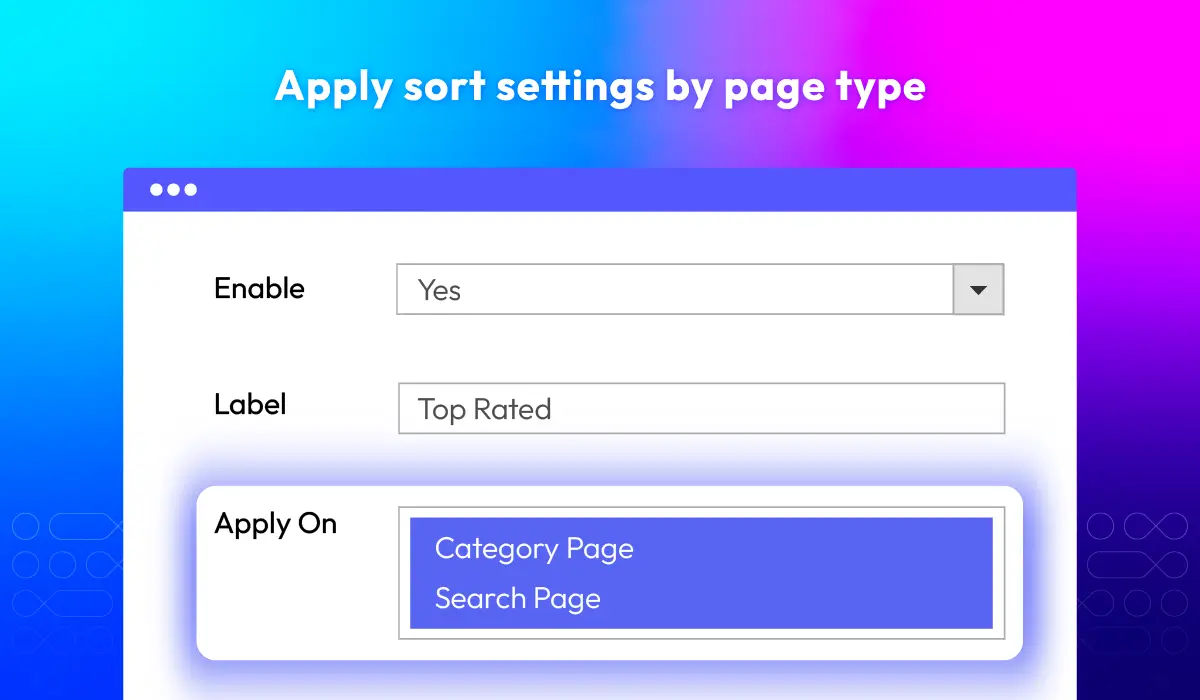
Apply sorting rules by page type

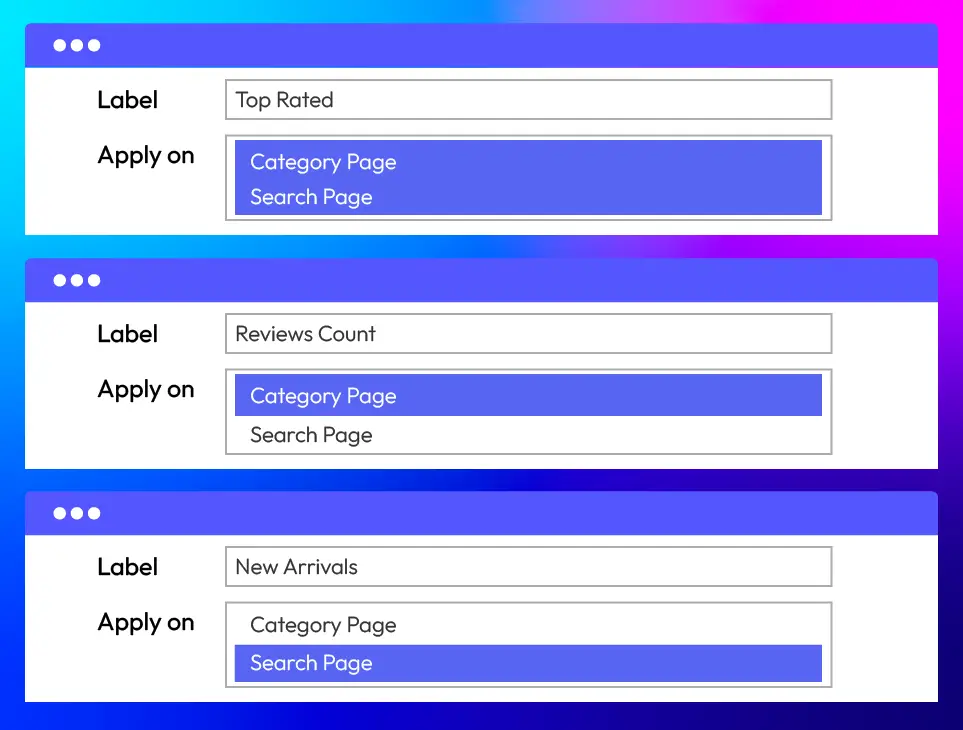
The Improved Sorting extension for Magento 2 allows you to choose where each sort option appears—on Category pages, Search result pages, or both. This flexibility lets you adjust the shopping experience based on what the customer is doing—whether they’re just browsing or looking for something specific.

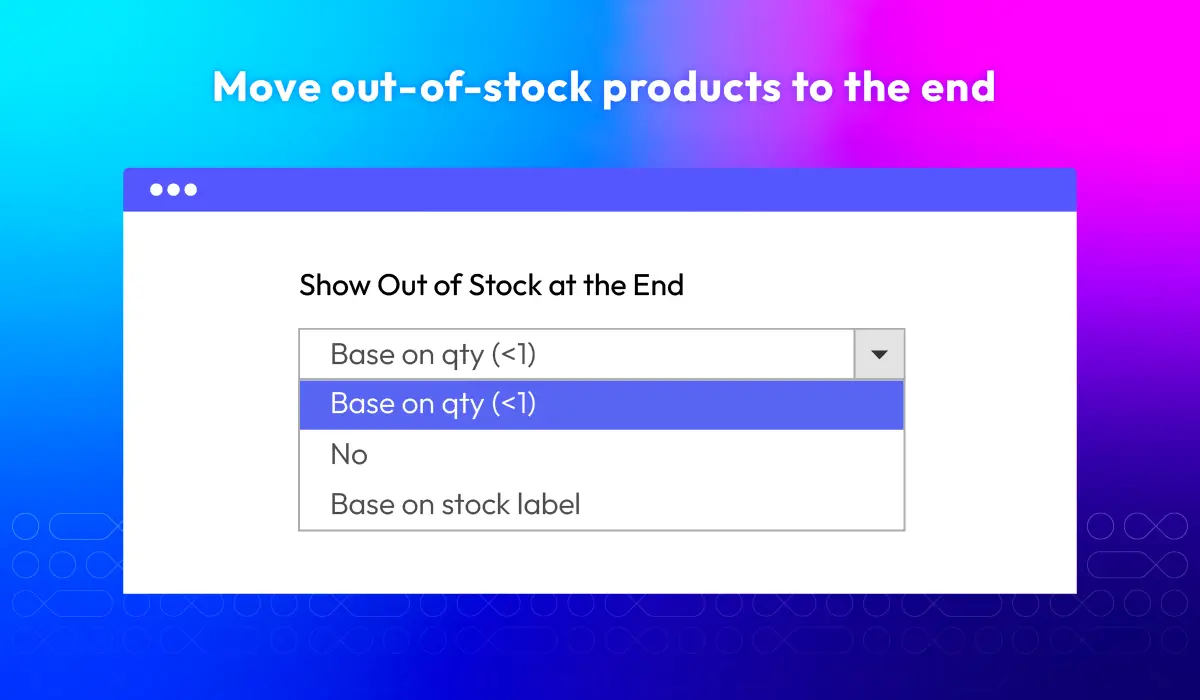
Push out-of-stock products to the bottom

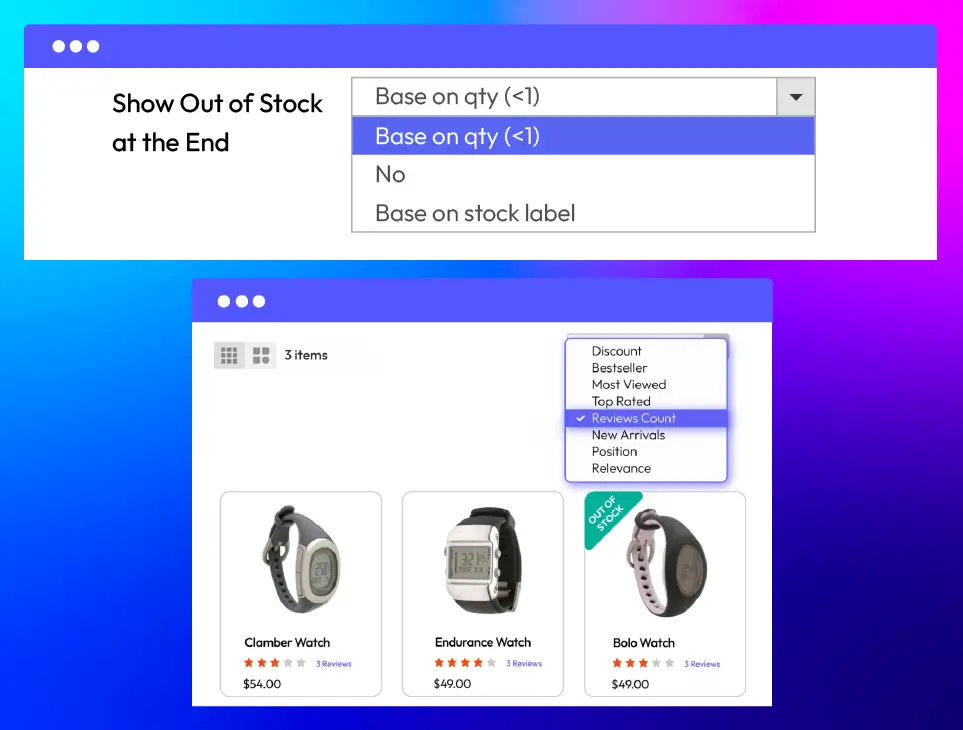
Help shoppers find available items faster by moving out-of-stock products to the end of the list. Choose how to handle unavailable items, by actual quantity (qty < 1) or stock status label. Or select “No” to keep their original position. You’ll have more control over product visibility, which improves the shopping experience.

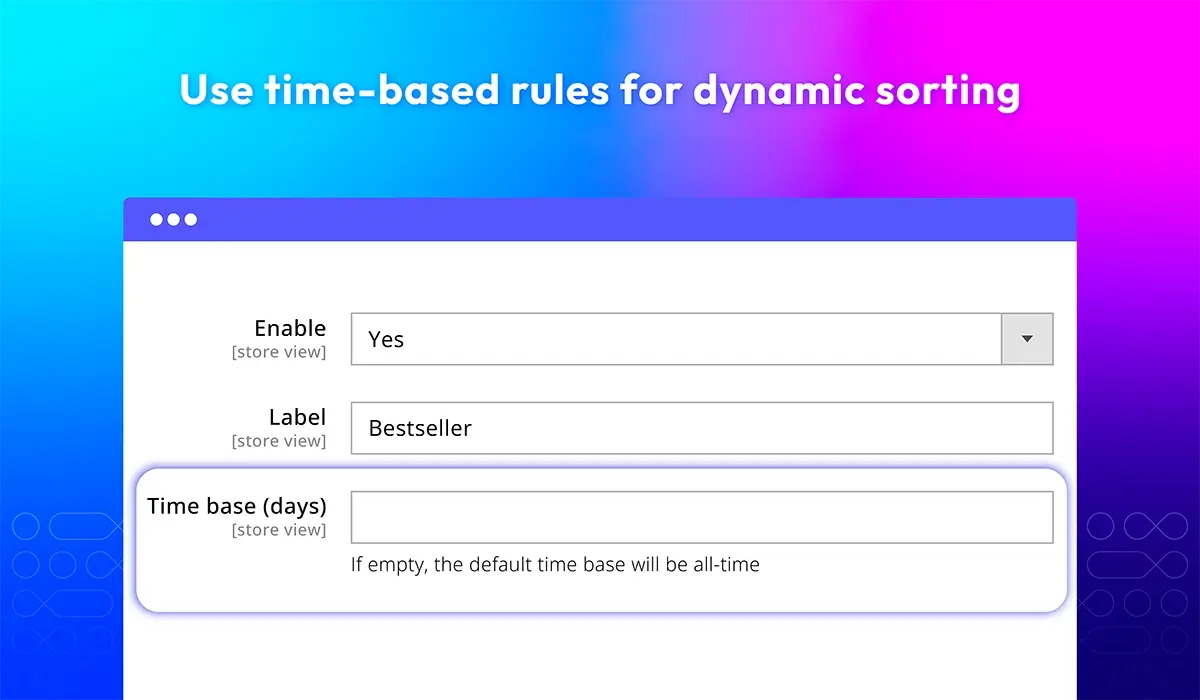
Set time-based rules for dynamic sorting
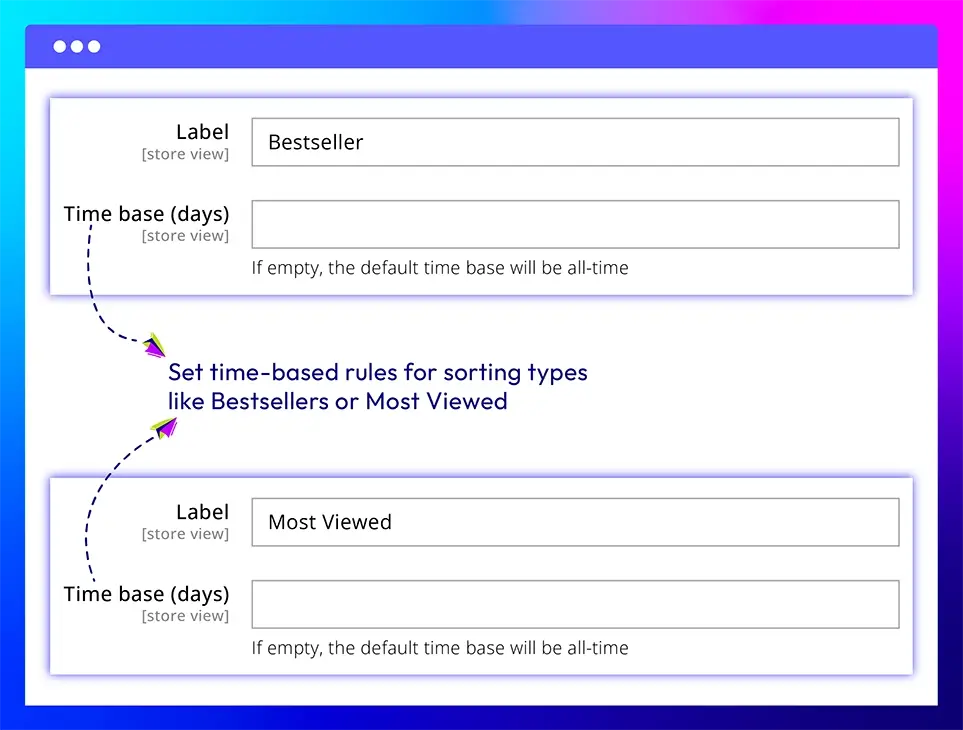
Sorting types like Bestsellers and Most Viewed let you choose how many days of data to use. Set it to show products from the last 7, 10, or 30 days—so customers see what’s popular right now. If left blank, the system defaults to all-time data. This makes it easier to promote recent trends and keep your product listings fresh.

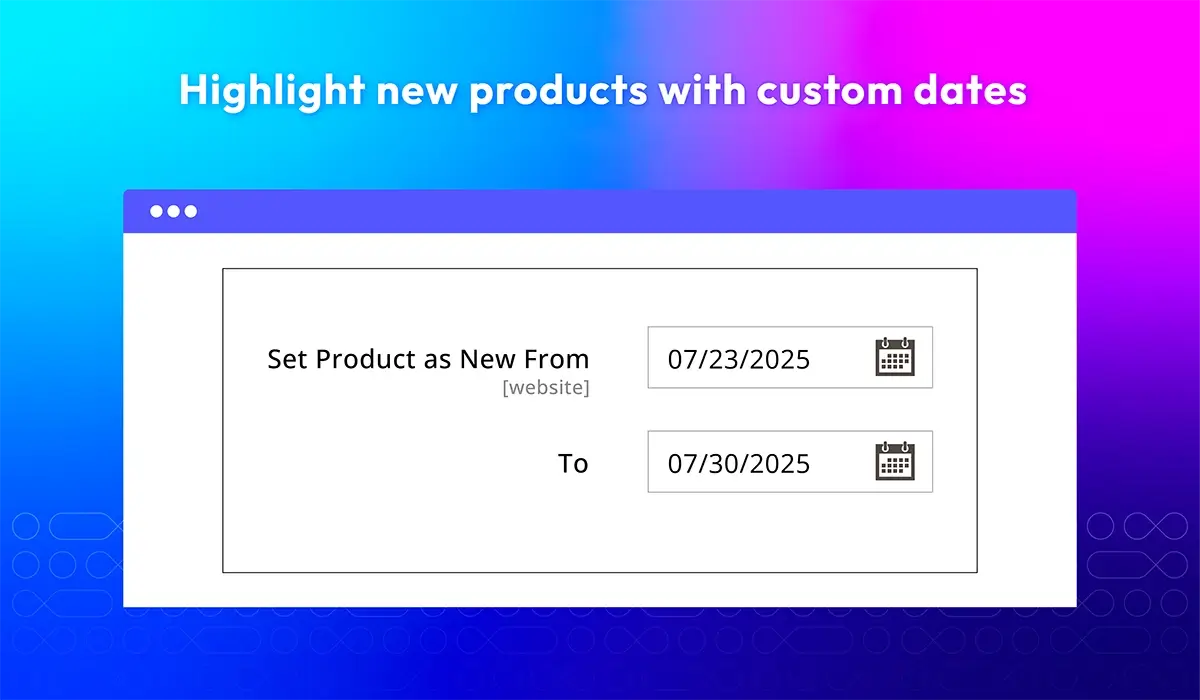
Control new arrivals with custom date range

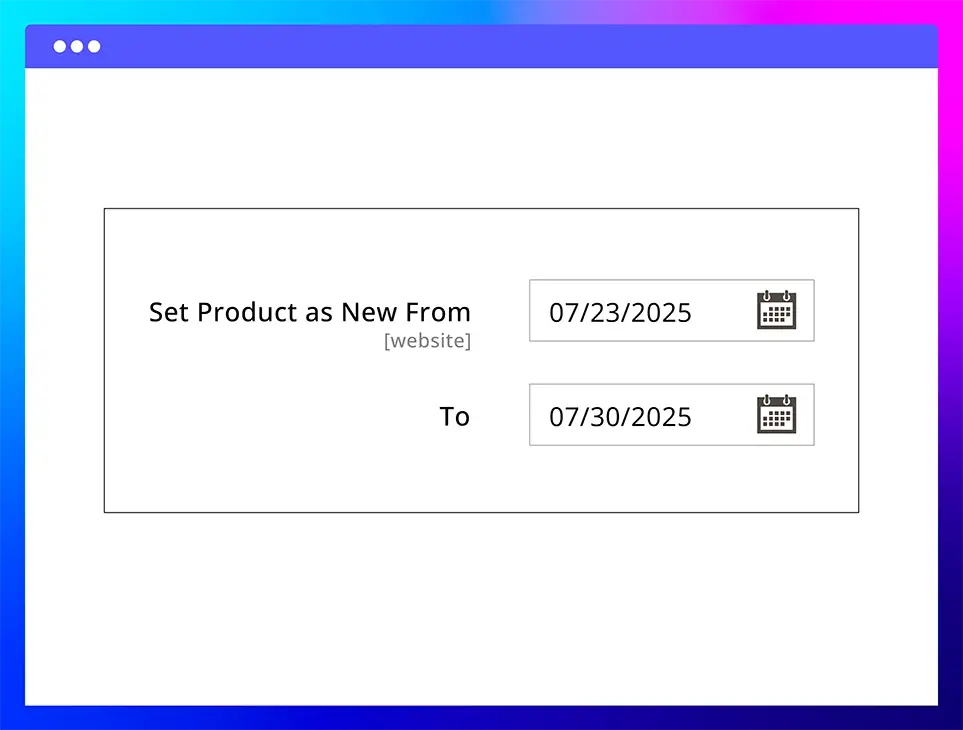
Only products with “Set Product as New From” and “To” dates will show under the New Arrivals sorting option. Products without this configuration won’t be treated as “new,” even if recently added. You can control which items are marked as new and for how long. The most recent ones will appear first, helping you spotlight fresh arrivals.

Organize product order by category

Manage how products appear in catalogue and search page by manually setting their position. Enter numbers into the Position column to arrange items in the exact order you want. Prioritize bestsellers, highlight seasonal picks, or structure listings based on your business strategy.

What customers say about us

Product reviews: 8
Overall rating: 5.0
5
4
3
2
1
How much do you like this product?
Leave your email to get reward points for reviews
Submit a relevant review of 30+ words to earn 5 reward points (one-time per extension)
Ciberconceito
16 February 2024
Verified purchase
Benny
20 March 2023
Verified purchase
Kenny
04 May 2022
Verified purchase
Frank
19 April 2022
Verified purchase
Bram Brands
02 March 2022
Verified purchase

Release notes

  • v4.1.7 (Magento v2.4.x)

    27 May 2025

    Bug Fix: Fixed table prefix

  • v4.1.6 (Magento v2.4.x)

    17 April 2025

    • Compatibility: Now compatible with Magento 2.4.8
  • v4.1.5 (Magento v2.4.x)

    28 August 2023

    • Bug Fix: We fixed the bug compatible module Shop By Brand
    • Bug Fix: We fixed the bug reindex when most reviews have no result
    • Bug Fix: We fixed the bug EQP
  • v4.1.4 (Magento v2.4.x)

    17 May 2023

    • Compatibility: The extension is now compatible with Magento 2.4.6
  • v4.1.3 (Magento v2.4.x)

    23 March 2023

    • Bug Fix: We fixed the bug when the search
    • Bug Fix: We fixed the bug when accessing the product detail page
  • v4.1.2 (Magento v2.4.x)

    08 February 2023

    • Fixed minor bugs
  • v4.1.1 (Magento v2.4.x)

    27 September 2022

    • Compatible with Magento v2.4.5
    • Fixed sort by discount and make it work with Configurable Product
    • Fixed other minor bugs
  • v4.1.0 (Magento v2.4.x)

    01 November 2021

    • Add new GraphQL feature
    • Compatible with Magento 2.4.x
    • Compatible with Elastic 5, 7
    • Compatible with PWA
  • v4.0.0 (Magento v2.4.x)

    06 June 2021

    • Compatible with Elastic Search
    • Compatible with Magento v2.4.0
    • Fix minor bugs
  • v1.0.2 (Magento v2.3.x)

    07 July 2020

    • Compatible with Magento v2.3.4
  • v1.0.1 (Magento v2.3.x)

    24 July 2019

    Compatible with Magento 2.3

  • v1.0.0 (Magento v2.3.x)

    27 March 2019

    Initial Release

Load More

Frequently Asked Questions

The extension offers 12 advanced sorting options beyond Magento’s default. Customers can sort products by attributes like bestseller, highest discount, rating, review count, stock quantity, wishlist count, and more. With this variety, shoppers can find want they want quickly. It also gives store owners more control over product visibility, allowing them to highlight trending items, promote top sellers, or prioritize specific products based on their goals.

You decide which products count as "new" by setting the “Set Product as New From” and “To” dates in the backend. Only products with these dates will appear under the New Arrivals sorting option. This gives you full control over what’s considered new — it’s not just based on the product’s creation date.

Yes. In your Magento admin, you can go to each category and assign position numbers to products. This lets you decide the exact order in which products appear — so you can show top sellers, seasonal items, or promoted products first.

Definitely. You can change the default sorting labels to something more engaging or aligned with your store’s tone. For example, instead of “Discount,” you can display “Hot Deals” or “Today’s Offers.” It’s a small tweak that makes your storefront feel more personalized.

Yes. The Magento 2 Improved Sorting extension lets you decide where each sorting option is available. You can apply certain options only on category pages, only on search results, or both — depending on how you want the shopping experience to flow.

Yes. For dynamic sorting types like Most Viewed or Bestsellers, you can set a time range — such as the last 7, 10, or 30 days — to define what’s considered popular. If you don’t set a range, the extension will use all-time data by default.

You have a few ways to do this. You can manually move those products to the top using position settings in the category. Or you can create a sorting type (like “Hot Deals”) and sort by discount percentage, then label it to highlight your sale items. Either way, you have control over visibility.

Magento Edition *
Version *
icon This extension is included in Layered Navigation Ult
Learn More
icon logo magento 2.4.4 - 2.4.8
Tooltip
Can't see the feature you're looking for?
Describe it and we will customize this extension to suit your needs!
Request customization
feature looking icon