
Free installation badge Product image of Product Feed
Magento Edition *
Version *
FREE installation Tooltip
Ends in:
03 : 00 : 00 : 00
Get 10% OFF
$179
icon logo magento 2.4.4 - 2.4.8
Tooltip
Hyva logo Theme
Tooltip

Product Feed for Magento 2

v4.8.0
5.0
(55 reviews)
Read all >
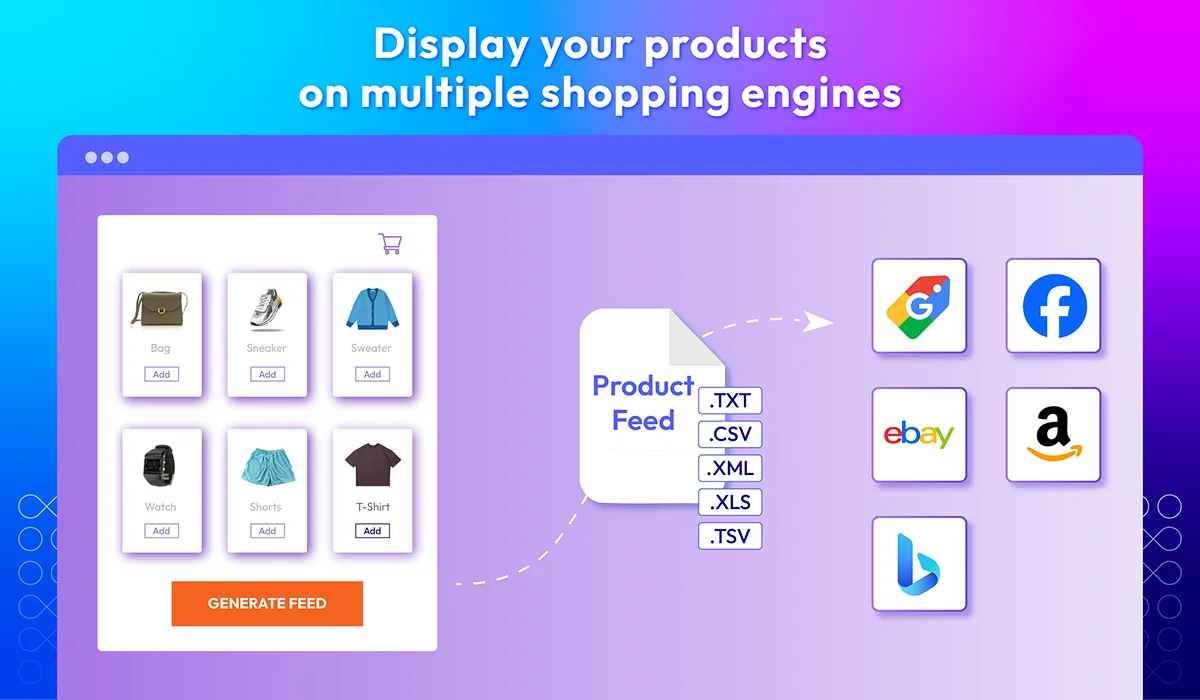
Magento 2 Product Feed enables ecommerce owners to generate, upload, and operate product feeds on multiple shopping platforms such as Facebook Ads, Google Shopping, Amazon, eBay, etc. By expanding businesses to extra marketplaces, brands can effectively promote their products and increase sales.
tick icon
Compatible with Hyva theme
tick icon
Compatible with Magento 2.4.8
tick icon
Generate instant product feeds
tick icon
Customize feed templates
tick icon
Filter products quickly
tick icon
Schedule feed generation
tick icon
Track and analyze feed via GA
tick icon
Fasten feed generation
FREE On-demand Hyva Checkout Compatibility
Free Installation
60 days money back guarantee

Why use Magento 2 Product Feed extension?
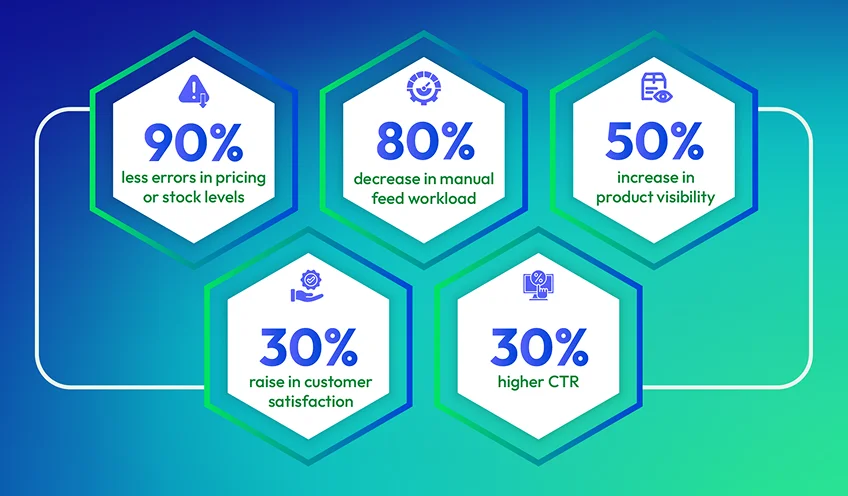
Why use Magento 2 Product Feed extension?

Key Features of Magento 2 Product Feed

Generate instant product feeds
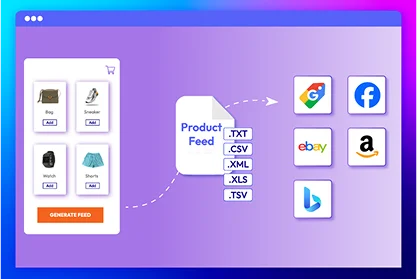
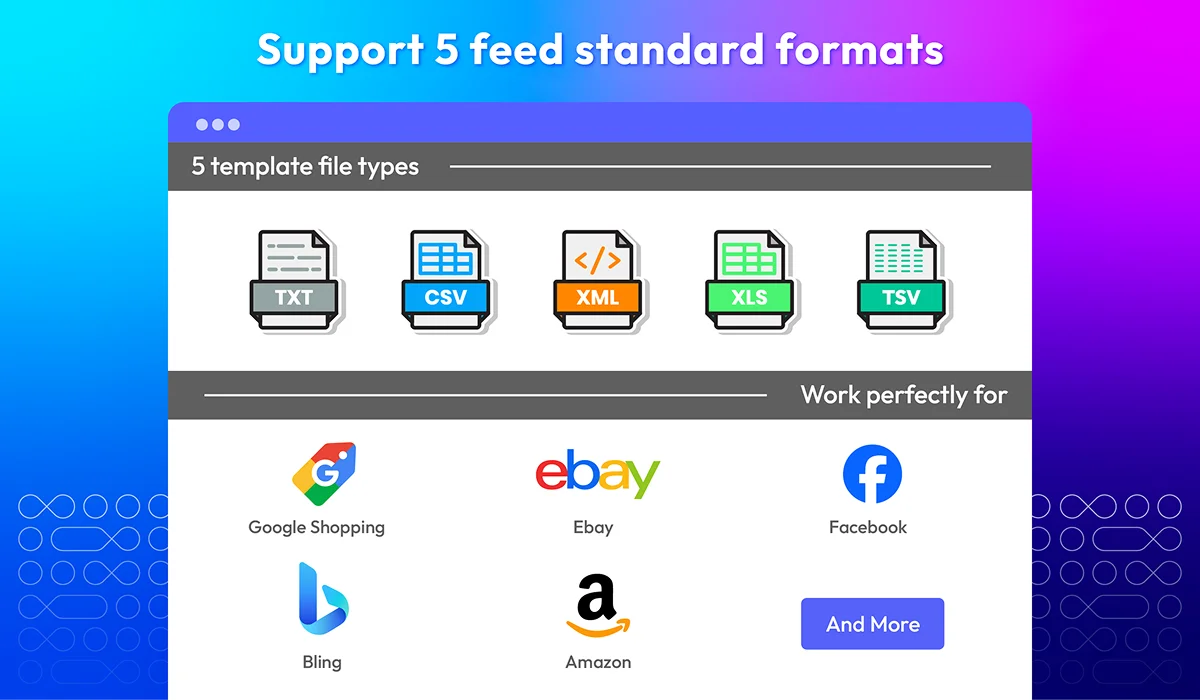
No need to build product feeds from scratch! Mageplaza's Product Feed extension already provide pre-made templates for the hottest marketplaces like: Google Shopping, Facebook, eBay, Amazon, and Bing.
Show more

Customize feed templates

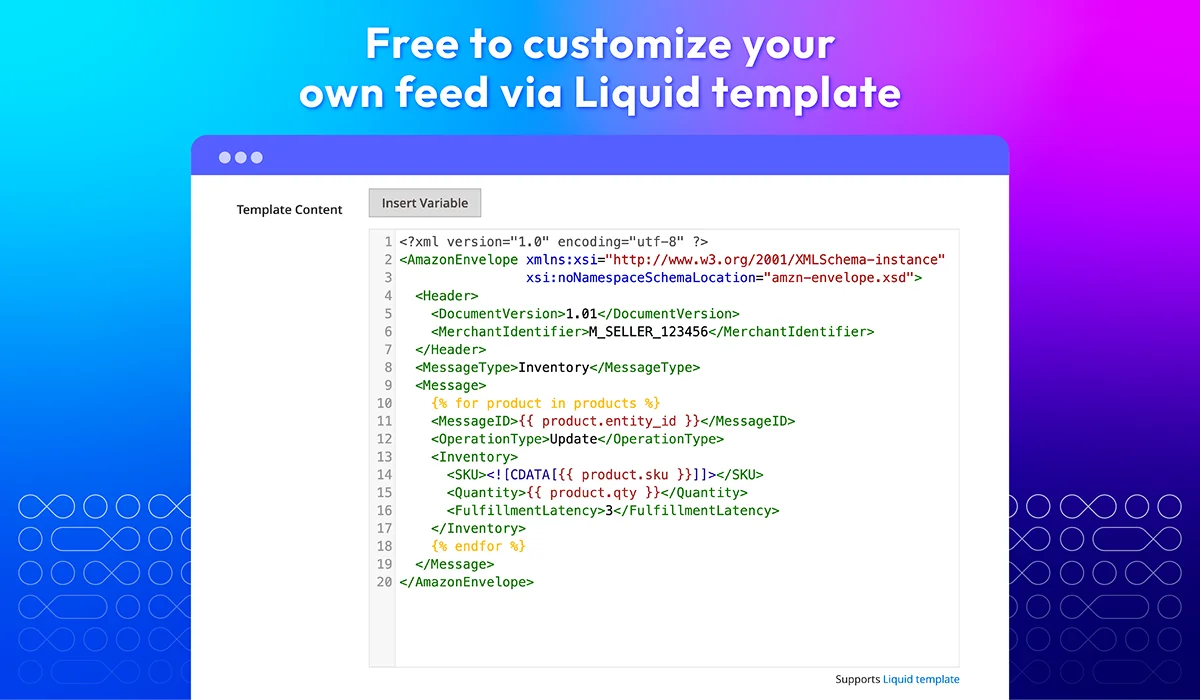
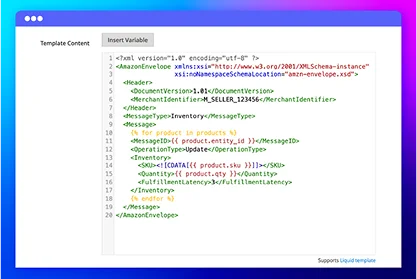
If you want to create unique feeds, feel free to create a new template and customize it using Liquid templates. Our module includes easy-to-use variables - just select what you need, and the feed will be generated instantly.
Show more

Filter products quickly

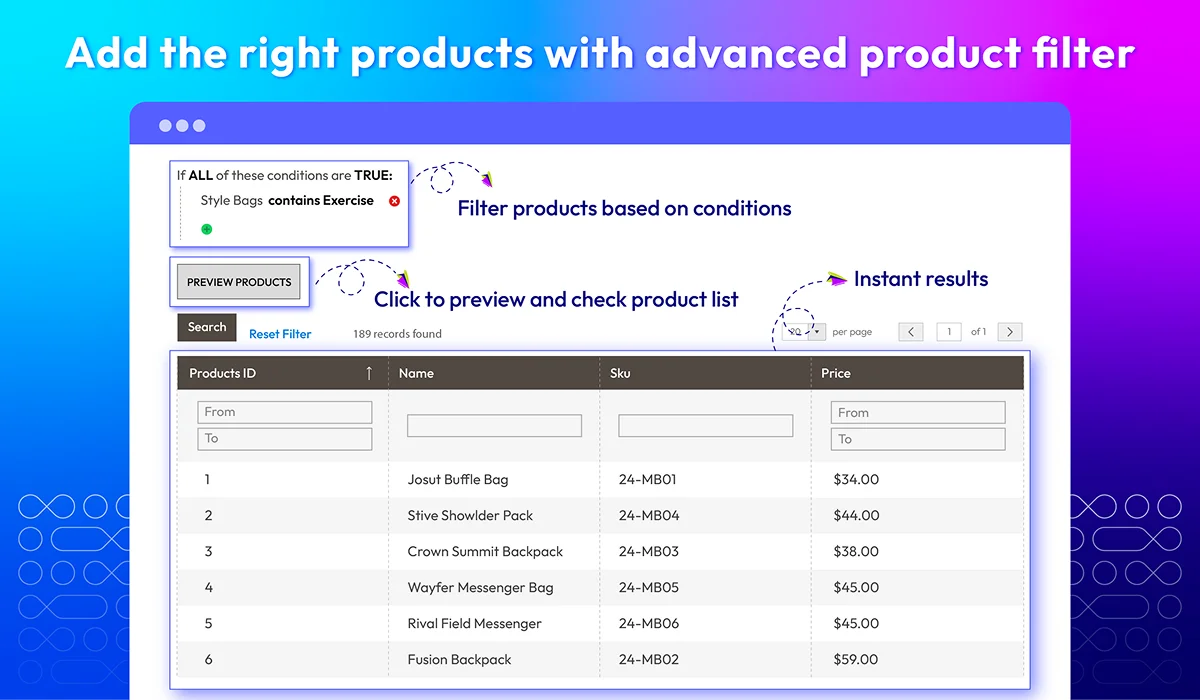
Forget the fear of adding the wrong product with the traditional method of manually choosing items one by one to the product feed. The plugin provides a powerful filter tool that ensures accurate product selection based on predefined conditions.
Show more

Schedule feed generation

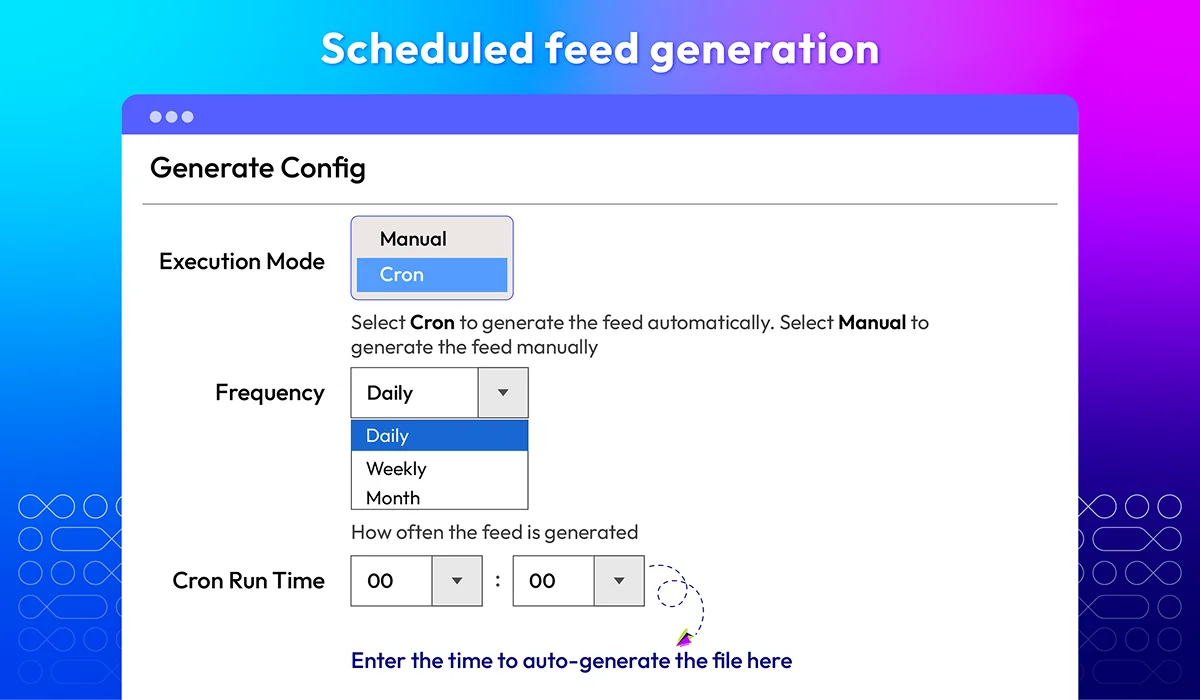
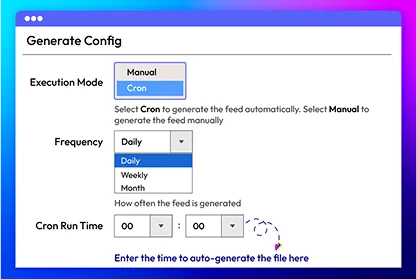
Why waste time manually generating and updating product feeds every time changes occur in products or categories? With our Magento 2 Product Feed extension, you can automate the process by scheduling feed generation via cron jobs. Enjoy a hassle-free experience with automatic updates, ensuring your feeds are always up to date.
Show more

Track and analyze feed via Google Analytics

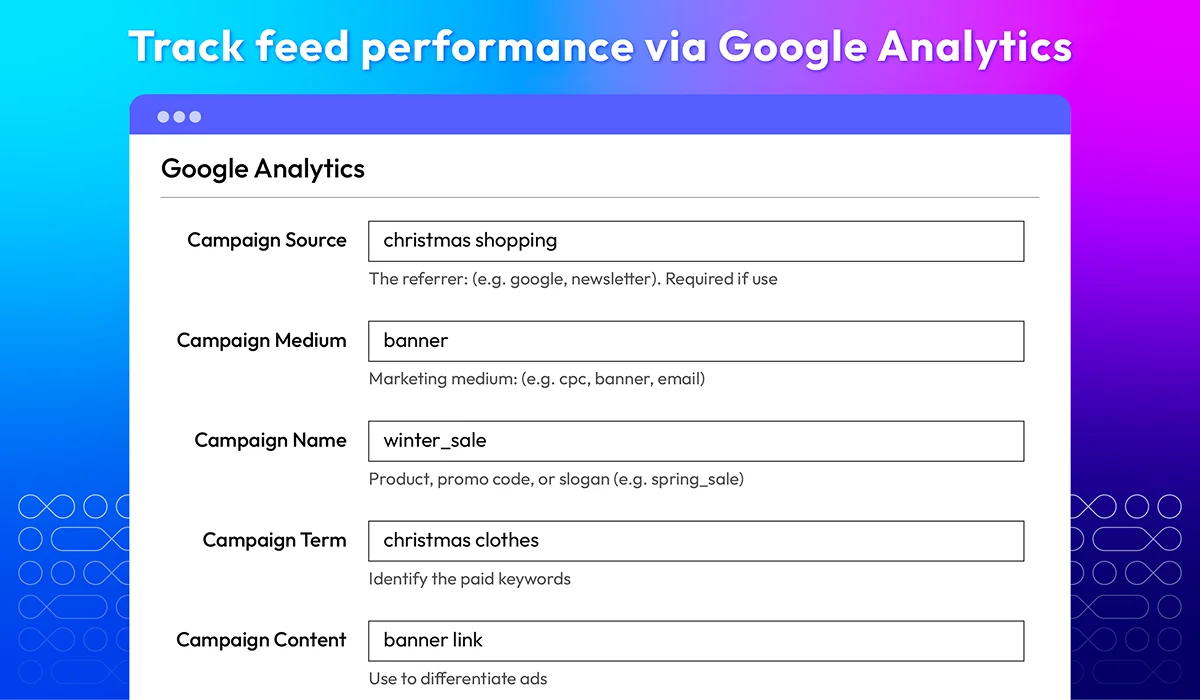
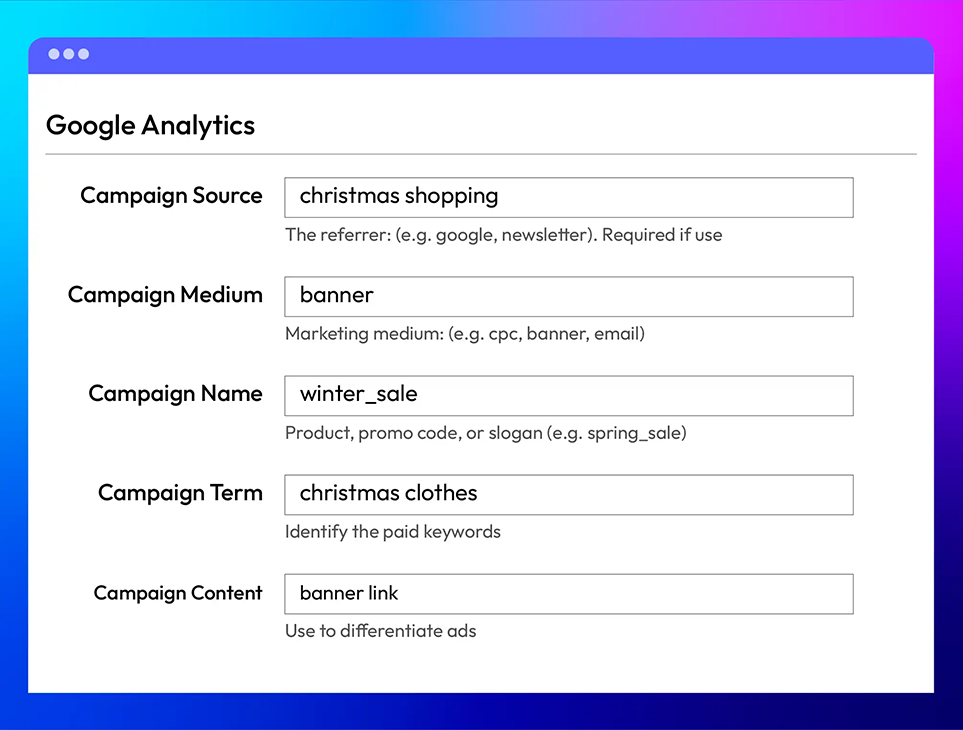
Store owners can collect and analyze data related to the sale feed from each channel using integrated Google Analytics. These valuable data give admins a clear insight into how the feed strategies work.
Show more

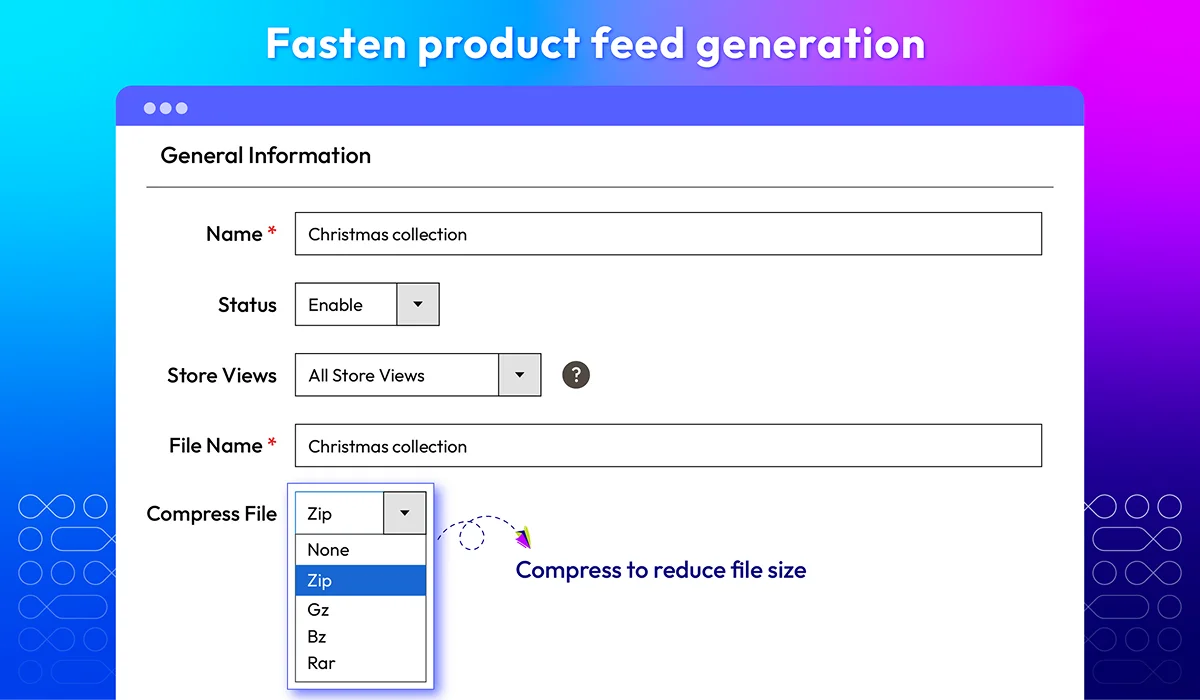
Fasten feed generation

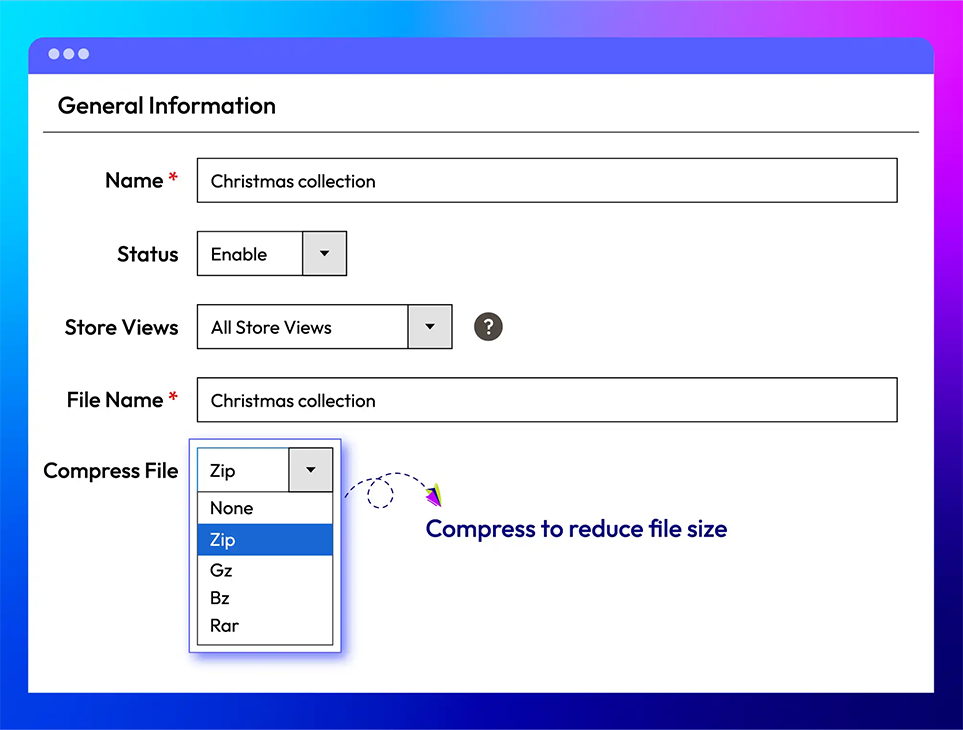
Compress product feed data into lighter files such as ZIP, GZ, BZ, and RAR. By reducing their sizes, the system can generate and deliver the feeds much faster.
Show more

All features

Ready-to-use feed templates

Setting up product feeds can be difficult and time-consuming, but with pre-made templates, you can generate feeds in the blink of an eye. The Product Feed extension for Magento 2 includes ready-made templates for popular sales channels like Google Shopping, Facebook, Bing, Amazon, and eBay.
Instead of configuring everything from the beginning, just select a template, customize it if needed, and generate the feed. This eliminates errors and ensures each platform's product data is formatted correctly.
check
Saves time with pre-configured settings
check
Ensures compatibility with major sales channels
check
Reduces errors in feed creation

Feed customization

If you need a more personalized product feed, our module allows you to modify it using the Liquid language. You can easily change feed structures by adding or removing variables and adjusting content dynamically.
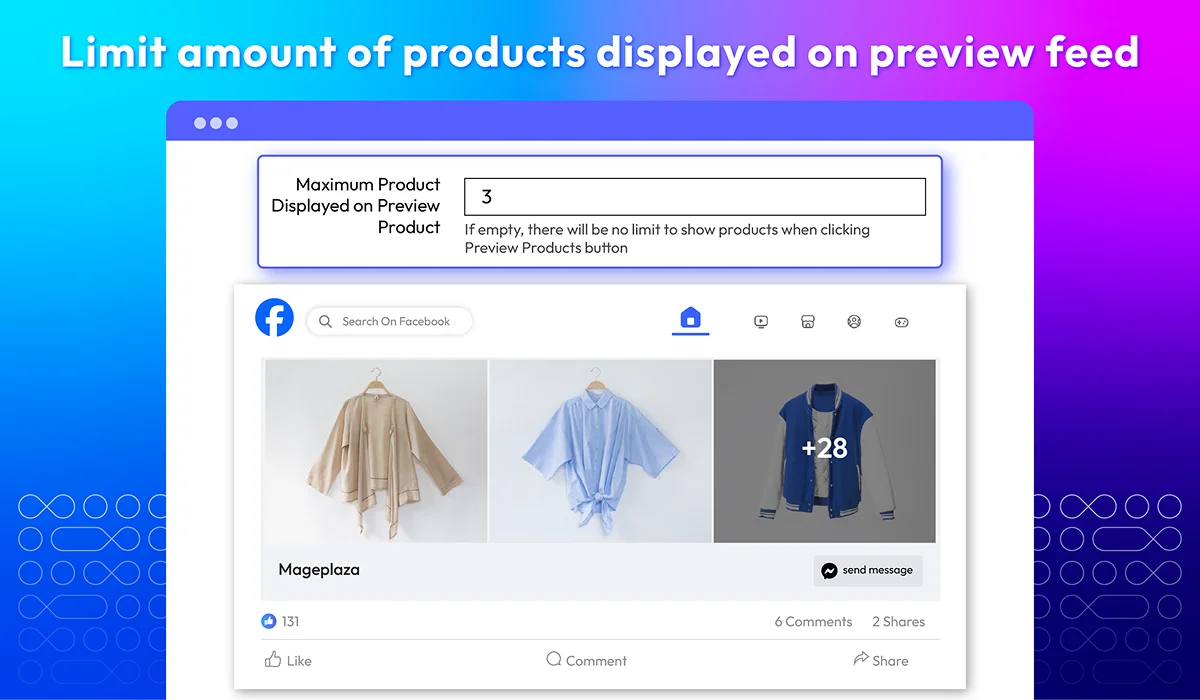
Notably, admins are able to set limitations for the amount of products displayed in each product feed's preview section. Unlike other solutions on the market, users can only set the same limitation for all feeds, which doesn't match all shopping channels.

Template duplication

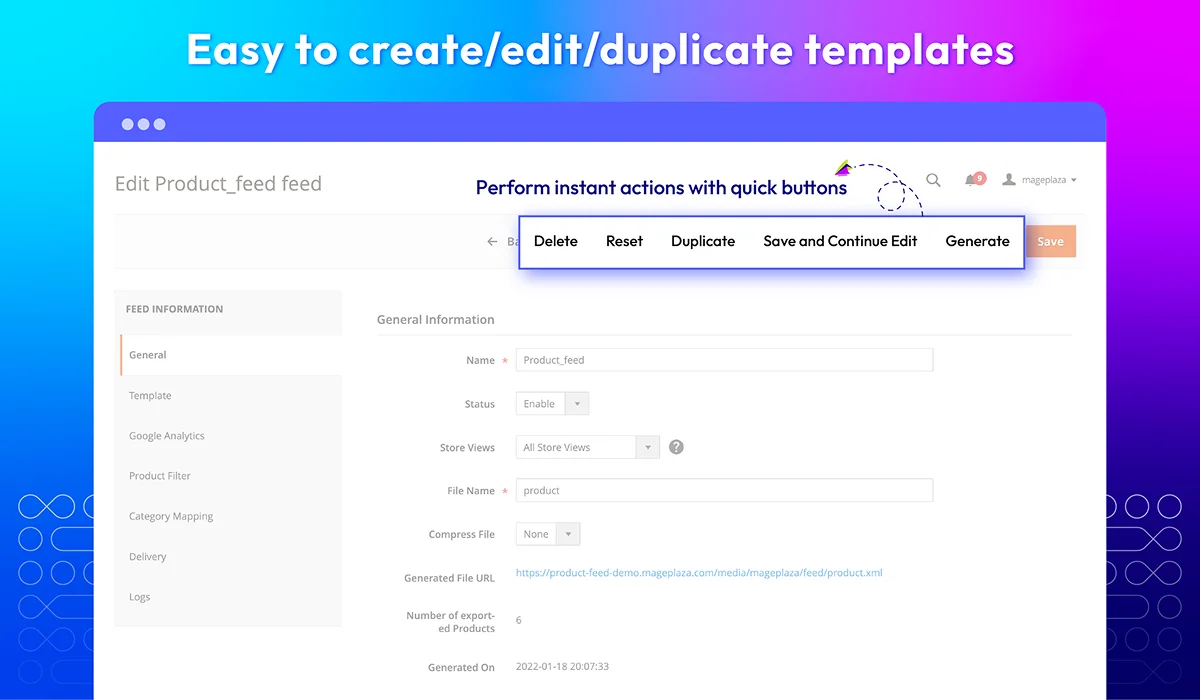
Instead of creating a new feed from scratch, Mageplaza allows admins to duplicate existing templates. This feature is extremely useful when creating similar feeds with minor adjustments, saving a lot of time and effort for admins.
For example, if you have a Google Shopping feed and need a similar one for Facebook, just duplicate it and tweak the settings—no need to start from zero!

Product finder

Selecting the right products for your feed is crucial. The advanced product filter tool allows merchants to find the needed items accurately by adding specific conditions.
Combined with automatically generating and delivering product feeds, the workloads for manually updating feeds will be reduced significantly.

Scheduled feed generation

Managing product feeds manually can be overwhelming, especially for large businesses with thousands of products and frequent updates. Traditionally, admins spent countless hours ensuring feeds reflected the latest changes. However, with Mageplaza’s Product Feed plugin, this repetitive task is completely automated.
Merchants can set specific update schedules, allowing the system to automatically refresh product feeds and send up-to-date information to sales channels without manual intervention.
For example: A clothing store updates its winter collection, adding new arrivals while removing outdated styles. Instead of manually adjusting feeds, the system will automatically update the product list and sync the changes across all shopping platforms at the scheduled time.

Feed performance tracking

Want to see how well your product feeds are performing? This extension integrates with Google Analytics, allowing you to:
check
Track sales from each feed in your Google account
check
Set UTM parameters that will be added to the URLs in your Magento product feed
check
Identify top-performing sales channels and optimize accordingly
For example: If your Facebook feed drives more traffic than your Bing feed, you can adjust your marketing strategy to focus more on Facebook ads.

Revenue reports

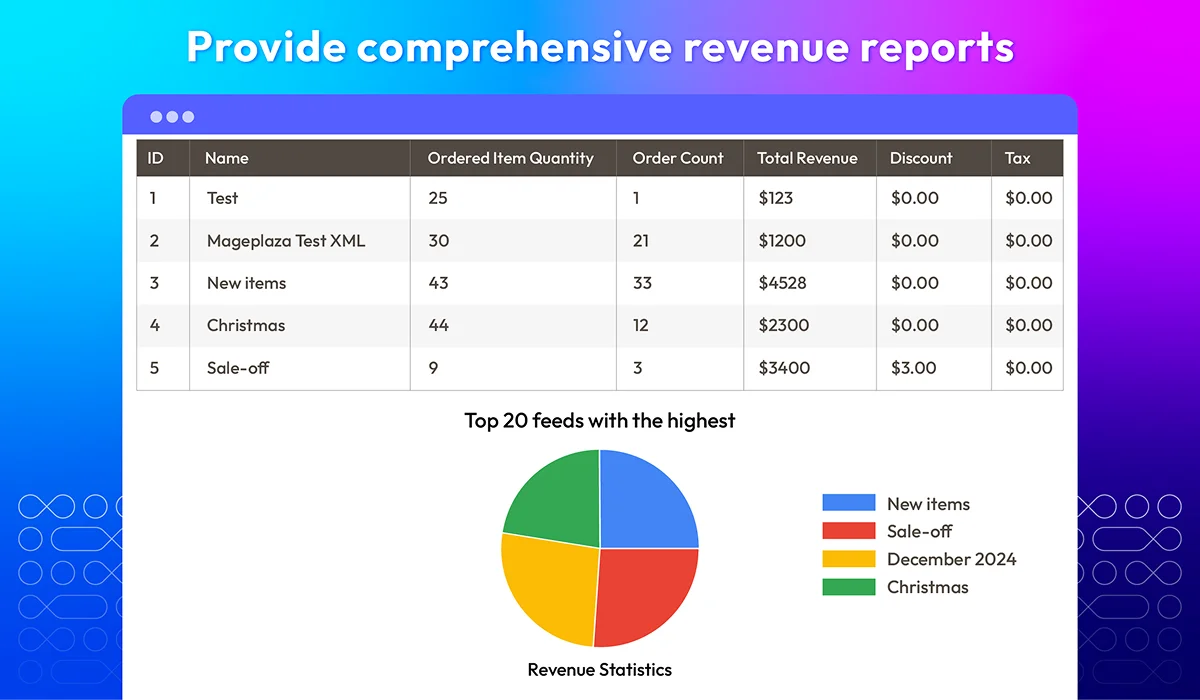
Get a clear picture of your sales performance with detailed revenue reports. This feature displays:
check
Total earnings from products included in feeds
check
Pie and column charts showcasing the top 20 best-performing feeds
check
Data-driven insights to improve future campaigns

File compression

Heavy feed files slow down feed generation. To solve this issue, Product Feed for Magento 2 enables merchants to compress their files into smaller-size versions.
We support the most well-used formats as below:
check
ZIP
check
GZ
check
BZ
check
RAR

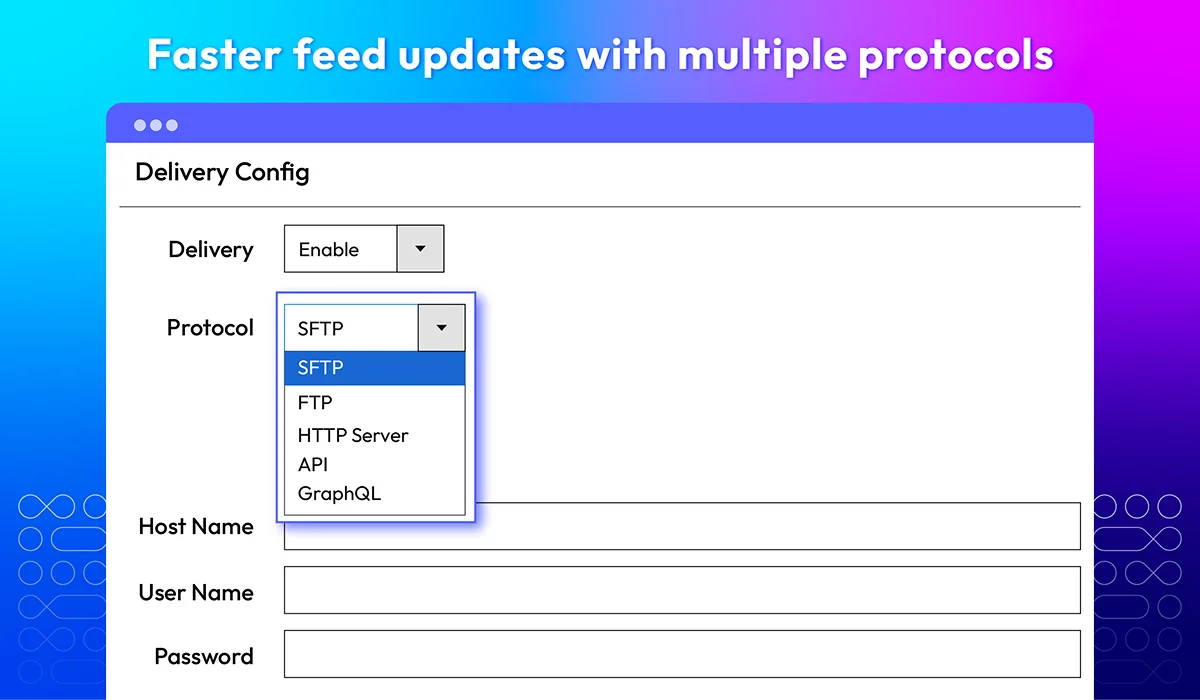
Faster feed updates with multiple protocols

Understand that different platforms require different feed submission methods, our extension is designed with multiple protocols to suit various user needs, including:
check
FTP
check
SFTP
check
HTTP Server
check
API
check
GraphQL

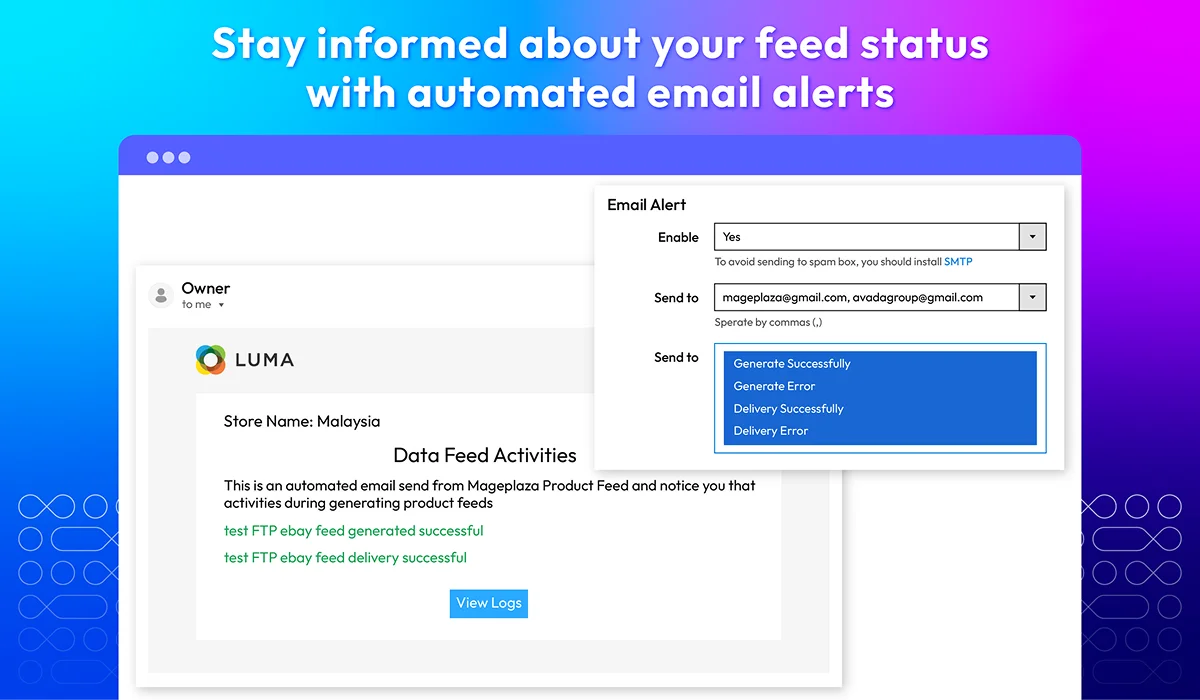
Email notifications

This feature helps store owners acknowledge whenever something happens to the product feeds. The system will send instant email notifications and warnings when:
check
A feed was successfully generated/delivered
check
An error occurred during feed generation/delivery

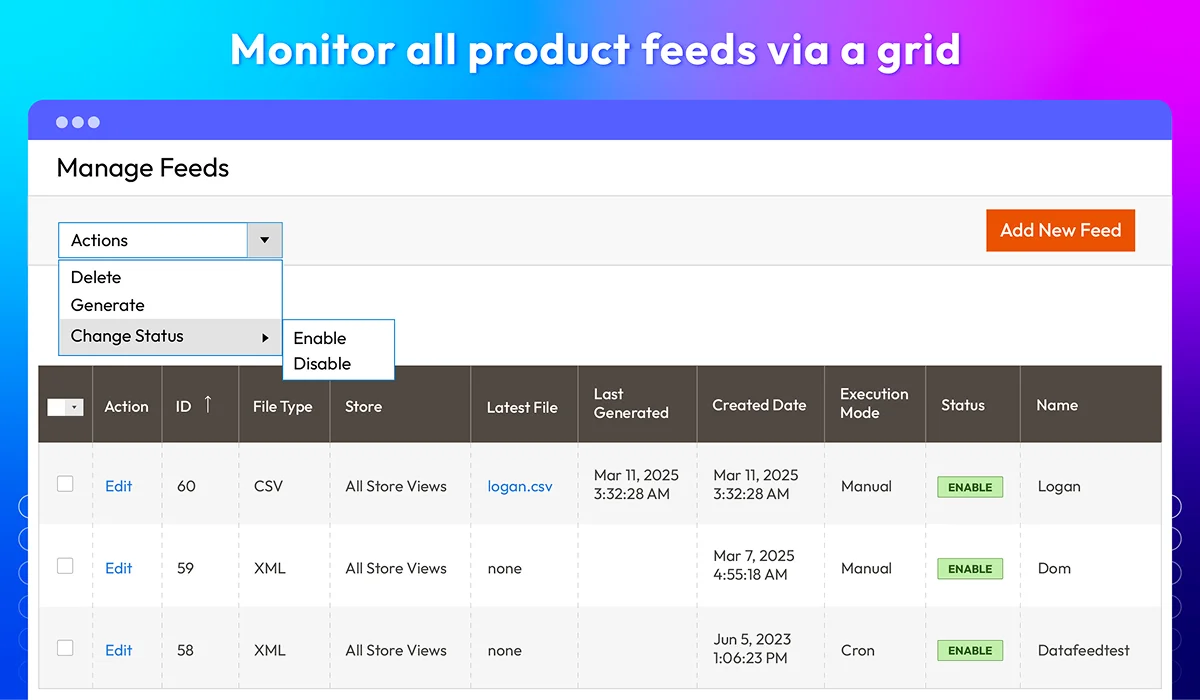
Product feed grid

A well-organized feed grid helps admins review, manage, and make certain changes to all feeds in one place. Using our Product Feed plugin, you get complete control over all generated feeds with an easy-to-use interface.
The grid includes main feed details, such as:
check
Name
check
Status (Enable/Disable)
check
File type
check
Execution mode (Manual/Cron schedule)
check
Latest file
check
Click
check
Impression
check
CTR (Click through rate)

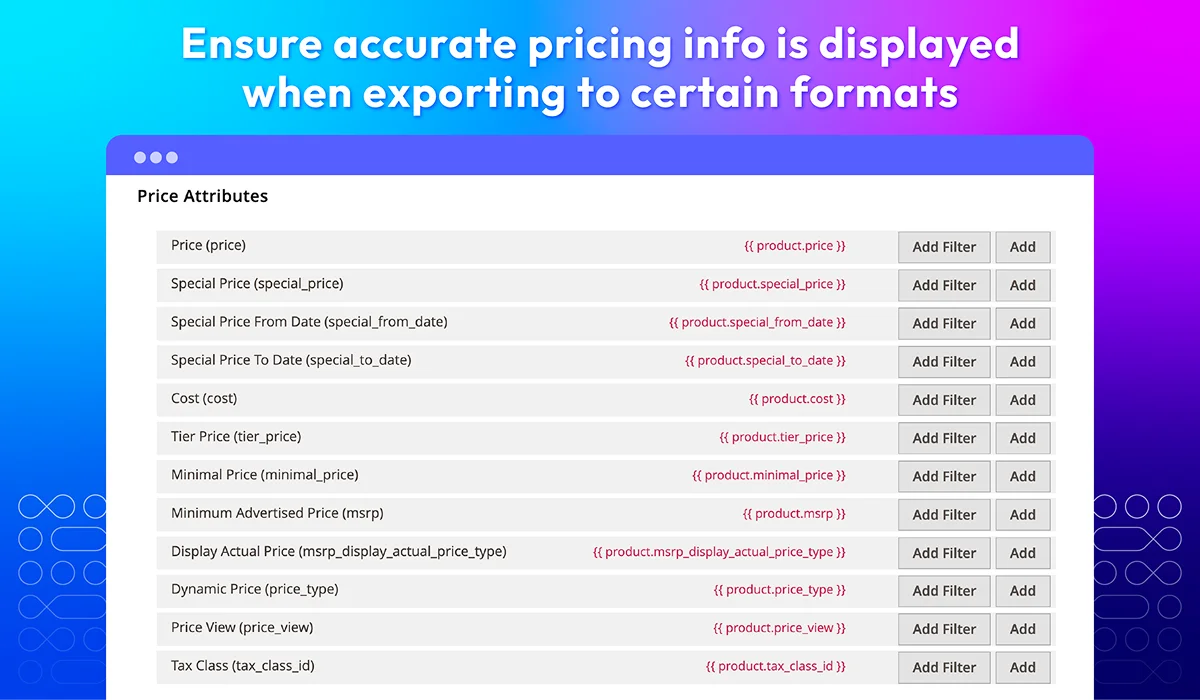
Product price formatting

It’s crucial to ensure the correct pricing format. It can actually decide the success of product listing on shopping platforms.
Confusing prices could lead to customer frustration and, eventually, leaving your products and going to another competitor. Understanding this concern, our plugin includes well-used pricing attributes and enables admins to adjust their details, displaying proper prices in different feeds.

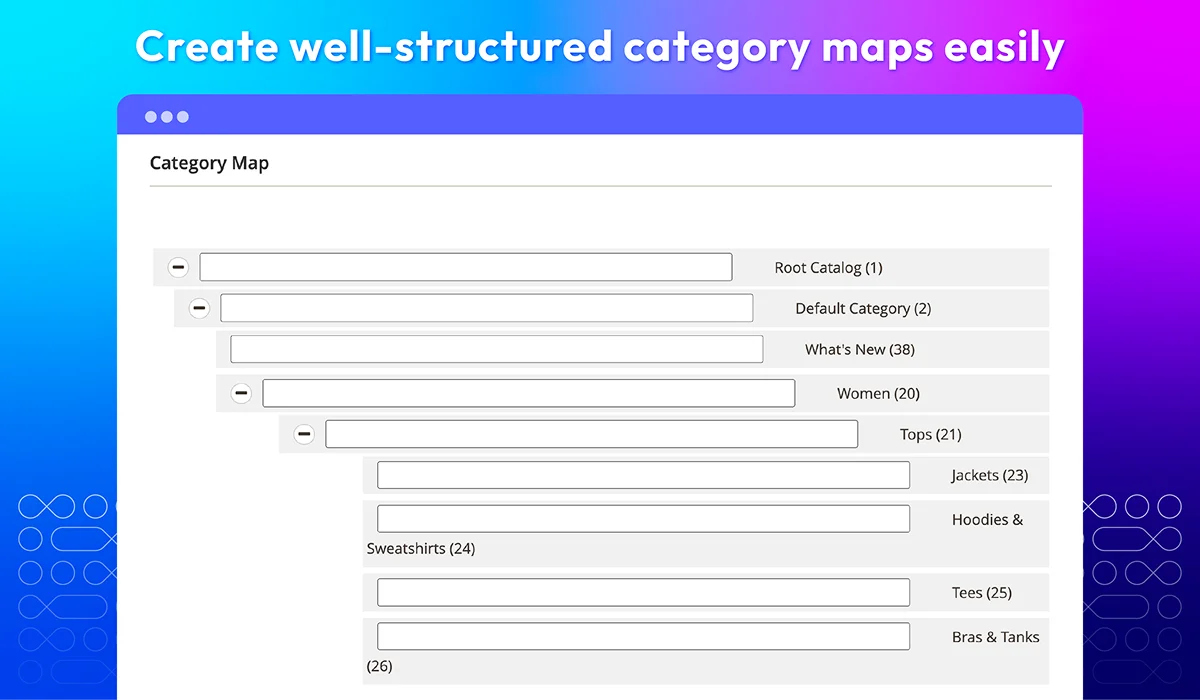
Smart category mapping

Different marketplaces have unique category structures, making product organization challenging. With Mageplaza’s Smart Category Mapping feature, merchants can easily link Magento categories to marketplace-specific categories like Google Shopping, Amazon, and eBay, ensuring accurate product placement.
Key benefits:
check
Automate category assignments, reducing manual work
check
Improve product discoverability, helping customers find items faster
check
Ensure compliance with marketplace category structures
For example, a shoe retailer can map their "Men’s Sneakers" category in Magento to Google Shopping’s "Men’s Shoes > Sneakers", ensuring correct product classification. This streamlines product feeds, enhances searchability, and boosts sales across multiple channels!

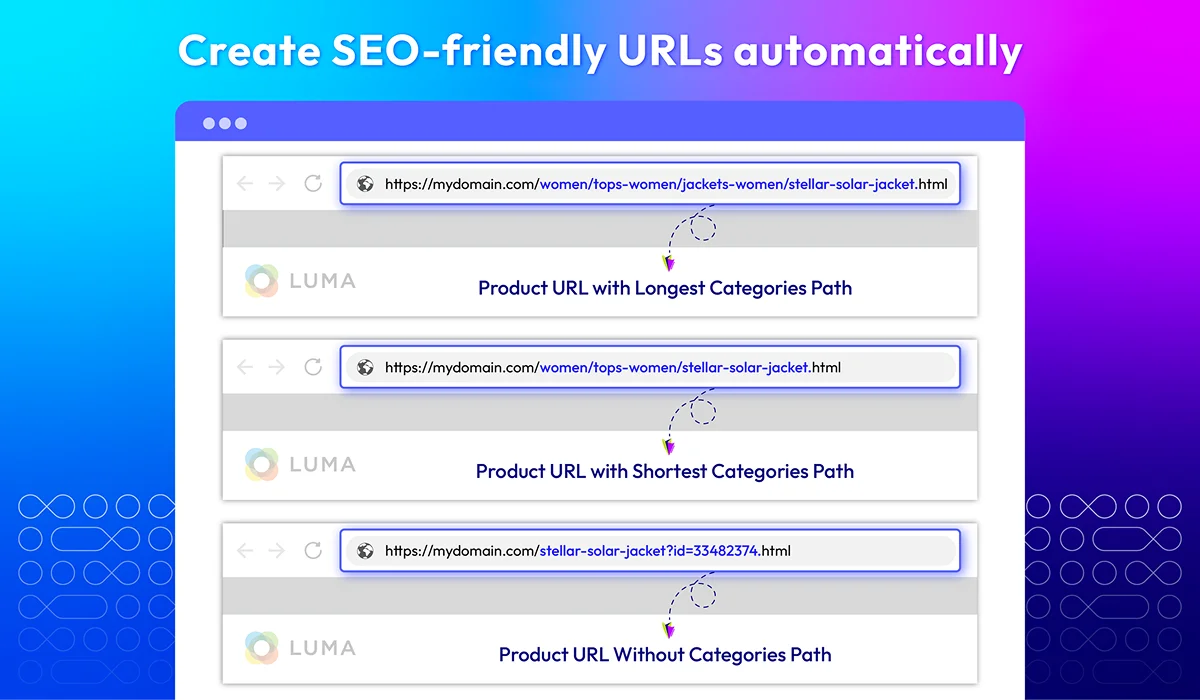
Optimized URL length

Unorganized product URLs can negatively impact search engine rankings and ad performance on platforms like Google Shopping and Bing Ads. Our extension can solve this problem, automatically creating well-structured product URLs for better SEO.
Just turn on "Categories Path for Product URLs" and let the system do the rest.
check
Example of a default Magento product URL: www.store.com/nike-air-max-2023-running-shoes?ref=xyz123&discount=10%
check
Example of an optimized URL based on categories path: www.store.com/men/mens-shoes/nike-air-max-2023

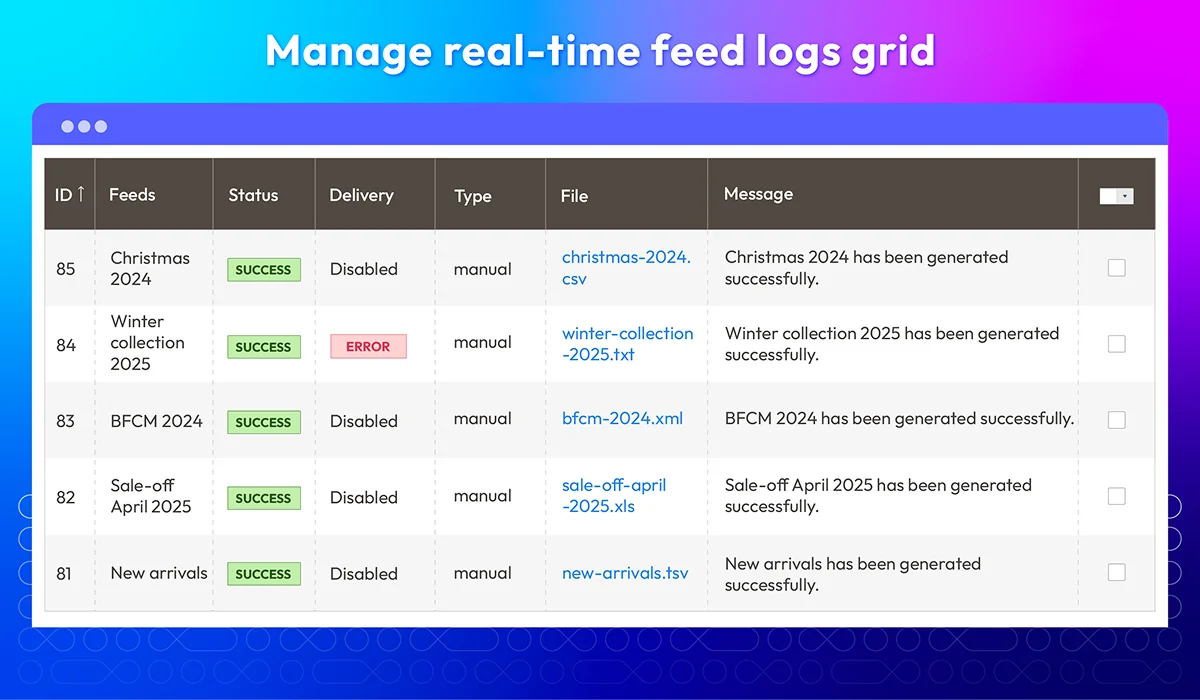
Real-time feed logs grid

This feature helps you stay in control of your product feeds. It automatically records every update, helping you track changes, detect errors, and troubleshoot issues efficiently.
What our module tracks:
check
Status Updates – Monitor feed generation progress
check
Errors & Warnings – Identify and fix issues quickly
check
Modification History – Keep track of changes made to feeds

Compatibility with other extensions

To enhance product management and operation efficiency, our Product Feed extension is also compatible with other Mageplaza modules, such as Ajax Search, Required Login, Product Review, and so on.

What customers say about us

Product reviews: 55
Overall rating: 5.0
5
4
3
2
1
How much do you like this product?
Leave your email to get reward points for reviews
Submit a relevant review of 30+ words to earn 5 reward points (one-time per extension)
Aron
11 March 2025
Verified purchase
Jayme Christiana
26 January 2024
Verified purchase
Summer Roxie
26 January 2024
Verified purchase
Bhavesh
11 January 2024
Verified purchase
kaz
04 April 2023
Verified purchase

Release notes

  • v4.8.0 (Magento v2.4.x)

    17 November 2025

    • New Feature: Added feature Generate Frequency Hourly
    • New Update: Improve performance when syncing product via Google Shopping API
    • Security: Convert raw SQL to Magento query builder
  • v4.7.6 (Magento v2.4.x)

    11 July 2025

    • Bug Fix: Fixed “Cannot generate when a simple product belongs to multiple configurable products” issue
    • Bug Fix: Fixed “Cannot generate by command for products with special characters in SKU” issue
  • v4.7.5 (Magento v2.4.x)

    15 April 2025

    • Compatibility: Now compatible with Magento 2.4.8
    • Bug Fix: Fixed issue where image path could not be retrieved in B2B and Magento Enterprise editions -** Bug Fix:** Fixed cannot generate products with special characters
  • v4.7.4 (Magento v2.4.x)

    04 December 2024

    • Bug Fix: Fixed bug can not generate with prefix database
    • Bug Fix: Fixed bug can not generate Product In Magento Enterprise
  • v4.7.3 (Magento v2.4.x)

    30 May 2024

    Update: We change the Magento User Guide link

  • v4.7.2 (Magento v2.4.x)

    22 May 2024

    Compatibility: Now compatible with Magento 2.4.7

  • v4.7.1 (Magento v2.4.x)

    17 April 2024

    hot-fix: change SDK facebook

  • v4.7.0 (Magento v2.4.x)

    14 March 2024

    • New Update: We updated to sync Facebook feed with API.
    • New Update: We added Bing (type CSV) and Facebook (type TSV, XLSX, XML) to the feed template.
    • New Update: We added a “Clear All Logs” action in the logs grid.
    • New Update: We moved the report in the manager feed to a separate report grid.
    • New Update: We added a chart for CTR.
  • v4.6.0 (Magento v2.4.x)

    13 December 2023

    • New Update: We added a bar chart for reports
    • New Update: We added Ebay XML template
    • New Update: We added custom template option
  • v4.5.4 (Magento v2.4.x)

    26 July 2023

    • Bug Fix: We fixed the issue with the eBay template
    • Bug Fix: We solved a bug to create a new feed in Magento Enterprise Edition version
  • v4.5.3 (Magento v2.4.x)

    13 April 2023

    • Compatibility: The extension is now compatible with Magento 2.4.6
  • v4.5.2 (Magento v2.4.x)

    30 January 2023

    • Compatibility: The extension is now compatible with PHP8
    • Compatibility: The extension is now compatible with Magento 2.4.5p1
    • New Update: We added Amazon template
  • v4.5.1 (Magento v2.4.x)

    26 October 2022

    • Added mapping product ID while sync API
    • Fixed Url error on website with multi store URLs
    • Fixed othe minor bugs
  • v4.5.0 (Magento v2.4.x)

    27 September 2022

    • Compatible with Magento v2.4.5
    • Added MPN, Material field to Google API template
    • Added auto clear & mass delete logs
    • Added manual sync api
    • Improved generate & sync with large data
    • Fixed minor bugs
  • v4.4.2 (Magento v2.4.x)

    07 September 2022

    • Supported file types XLS TSV
  • v4.4.1 (Magento v2.4.x)

    11 July 2022

    • Update Google XML template
    • Fixed minor bugs
  • v1.5.1 (Magento v2.3.x)

    11 July 2022

    • Update Google XML template
    • Fixed minor bugs
  • v4.4.0 (Magento v2.4.x)

    24 June 2022

    • Added delivery via HTTP Server Post to URL
    • Added delivery via Webservice/API/ GraphQl
    • Compatible with Magento v2.4.4
  • v1.5.0 (Magento v2.3.x)

    24 June 2022

    • Added delivery via HTTP Server Post to URL
    • Added delivery via Webservice/API/ GraphQl
    • Fixed minor bugs
  • v1.4.0 (Magento v2.3.x)

    23 March 2022

    • URL with category
    • Limit Product in Feed Preview.
    • Report
    • Fix minor bugs
Load More

Frequently Asked Questions

Product Feed for Magento 2 by Mageplaza is a product data manager that simplifies handling and distributing product information across various marketing channels and marketplaces, including Google Shopping, Facebook Ads, Amazon, and eBay. It seamlessly exports product information from your Magento store into the specific formats required by these platforms, guaranteeing accurate and effective product representation. It works perfectly with various shopping engines with 5 feed template formats: XML, TXT, CSV, XLS, and TSV. Additionally, this extension enables stores to easily configure the product feed by rules and track the performance via the Product Feed Revenue Report.

Firstly, you need to register an account for Google Shopping API and go to this link then create an OAuth client ID. After that, You can start the general configuration. From the Admin Panel, go to Store > Settings > Configuration > Mageplaza Extensions > Product Feed > Configuration. Then, you need to fill in the basic information according to the specific instructions right here

Here are some of the pros of using the Magento 2 Product Feed extension for Magento 2:Automated product feed generation, Improved product visibility, Enhanced SEO performance, Advanced product feed customization, Streamlined product feed management, Integration with popular shopping platforms and Premade templates leverage the option of generating product feed

Ecommerce Product Feed for Magento 2 by Mageplaza supports multiple uploading methods, including FTP, SFTP, HTTP Server, API, and GraphQL. This flexibility ensures compatibility with various server configurations and workflows.

You can add attributes for product filtering by referring to this link.

Steps to bulk upload product data for Product Feed in Magento 2 by Mageplaza:
Step 1: Choose the method to send the file in the Protocol field: FTP or SFTP, HTTP Server, API, GraphQL.
Step 2:
- For the FTP protocol, add the selection to use Passive Mode to avoid being blocked by firewalls/NATs/proxies
- HTTP Server: Send to the HTTP server by sending POST request. For example: https://httpbin.org/post
- API / GraphQL: Send the feed file to API, and GraphQL by sending POST, GET,… requests. For example: https://mageplaza/rest/V1/mpProductfeed/feed/file/, https://mageplaza/graphql,…
Step 3: Enter the hostname, user name, and the password
Step 4: Choose the key file to connect with the server
Step 5: Enter URL and content to send POST, GET,… request to HTTP Server, API; GraphQL.

A high-quality product feed should contain all the information about the product, including all the relevant attributes like the product type, brand, color, or size. It needs to be a comprehensive and well-structured file that provides accurate and detailed information about your products to online marketplaces. It also should adhere to the specific requirements of each platform, and be kept up-to-date to ensure optimal performance.

You can check the feed templates that work for this shopping channel first. If this channel requires TXT, XML or CSV files, our extension absolutely suits.

Absolutely. This extension is compatible with Ajax Search, Required Login, Product Review extension, etc.

Product Feed for Magento 2 supports five standard feed formats:
- XML (Extensible Markup Language)
- TXT (Plain Text)
- CSV (Comma Separated Values)
- XLS (Microsoft Excel Workbook)
- TSV (Tab-Separated Values)

Yes, Product Feed is compatible with Hyva theme. However, the checkout only supports hyva-themes/magento2-theme-fallback. To learn how to enable checkout on Hyva, please follow this guide.

Mageplaza provides FREE Hyva Checkout Compatibility for all of our extensions upon requests. You can request by contacting us via email, live chat, or support ticket. Our team will respond within 24 hours and ask for details such as Order ID, extension name, Magento & Hyva versions, and any special requirements. To qualify, your module subscription must be active. If your subscription has expired, renewal is required as some older modules do not support Hyva. Additional customization requests may incur extra costs, and our team will inform you before proceeding. For assistance, feel free to reach out - we're here to help!

Magento Edition *
Version *
FREE installation Tooltip
Ends in:
03 : 00 : 00 : 00
Get 10% OFF
$179
icon logo magento 2.4.4 - 2.4.8
Tooltip
Hyva logo Theme
Tooltip

Pricing

Choose your suitable edition.

Community

$ 179 first year
Includes support & updates for 1 year Tooltip
60 days money back guarantee
Read our policies
check
Supports for Magento 2 Community Edition
check
Free On-demand Hyva Checkout Compatibility

Enterprise/ Magento Cloud

$ 379 first year
Includes support & updates for 1 year Tooltip
60 days money back guarantee
Read our policies
check
Supports for Magento 2 Enterprise Edition
check
Highest priority support
check
Free On-demand Hyva Checkout Compatibility
Can't see the feature you're looking for?
Describe it and we will customize this extension to suit your needs!
Request customization
feature looking icon