 2.4.4 - 2.4.8
 Theme
Theme
Security Extension for Magento 2
v4.1.0
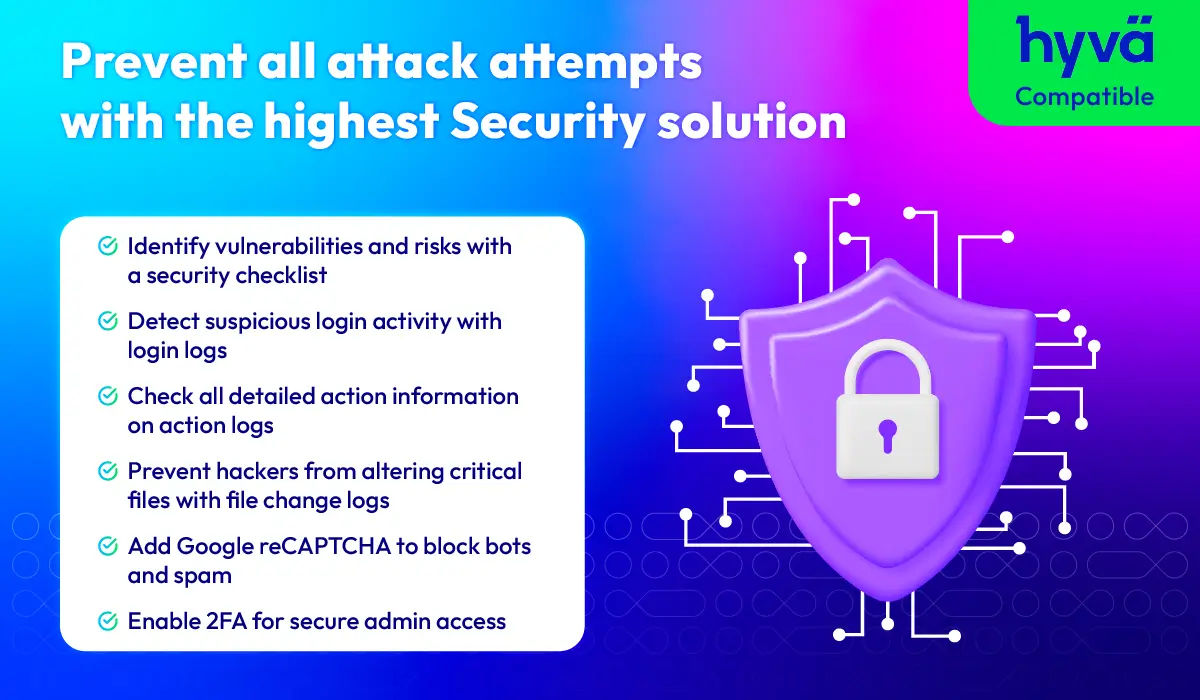
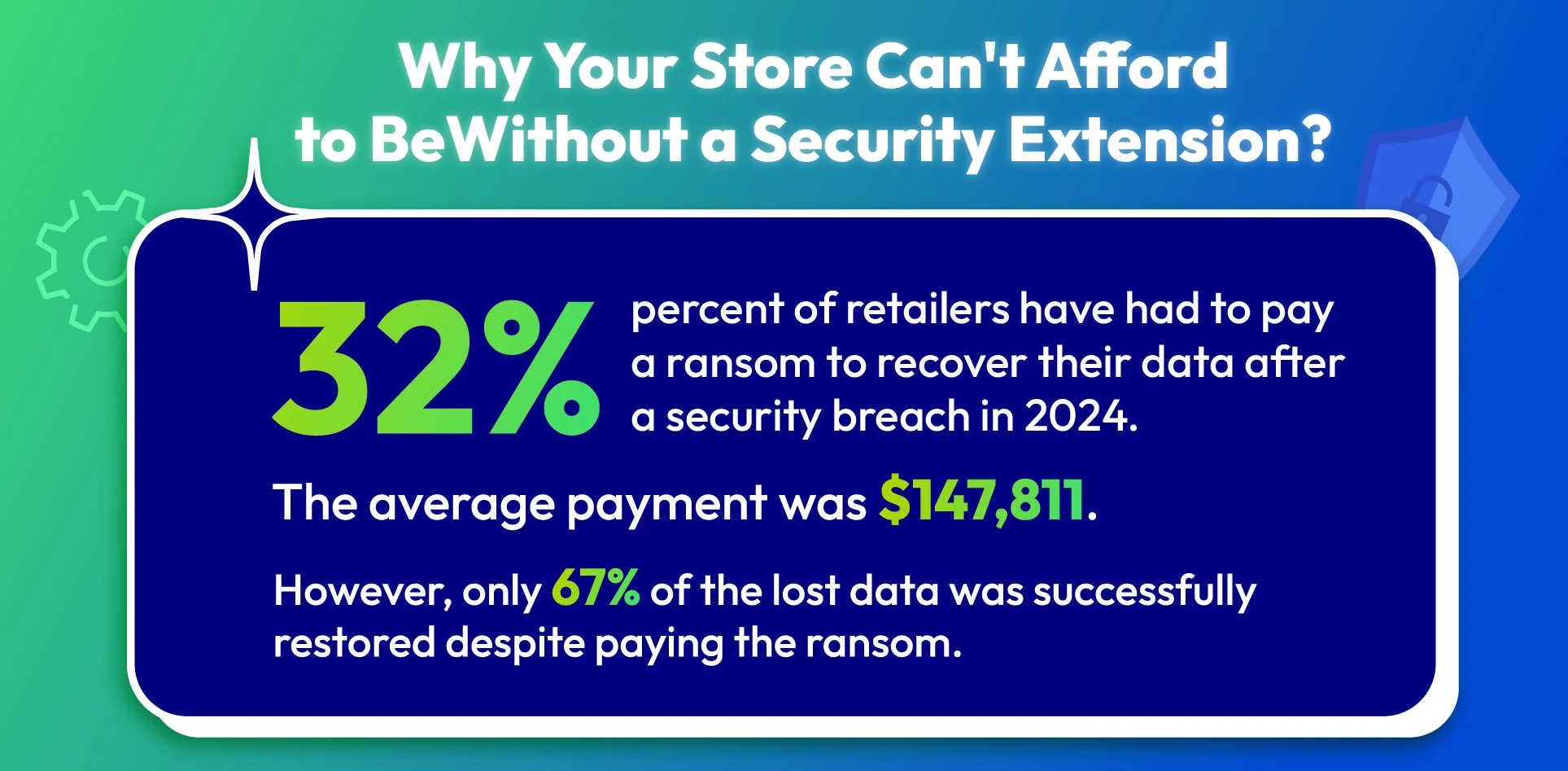
The importance of a robust security solution
Monitor security activity across your Magento store
Keep an eye on security activity in your Magento store and understand what’s happening behind the scenes. It gives you better visibility into important events, so you can stay aware and react quickly when something looks unusual.
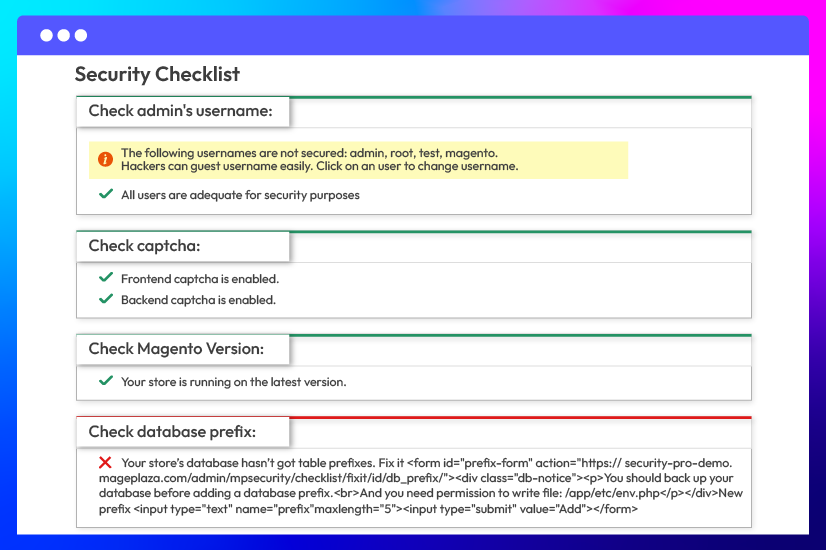
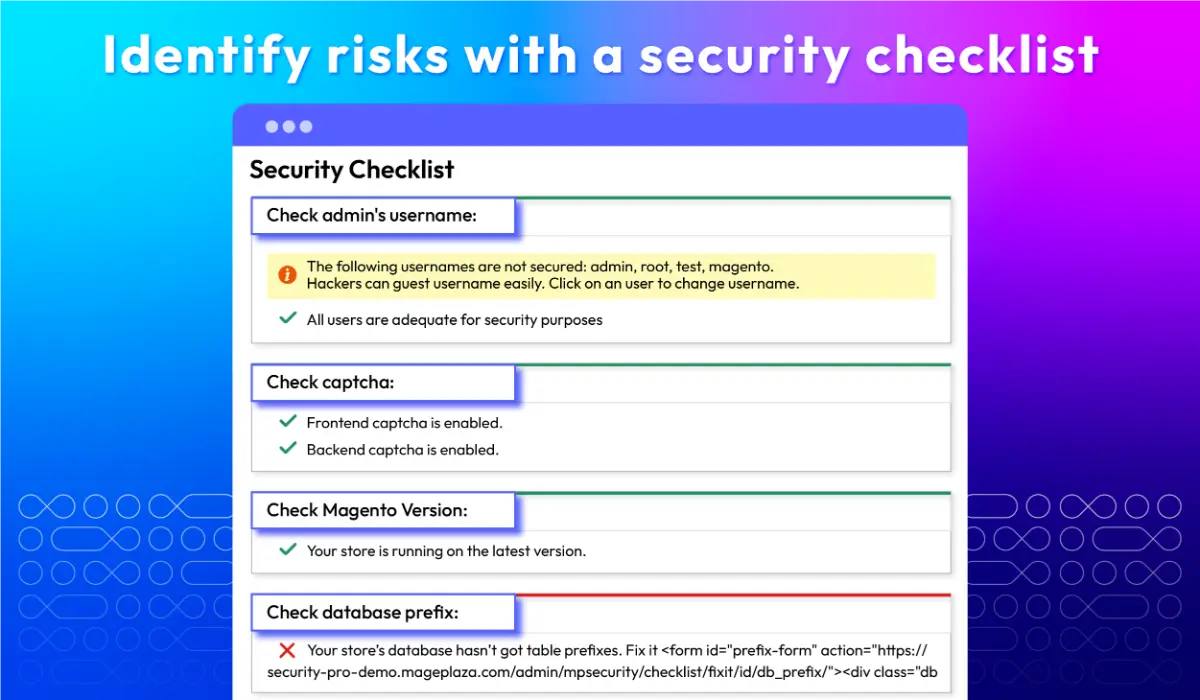
Provide a quick security checklist
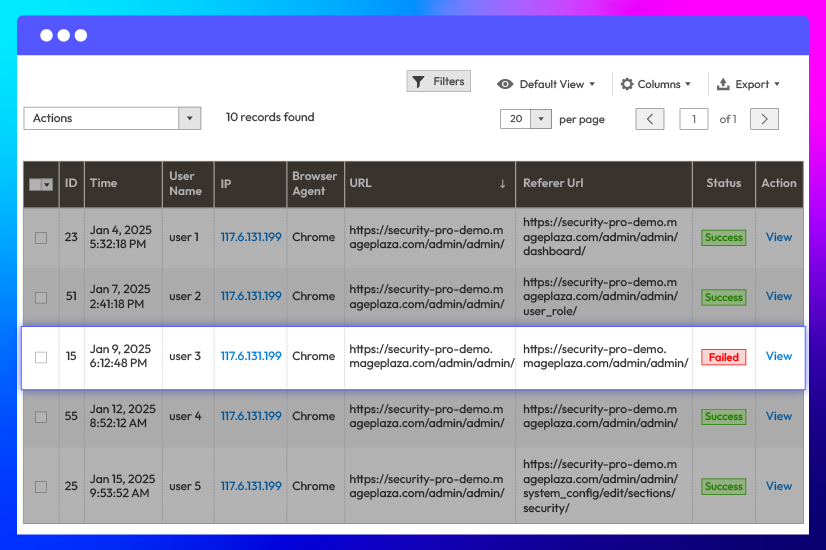
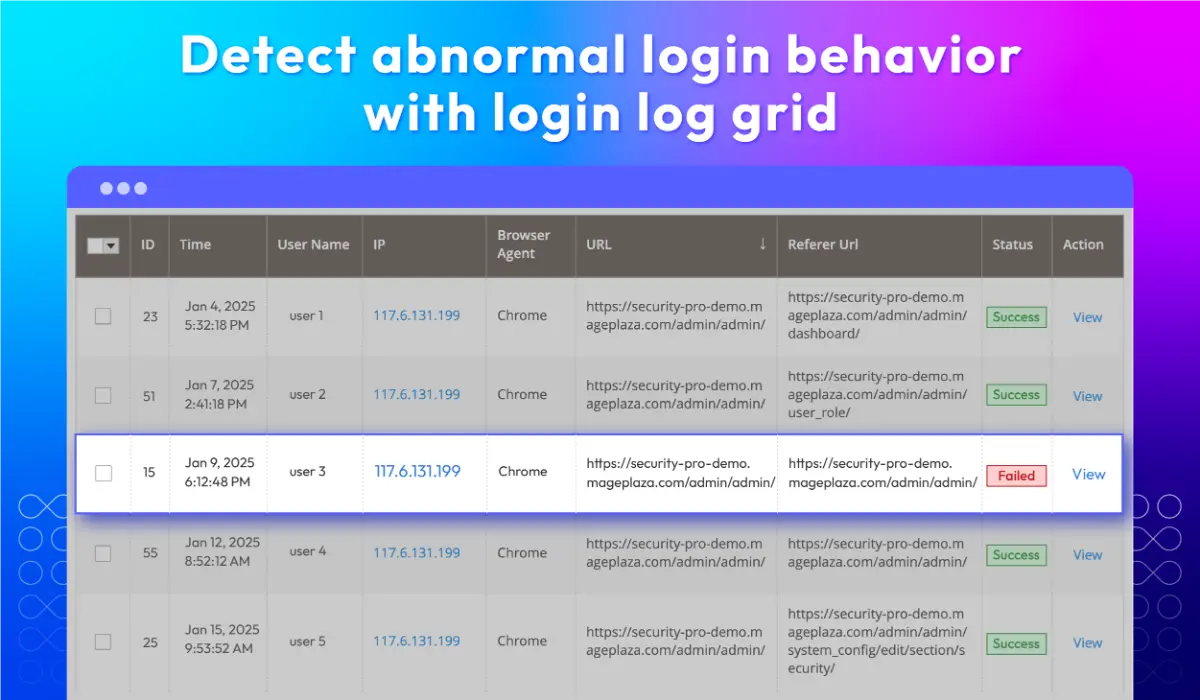
Inspect all login logs
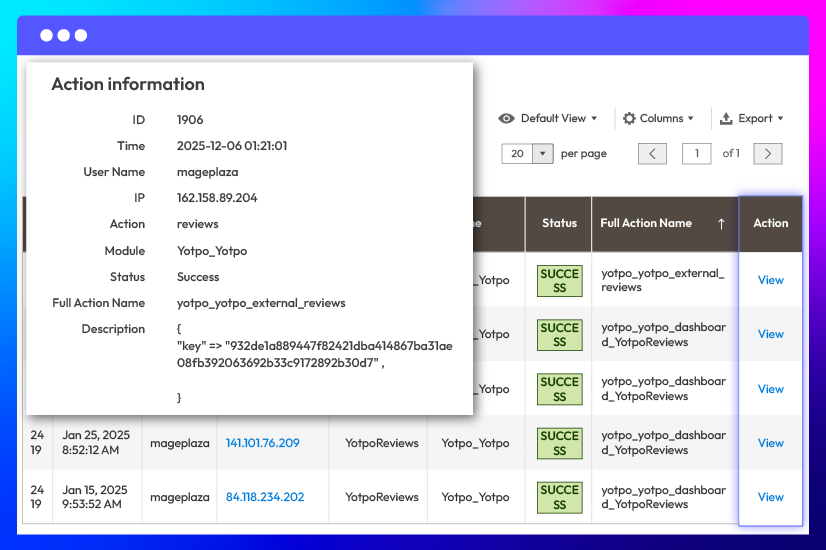
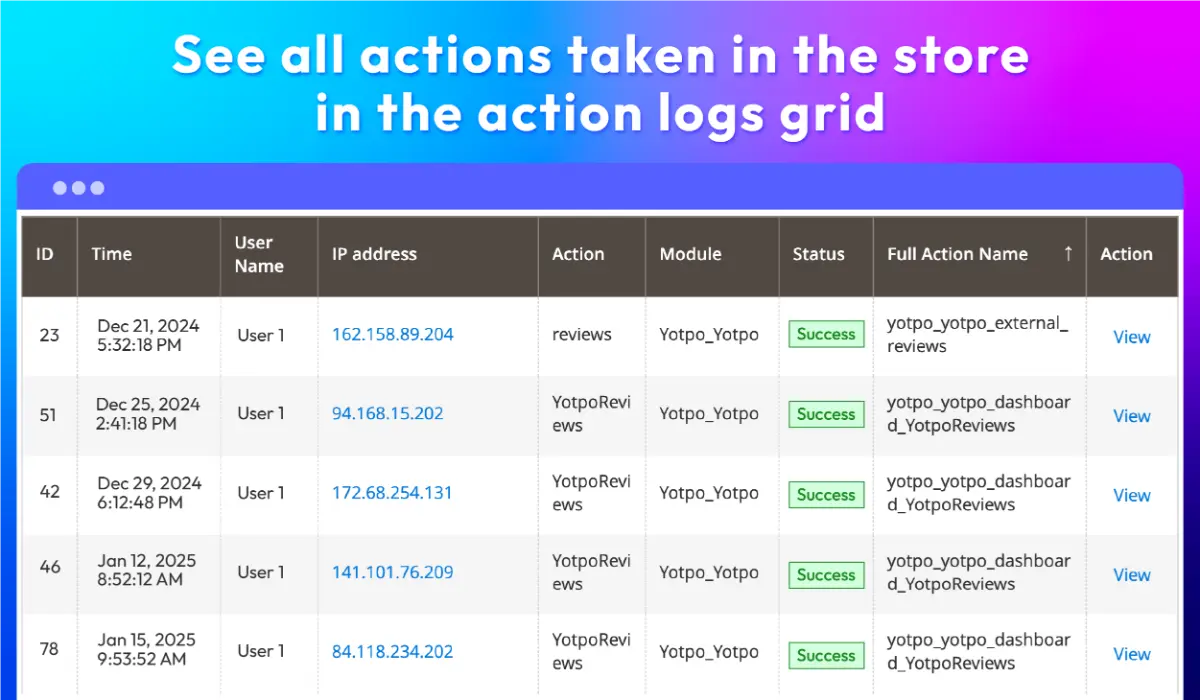
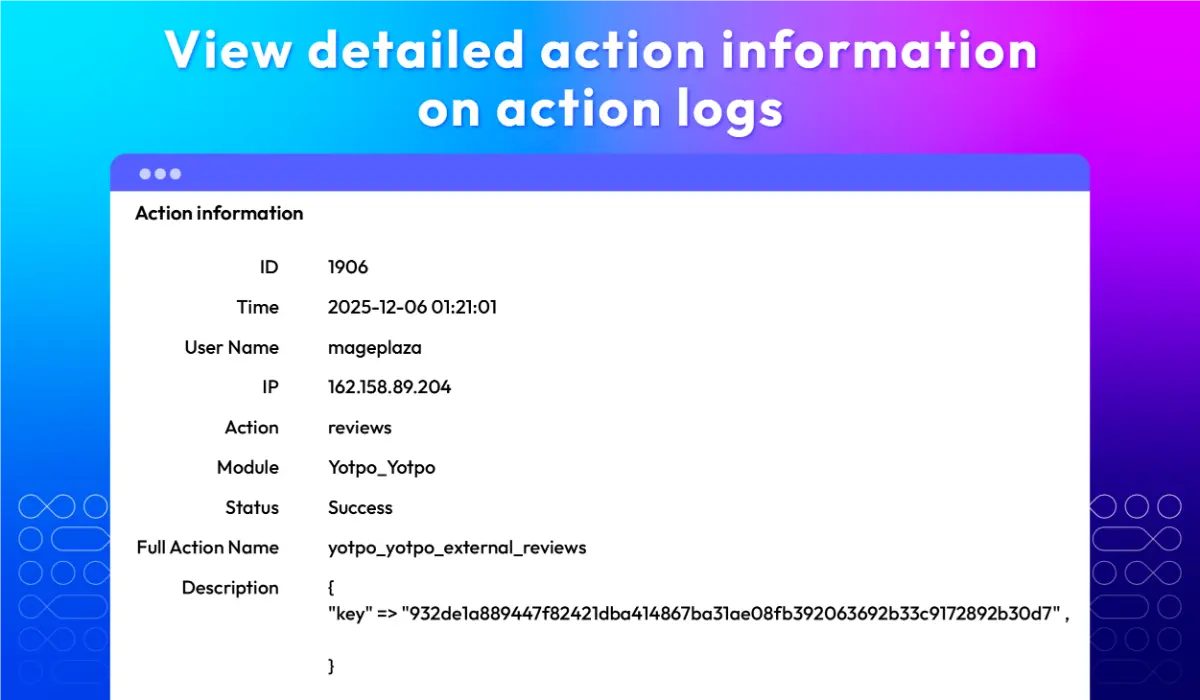
View all action logs Pro
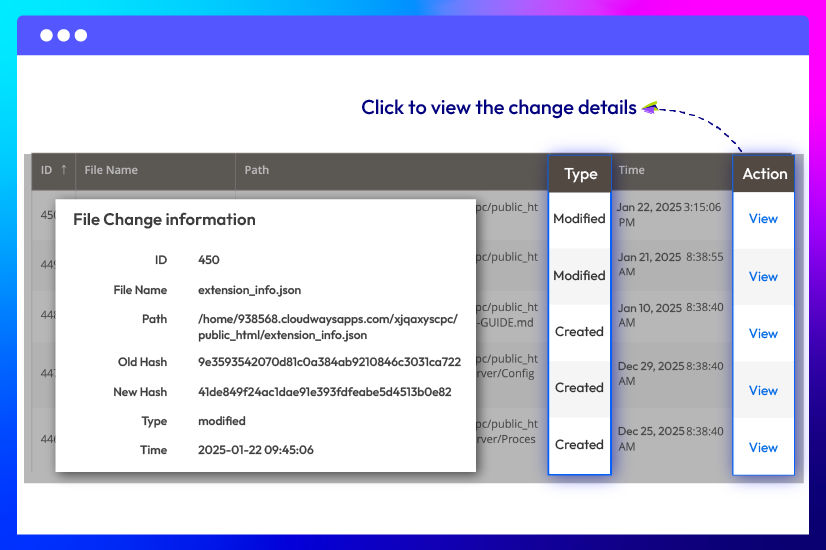
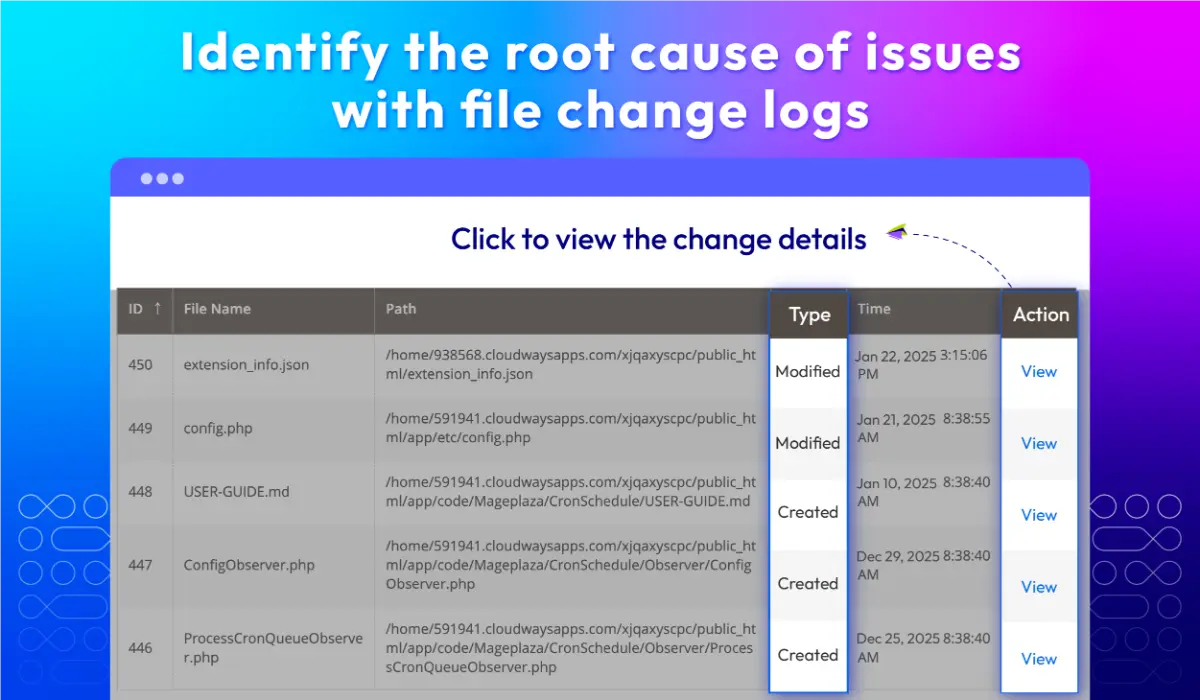
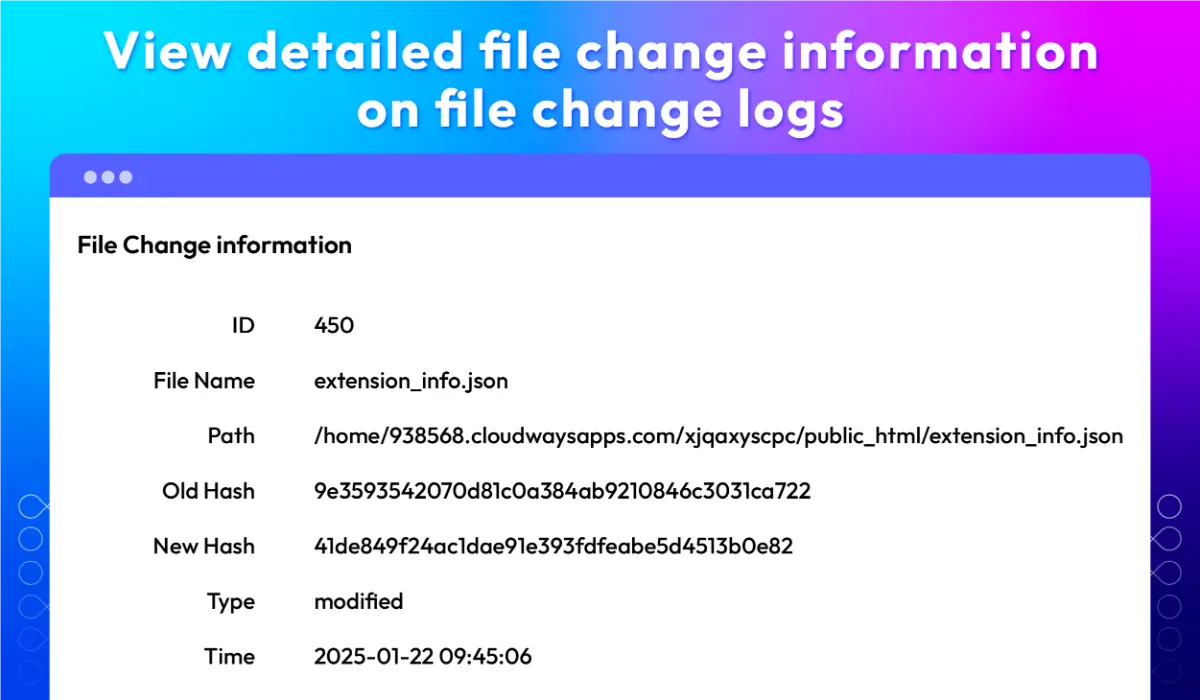
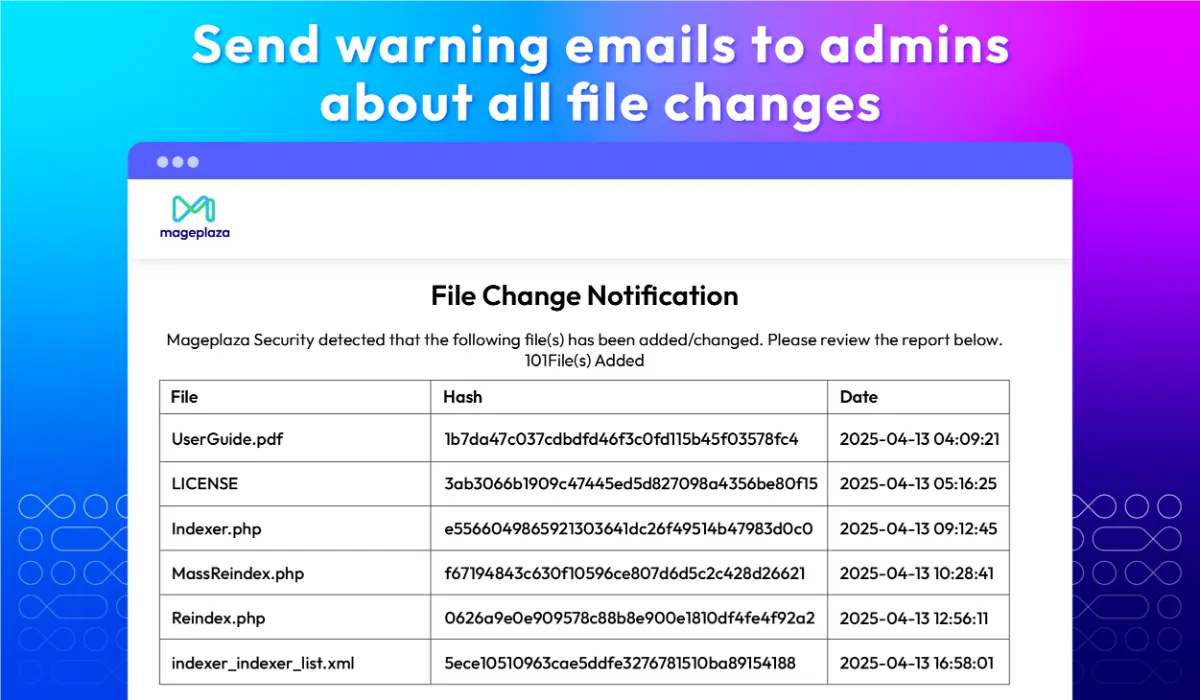
Check file changes Pro
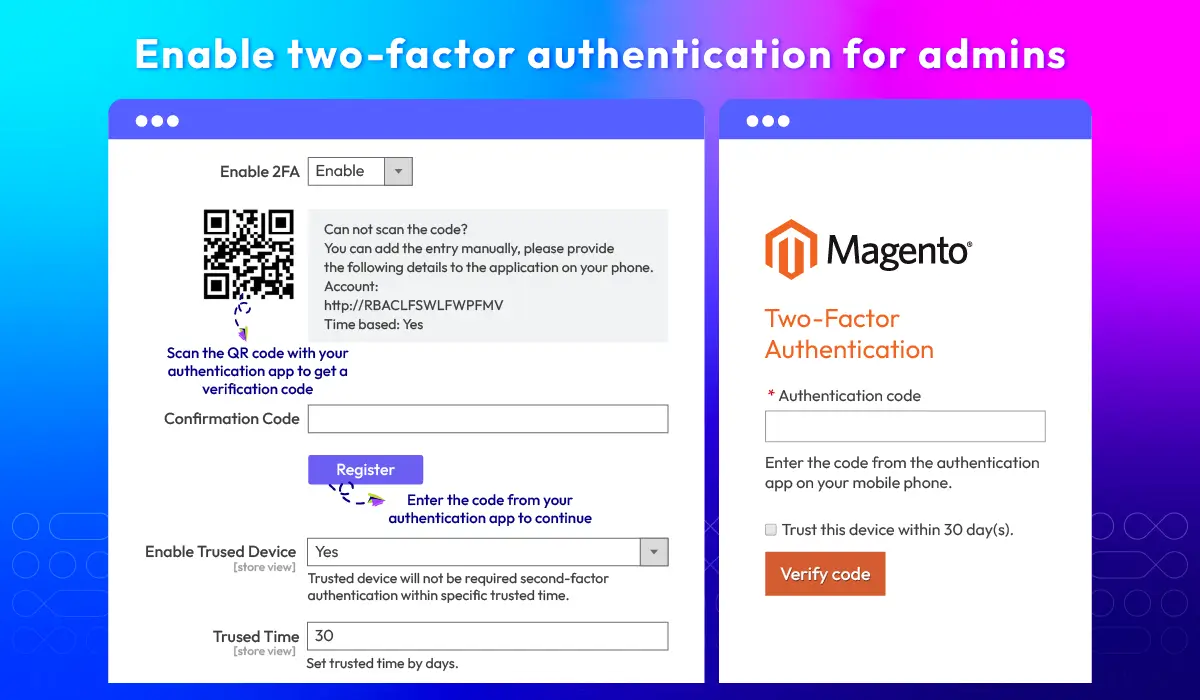
Protect admin access with two-factor authentication
Add an extra layer of protection with two-factor authentication. Admin accounts remain protected even when passwords are compromised, reducing unauthorized access without disrupting daily workflows.
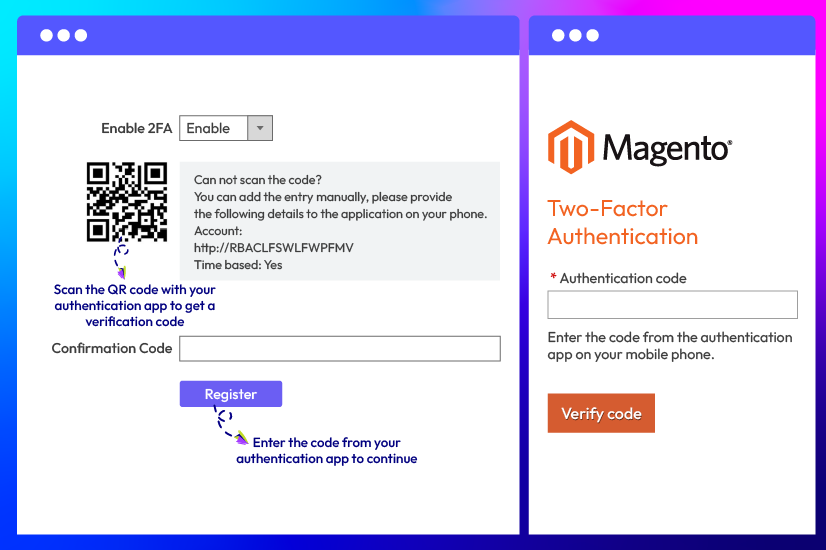
Two-factor authentication for admin accounts
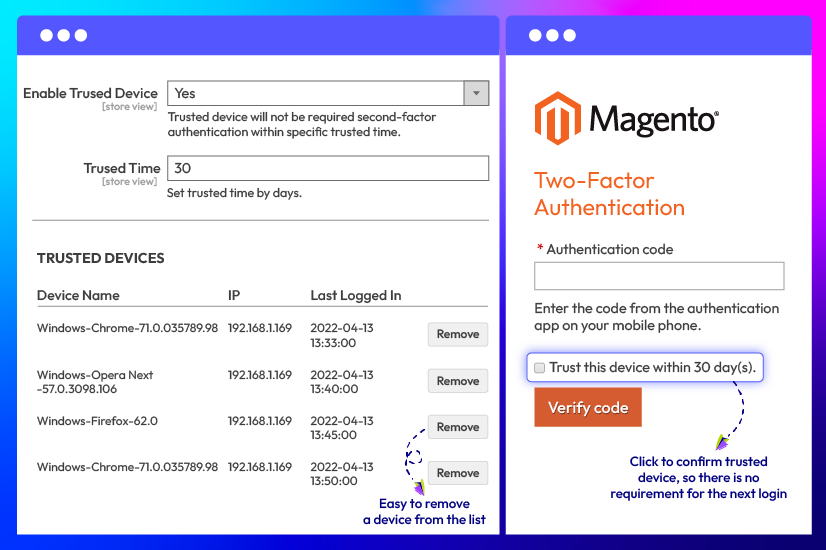
Remember trusted devices for a set period
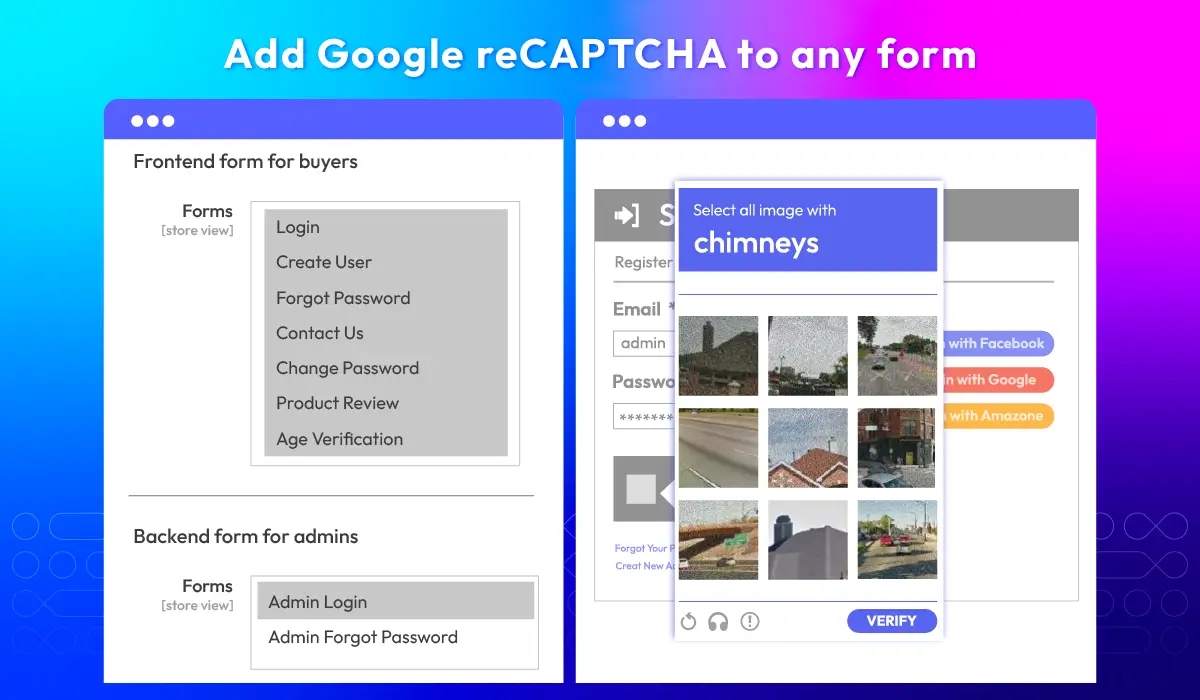
Block bots and spam with Google reCAPTCHA
Add Google reCAPTCHA to customer actions
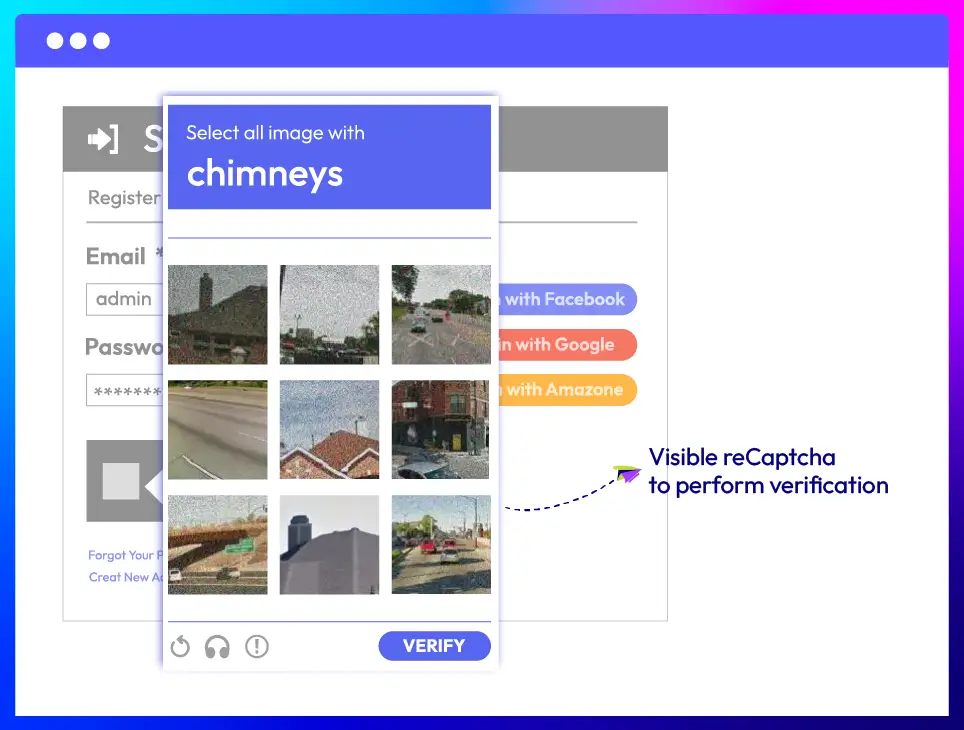
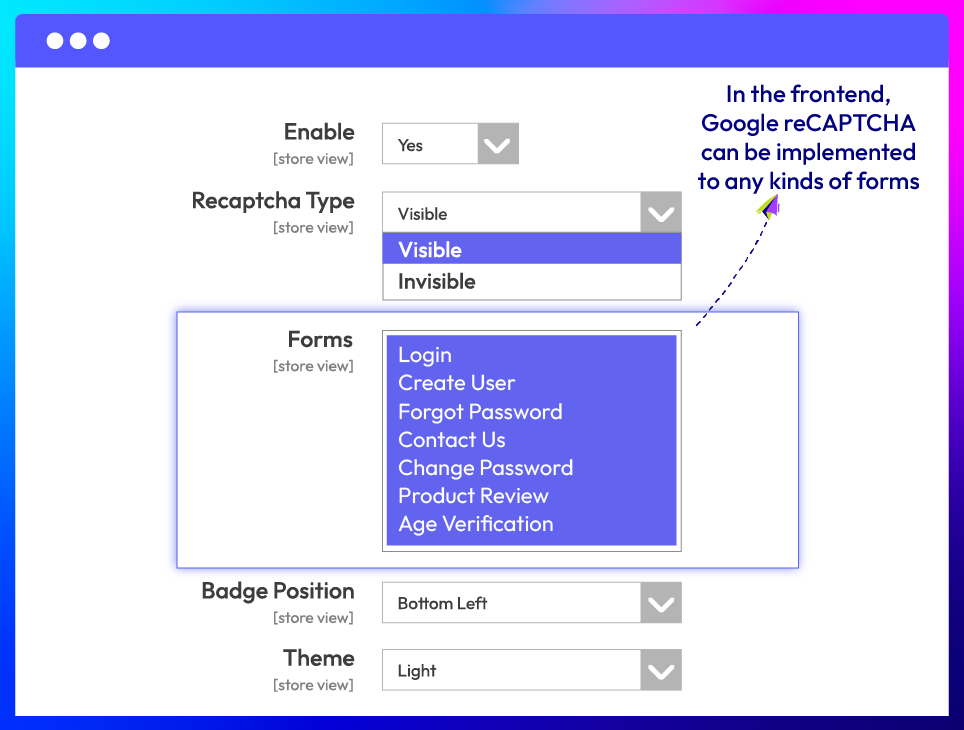
Apply reCAPTCHA to any forms
Enable reCAPTCHA for admin access
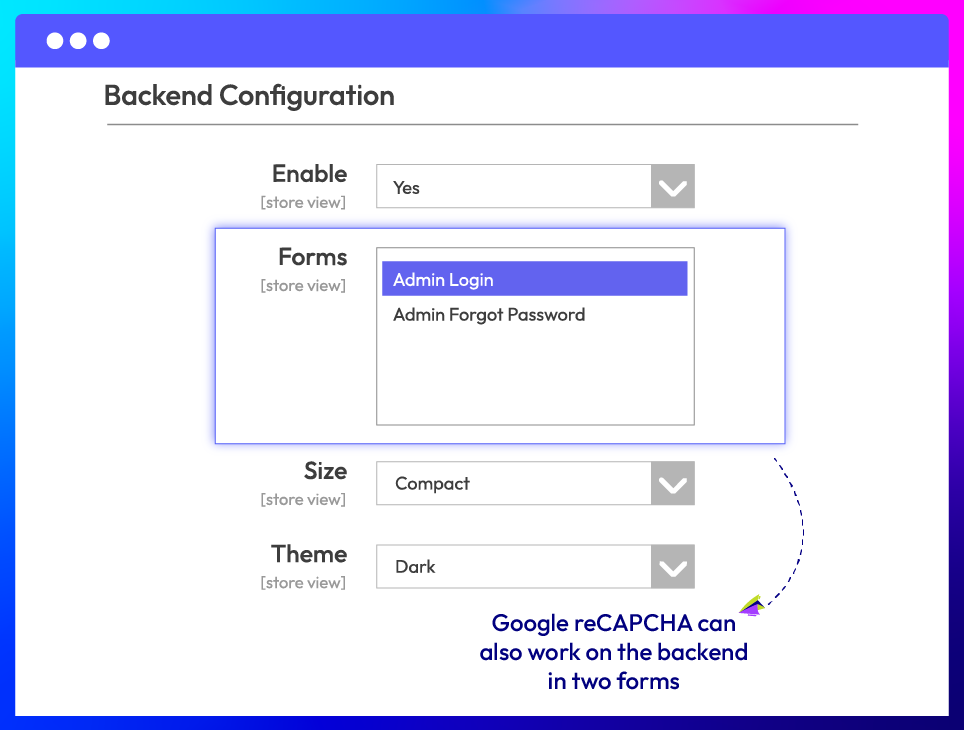
More features of Magento 2 Security extension
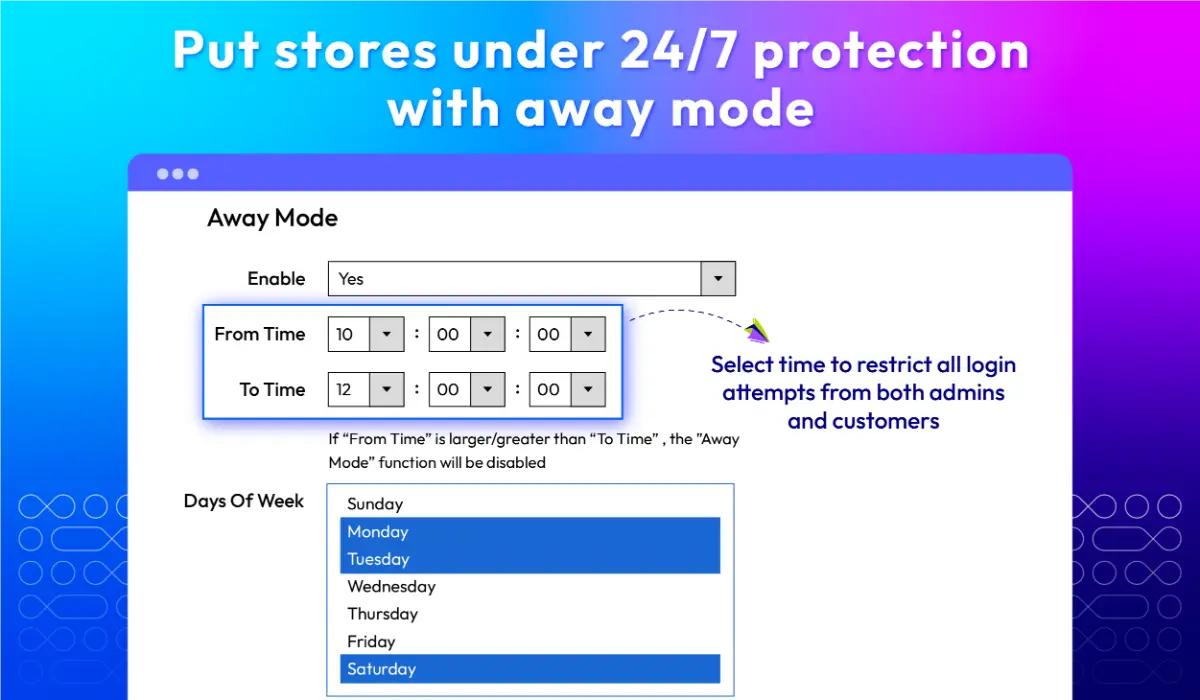
Away mode Pro
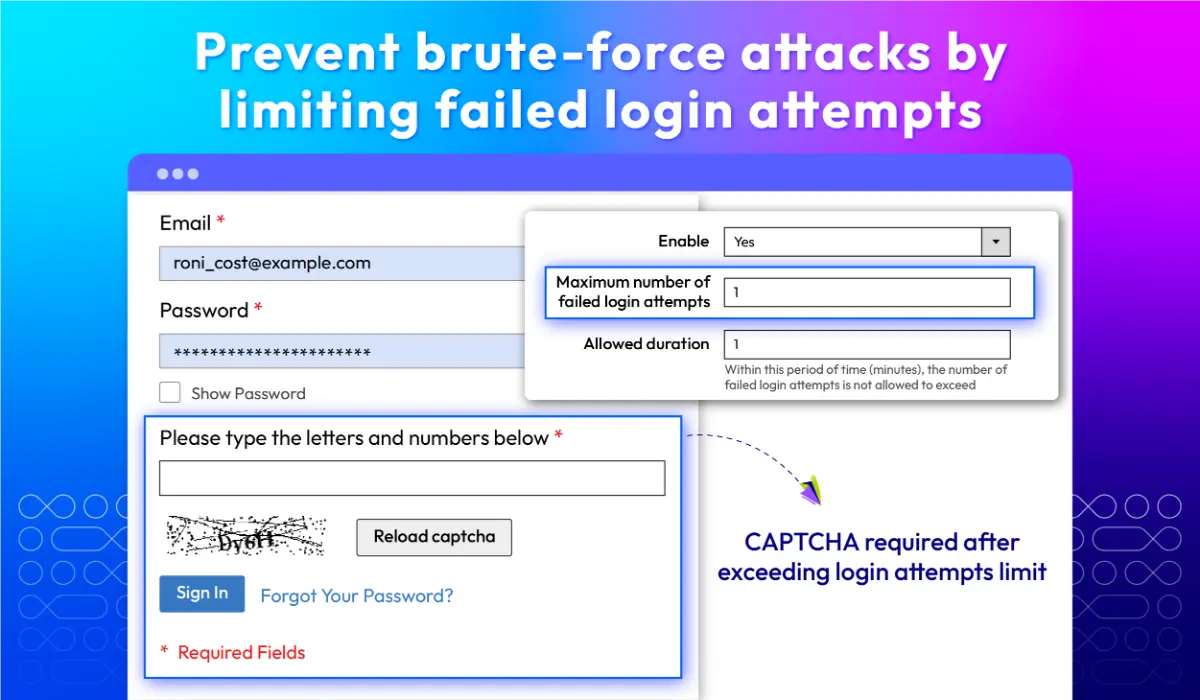
Limit failed login attempts
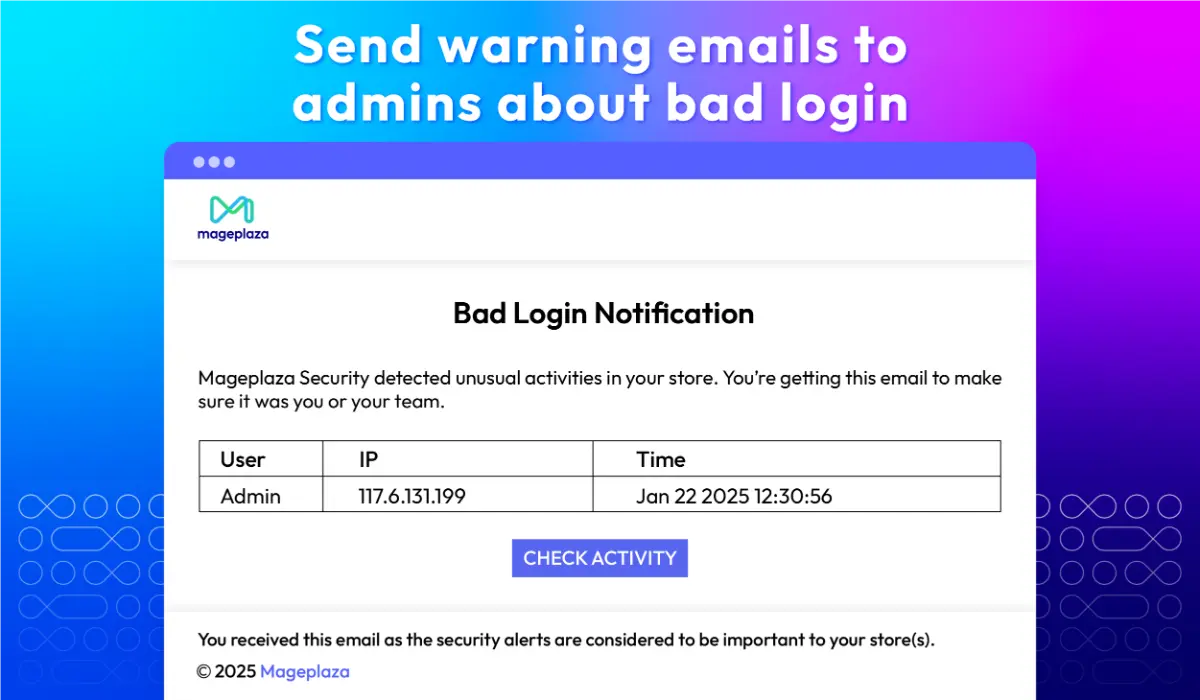
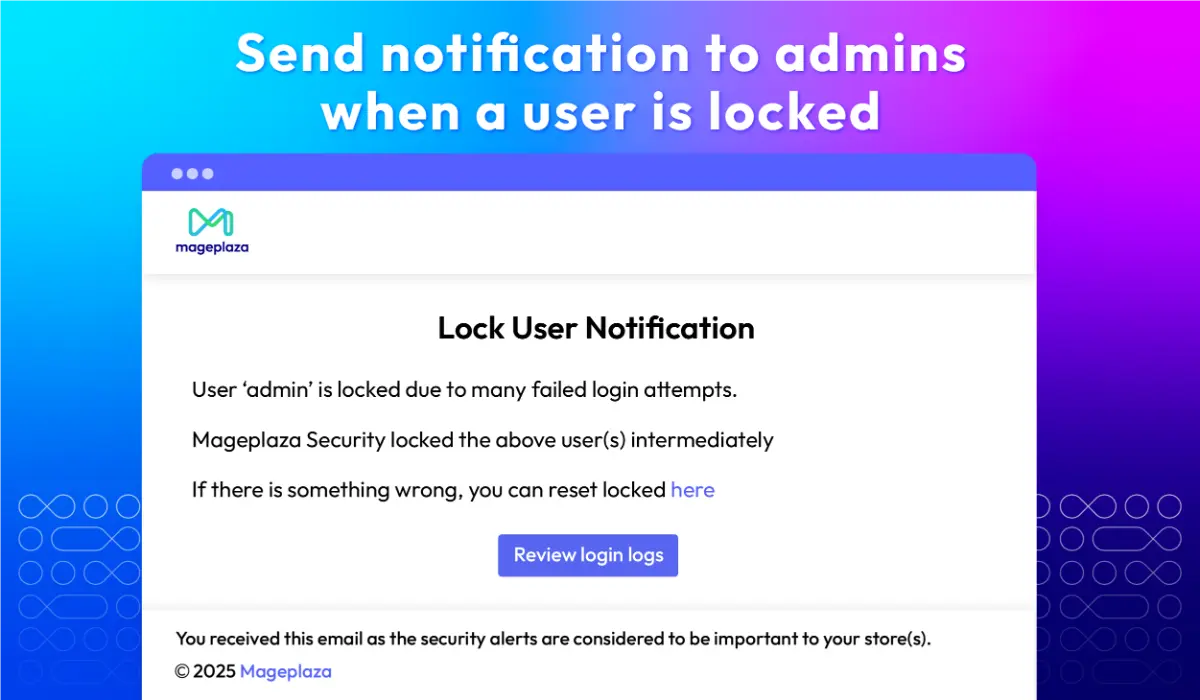
Warning emails
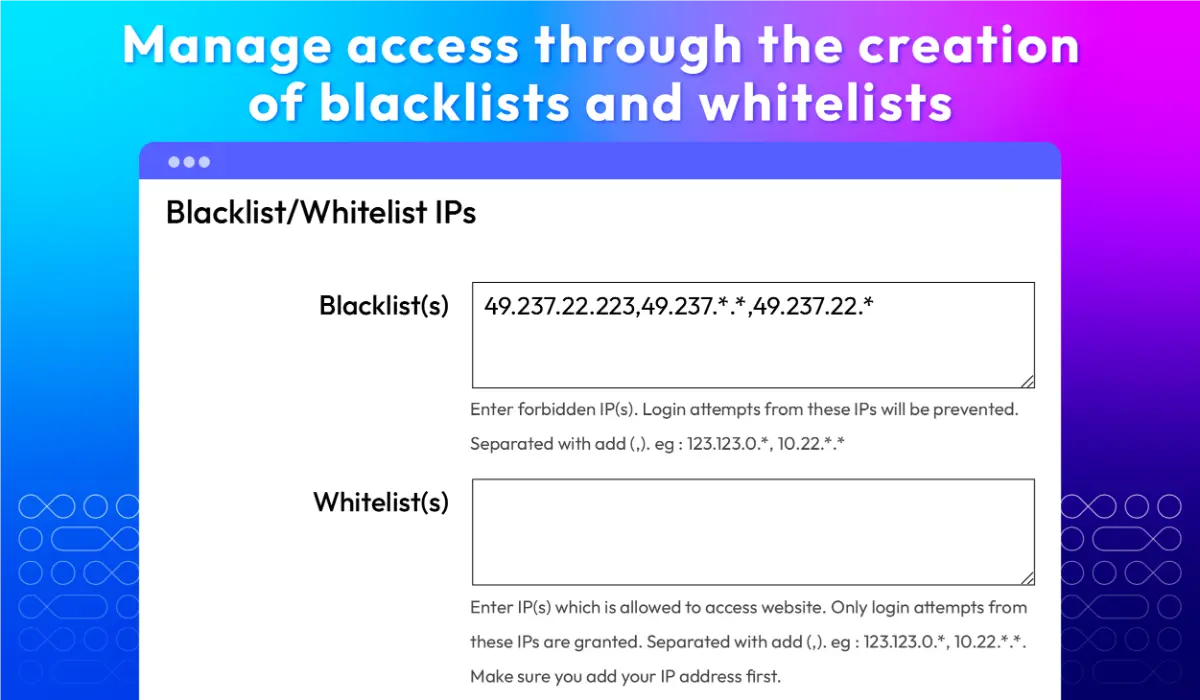
Blacklist/whitelist IPS
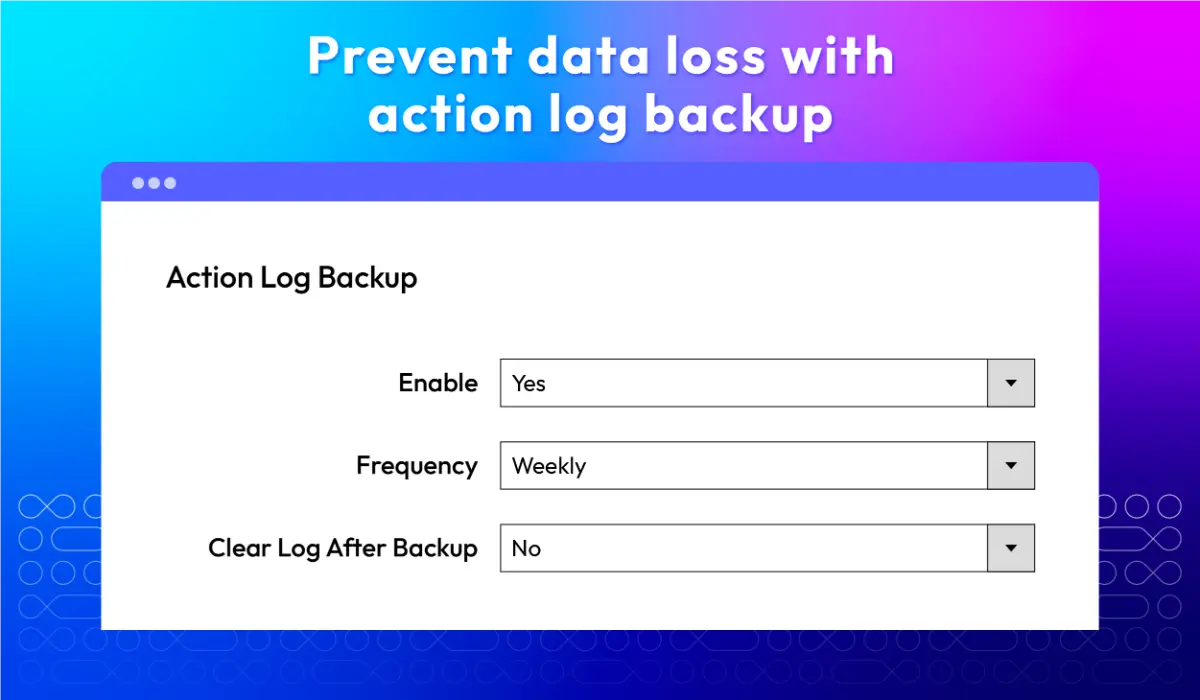
Action log backup
What customers say about us

Release notes
-
v4.1.0 (Magento v2.4.x)
25 December 2025
- New Feature: Added new feature Google Recaptcha
- New Feature: Added new feature Two-Factor Authentication
-
v4.0.6 (Magento v2.4.x)
27 April 2025
Standard:
- Compatibility: Now compatible with Magento 2.4.8
Professional:
- Compatibility: Now compatible with Magento 2.4.8
-
v4.0.5 (Magento v2.4.x)
31 May 2024
Standard:
- Compatibility: Now compatible with Magento 2.4.7
Professional:
- Compatibility: Now compatible with Magento 2.4.7
-
v4.0.4 (Magento v2.4.x)
21 May 2023
- Compatibility: The extension is now compatible with Magento 2.4.6
-
v4.0.3 (Magento v2.4.x)
30 August 2022
- Compatibility: The extension is now compatible with Magento 2.4.4
-
v4.0.2 (Magento v2.4.x)
25 October 2021
- Compatibility: The extension is now compatible with Magento 2.4.3
- New Feature: We added Clear Login Logs
- Bug Fix: We fixed minor bugs
-
v1.1.7 (Magento v2.3.x)
25 October 2021
- Compatible with Magento v2.3.7
- Added Clear Login Logs
- Fixed minor bugs
-
v4.0.1 (Magento v2.4.x)
25 May 2021
- Compatible with Magento v2.4.2
-
v4.0.0 (Magento v2.4.x)
10 November 2020
- Supported Magento v2.4
-
v1.1.6 (Magento v2.3.x)
29 June 2020
- Fixed minor bugs
-
v1.1.5 (Magento v2.3.x)
30 December 2019
- Fixed minor bugs
- Improved code style & performance
-
v1.1.4 (Magento v2.3.x)
26 June 2019
Compatible with Magento 2.3.1
-
v1.1.3 (Magento v2.3.x)
13 August 2018
- Update Module license
Security Pro
- Fixed error when compiling module on Magento 2.2
-
v1.1.2 (Magento v2.3.x)
06 April 2018
- Update email template “lock-user”
-
v1.1.1 (Magento v2.3.x)
02 April 2018
Fix bug get wrong IP address if server use Varnish Cache
-
v1.1.0 (Magento v2.3.x)
29 March 2018
- Add Checklist feature
- Add Module Activation
- Move backend module menu to Magento System menu
-
v1.0.0 (Magento v2.3.x)
14 March 2018
Initial module v1.0.0
Frequently Asked Questions
You can enable the extension by following these steps:
Step 1: Go to Stores > Settings > Configuration > Mageplaza> Security.
Step 2: In the Enable field, choose Yes to turn the Security module on.
Step 3: Click on Save Config to save your changes.
With our extension, you can perform various actions to secure your website, like:
Setting up unrecognized admin panel login alerts
Restricting unauthorized access by creating a blacklist and whitelist IP addresses
Sending brute force attack email notifications to store owners
If the maximum number of times logins fail is reached, a warning email will be sent to email addresses that are set.
You sure can. It is easy to customize warning email templates in Magento 2. There are 4 steps to customize the email template. Read this step-by-step customize the email template guide now!
If you get locked out of your Magento 2 store, the module will automatically display all warnings of possible security risks and send messages to the email address. If you assume that this is a mistake, please follow our guide to unblock.
Exactly! It logs both Failure and Success status.
Mageplaza Security is compatible out-of-the-box with Magento Open (Community), Magento Commerce (Enterprise), Magento Cloud 2.2.x, 2.3.x, 2.4.x..
Yes, Security is compatible with Hyva theme. However, the checkout only supports hyva-themes/magento2-theme-fallback. To learn how to enable checkout on Hyva, please follow this guide.
Mageplaza provides FREE Hyva Checkout Compatibility for all of our extensions upon requests. You can request by contacting us via email, live chat, or support ticket. Our team will respond within 24 hours and ask for details such as Order ID, extension name, Magento & Hyva versions, and any special requirements. To qualify, your module subscription must be active. If your subscription has expired, renewal is required as some older modules do not support Hyva. Additional customization requests may incur extra costs, and our team will inform you before proceeding. For assistance, feel free to reach out - we're here to help!
Pricing
Standard
$99 first year
Professional