

 2.4.4 - 2.4.8
 Theme
Theme
Magento 2 SEO Extension | All in One SEO Solution
v4.4.6

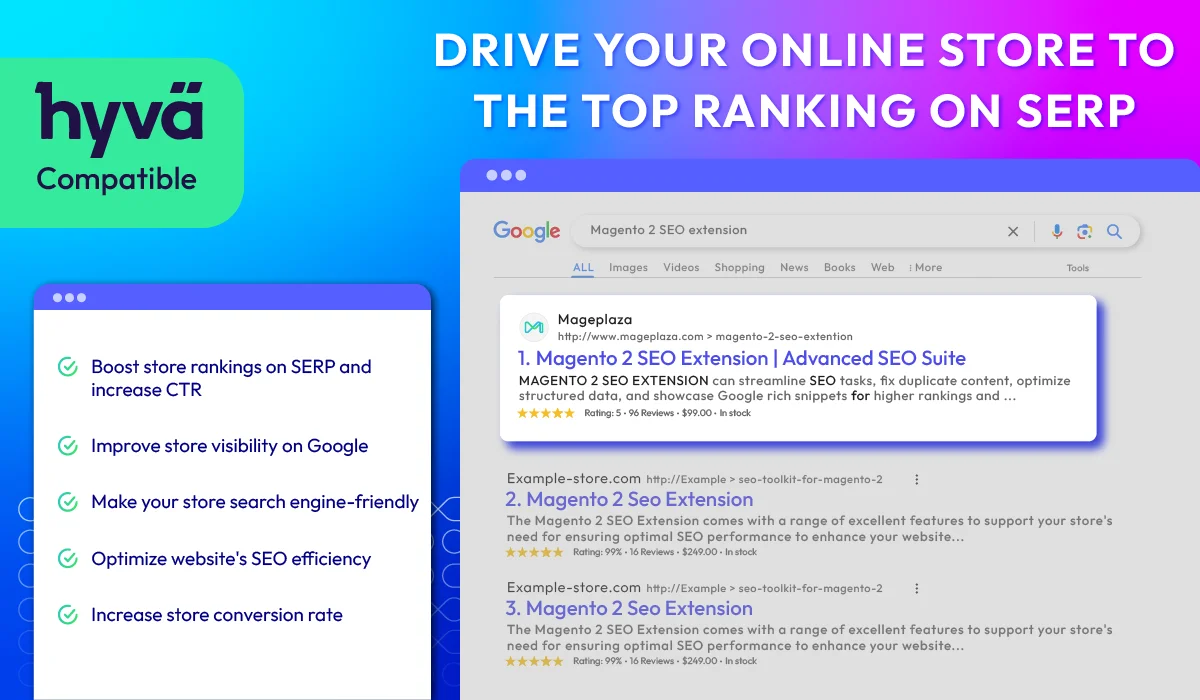
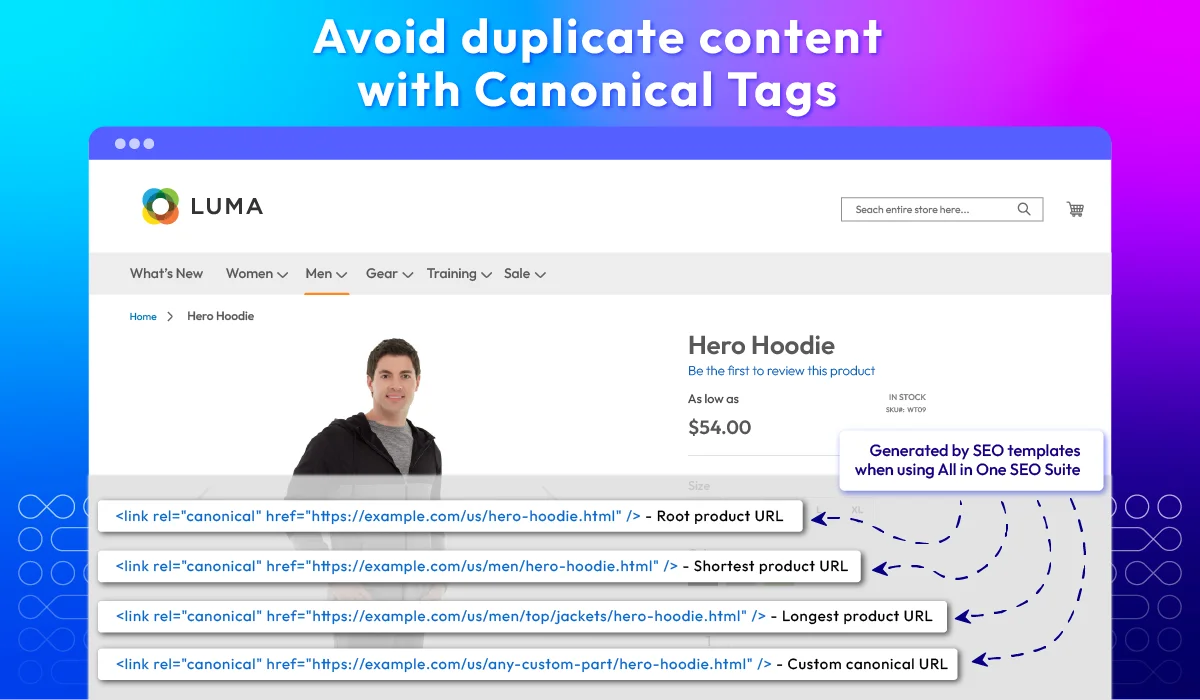
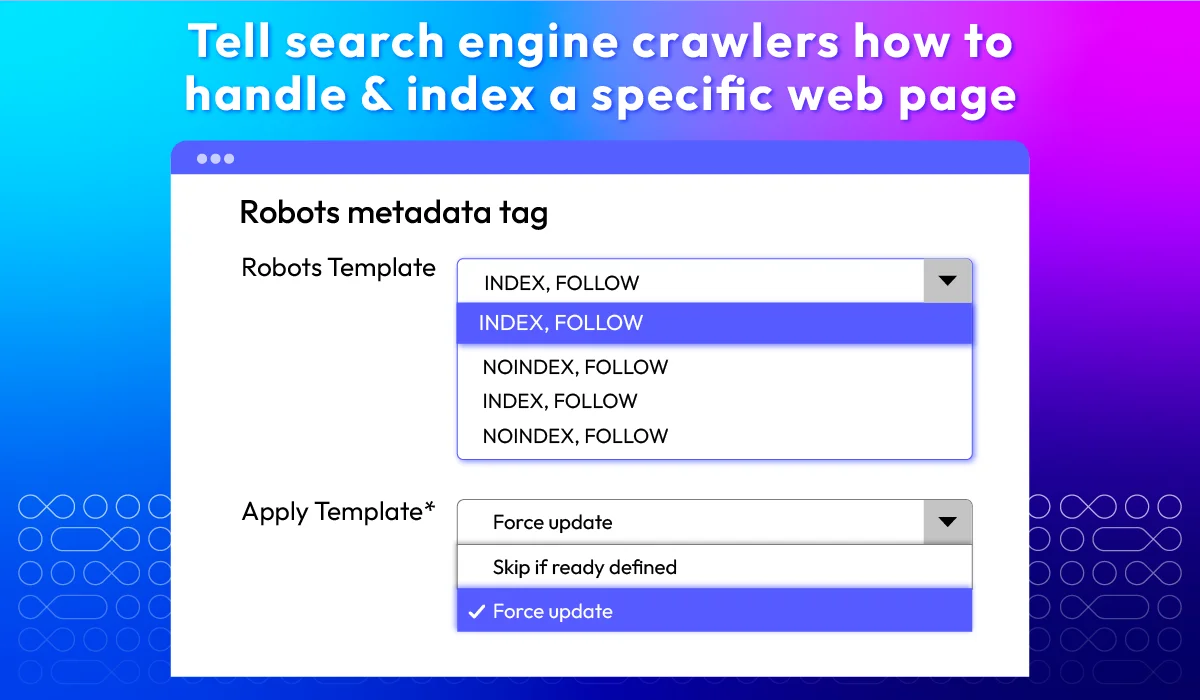
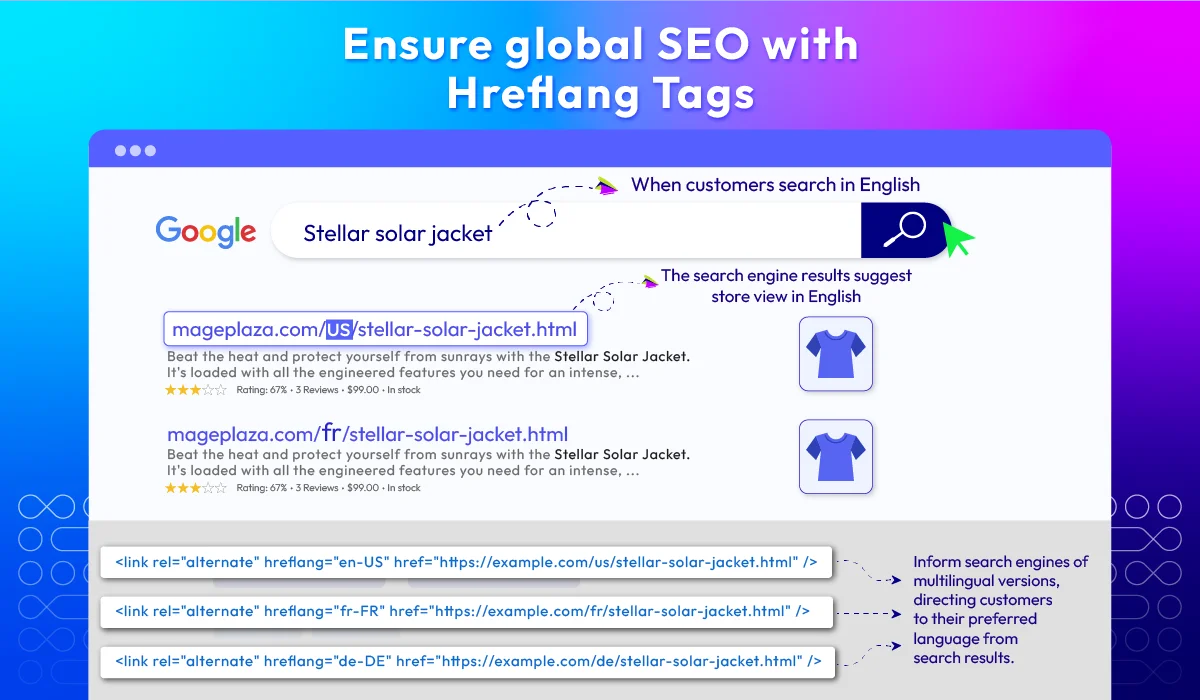
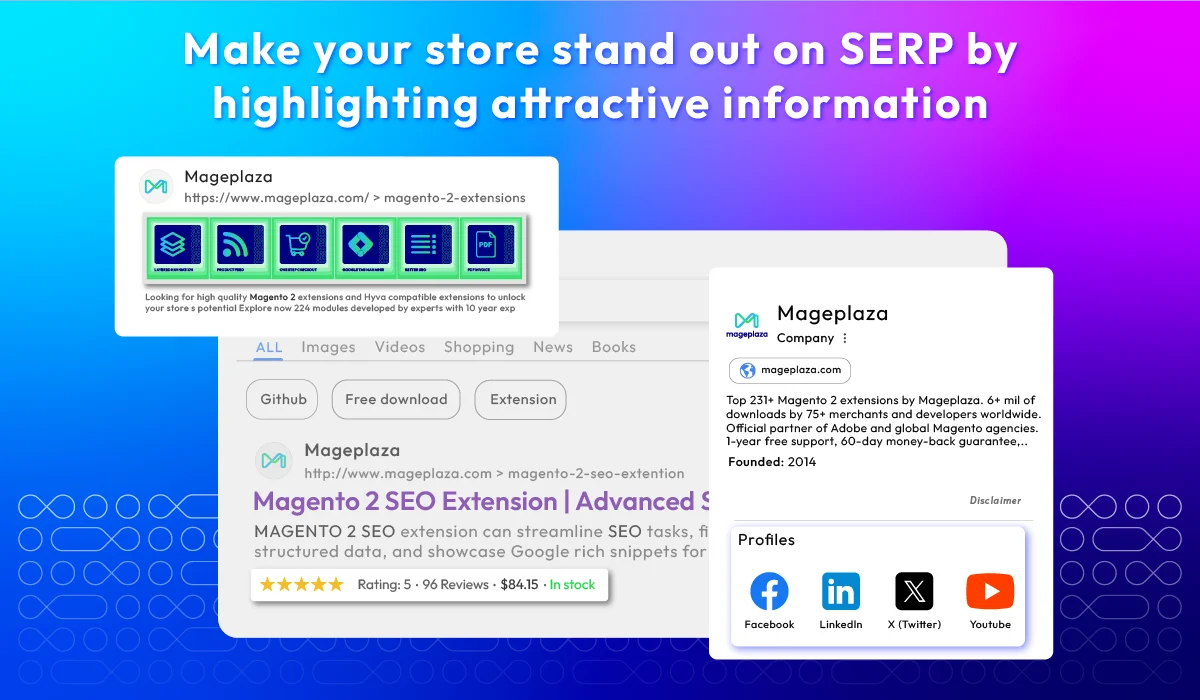
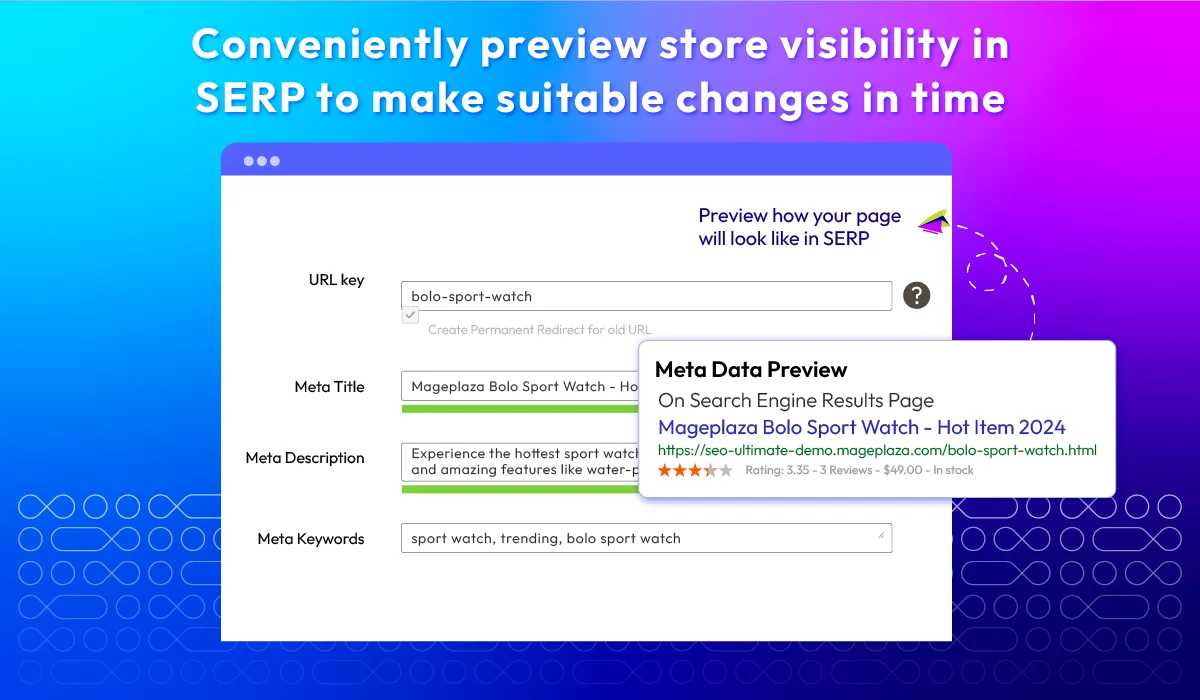
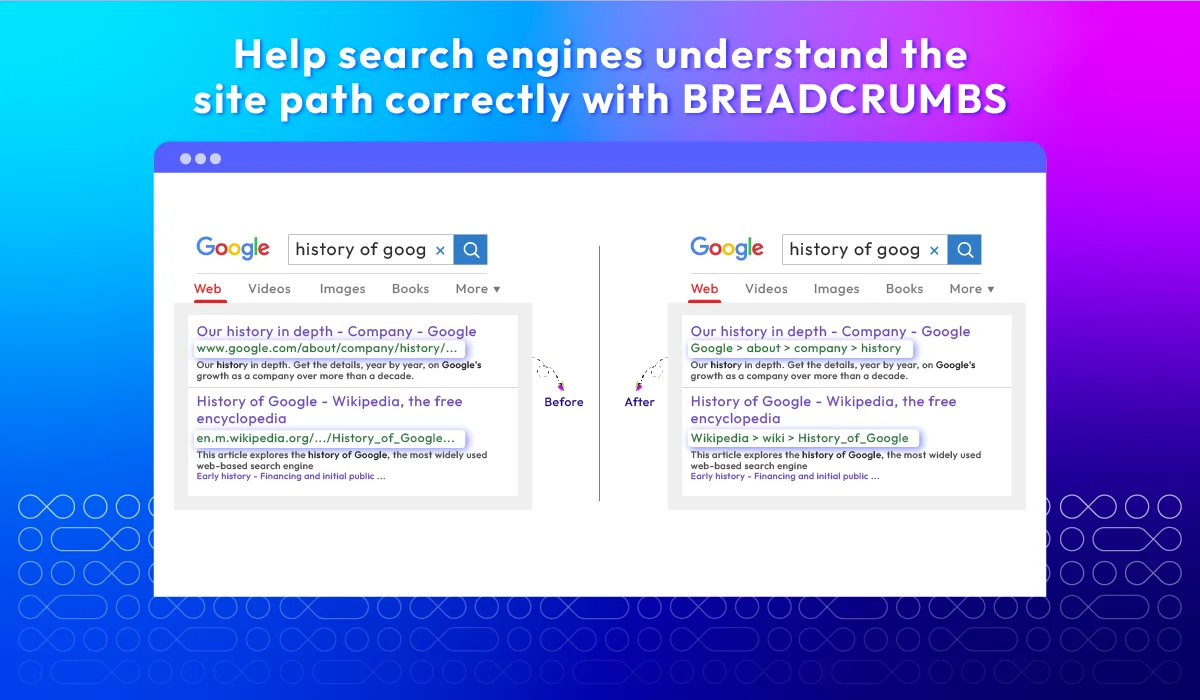
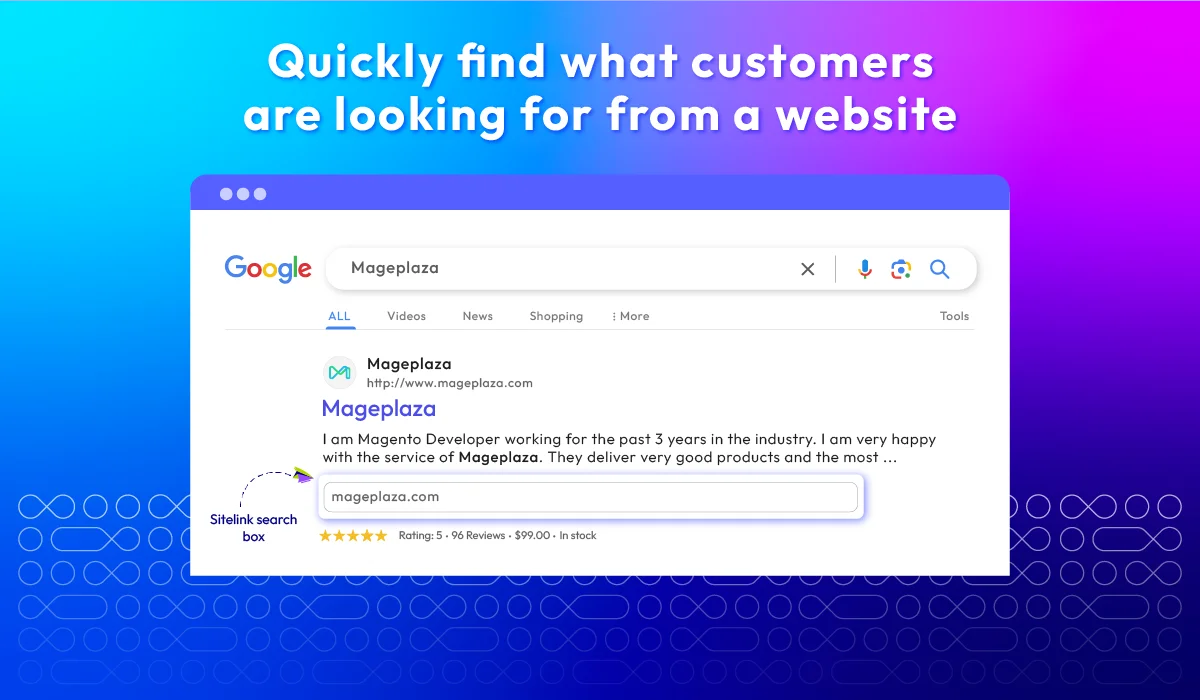
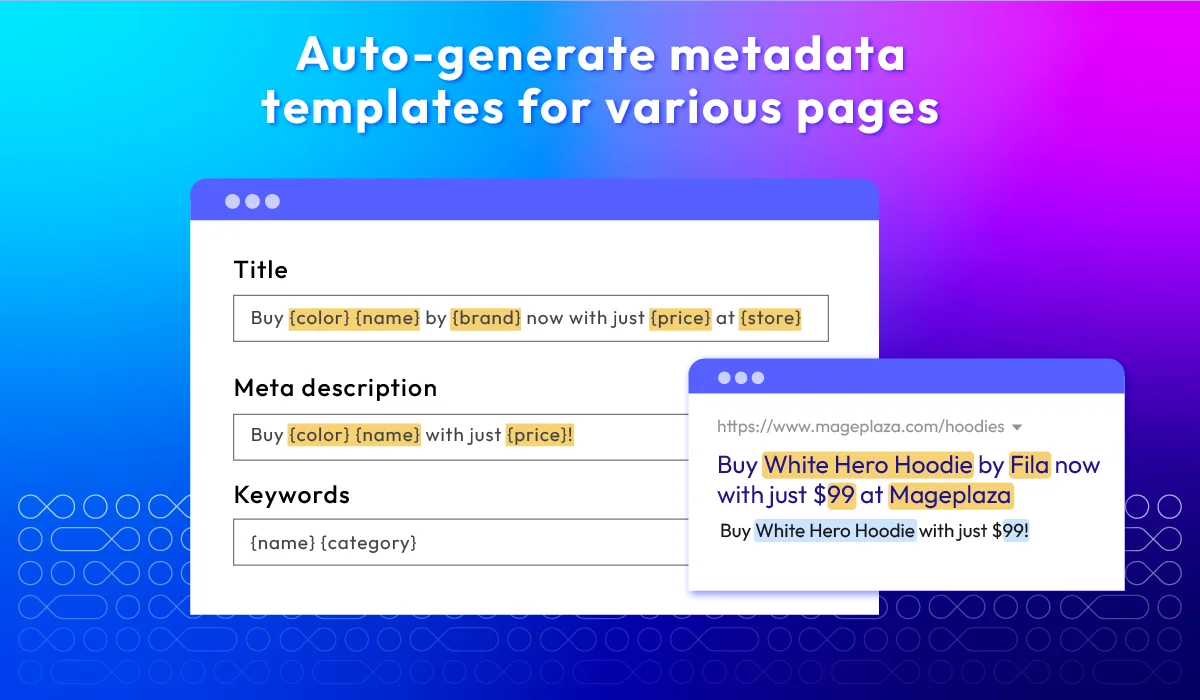
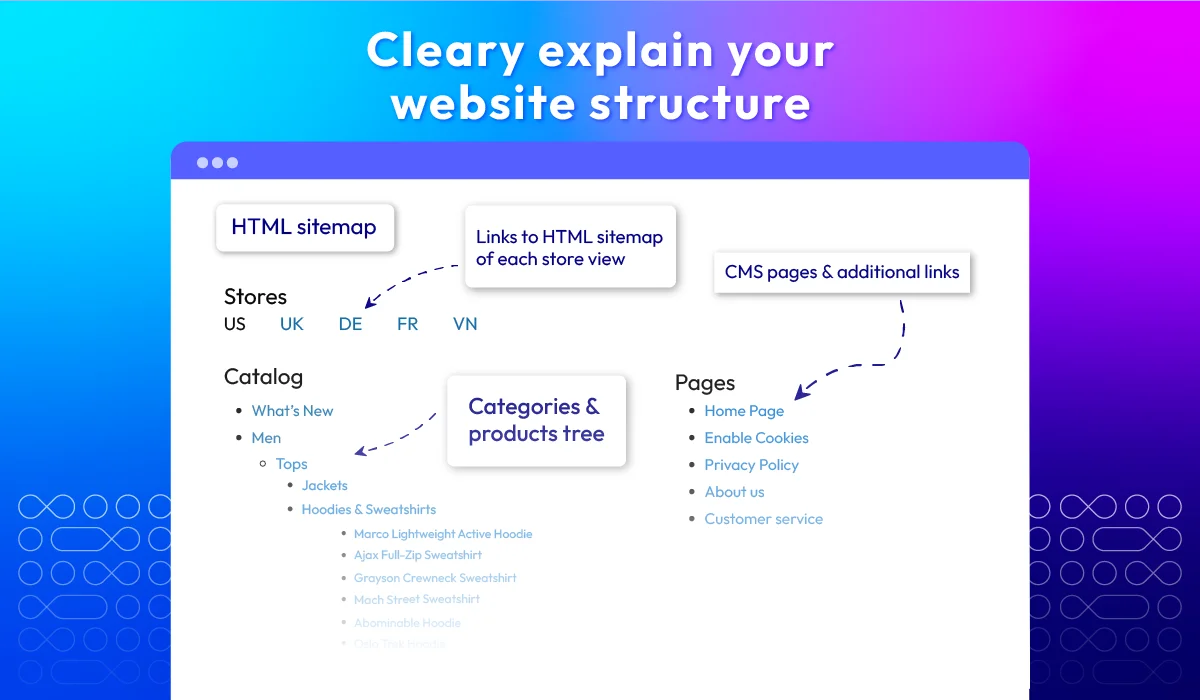
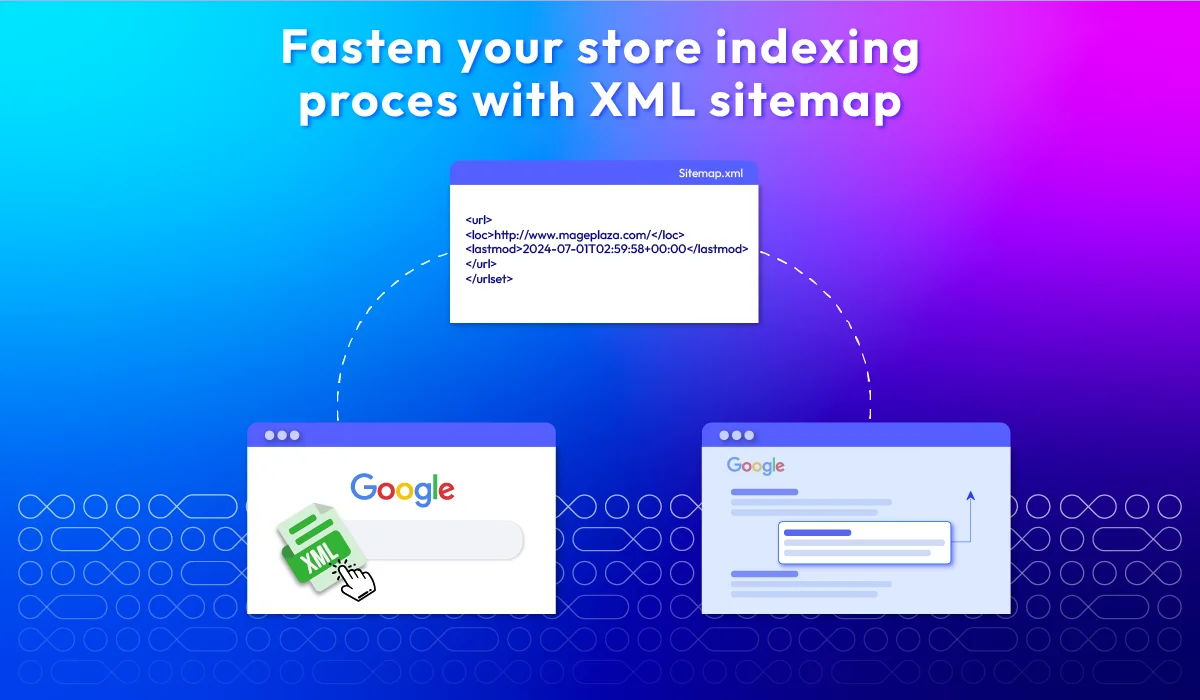
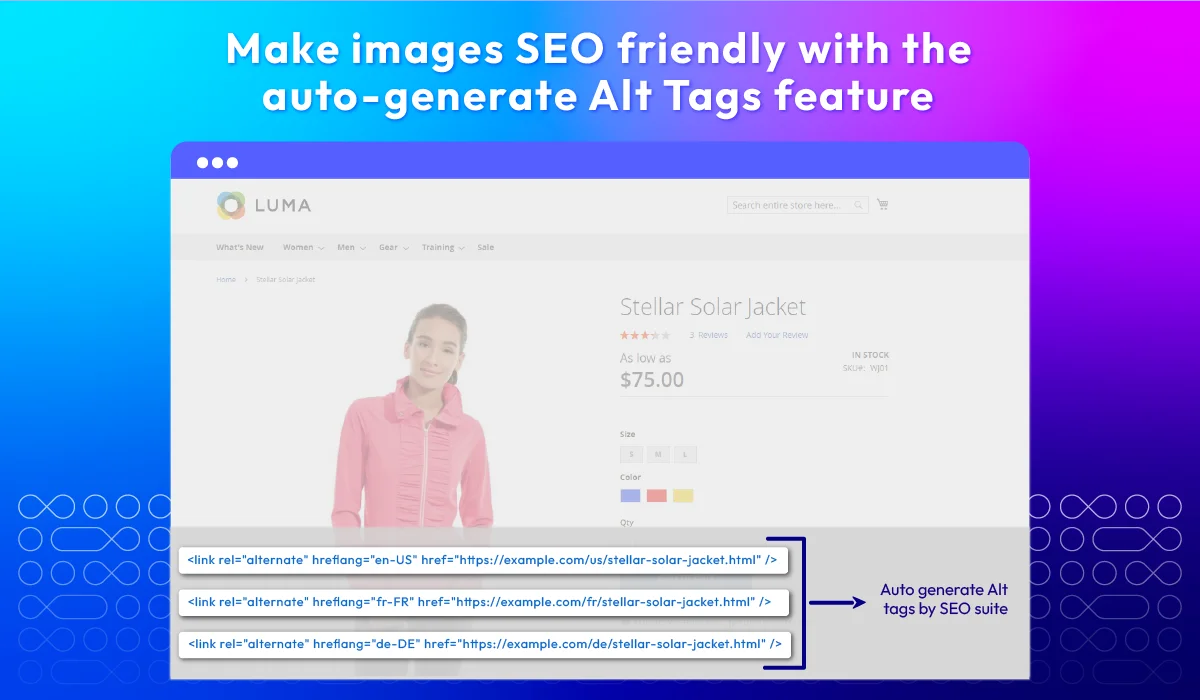
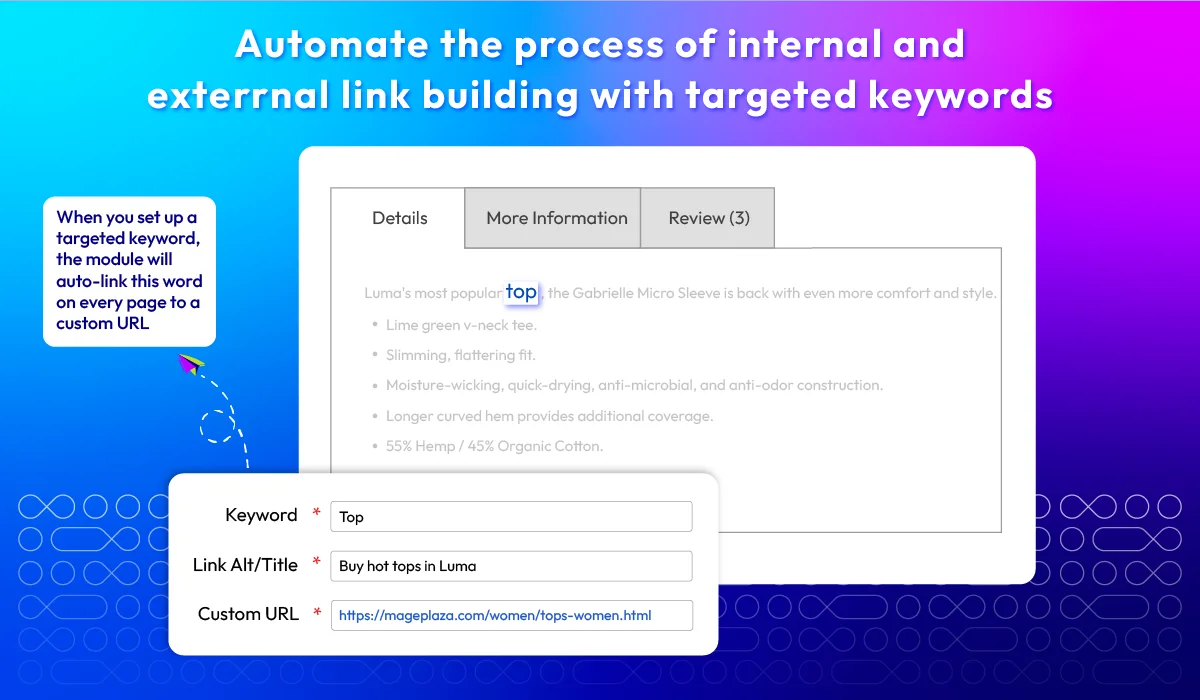
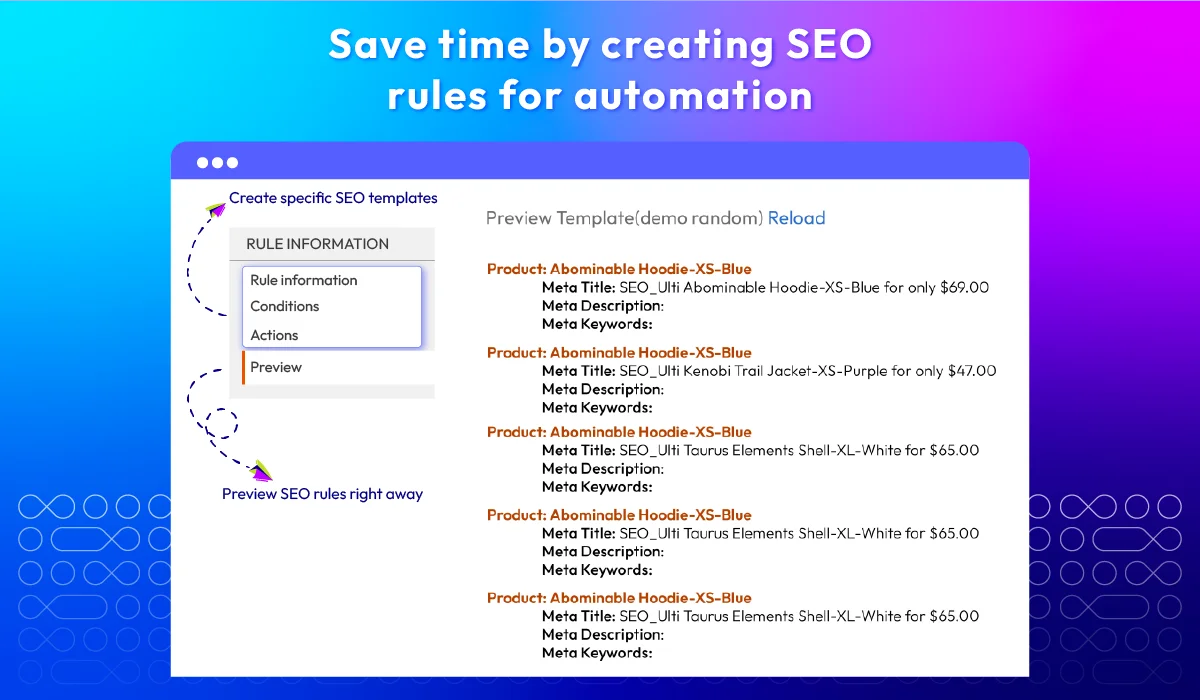
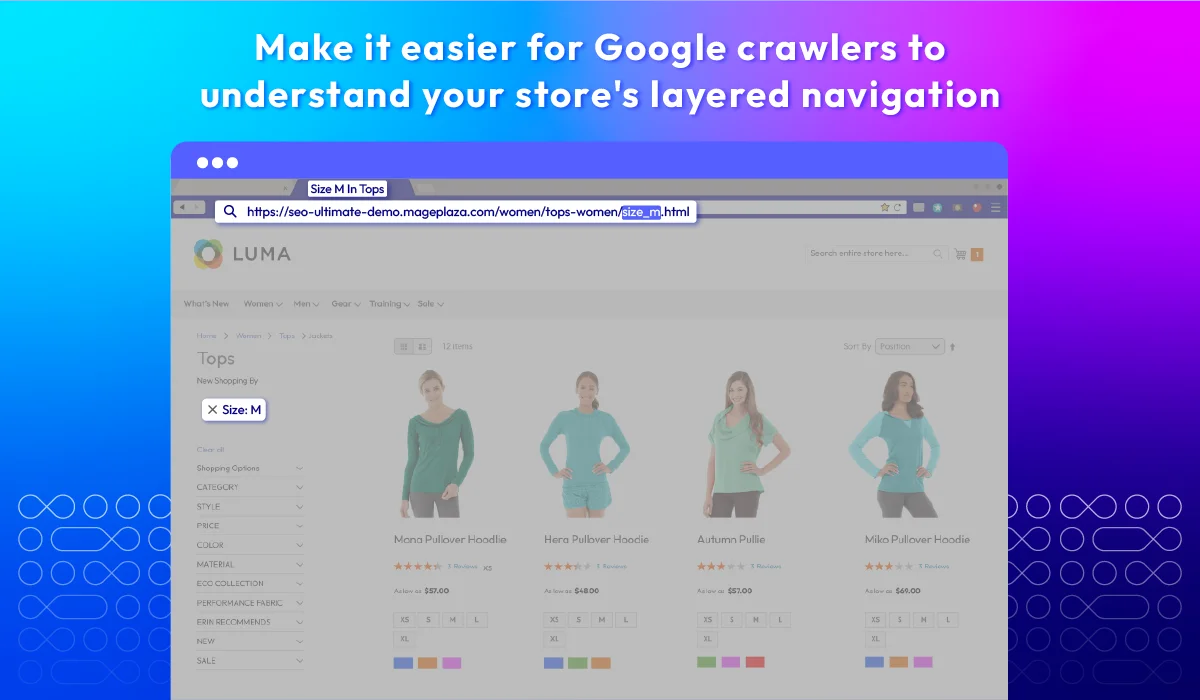
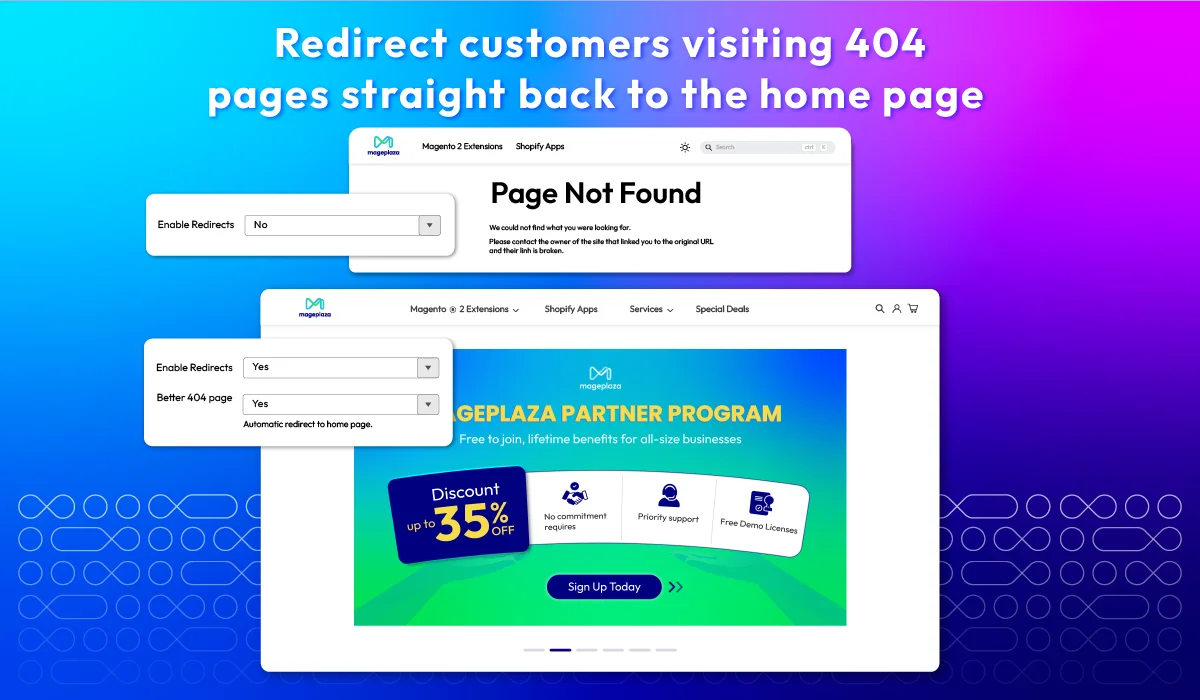
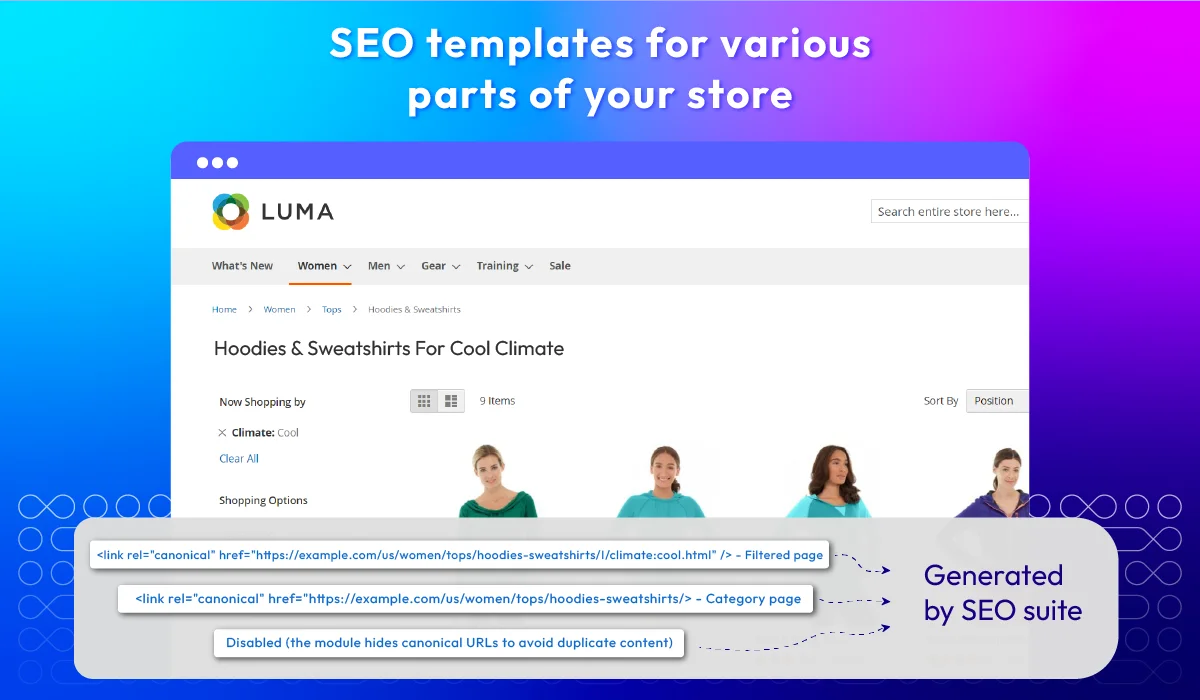
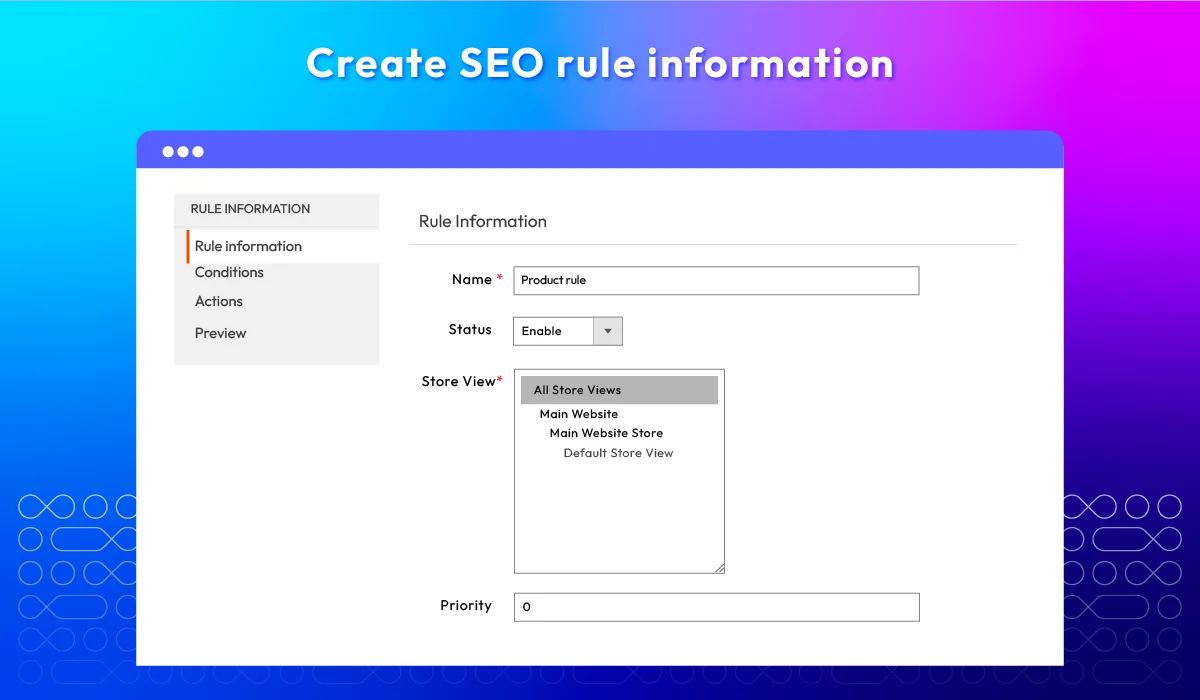
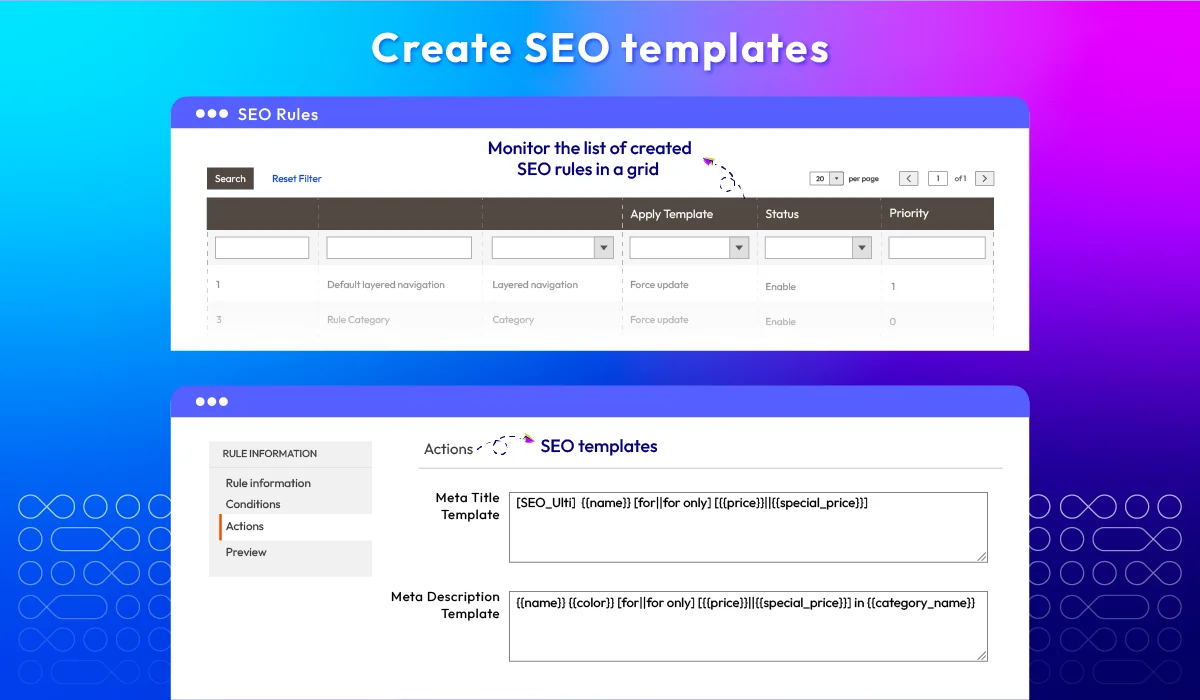
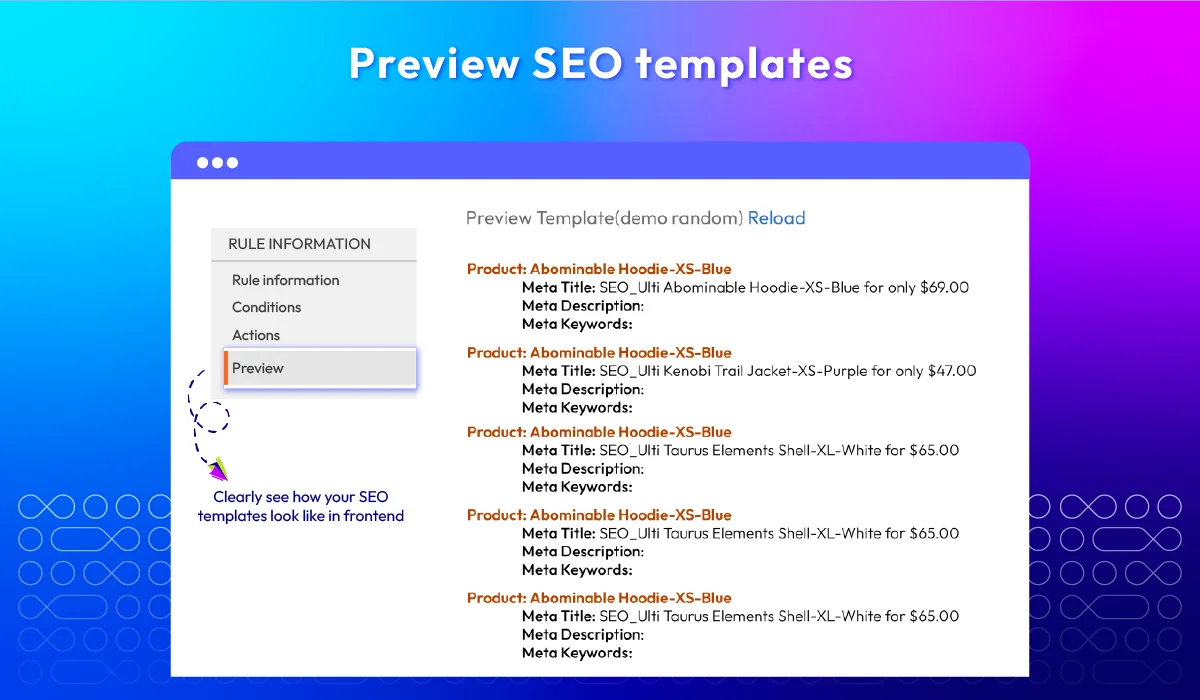
Unlock Your Store's Full Potential with Magento 2 SEO Plugin


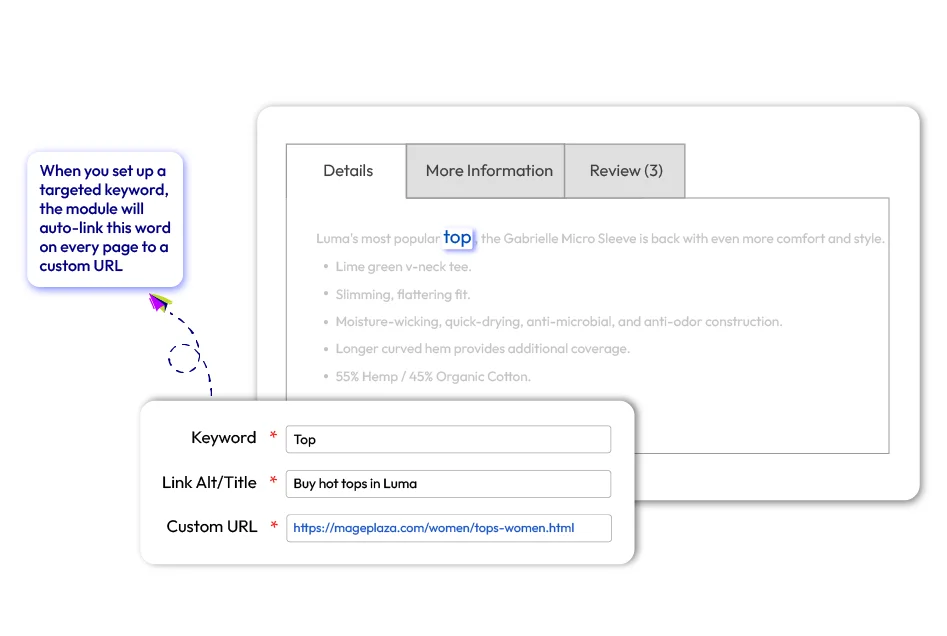
SEO automation

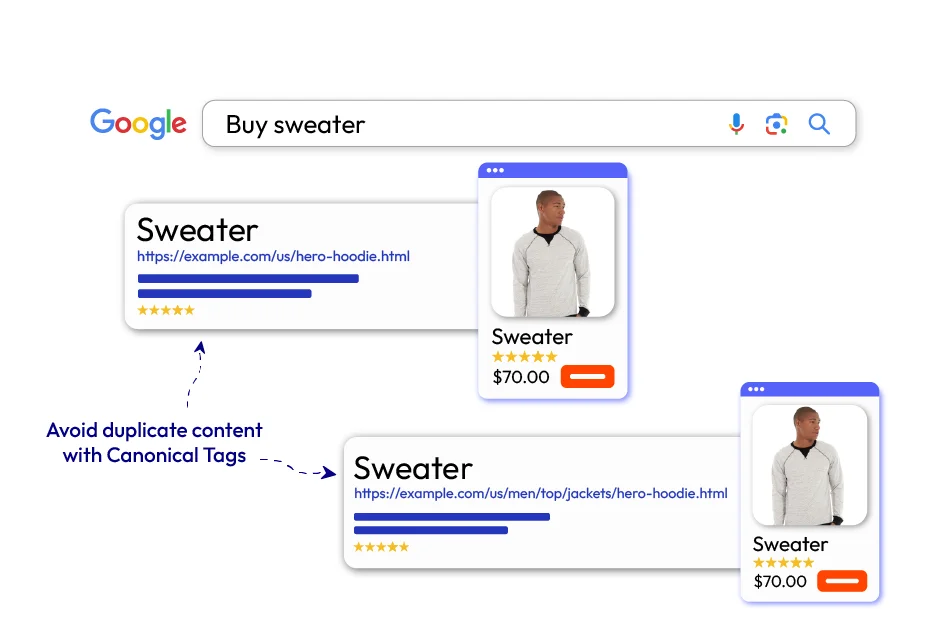
Canonical tags
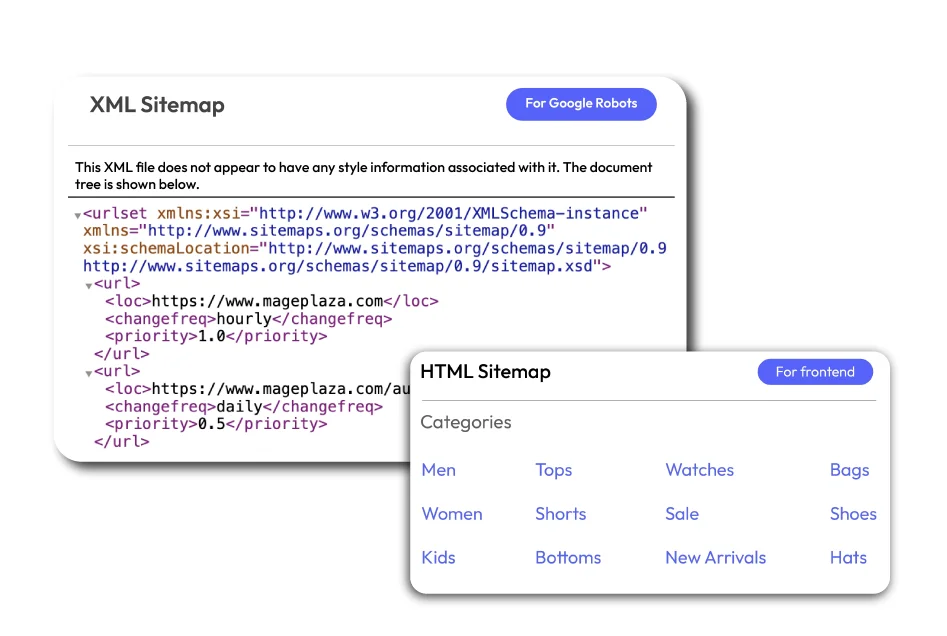
XML & HTML
| Standard | Professional | Ultimate | |
|---|---|---|---|
| General Configuration | |||
| Enable/Disable the module | |||
| Prevent Duplicate Content | |||
| Use Canonical Link Meta Tag For Categories | |||
| Use Canonical Link Meta Tag For Products | |||
| Structured Data | |||
| Enable Product Structured Data: Brand, SKU, Aggregate Rating Value, Rating Value, Review Count, Review Author, Price Valid Until, Model Field Name, Model Value. | |||
| Enable Sitelinks Searchbox | |||
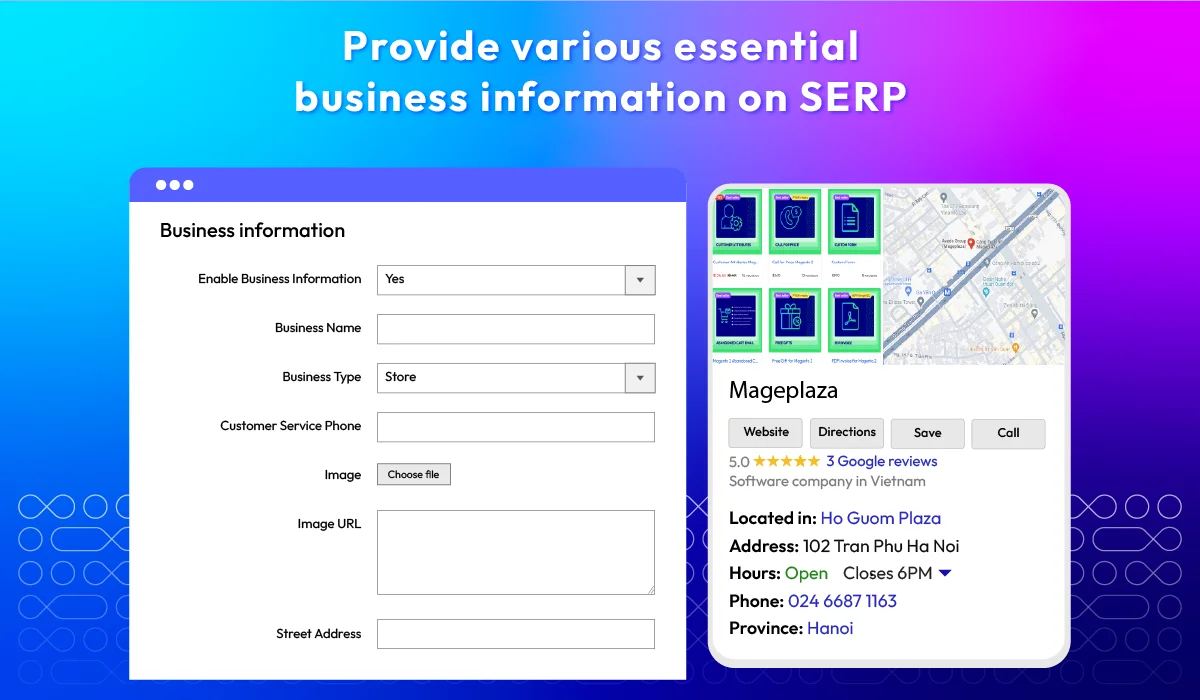
| Business Information | |||
| Enable Business Information | |||
| Register Business Name | |||
| Add Business Type (New) | |||
| Customer Service Phone/ Contact Option/ Area Serve | |||
| Technical Support Phone/ Contact Option/ Area Serve | |||
| Sales Service Phone/ Contact Option/ Area Serve | |||
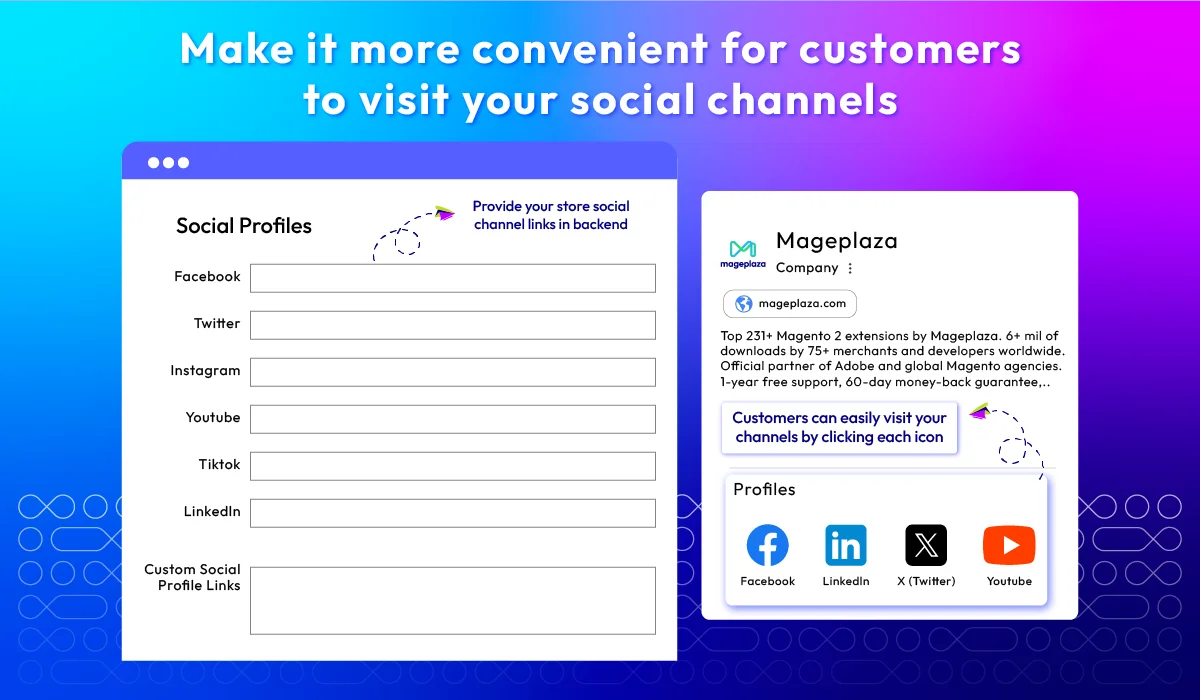
| Sociaal Profiles | |||
| YouTube | |||
| TikTok | |||
| Add custom social links | |||
| Site Verifications | |||
| Google Search Console | |||
| Bing Webmaster Tools | |||
| Yandex Webmaster Tools | |||
| HTML Sitemap | |||
| Enable HTML Sitemap | |||
| Enable Categories/ Products/ Pages Sitemap | |||
| Enable Additional Links | |||
| Add Sitemap Link to Footer | |||
| Enable Search Field | |||
| Exclude Category Page | |||
| Choose style to display categories in HTML Sitemap | |||
| Enable Products Sitemap | |||
| Sort Products in HTML Sitemap | |||
| Set Default Sort Direction | |||
| Hide Out Of Stock Products | |||
| Limit Product Sitemap | |||
| Enable Pages Sitemap | |||
| Enable Exclude Pages Sitemap | |||
| Filter Cms Pages | |||
| XML Sitemap | |||
| Optimize Homepage | |||
| Enable Additional Links | |||
| Exclude Links/ Product Types Sitemap/ Product Page/ Category Page/ Pages Sitemap | |||
| Enable Error Email Notification | |||
| Customize Email Notification Settings | |||
| Set XML Frequency & Priority | |||
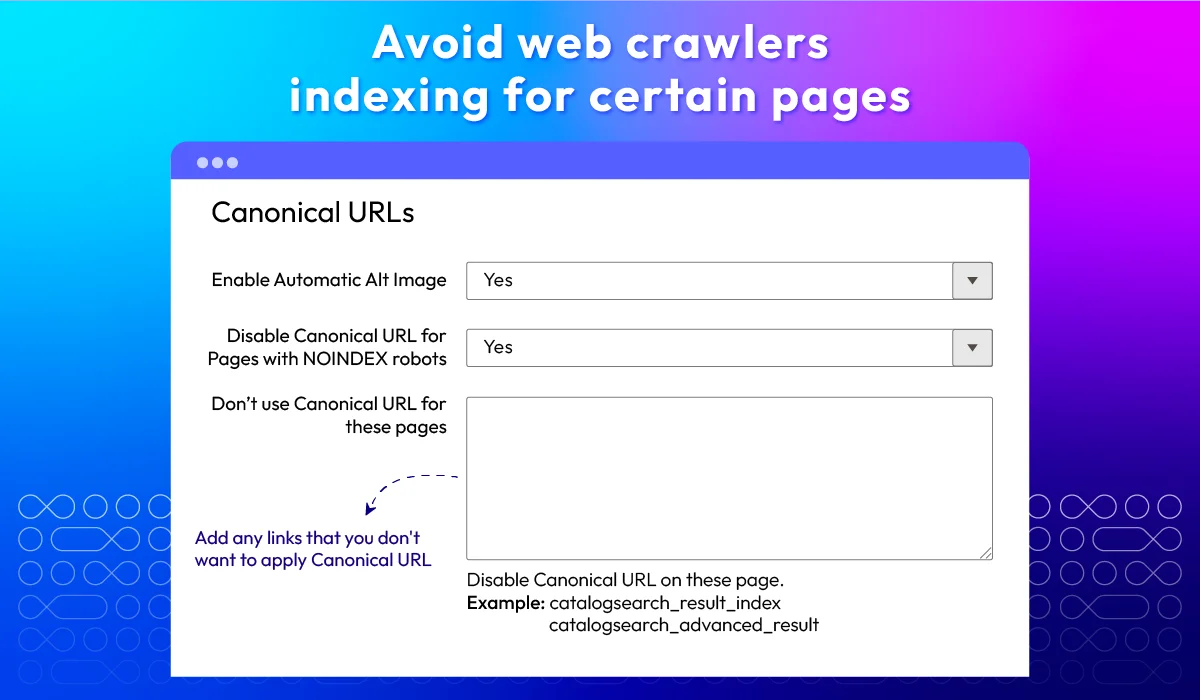
| Canonical URLs | |||
| Add Canonical URL Meta Header | |||
| Disable Canonical URL for Certain Pages with NOINDEX robots | |||
| Exclude Canonical URL from Specific pages | |||
| SEO Redirect | |||
| Metadata template rules | |||
| Meta Tag Rules | |||
| SEO Robots Meta Tag | |||
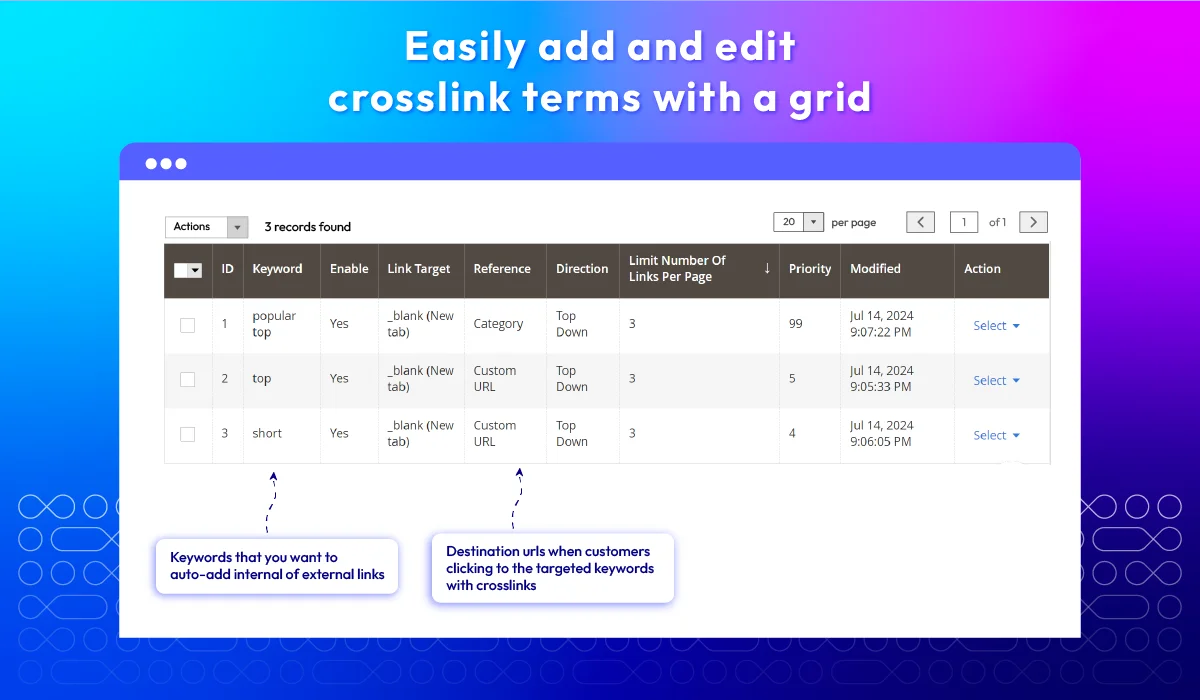
| Cross Link | |||
| Create/Edit/Delete crosslinks to insert to keywords | |||
| Restrict the number of keywords to insert cross links | |||
| Choose the displayed type of content when click to cross links | |||
| Select type to insert cross links: Top-Down, Down-Top or Random | |||
| Set priority for terms to insert cross links | |||
| Image Optimizer Function | |||
| Optimize multiple image types | |||
| Image Optimization Quality - Lossless or Lossy | |||
| Automated optimization process | |||
| Back up original images | |||
| Included and excluded image directories | |||
| Force File Permission | |||
| Record, requeue and restore optimized images | |||
| Bulk images compress | |||
| Manual images compress | |||
| Command line supported | |||
| Other Features | |||
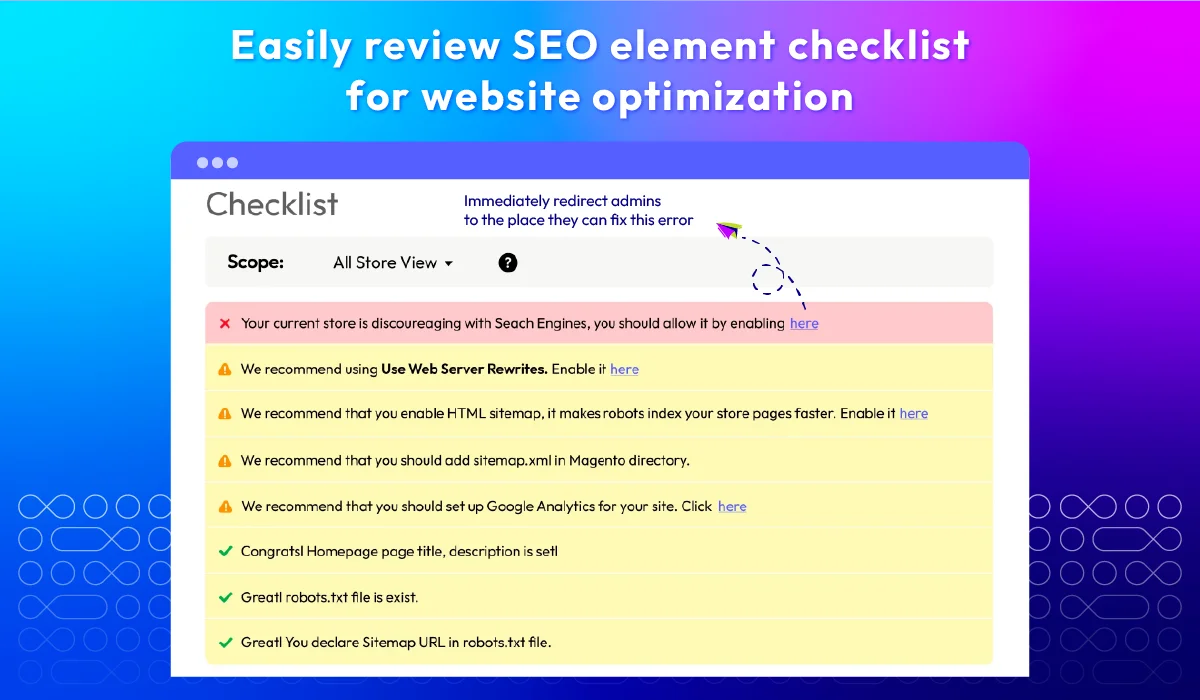
| SEO Checklist | |||
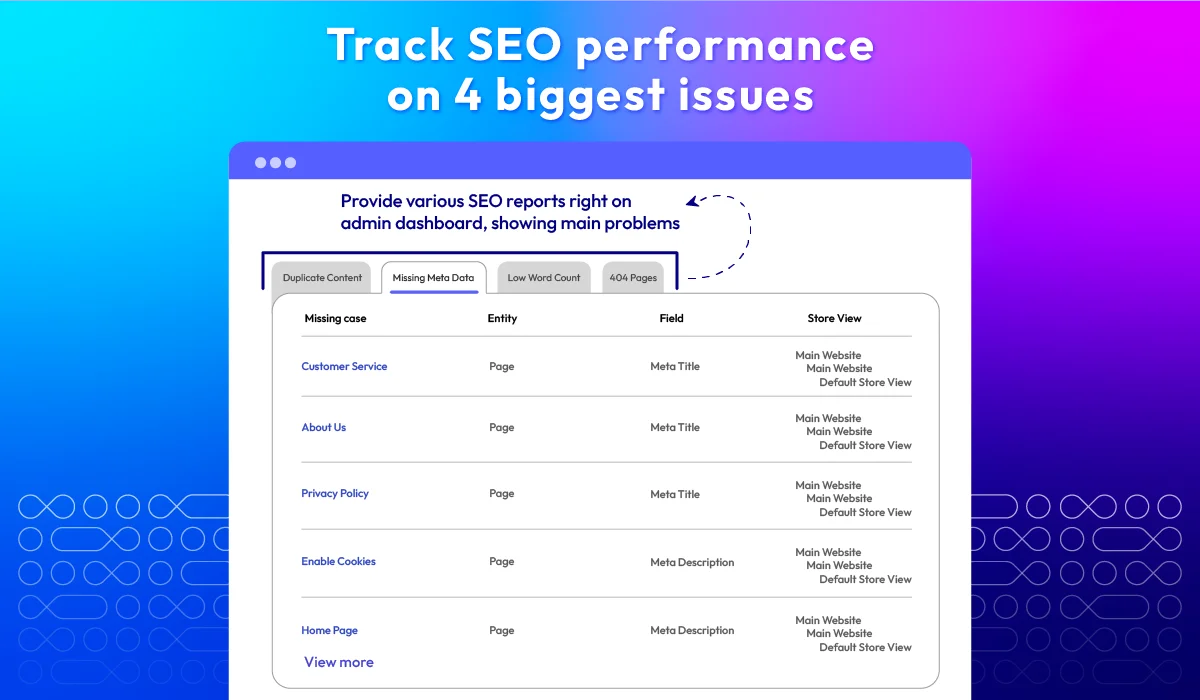
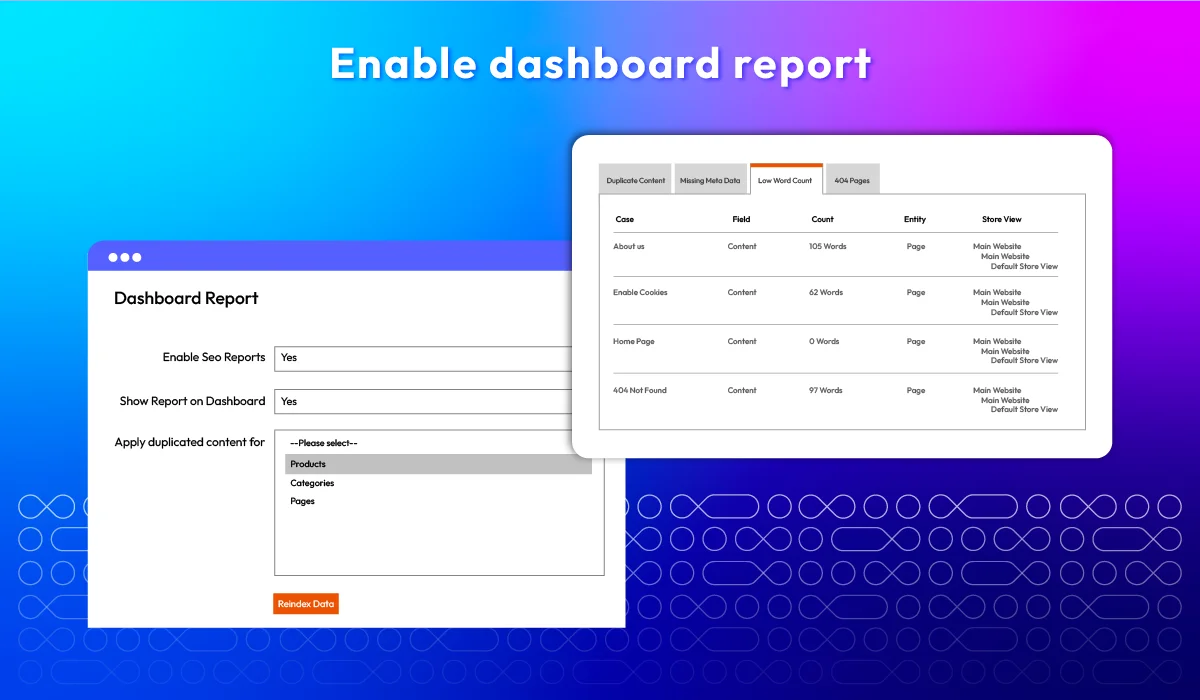
| SEO Report | |||
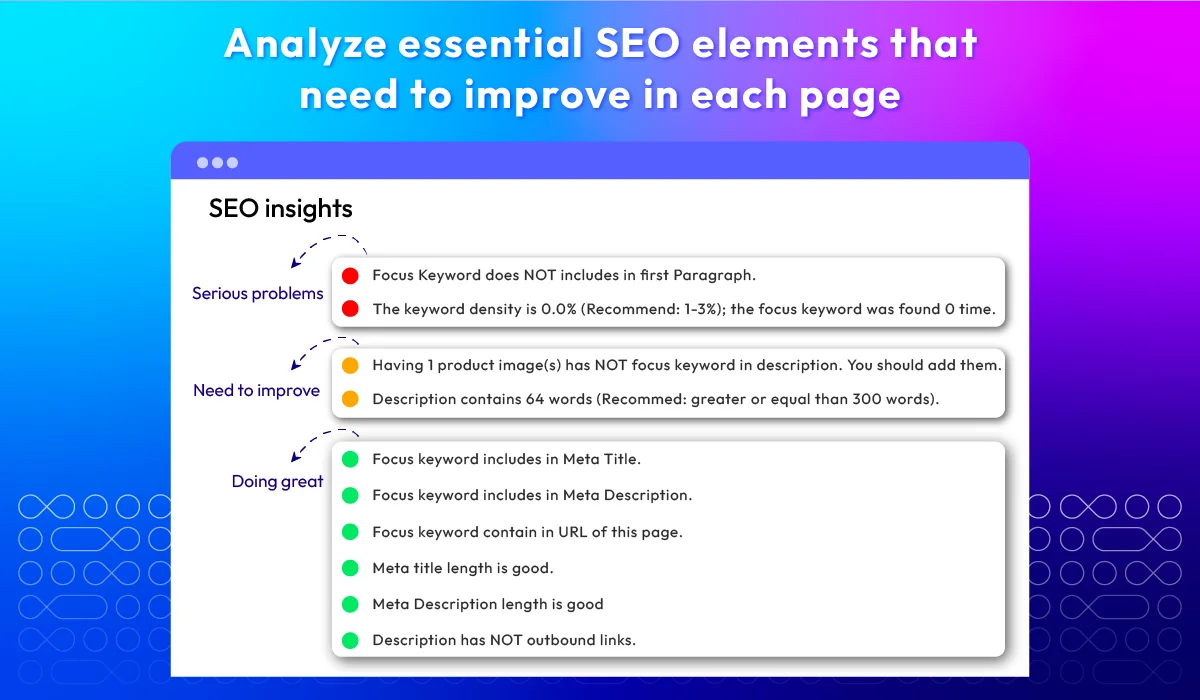
| Page Analysis | |||
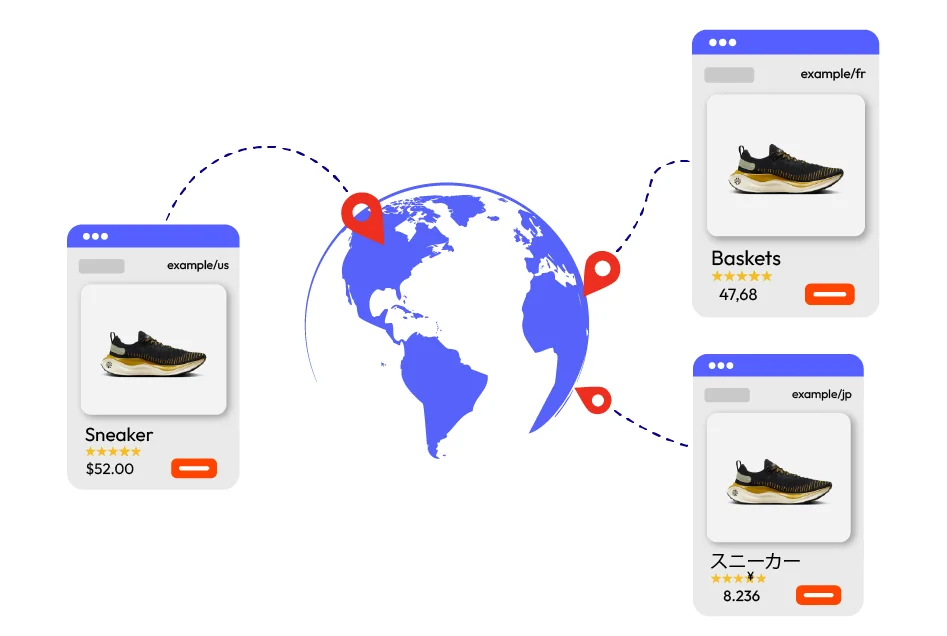
| Hreflang Tags | |||
| Support | |||
| Support multiple stores | |||
| Support multiple languages | |||
| Fully compatible with Mageplaza extensions | |||
| 1-year free support | |||
| 1-year free update | |||
| 60 days money back guarantee |
All features
Canonical Tags
Cross-linking ProUlt
SEO templates Pro
Layered navigation SEO Pro
Rich snippets
Hreflang tags ProUlt
Breadcrumbs
HTML & XML sitemap Pro
Automatic redirects Pro
SEO reports ProUlt
SEO Analysis ProUlt
SEO checklist ProUlt
GraphQL API compatibility
SEO configuration service
What customers say about us

Release notes
-
v4.4.6 (Magento v2.4.x)
06 July 2025
Professional:
- New Upgrade: Upgrade Site Map v4.4.3
-
v4.4.5 (Magento v2.4.x)
23 May 2025
Professional:
- Bug Fix: Fixed for Hyva - Issue when use child of Hyva theme
-
v4.4.4 (Magento v2.4.x)
15 April 2025
Standard:
- Compatibility: Now compatible with Magento 2.4.8
Professional:
- Compatibility: Now compatible with Magento 2.4.8
- Update: Module Seo Url to v4.2.1
Ultimate:
- Compatibility: Now compatible with Magento 2.4.8
- Update: : Module Image Optimizer to v4.1.6
- Update: Module Lazy Loading to v4.0.6
-
v4.4.3 (Magento v2.4.x)
20 November 2024
Professional:
- Bug Fix: Fixed bug passing null on the user interface, customers are unable to navigate to the second page.
-
v4.4.2 (Magento v2.4.x)
16 July 2024
Professional:
- New Update: SEO-Friendly URL v4.1.4
Ultimate:
- New Update: Image Optimizer v4.1.5
-
v4.4.1 (Magento v2.4.x)
27 June 2024
Professional:
- Bug Fix: Fixed can’t open deep categories (>=4)
-
v4.4.0 (Magento v2.4.x)
04 May 2024
Standard:
- Compatibility: Now compatible with Magento 2.4.7
- Update: Optimize Configuration
Professional:
- Compatibility: Now compatible with Magento 2.4.7
- Update: Optimize Configuration
Professional:
- New Feature: Add Active From Date, Active To Date in Cross Link
- New Feature: Exclude cross links for a page in Cross Link
- Compatibility: Now compatible with Magento 2.4.7
- Update: Optimize Configuration
-
v4.3.1 (Magento v2.4.x)
18 March 2024
- [Standard]
- Compatibility: The extension is now compatible with Hyva theme.
- Bug Fix: We fixed the issue with the meta title.
- [Professional]
- Compatibility: The extension is now compatible with Hyva theme.
- Bug Fix: We fixed the issue with Seo rule in Magento EE.
- [Ultimate]
- Compatibility: The extension is now compatible with Hyva theme.
- Bug Fix: We fixed the issue with Crosslinks manager in Magento EE.
- [Standard]
-
v4.3.0 (Magento v2.4.x)
28 November 2023
- New Update: We added Rich Google Map for structure data
- New Update: We added Breadcrumbs for structure data
- New Update: We added business hours for structured data
- New Update: We added Social Profiles
- New Update: We added an attribute for SEO rule
- New Update: We added import links for cross-link
-
v4.2.3 (Magento v2.4.x)
26 April 2023
- Compatibility: The extension is now compatible with Magento 2.4.6
-
v4.2.2 (Magento v2.4.x)
13 February 2023
- Compatibility: The extension is now compatible with PHP 8.1
- Compatibility: The extension is now compatible with Magento 2.4.5p1
-
v4.2.1 (Magento v2.4.x)
04 November 2022
- Compatibility: The extension is now compatible with Magento 2.4.5
-
v4.2.0 (Magento v2.4.x)
24 June 2022
- Improved Sitemap feature (SEO Pro)
- Updated business type and structure data
- Compatible with Magento v2.4.4
- Fixed minor bugs
-
v2.3.0 (Magento v2.3.x)
24 June 2022
- Improved Sitemap feature (SEO Pro)
- Updated business type and structure data
- Fixed minor bugs
-
v4.1.5 (Magento v2.4.x)
25 February 2022
- Update Seo Tool URL
- Fix minor bugs
-
v2.2.9 (Magento v2.3.x)
25 February 2022
- Update Seo Tool URL
- Fix minor bugs
-
v4.1.4 (Magento v2.4.x)
28 December 2021
- Compatible with Magento v2.4.3-p1
- Fixed minor bugs
-
v2.2.8 (Magento v2.3.x)
28 December 2021
- Compatible with Magento v2.3.7
- Fixed minor bugs
-
v4.1.3 (Magento v2.4.x)
16 November 2021
- Fix minor bugs
-
v2.2.7 (Magento v2.3.x)
16 November 2021
- Fix minor bugs
-
v4.1.2 (Magento v2.4.x)
13 September 2021
- Compatible with Mageplaza Shop By Brand
- Fixed minor bugs
-
v2.2.6 (Magento v2.3.x)
13 September 2021
- Compatible with Mageplaza Shop By Brand
- Fixed minor bugs
-
v4.1.1 (Magento v2.4.x)
07 July 2021
- Fixed minor bugs
-
v2.2.5 (Magento v2.3.x)
07 July 2021
- Compatible with Magento v2.3.7
- Fixed minor bugs
-
v4.1.0 (Magento v2.4.x)
01 April 2021
- Compatible with Magento v2.4.2
- Fixed show review star on the product page when enabling Product Structured Data.
- Fixed remove fixed value rating of Product Structured Data.
- Fixed minor bugs
-
v4.0.0 (Magento v2.4.x)
02 November 2020
- Supported Magento v2.4.0
-
v2.2.4 (Magento v2.3.x)
23 June 2020
- Added Mageplaza Image Optimizer to Ultimate package
- Compatible Sitemap feature with magento v2.3.5
-
v2.2.3 (Magento v2.3.x)
27 May 2020
- Compatible with Magento 2.3.5
-
v2.2.2 (Magento v2.3.x)
23 April 2020
- SEO Pro: Fixed canonical link error
-
v2.2.1 (Magento v2.3.x)
14 February 2020
- Fixed minor bugs
Frequently Asked Questions
The module contributes greatly to the store visibility, contributing to site search optimization and determining whether customers can find your website on search engines. It helps improve your website's rankings to grab people's attention, so more visitors come to your store, increasing the chances of selling products.
Magento SEO Plugin works by providing a variety of features and tools to help Magento 2 store owners improve their website's SEO. Here's how it works: optimize on-page elements for SEO, improve content quality by preventing duplicate content, add rich snippets for better structure, and track SEO efficiency via reports and analytics.
You can add meta descriptions by accessing the Metadata Configuration in the SEO plugin. Follow this guide to instantly add meta descriptions.
The SEO extension for Magento 2 is well compatible with Layered Navigation , SEO-friendly URL , Google Tag Manager , Advanced Reports .
SEO is a popular marketing method and suitable for businesses that are working in the long run. It usually takes from 3 to 6 months for SEO to work.
Store owners should start implementing SEO Toolkit Pro during the website design process to accelerate good results.
Here are some tips for using a Magento SEO extension effectively:
- Use the extension to optimize your product titles, descriptions, and meta tags.
- Create high-quality content relating to your target keywords.
- Use images and videos on your website, and make sure to optimize them for SEO.
- Build backlinks to your site from reputed websites.
- Regularly check reports to monitor your website's SEO performance and make adjustments in time.
Meta tags, including the title, description, and language, offer information about a webpage and can enhance its click-through rate in search results. In contrast, meta keywords no longer have an impact on most major search engines like Google and can even be considered as a spam signal that hurts your SEO efforts.
So, we recommend prioritizing meta tags optimization as they continue to impact your site's performance in search results, while meta keywords have lost their significance.
The answer is yes, using a URL that includes keywords can improve your site's search visibility. To optimize a URL, you can use the SEO-Friendly URL for Magento 2 extension.
Yes — we provide a full technical and content SEO audit with prioritized recommendations. Request it here.
Yes, SEO Extension is compatible with Hyva theme. However, the checkout only supports hyva-themes/magento2-theme-fallback. To learn how to enable checkout on Hyva, please follow this guide.
Mageplaza provides FREE Hyva Checkout Compatibility for all of our extensions upon requests. You can request by contacting us via email, live chat, or support ticket. Our team will respond within 24 hours and ask for details such as Order ID, extension name, Magento & Hyva versions, and any special requirements. To qualify, your module subscription must be active. If your subscription has expired, renewal is required as some older modules do not support Hyva. Additional customization requests may incur extra costs, and our team will inform you before proceeding. For assistance, feel free to reach out - we're here to help!
Comparison
| Features | Mageplaza | Other Providers |
|---|---|---|
| Duplicate content prevention | |
|
| Rich snippet | |
|
| Rich google map | |
 |
| Hreflang & alternate tags | |
|
| Metadata templates | |
|
| HTML/ XML sitemaps | |
|
| Canonical tags | |
|
| Cross-linking | |
|
| Layered navigation | |
|
| Robots metadata | |
|
| Alt tags generator | |
|
| Social profile linking | |
|
| SEO-friendly URLs | |
|
| SEO reports | |
|
| SEO analysis | |
|
| SEO checklist | |
|
| SEO toolbar | |
|
| Auto-redirect 404 pages | |
|
| Template preview | |
|
| Error email | |
|
| Automate URL rewrites regeneration | |
|
Pricing
Standard
$99 first year
Professional
Ultimate
$349 first year