 2.4.4 - 2.4.8

 Theme
Theme
Magento 2 Size Chart Extension
v4.0.7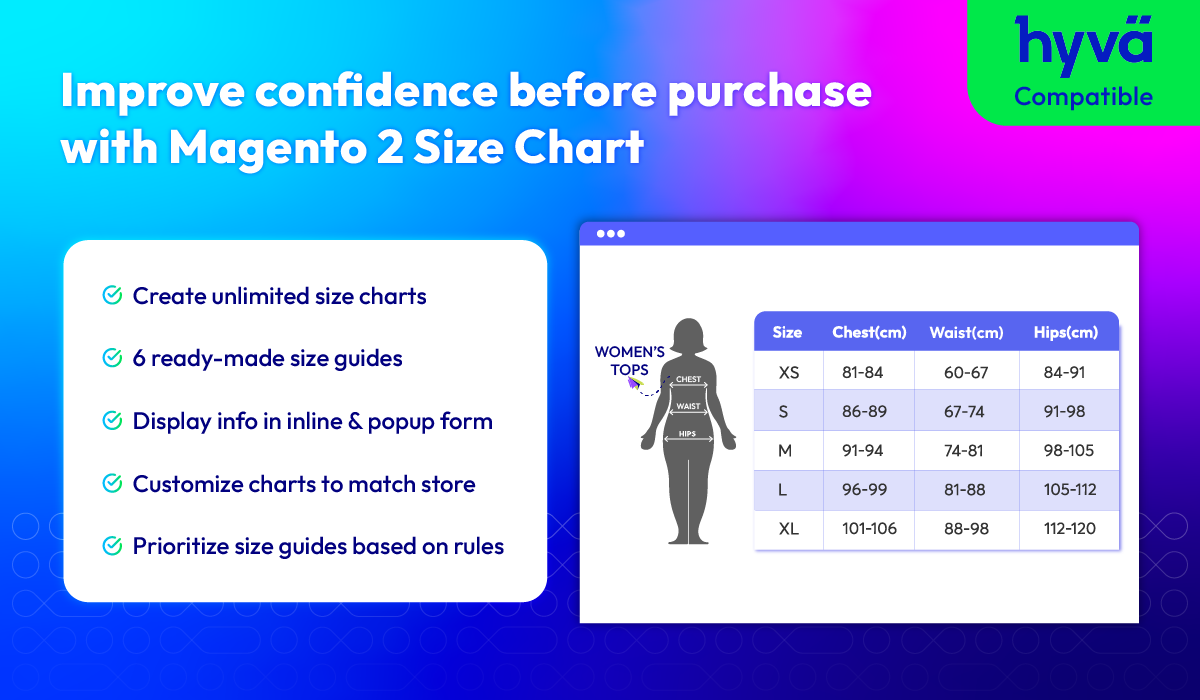
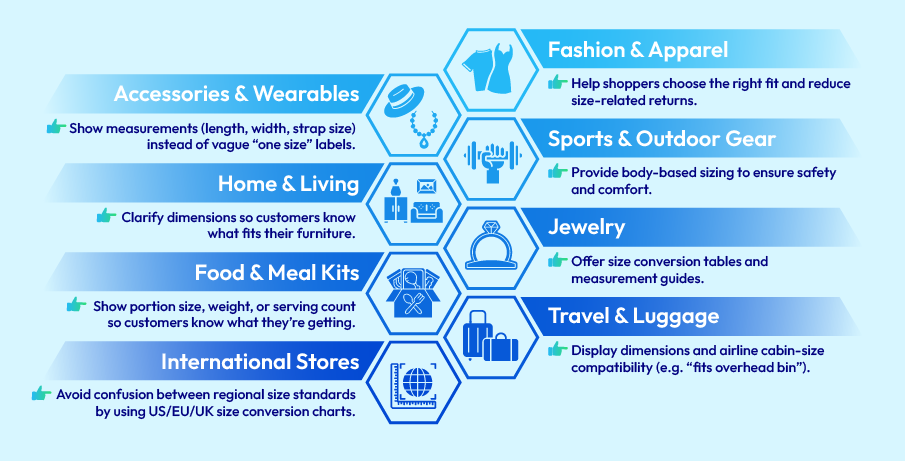
Size Charts that fit every business
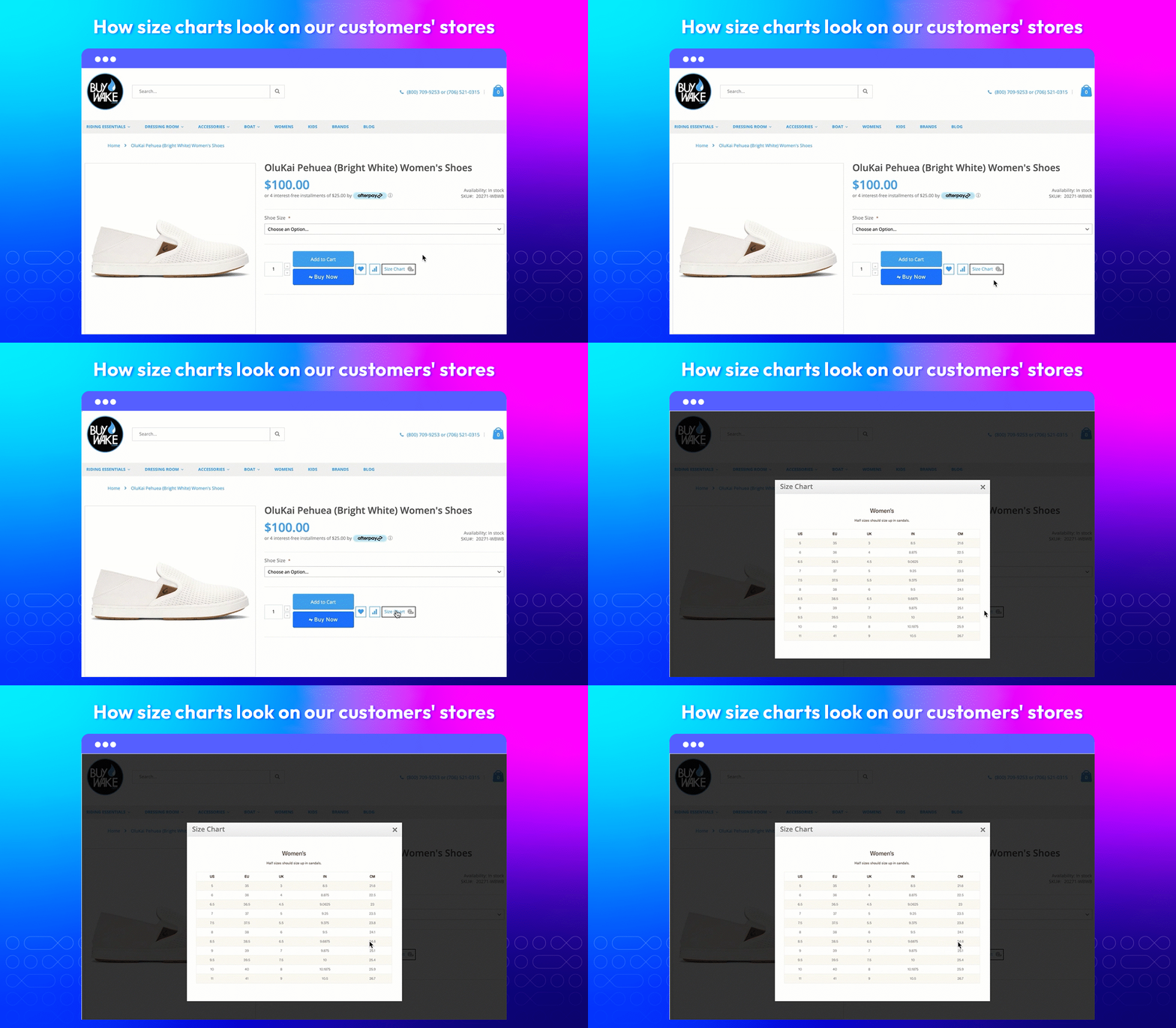
Place size charts everywhere
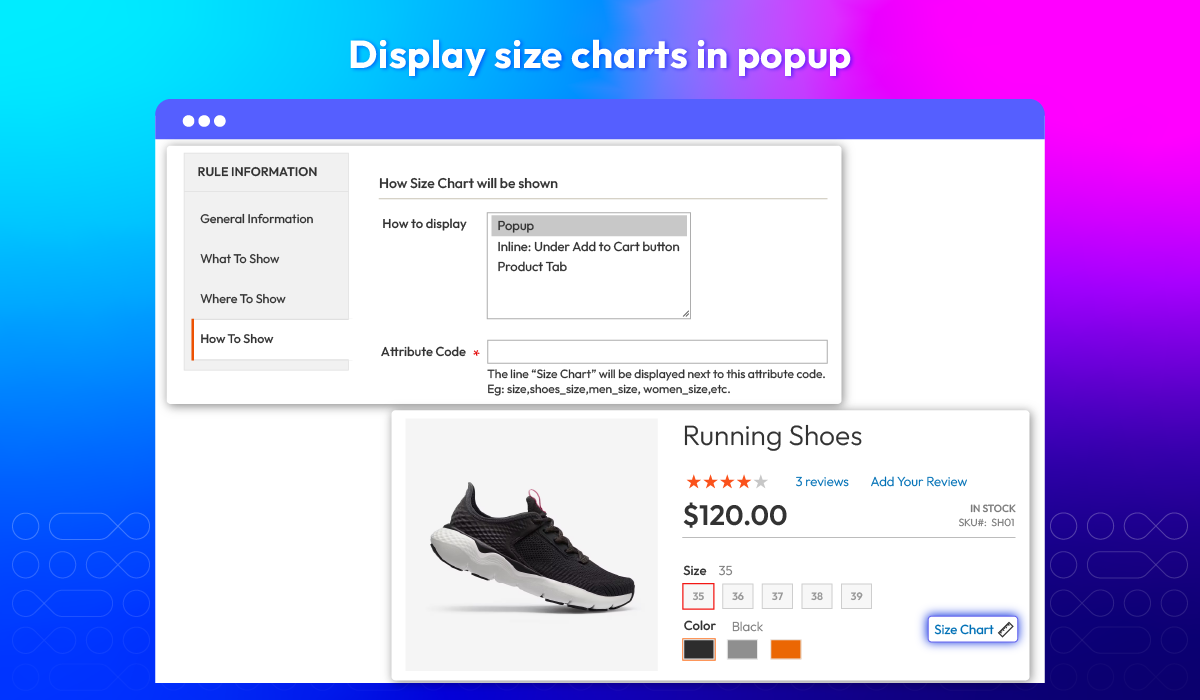
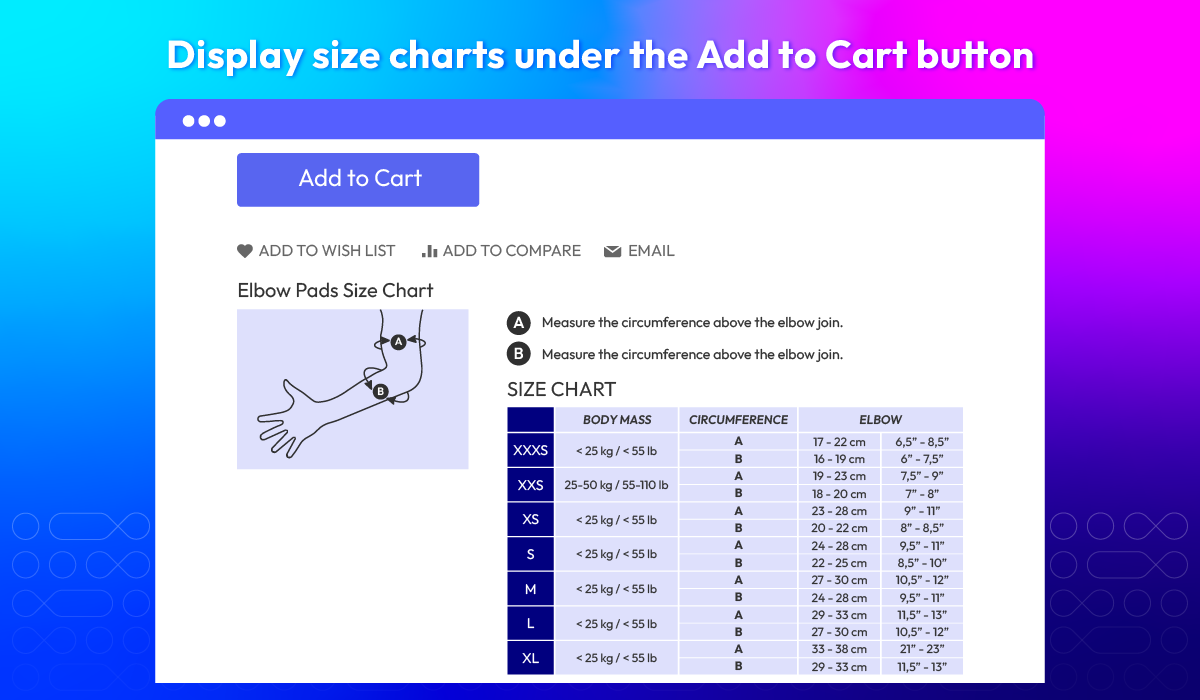
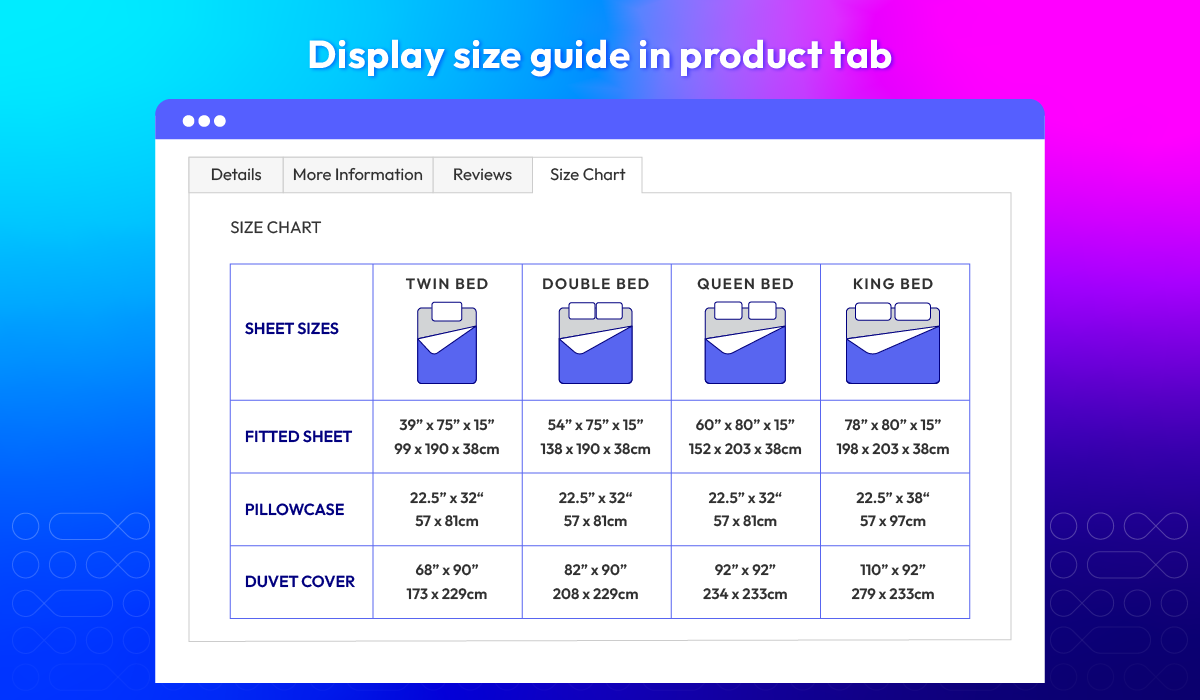
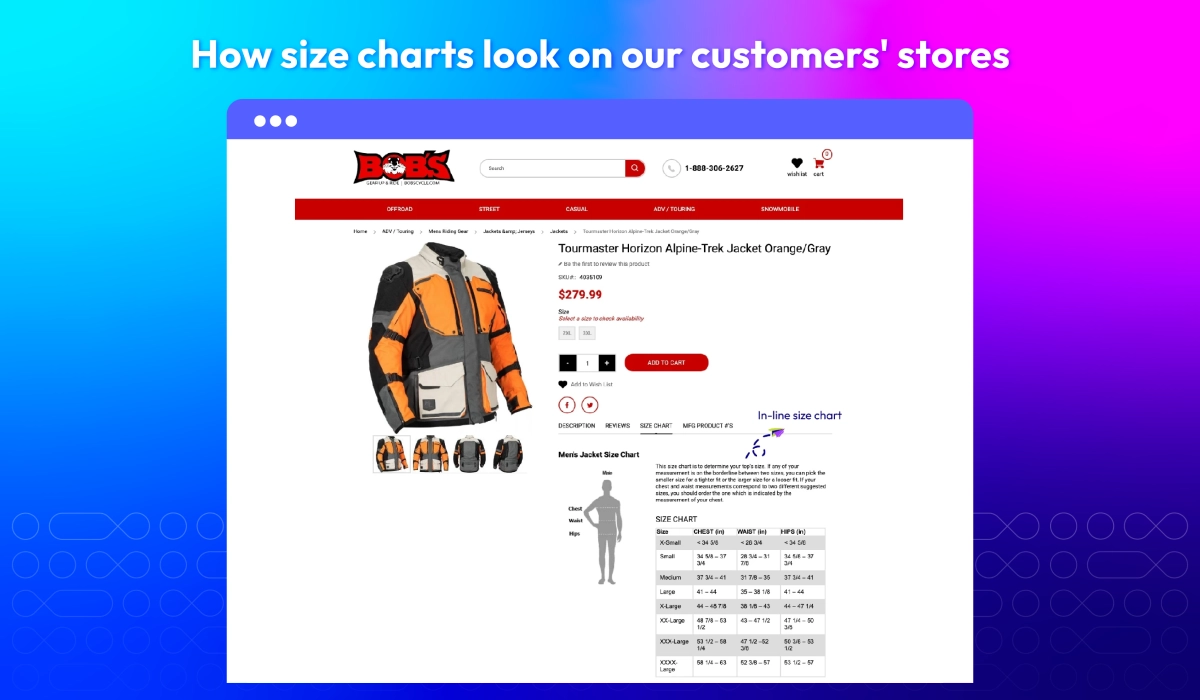
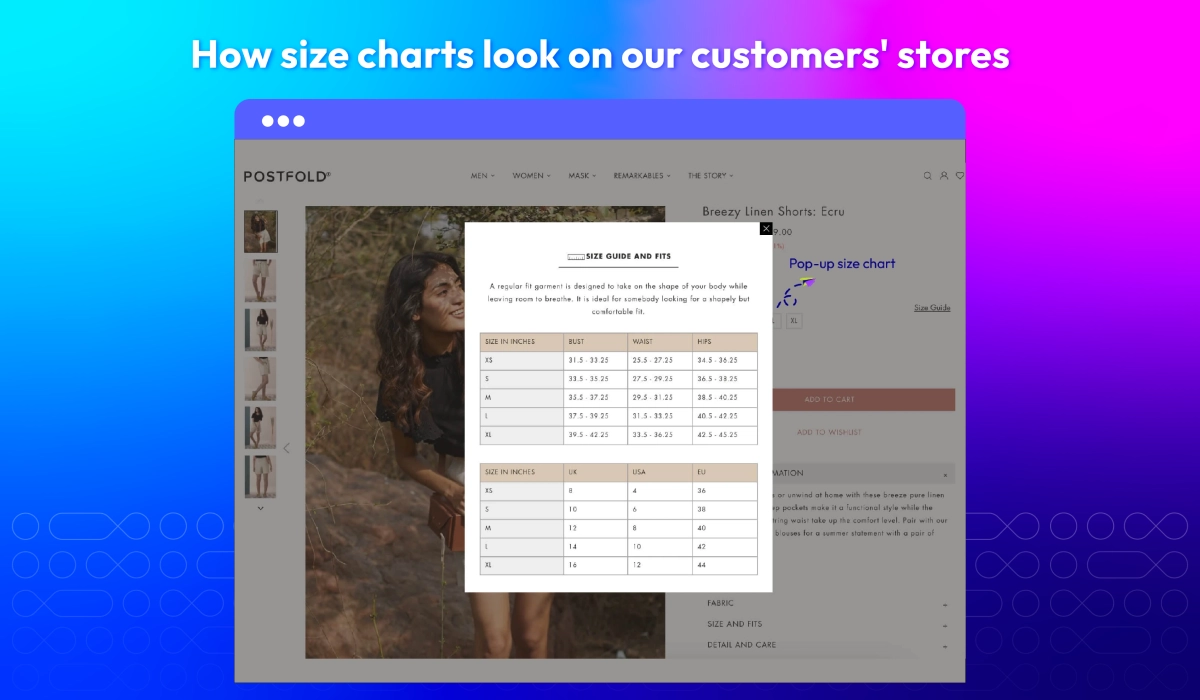
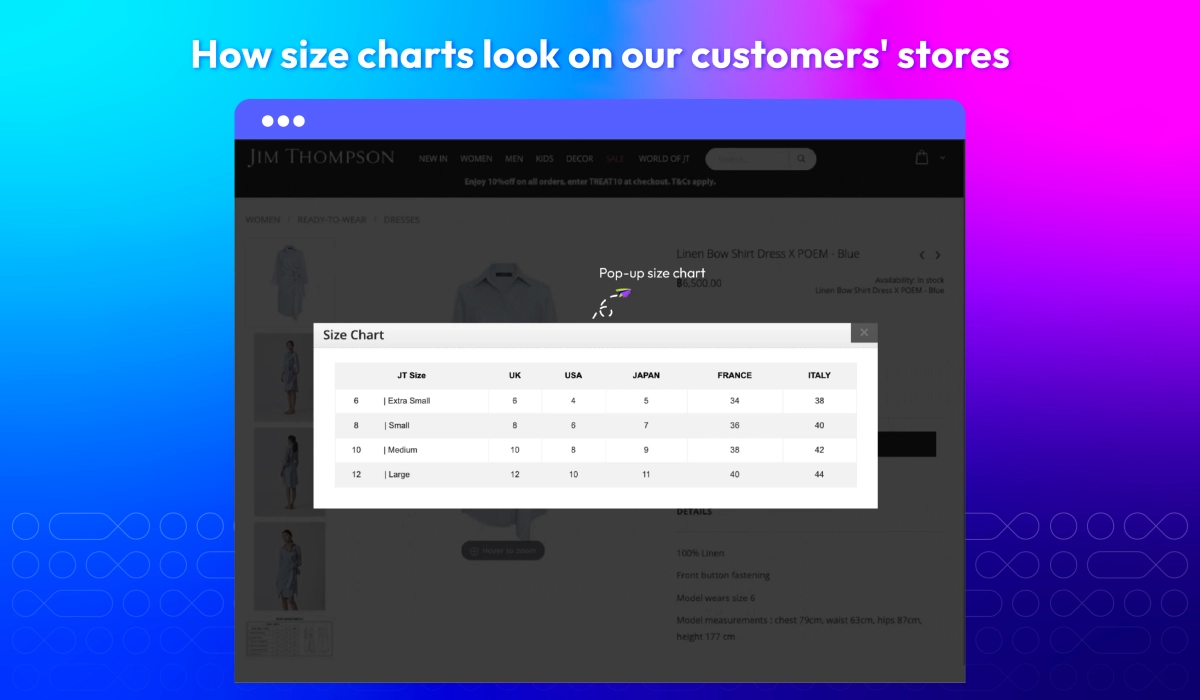
Magento 2 Size Chart extension provides the flexibility to present sizing information that best fits your store design and customer behavior: inline size charts for instant visibility, popup charts for a clean layout with on-demand access, or a dedicated product tab for well-organized details.
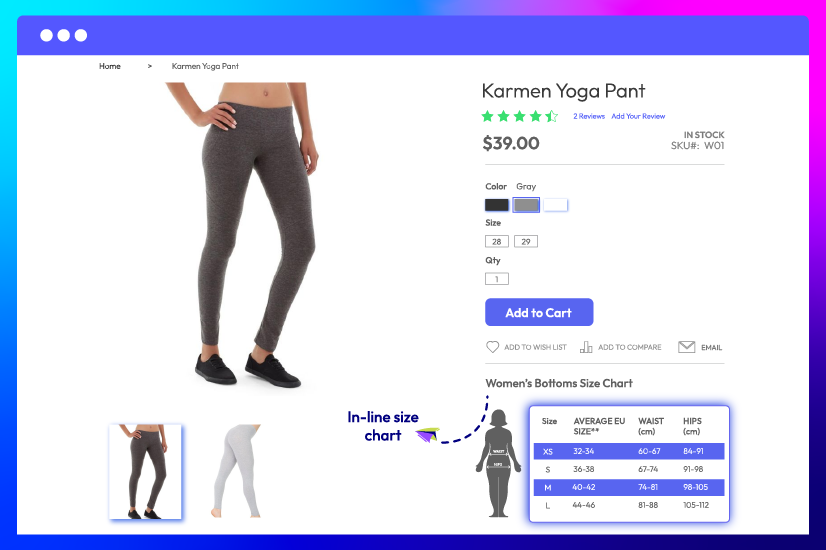
Inline size charts
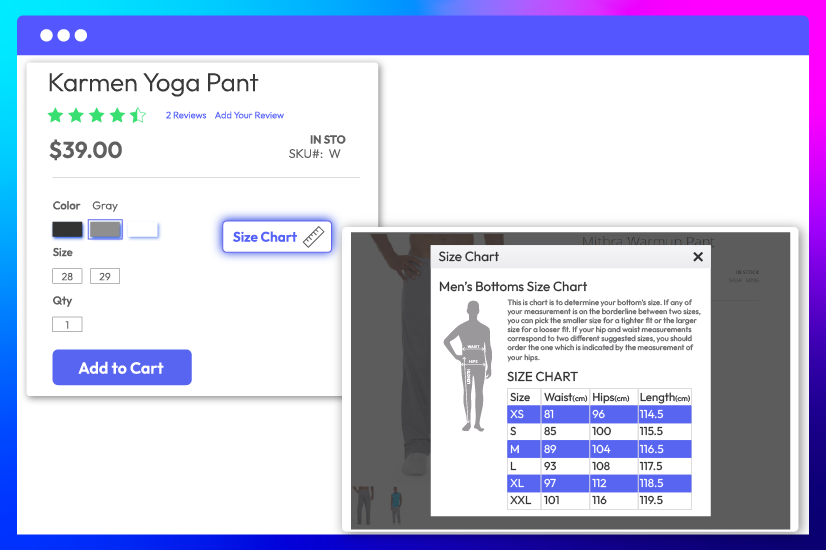
Popup size charts
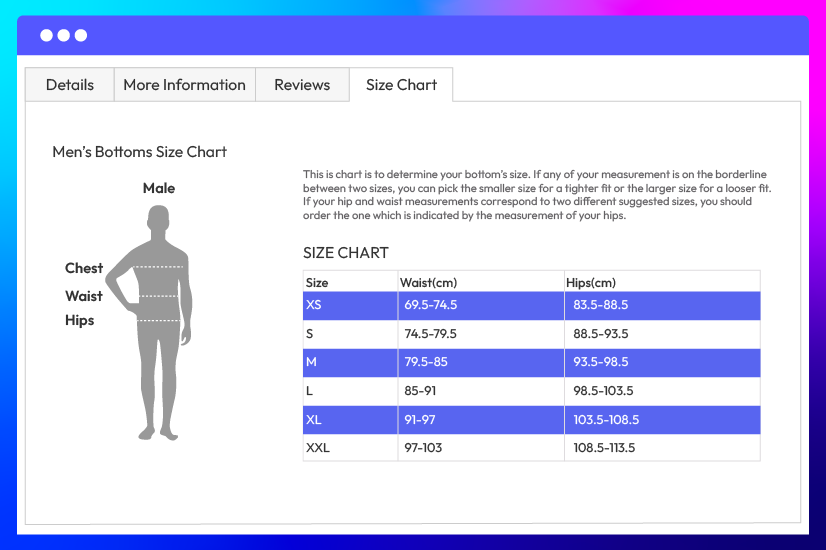
Show size guides in product tabs
Design size guides that fit your brand
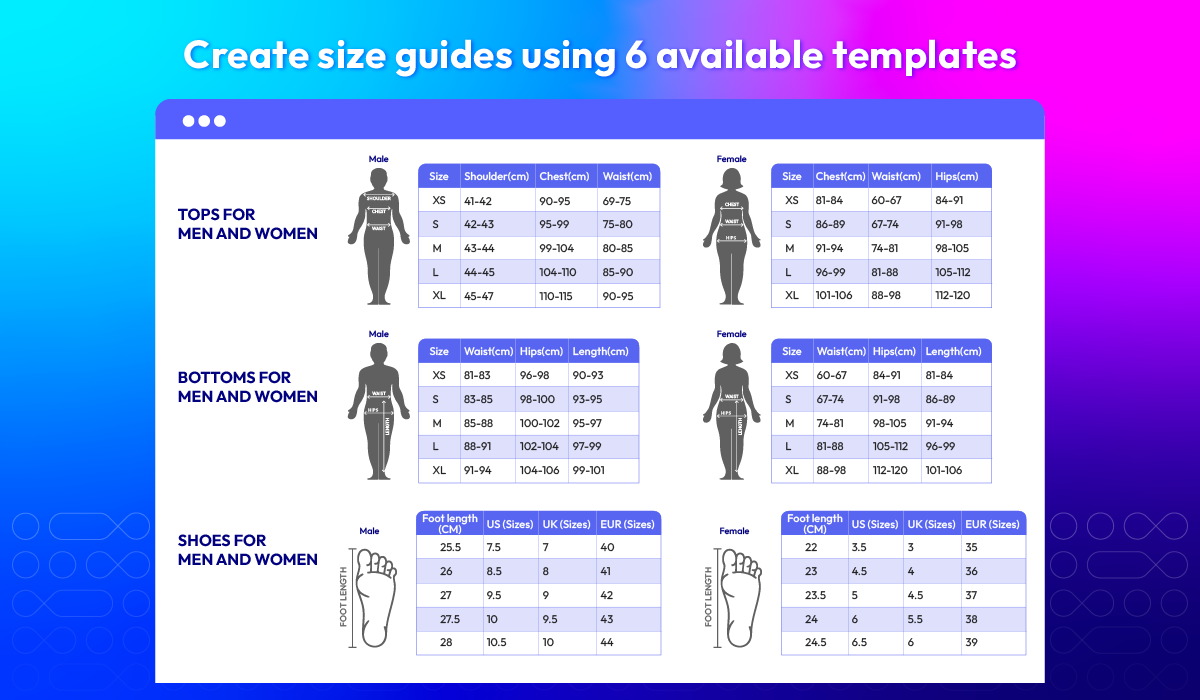
By using Mageplaza Size Chart module for Magento 2, you can get ready-made templates for quick setup and custom templates for full design flexibility. Your size charts may look right, feel native, and easy to build customer confidence.
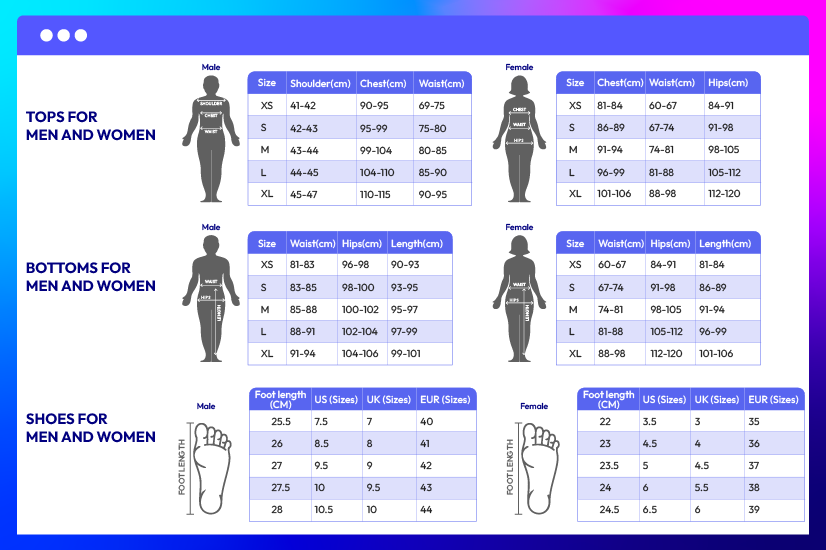
6 ready-made templates

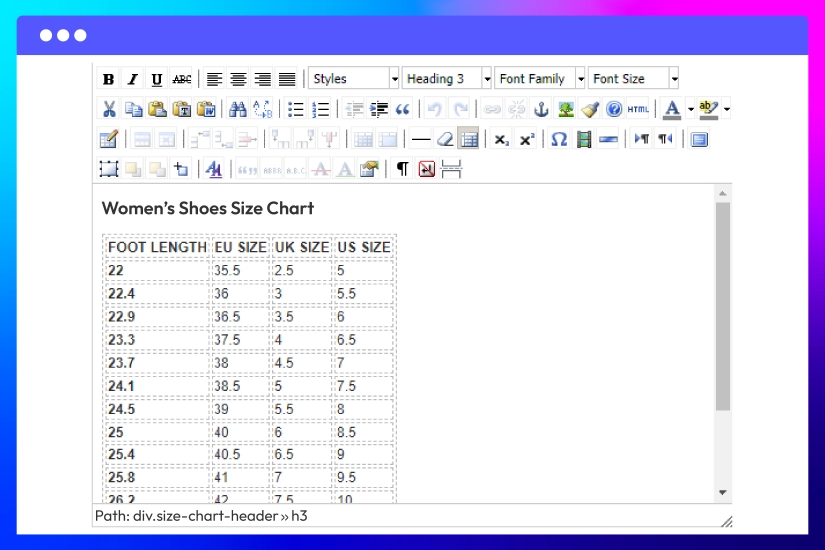
Custom your own size templates
Other Helpful Features of Magento 2 Size Chart module
Size chart name
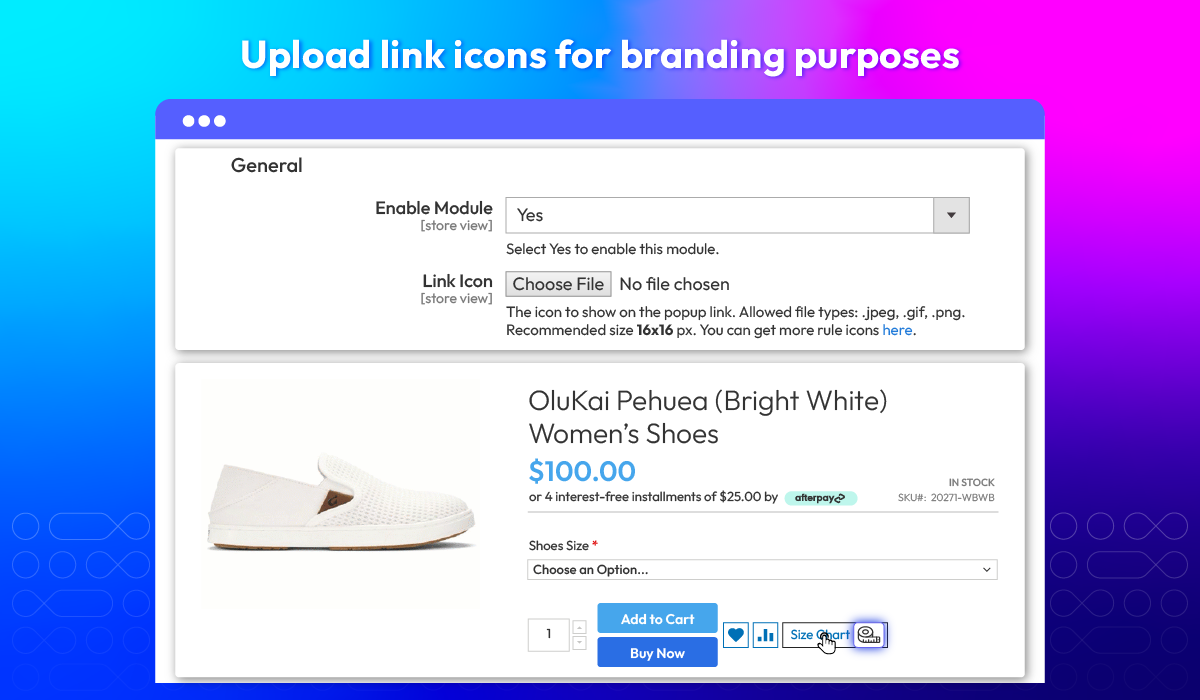
Upload icon
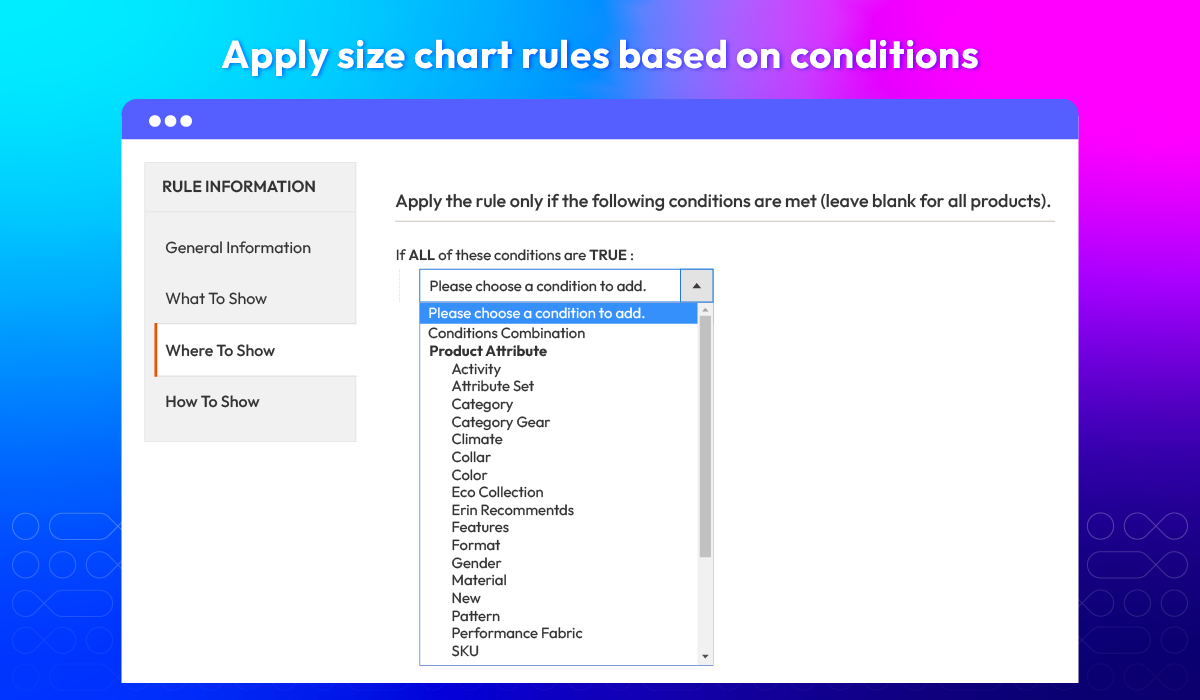
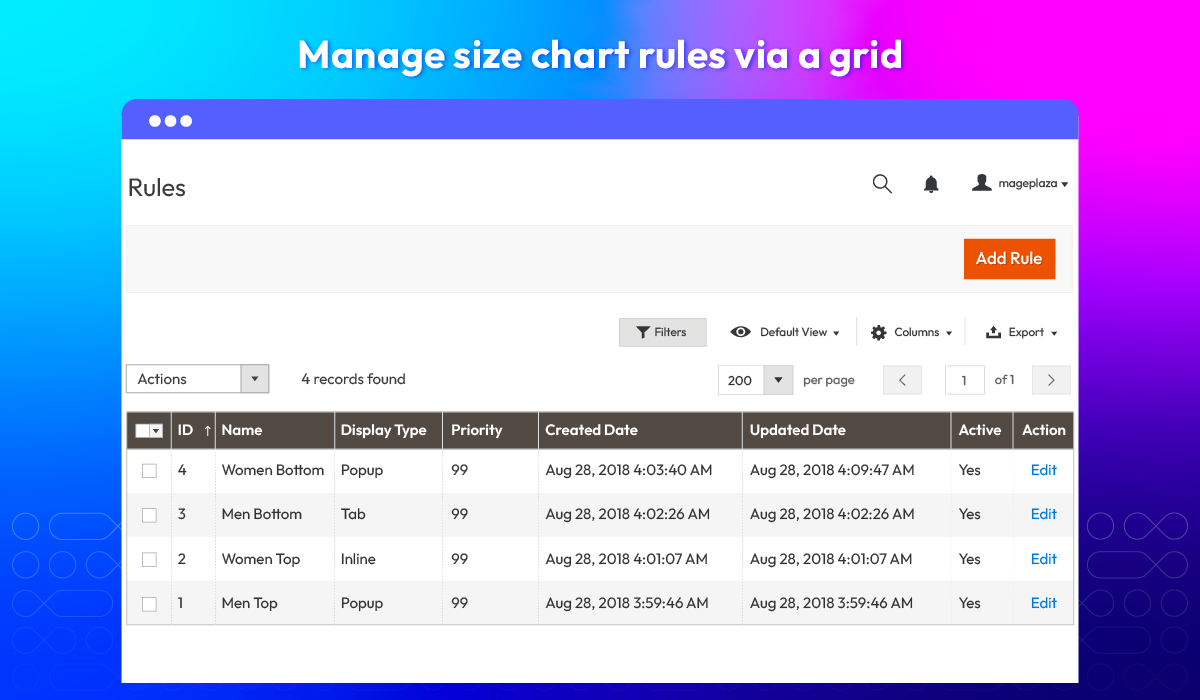
Set rule priority
Multi-stores support
Assign size guides to products or categories
What customers say about us

Release notes
-
v4.0.7 (Magento v2.4.x)
07 May 2025
- Compatibility: Now compatible with Magento 2.4.8
-
v4.0.6 (Magento v2.4.x)
17 December 2024
- Compatibility: Now compatible with Hyva theme
- Compatibility: Now compatible with Magento 2.4.7
-
v4.0.5 (Magento v2.4.x)
31 August 2023
- Migrate install/upgrade scripts to declarative schema
- Fixed some minor bugs
-
v4.0.4 (Magento v2.4.x)
23 June 2023
- Compatible with Magento v2.4.6
- Fixed some minor bugs
-
v4.0.3 (Magento v2.4.x)
10 July 2022
- Compatible with Magento v2.4.4
- Fixed bug: Size Chart still applied while being disabled
-
v1.2.4 (Magento v2.3.x)
10 July 2022
- Fixed bug: Size Chart still applied while being disabled
-
v1.2.3 (Magento v2.3.x)
26 October 2021
- Compatible with Magento 2.3.7
- Fix some minor bugs
-
v4.0.2 (Magento v2.4.x)
26 October 2021
- Fix some minor bugs
-
v4.0.1 (Magento v2.4.x)
06 June 2021
- Compatible with Magento v2.4.2
- Fix minor bugs
-
v1.2.2 (Magento v2.3.x)
06 June 2021
- Fix some minor bugs
-
v4.0.0 (Magento v2.4.x)
01 October 2020
- Supported Magento v2.4.0
-
v1.2.1 (Magento v2.3.x)
28 May 2020
- Compatible with Magento v2.3.5
-
v1.2.0 (Magento v2.3.x)
12 February 2020
- Added RestAPI & GraphQL
- Fixed minor bugs
-
v1.1.1 (Magento v2.3.x)
04 October 2019
Compatible with Magento 2.3
-
v1.1.0 (Magento v2.3.x)
28 August 2018
- Allow showing Size Chart in multiple positions (popup, inline, product tab)
- Improve performance
- Improve UX/UI
-
v1.0.2 (Magento v2.3.x)
21 August 2018
- Fixed errors occurring with required attributes while saving category
- Fixed bug: swatch options don’t show
- Compatible with Mageplaza Frequently Bought Together
- Fixed some minor bugs
-
v1.0.1 (Magento v2.3.x)
24 July 2018
- Update: demo templates
- Fix bug: the swatch attribute is not displayed when Size Chart Popup button is enabled
-
v1.0.0 (Magento v2.3.x)
20 July 2018
Release v1.0.0
Frequently Asked Questions
If a product belongs to more than 1 category, the size chart which is displayed for this product will depend on the path leading to it. Rules which have higher priority will be displayed. Refer our user guide for detailed instruction.
Yes! Size chart for product A depends on the category that it directly belongs to. To clarify, all the rules in Manage Rule will be filtered, and only the rule with met conditions and the highest priority will be applied.
In this case, please re-check attribute code and make sure that it’s a swatch or dropdown attribute.
Any! With the support of HTML/CSS, you’re able to add any text, tables, pictures, videos, links, etc, to the size chart.
Yes, Magento 2 Size Chart Extension is compatible with Hyva theme. However, the checkout only supports hyva-themes/magento2-theme-fallback. To learn how to enable checkout on Hyva, please follow this guide.
Mageplaza provides FREE Hyva Checkout Compatibility for all of our extensions upon requests. You can request by contacting us via email, live chat, or support ticket. Our team will respond within 24 hours and ask for details such as Order ID, extension name, Magento & Hyva versions, and any special requirements. To qualify, your module subscription must be active. If your subscription has expired, renewal is required as some older modules do not support Hyva. Additional customization requests may incur extra costs, and our team will inform you before proceeding. For assistance, feel free to reach out - we're here to help!
2.4.4 - 2.4.8
Theme
Pricing
Community
$149 first year
Enterprise/ Magento Cloud