Product image of SMTP
Magento Edition *
Version *
FREE installation Tooltip
Ends in:
03 : 00 : 00 : 00
Get 10% OFF
$0
icon logo magento 2.4.4 - 2.4.8
Tooltip
Hyva logo Theme
Tooltip

SMTP extension for Magento 2

v4.7.20
5.0
(227 reviews)
Read all >
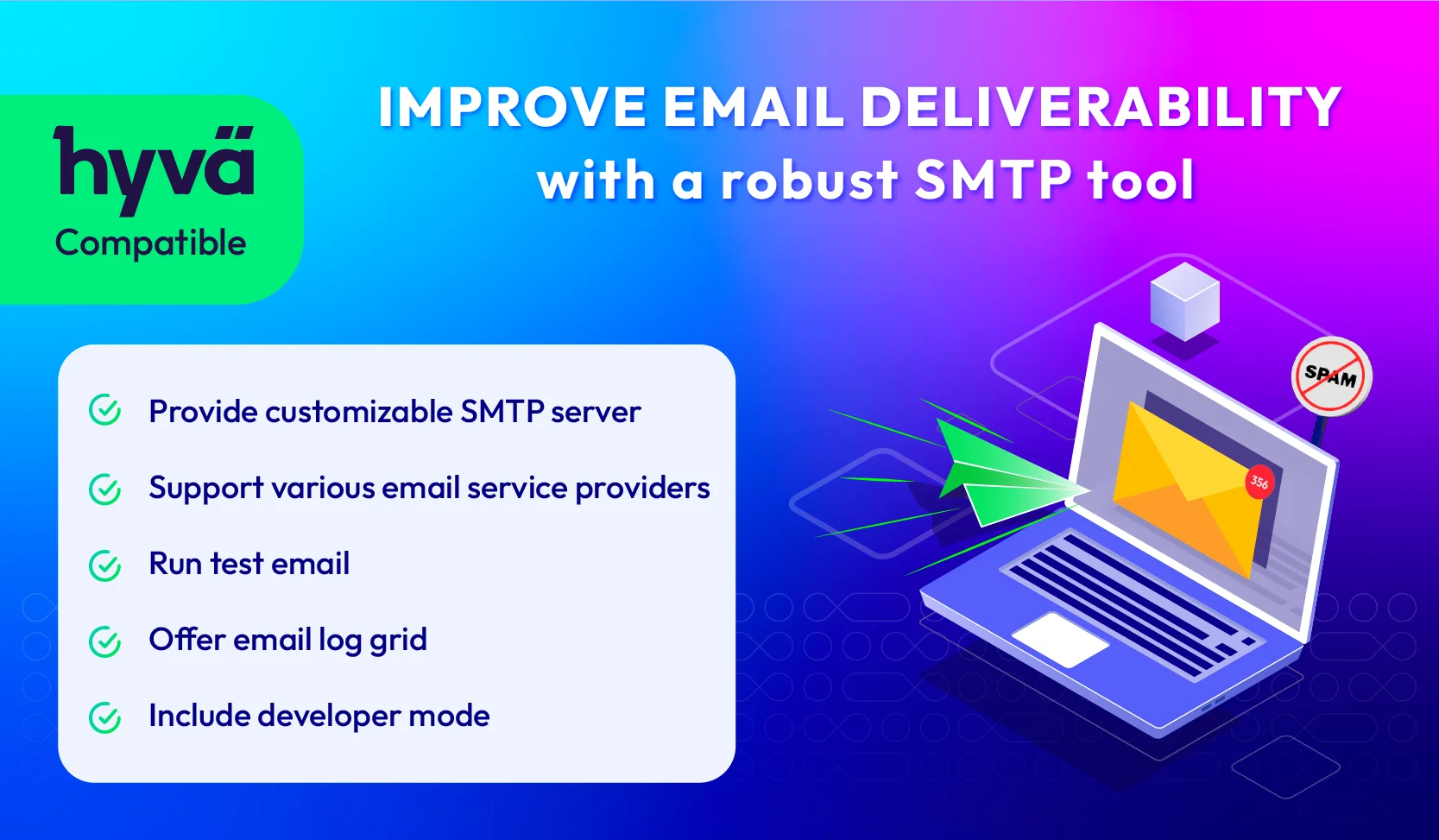
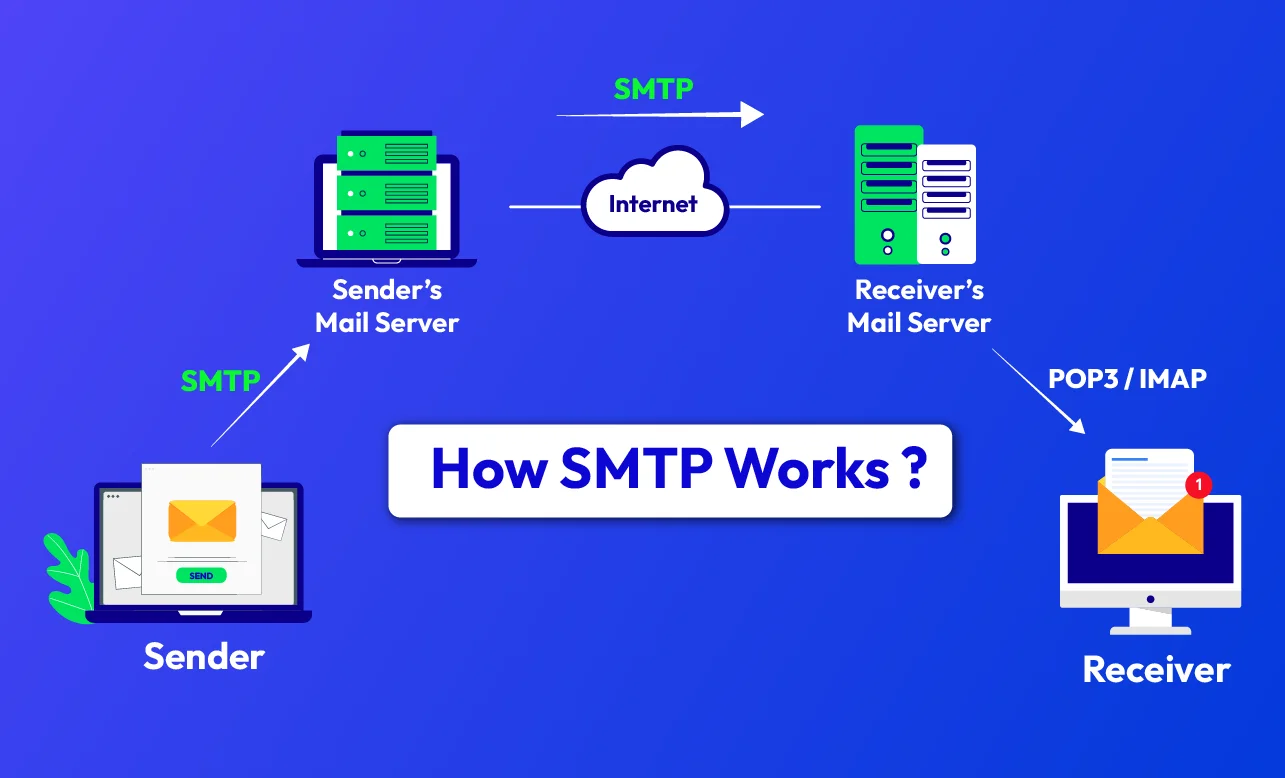
The Magento 2 SMTP extension allows you to use the SMTP (Simple Mail Transfer Protocol) server to send emails. By configuring a dedicated SMTP server, this module helps improve email deliverability and ensures that emails reach customer’s inboxes instead of being marked as spam. Enhance your reputation as a trustworthy sender and increase the efficiency of email marketing campaigns with a powerful SMTP tool now!
tick icon
Compatible with Hyva theme
tick icon
Compatible with Magento 2.4.8
tick icon
Need API/GraphQL for Magento 2 SMTP? Chat now
tick icon
Configure easily with a customizable SMTP server
tick icon
Set up outgoing emails quickly via 30+ SMTP service providers
tick icon
Verify the email credentials using the test email
tick icon
Monitor and track email activity via email logs
tick icon
Use developer mode to control email delivery to the receiver
tick icon
100% FREE, Open-source code
tick icon
Compatible with Mageplaza GDPR, helping stores comply with GDPR
60 days money back guarantee

How SMTP Works

How SMTP Works

Key Features of Magento 2 SMTP

Customizable SMTP server in Magento store
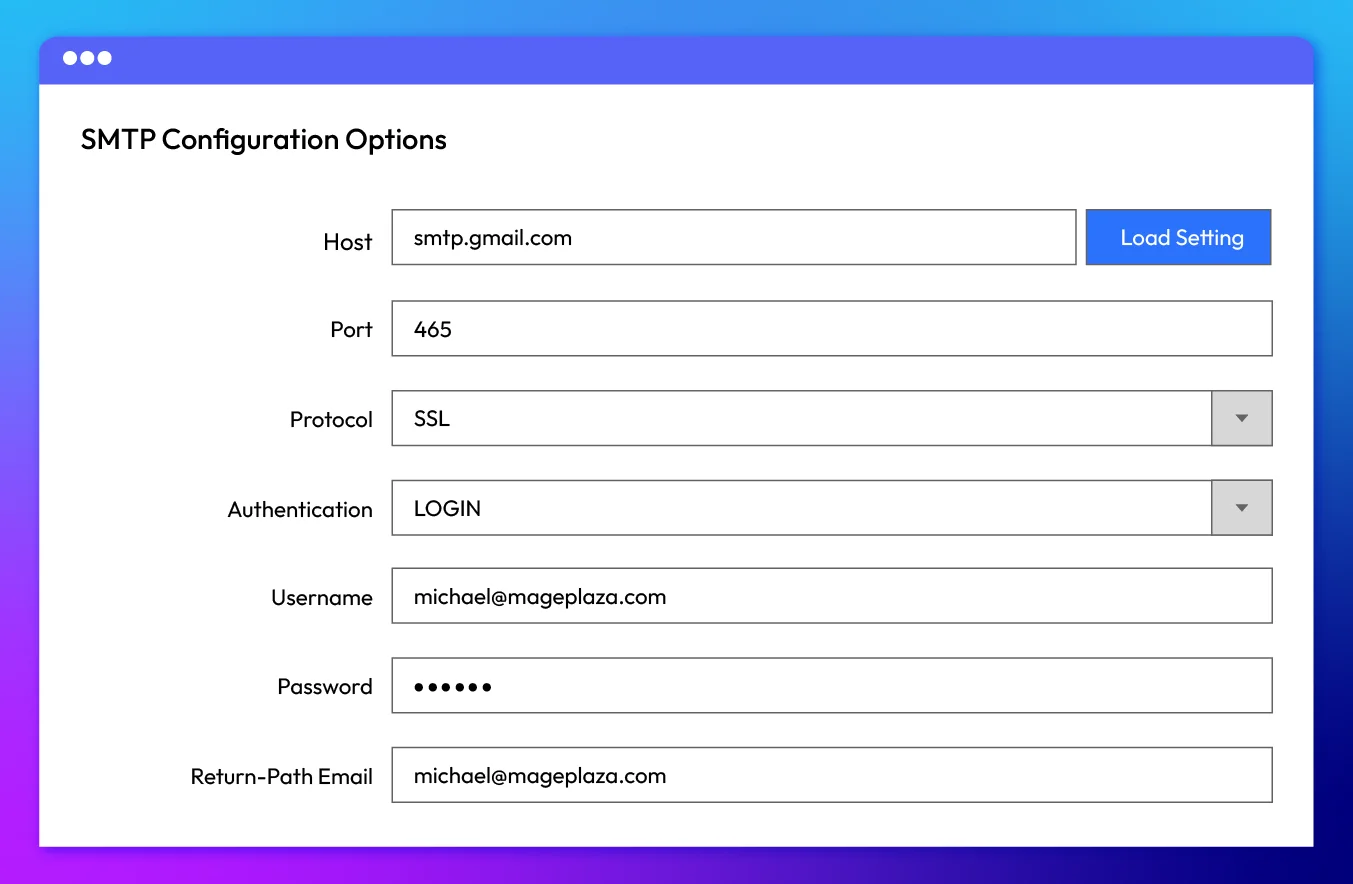
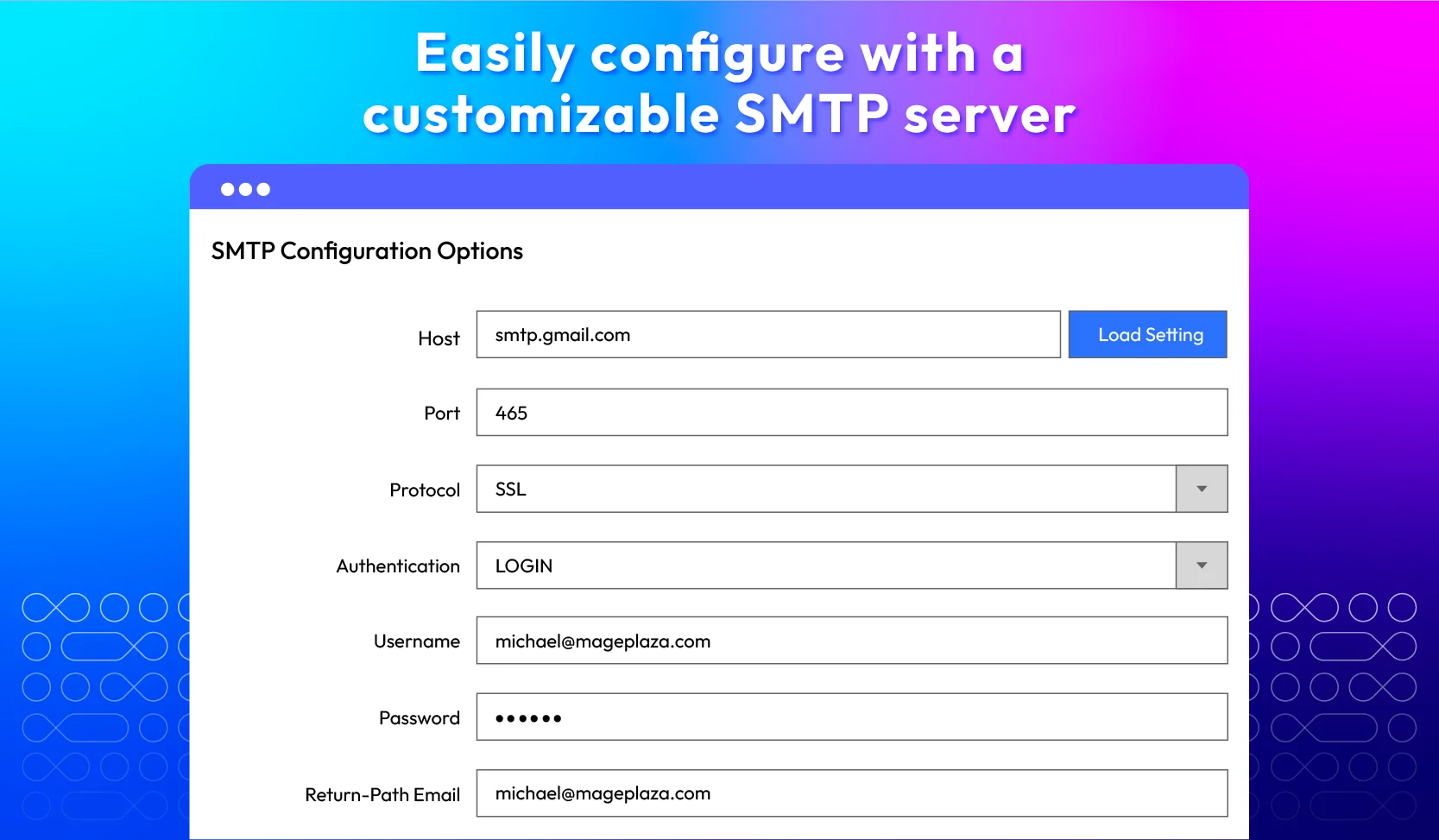
Easily configure and customize Magento 2 SMTP service directly from the admin panel. Mageplaza SMTP extension offers full control over SMTP server settings, including the SMTP host, SMTP port, protocol, authentication, username, password, and return-path email.
Show more
Customizable SMTP server in Magento store
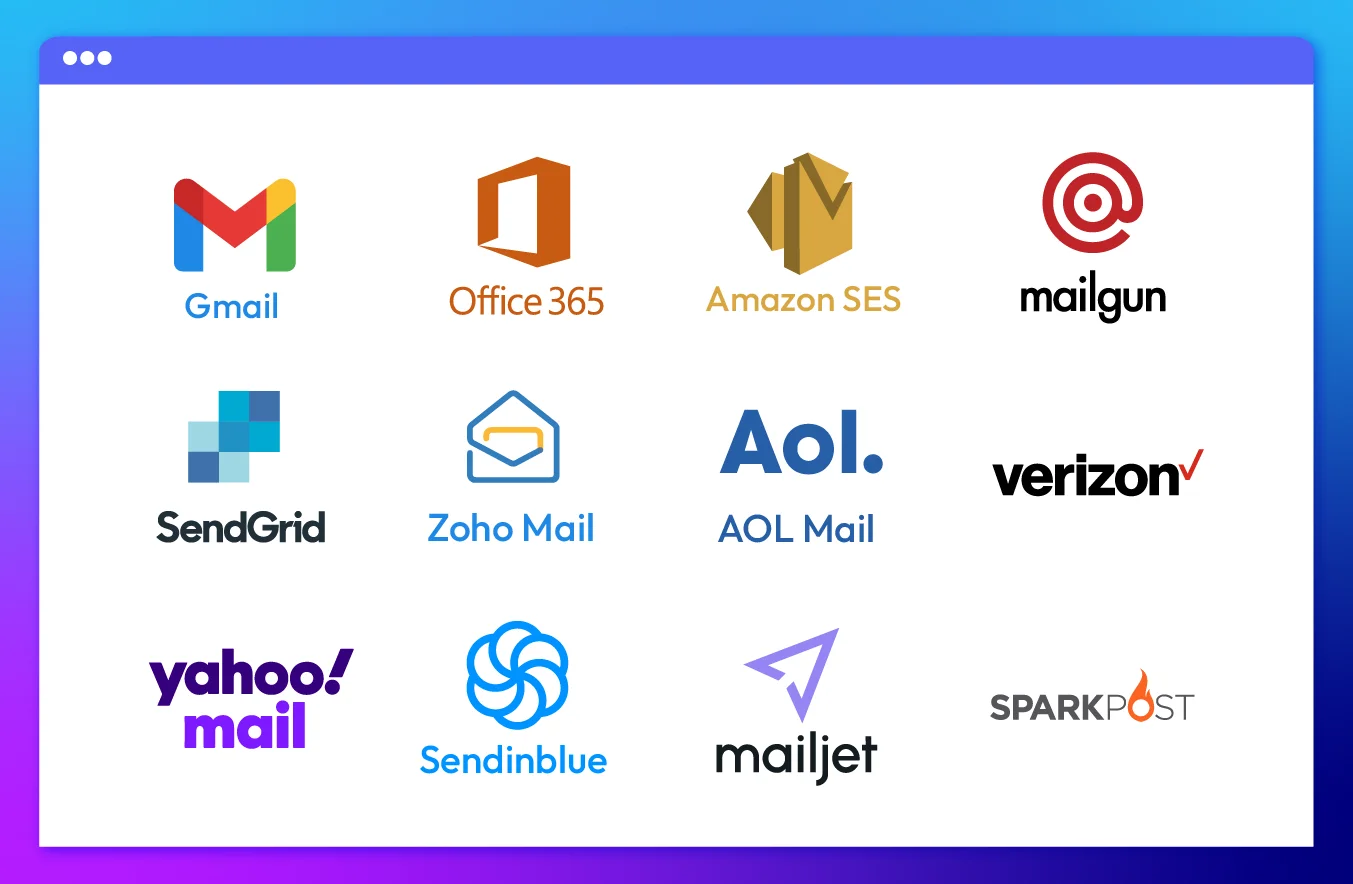
Various email service providers supported

Various email service providers supported

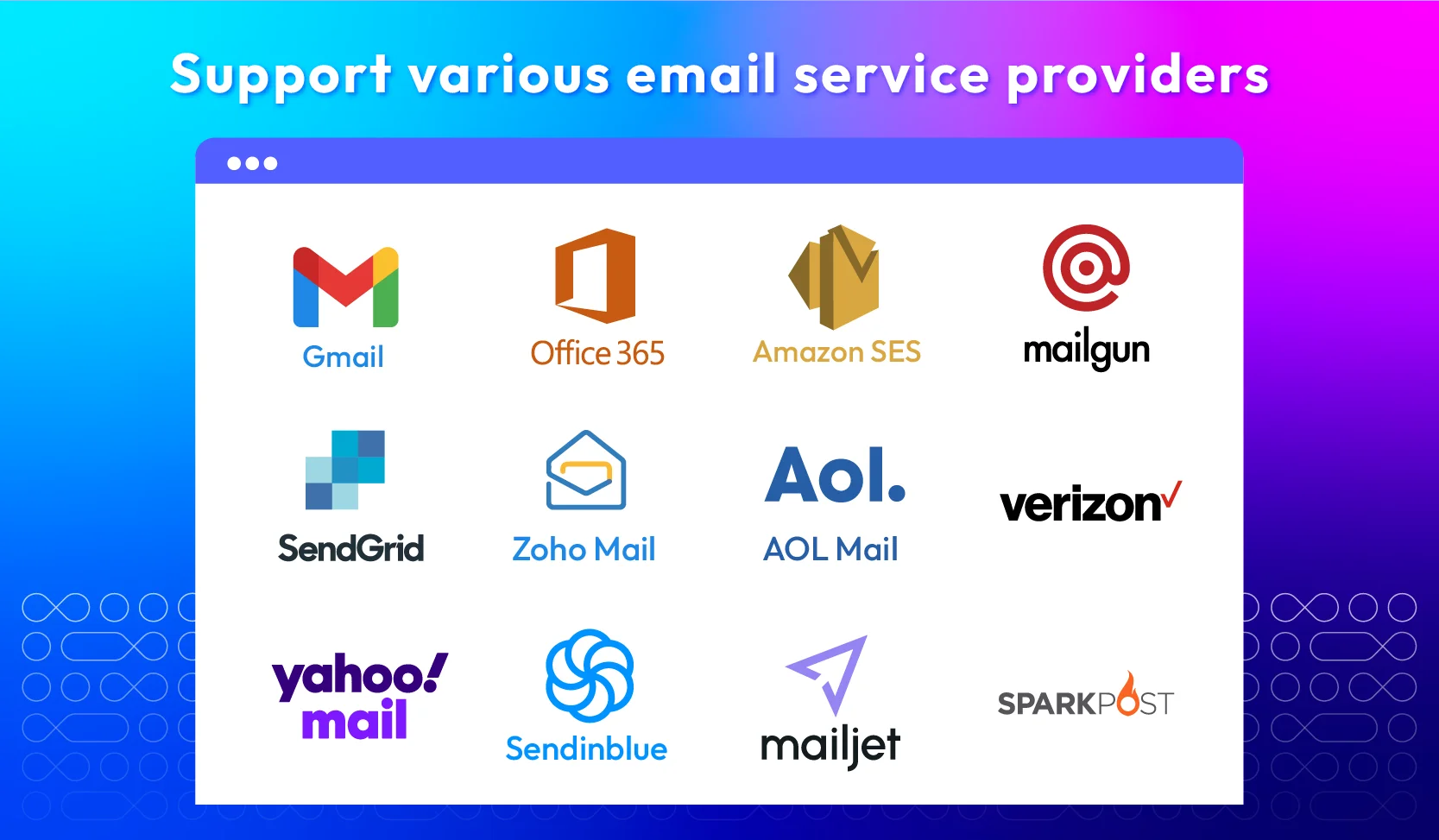
Using your own SMTP server is great, but you can save time in configuration for your email business by selecting one of 34 popular email services.
Show more

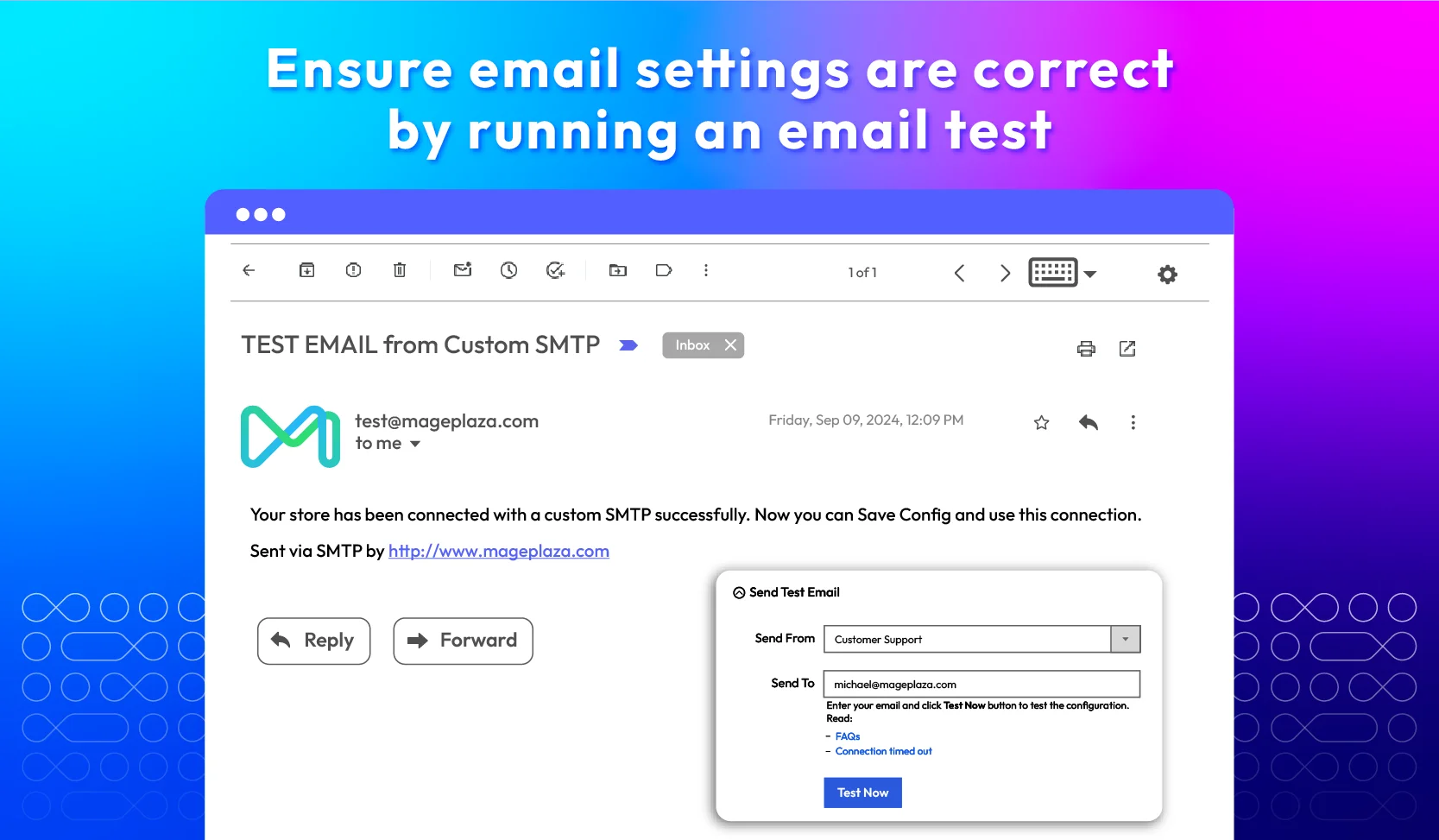
Testing email before going live

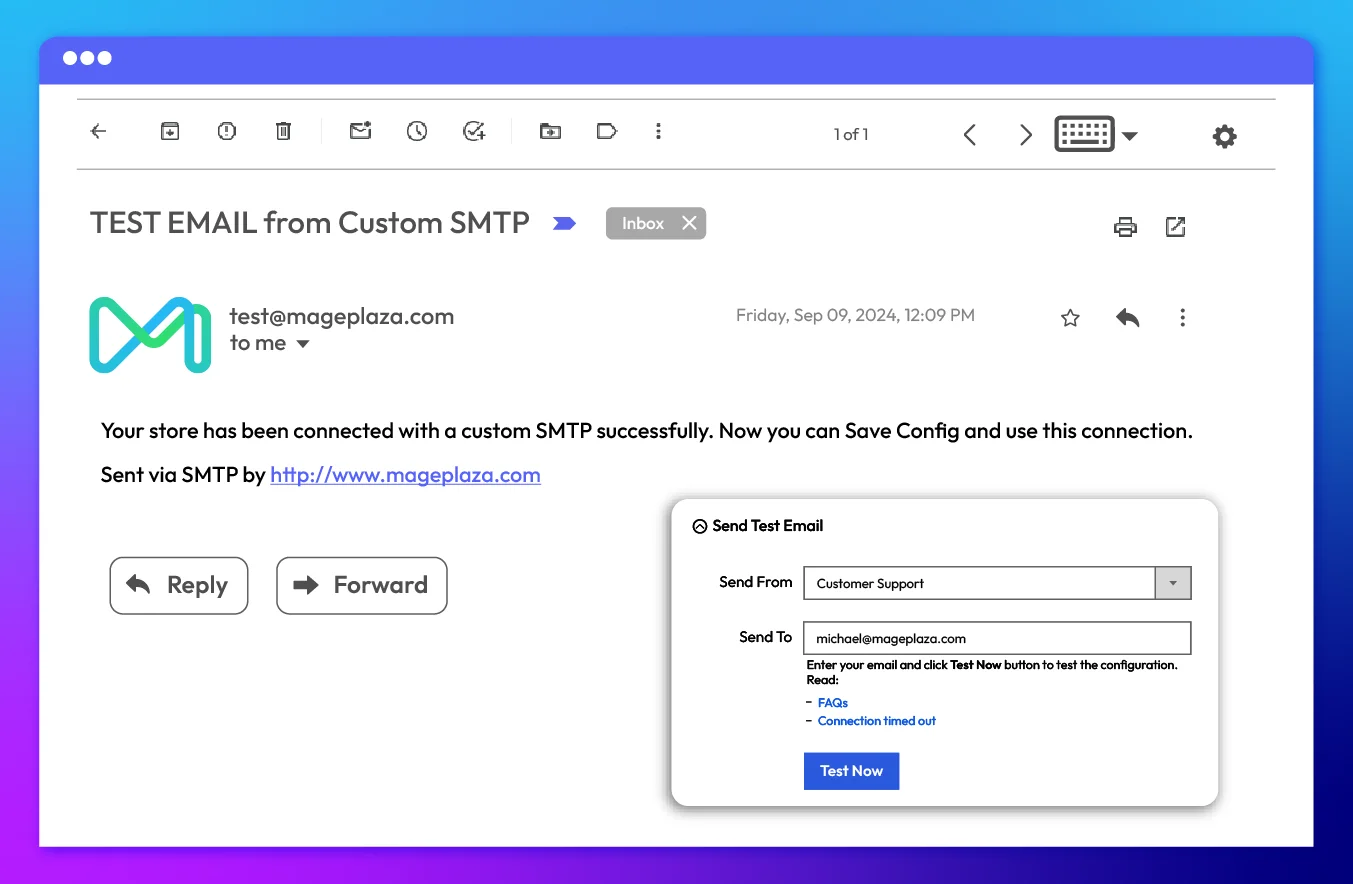
Verify if the current email setting is working correctly or not. If the configuration is correct, a success email will be sent. Otherwise, the administrator will receive an error notification.
Show more
Testing email before going live
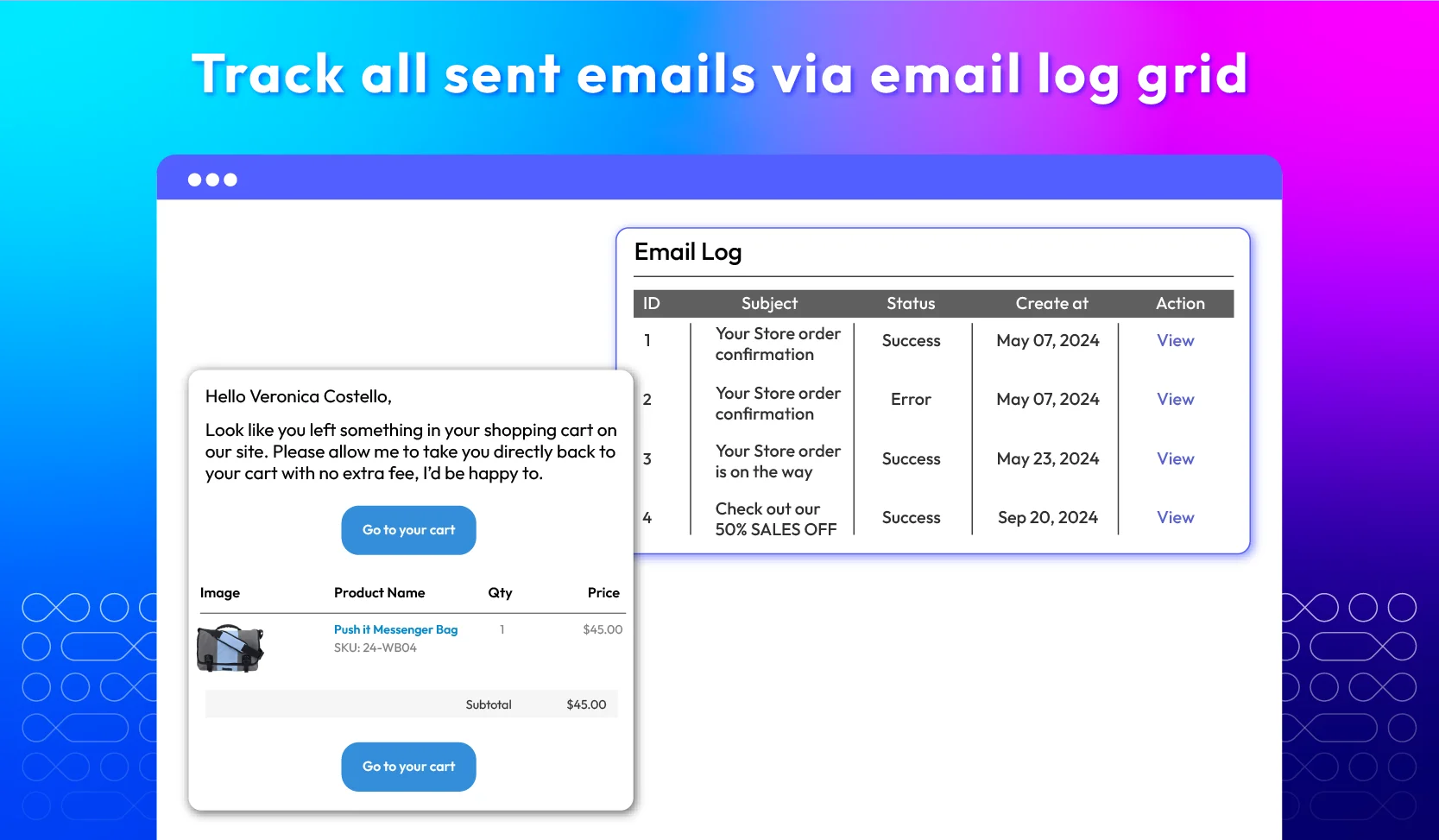
Track sent-email logs

Track sent-email logs

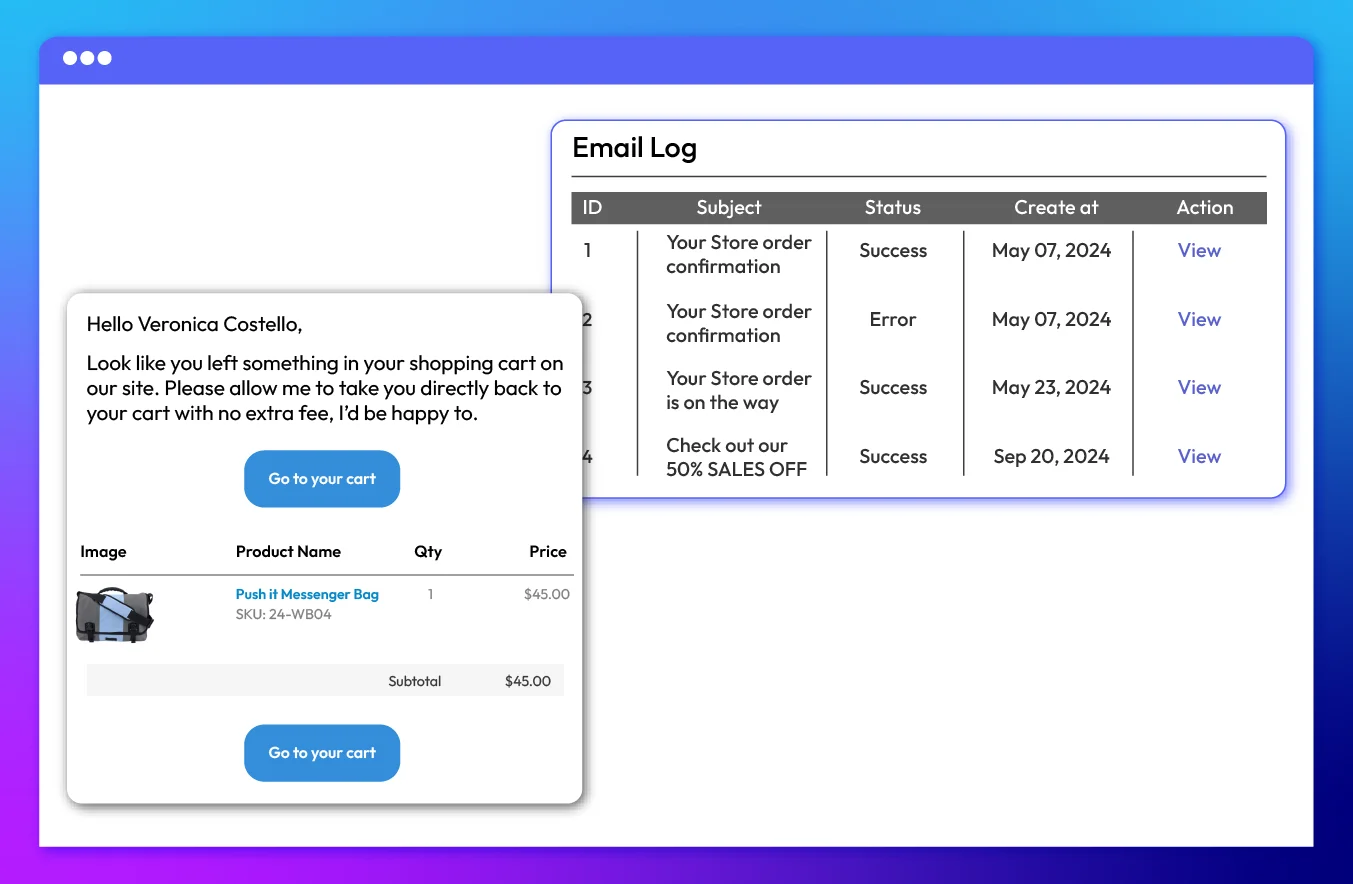
Thanks to the Mageplaza SMTP module, admins can monitor the list of sent emails at any time with the email log grid. The grid keeps all sent email logs and permits the user to check back who/how they were sent.
Show more

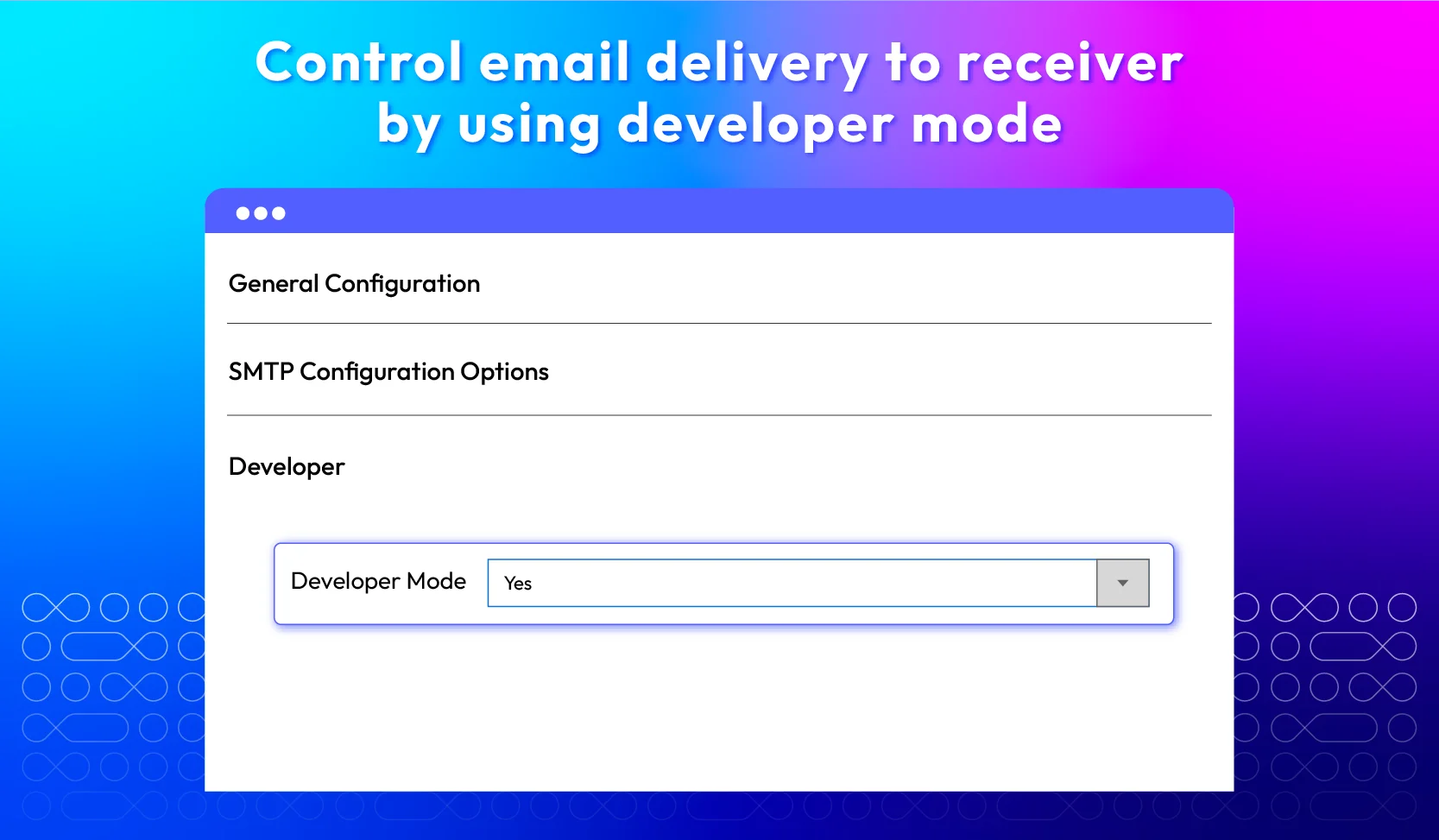
Developer mode

This function allows admins to preview and test the emails before sending real emails, ensuring configuration has no errors and complete accuracy.
Show more
Developer mode

All features

Customizable SMTP server

In the Magento 2 SMTP configuration, you can select different authentication methods to make sure secure email transmission:
check
Login
When store admins select the Login method to Magento 2, they must provide a valid username and password for the SMTP server. This guarantees that emails are sent securely through the SMTP server, preventing unauthorized access.
check
Plain
Similar to the Login method, plain authentication also uses a username and password. However, it sends the SMTP credentials in readable text without any encryption or coding.
check
CRAM-MD5
CRAM-MD5 (Challenge-Response Authentication Mechanism) is a more secure method that uses a challenge-response mechanism to authenticate the sender. It enhances security by not sending the password in plain text.

34 popular SMTP providers

Store admins can choose a host provider from a dropdown menu in the backend. The selected provider will send emails from the online store. Here are the 34 specific hosting providers:
check
Gmail/GSuite
check
Orange
check
Outlook
check
Migomail
check
Yahoo Mail
check
Yahoo Mail Plus
check
Yahoo AU/NZ
check
AT&T
check
NTL @ntlworld.com
check
SparkPost
check
BT Connect
check
Zoho Mail
check
Postmark
check
Verizon
check
AOL Mail
check
BT Openworld
check
Comcast
check
O2 Online Deutschland
check
check
1&1 Webmail
check
Hotmail
check
OVH Provider
check
SMTP2GO
check
O2 Mail
check
AWS SES

Email testing

In the backend, the Send Test Email field is to check the operation of the extension. This field contains 2 sections:
check
Send from: Select one of the five Magento email senders, including general contact, sales representatives, customer support, custom email 1, and custom email 2.
check
Send to: Enter the email address to which admins want to test the email.
To test the email, you need to follow the steps below:
check
Fill in the email addresses in the Send From and Send To sections.
check
Click the Test Now button.
Keep in mind that the final desire of every sender is for the newsletter to reach the right destination, to their mailbox, not their spam box. Take advantage of running testing; the visual examination can be performed as you can have a general look back at the intended email again.

Track sent-email log grid

With the SMTP authentication, store admins can access a detailed email log grid. This grid will include all email log information, such as ID, subject, status (whether the email was sent successfully or failed), time of creation, and the ability to take action (such as viewing or resending the email). By having this information at their fingertips, store owners can effectively monitor and manage all their emails.
In addition, the self-test email feature is designed to test whether the SMTP configuration is set up correctly. By sending test emails and checking the detailed logs, users can identify potential email sending issues and the cause of email sending errors. This approach makes it easier to find and fix any errors in the email-sending process.

Developer mode

Developer Mode is a useful feature for testing email settings and email debugging. When store admins enable the developer mode, Magento will not actually deliver any emails to the recipients. Instead, the email information is logged. By doing so, admins can preview and test the emails before actually sending them, ensuring everything is configured correctly without sending real emails.
Here are some key points about the Developer Mode:
check
Email Logging
All emails are logged so you can see the content and ensure everything is set up correctly.
check
Testing
It helps in testing the email configurations without worrying about emails being sent to actual customers.
check
Debugging
You can easily detect and fix any issues with your email settings by previewing the logs.

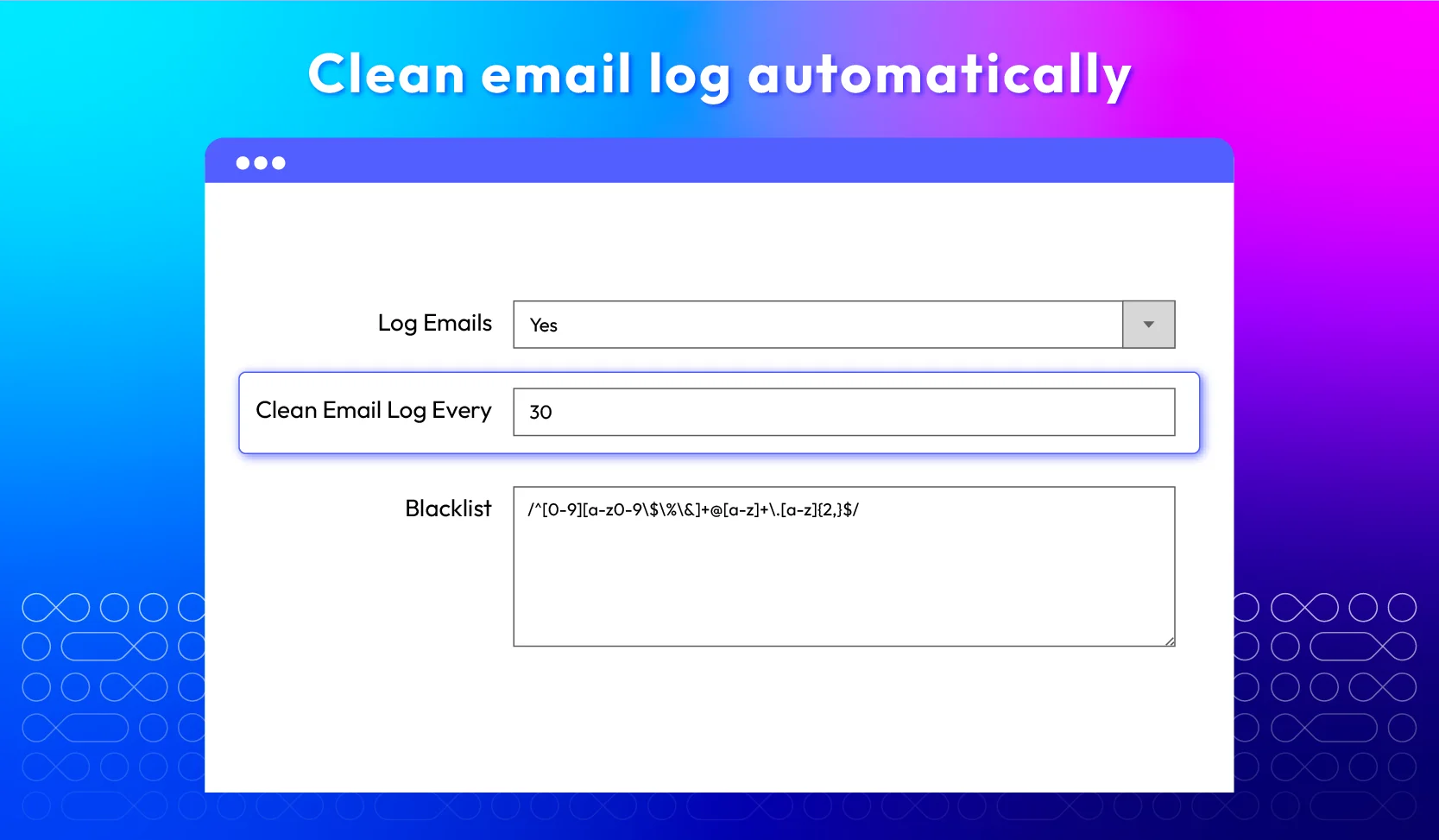
Clean email log automatically

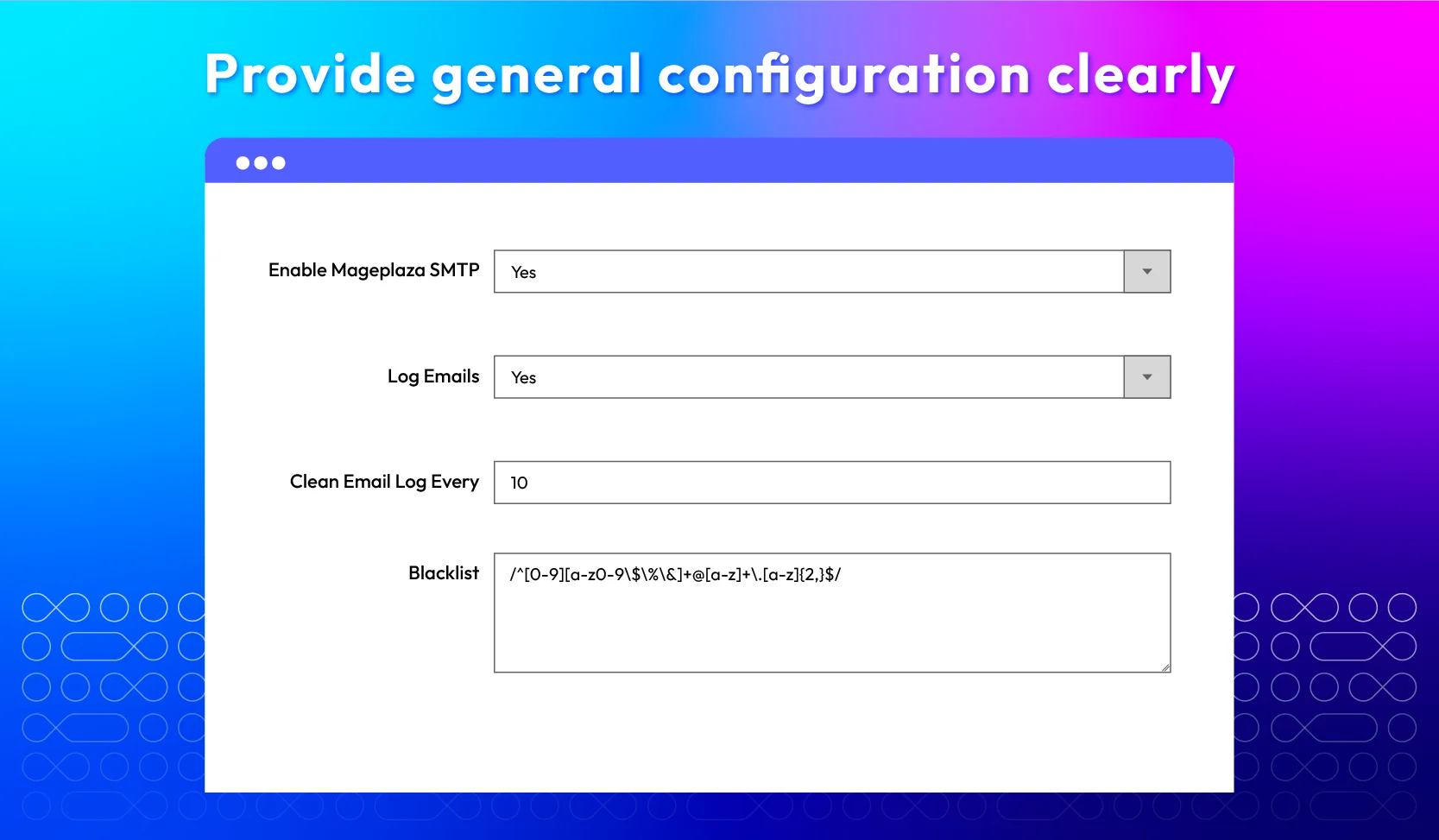
The “Clean Email Log” function allows you to delete all SMTP email logs automatically after a specified number of days. For example, if you set it to 30 days, any email logs older than 30 days will be automatically removed.
Benefits of cleaning email log automatically:
check
Storage management
By automatically deleting old email logs, you can prevent your database from becoming cluttered with outdated information.
check
Time-Saving
Instead of manually sorting and deleting old email logs, you can automate the process. By doing so, you can save time in cleaning old email logs.
check
Security and privacy
Regularly clearing out old email logs helps maintain the security and privacy of your email communications. This way ensures that sensitive information is not stored longer than necessary.

Resend email

With the Mageplaza SMTP solution, you can easily identify failed emails in the email log grid. This grid provides a comprehensive view of all outgoing emails, including those that failed to send.
When you have identified the failed emails, you can resend them directly from the email log with just a few clicks. By resending these emails, you ensure that important communications, like order confirmations or password resets, are successfully delivered to their intended recipients.
This feature is particularly valuable for maintaining customer satisfaction and trust, as it helps prevent critical emails from being overlooked or lost.

Provide multi-store support

This Magento 2 extension supports multiple stores and languages. It optimizes transactional email delivery to ensure that every message reaches your customers reliably, no matter which store or language they use. Therefore, you can efficiently manage your email systems across a multistore and multilingual setup.

Blacklist email pattern

In Magento 2, the Blacklist Email Pattern feature allows store owners to prevent specific customer email patterns from receiving emails generated by your system.
For example, if you want to block all emails going to addresses that end with @example.com, you can set up a pattern to block *@example.com. By doing so, any email generated by your Magento store (like order confirmations, newsletters, etc.) will not be sent to any address that matches this pattern.
Key benefits of using blacklisting email patterns:
check
Spam prevention
By blocking suspicious or non-legitimate email patterns (e.g., fake domains or disposable email services), you can reduce the risk of emails being flagged as spam by external services.
check
Better resource management
Preventing emails from being sent to unwanted addresses can help optimize your server's resources, improving overall system performance and email deliverability rates.
check
Compliance with policies
This feature helps businesses comply with legal or internal policies by restricting email communications with certain users or domains.

Extension compatibility

What customers say about us

Product reviews: 227
Overall rating: 5.0
5
4
3
2
1
How much do you like this product?
Leave your email to get reward points for reviews
Sean Breeden
29 September 2024
Verified purchase
Owais
10 February 2024
Verified purchase
Cumi
24 May 2023
Verified purchase
Camilo Cifuentes
03 May 2023
Verified purchase
Sławomir Kotowski
21 March 2023
Verified purchase

Release notes

  • v4.7.20 (Magento v2.4.x)

    28 October 2025

    • Bug Fix: Fixed (2.4.8) SymfonyTransport TLS/SSL handling for secure email connections.
    • Bug Fix: Fixed “foreach() argument must be of type array” critical warning when null CC or BCC.
    • Bug Fix: Fixed issue in Symfony Mailer when sending emails to multiple recipient addresses.
  • v4.7.19 (Magento v2.4.x)

    08 October 2025

    • Bug Fix: Ensured correct port handling for secure SMTP connections (TLS) with port 587 using Symfony Mailer on Magento 2.4.8.
  • v4.7.18 (Magento v2.4.x)

    19 August 2025

    • Bug Fix: We fixed the issue where the wrong SMTP settings were retrieved in Multistore environments
  • v4.7.17 (Magento v2.4.x)

    18 June 2025

    • Bug Fix: Fixed can’t save log when create new customer account issue
  • v4.7.16 (Magento v2.4.x)

    27 May 2025

    • Bug Fix: Avada Email Marketing - CSP add *.shopify.com
    • Bug Fix: Avada Email Marketing and Hyva - Fixed Hyva AlpineJs CSP
  • v4.7.15 (Magento v2.4.x)

    16 April 2025

    • Compatibility: Now compatible with Magento 2.4.8
  • v4.7.14 (Magento v2.4.x)

    03 December 2024

    • Bug Fix: Fixed not log Mail with dev mode
    • Bug Fix: Fixed wrong store id when send Abandoned Cart Email
  • v4.7.13 (Magento v2.4.x)

    19 August 2024

    New Update: We changed the CSP for Avada Email Marketing Popup

  • v4.7.12 (Magento v2.4.x)

    28 May 2024

    Compatibility: Now compatible with Magento 2.4.7

  • v4.7.11 (Magento v2.4.x)

    22 February 2024

    • Compatibility: The extension is now compatible with Magento 2.4.6-p3
  • v4.7.10 (Magento v2.4.x)

    20 December 2023

    • Bug Fix: We fixed the bug of wrong content when using a filter
  • v4.7.9 (Magento v2.4.x)

    31 October 2023

    • Fixed bug when accessing Abandoned Carts page
  • v4.7.8 (Magento v2.4.x)

    28 August 2023

    • Fix bug no email template “SMTP Abandoned Cart Email” in the Email Template page
    • Fix bug accessing the abandoned cart page
  • v4.7.7 (Magento v2.4.x)

    21 June 2023

    • Compatible with Magento v2.4.6
    • Fixed some minor bugs
  • v4.7.6 (Magento v2.4.x)

    25 May 2023

    • Fixed some minor bugs
  • v4.7.5 (Magento v2.4.x)

    31 January 2023

    • Fixed other minor bugs
  • v4.7.4 (Magento v2.4.x)

    05 December 2022

    • Fixed error after checkout
    • Fixed other minor bugs
  • v4.7.3 (Magento v2.4.x)

    15 August 2022

    Fixed minor bugs

  • v4.7.2 (Magento v2.4.x)

    29 May 2022

    • Compatible Magento v2.4.4
  • v1.11.2 (Magento v2.3.x)

    29 May 2022

    • Compatible Magento v2.4.4
  • v4.7.1 (Magento v2.4.x)

    18 April 2022

    • Updated GraphQL system
  • v1.11.1 (Magento v2.3.x)

    18 April 2022

    • Updated GraphQL system
  • v4.7.0 (Magento v2.4.x)

    28 December 2021

    • Add new GraphQL system
    • Fixed minor bugs
  • v1.11.0 (Magento v2.3.x)

    28 December 2021

    • Add new GraphQL system
    • Fixed minor bugs
  • v4.6.3 (Magento v2.4.x)

    09 November 2021

    • Update Content Security Policies
    • Fix minor bugs
  • 1.10.3 (Magento v2.3.x)

    09 November 2021

    • Update Content Security Policies
    • Fix minor bugs
  • v4.6.2 (Magento v2.4.x)

    03 November 2021

    • Improve sync order, customer to Email Marketing app
    • Fix minor bugs
  • v1.10.2 (Magento v2.3.x)

    03 November 2021

    • Improve sync order, customer to Email Marketing app
    • Fix minor bugs
  • v4.6.1 (Magento v2.4.x)

    11 October 2021

    • Fix bug label and improve sync section
    • Hide default Abandoned Cart template
    • Fix bug cache AVADA_EM, SMTP
    • Fix get products price
    • Fix some minor bugs
  • v1.10.1 (Magento v2.3.x)

    11 October 2021

    • Fix bug label and improve sync section
    • Hide default Abandoned Cart template
    • Fix bug cache AVADA_EM, SMTP
    • Fix get products price
    • Fix some minor bugs
Load More

Frequently Asked Questions

To configure the Magento email settings, you need to follow the steps below:

- Go to Stores > Settings > Configuration

- Under Mageplaza, select SMTP

For further instructions, please follow our step-by-step SMTP configuration guide.

The Mageplaza SMTP extension for Magento 2 supports 34 SMTP providers, including Gmail, G Suite, Amazon SES, Office 365, Mailgun, SendGrid, Mandrill, Outlook, Sendinblue, SparkPost, Hotmail, Comcast, AWS SES, and more.

Yes, you can manage a blacklist to prevent unwanted emails from being sent or received.

You can choose the appropriate method about email authentication like LOGIN, PLAIN, and CRAM-MD5 to secure your SMTP configuration.

If your emails are not delivered, you need to check your custom SMTP configuration settings, review SMTP error logs, and ensure that your SMTP server is not blocking the emails.

Yes, SMTP is compatible with Hyva theme. However, the checkout only supports hyva-themes/magento2-theme-fallback. To learn how to enable checkout on Hyva, please follow this guide.

Mageplaza provides FREE Hyva Checkout Compatibility for all of our extensions upon requests. You can request by contacting us via email, live chat, or support ticket. Our team will respond within 24 hours and ask for details such as Order ID, extension name, Magento & Hyva versions, and any special requirements. To qualify, your module subscription must be active. If your subscription has expired, renewal is required as some older modules do not support Hyva. Additional customization requests may incur extra costs, and our team will inform you before proceeding. For assistance, feel free to reach out - we're here to help!

Magento Edition *
Version *
FREE installation Tooltip
Ends in:
03 : 00 : 00 : 00
Get 10% OFF
$0
icon logo magento 2.4.4 - 2.4.8
Tooltip
Hyva logo Theme
Tooltip

Pricing

Choose your suitable edition.

Community

FREE
Free lifetime updates
Technical Support is NOT included
Read our policies
check
Support Magento 2 Community Eddition

Enterprise/ Magento Cloud

$ 200 first year
Includes support & updates for 1 year Tooltip
60 days money back guarantee
Read our policies
check
Support Magento 2 Enterprise Eddition
check
Highest priority support
Can't see the feature you're looking for?
Describe it and we will customize this extension to suit your needs!
Request customization
feature looking icon